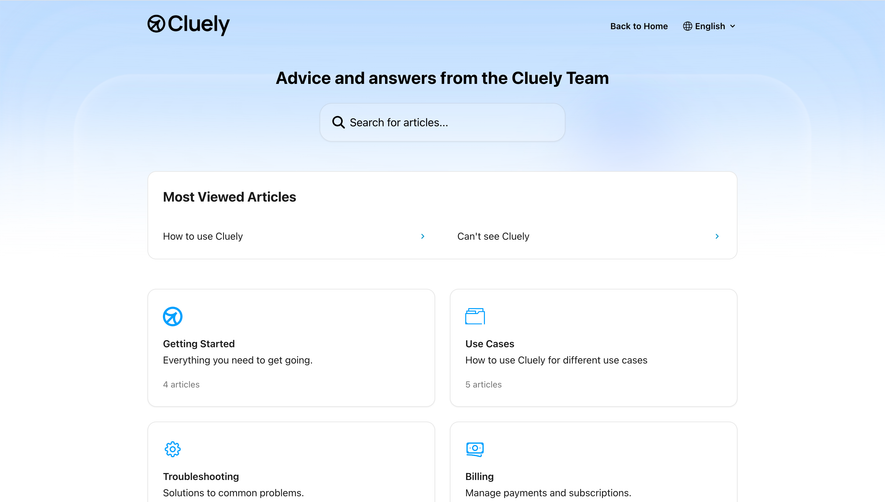
Generate a new design based on this screen using your own content.
Thank you! Your submission has been received!
Oops! Something went wrong while submitting the form.
# Design from Reference: Sequence Documentation
Create an original, high-fidelity visual design inspired by the reference. Prioritize composition, typography, colors, spacing, and component styling over technical implementation.
## Reference
- **Product:** Sequence
- **Category:** Documentation
- **Screenshot:** https://cdn.prod.website-files.com/5e9dc792e1210c5325f7ebbc/6acadbdfd05a3f53c0a8618c_6acadb226cd44b3ad4d900cf_cms-e52440b42473762ba28fde95.webp
Analyze the screenshot first. If inaccessible, request it rather than guessing.
## Content
{{content.instructions}}
{{content.data}}
Preserve essential messaging and factual accuracy. Adapt structure and copy length for visual balance; never invent product claims.
## Visual Design
Use this context to reproduce the reference's visual language: layout, typography, colors, spacing, borders, radii, and distinctive elements. The screenshot takes priority if descriptions conflict.
## Direction
{{preferences.fidelityInstructions}}
## Output
{{output.instructions}}
Deliver a polished, cohesive design with precise alignment, hierarchy, and spacing. Produce the requested visual artifact, not just a description. If unsupported, explain the limitation.
Sequence nails the developer documentation look without feeling sterile. The left sidebar navigation is well organized with clear category headers like "Getting started," "Billing," and "Metrics & Events" in bold, making scanning effortless. That teal highlight on the active nav item is subtle but effective.
Cards that actually help
The six feature cards in the middle section are the visual anchor here. Each one pairs a colored circular icon with a short description. They use a soft border treatment that keeps things light. The icons feel custom and consistent, mixing teal, green, and warm tones without clashing. It's a smart way to break up what could be a wall of text.
Typography pulls its weight
The type hierarchy is doing a lot of heavy lifting. "Overview" in that large serif-ish heading contrasts well against the smaller sans-serif body text. Section headers like "Learn more about Sequence" and "Getting started" create natural breathing room.
What stands out
The bottom "Getting started" cards with action-oriented titles like "Create a plan" and "Schedule a plan for a customer" give users an immediate on-ramp. Practical and focused. No fluff.
.webp)





.avif)