.webp)
Thank you! Your submission has been received!
Oops! Something went wrong while submitting the form.
Get SaaSFrame Pro
Monthly
$18
Quarterly
$48
Yearly
$180
Upgrade to access this feature
Browse all screens & flows
Filter and search screens & flows
Access Figma files
Access mobile versions
Bookmark screens & flows
Join now
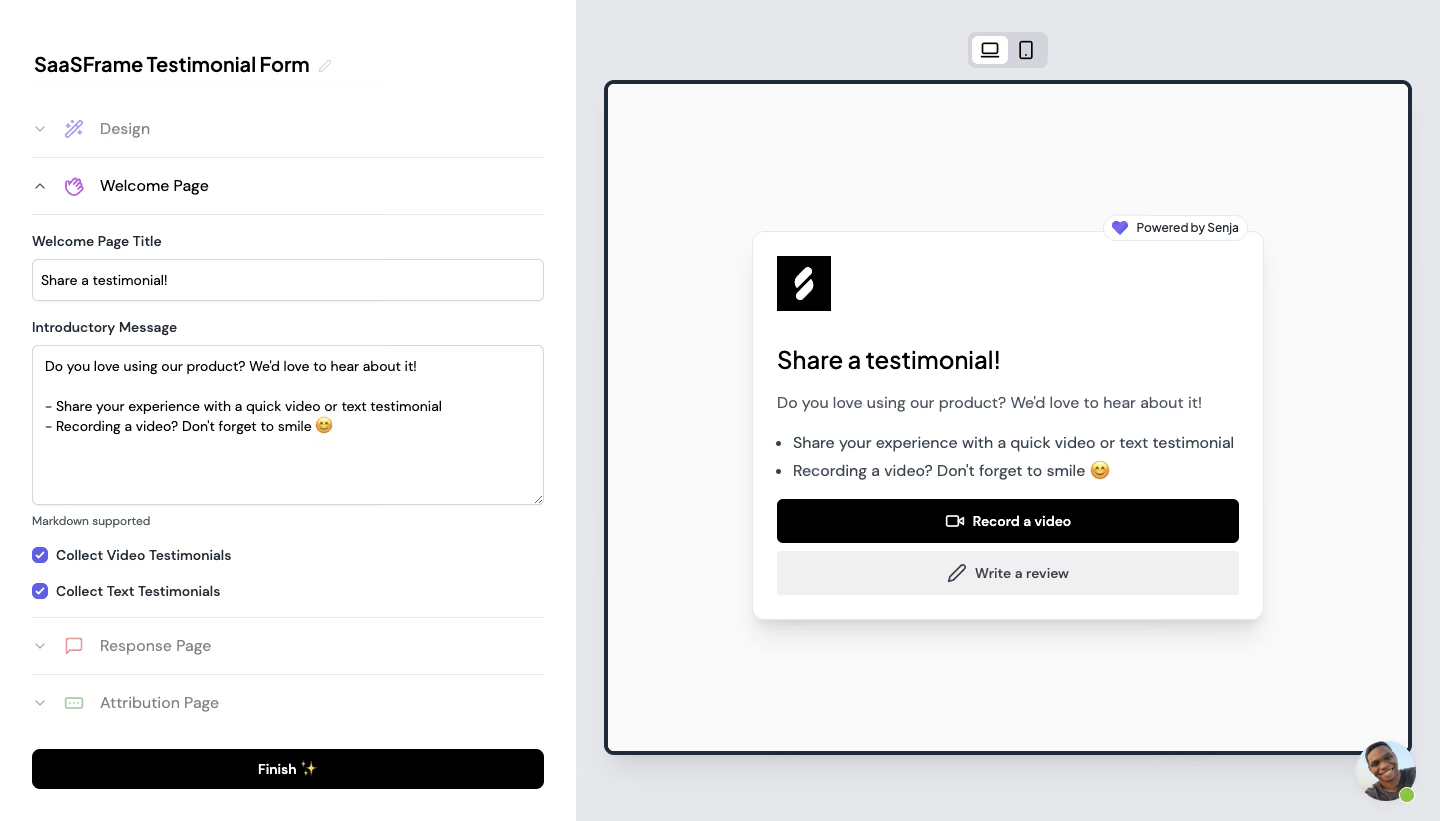
Senja User Onboarding

Senja
Collect, Manage & Share Testimonials
Designed by
No items found.

Bookmark
Bookmark

Design with AI
Thank you! Your submission has been received!
Oops! Something went wrong while submitting the form.
# Design from Reference: Senja User Onboarding
Create an original, high-fidelity visual design inspired by the reference. Prioritize composition, typography, colors, spacing, and component styling over technical implementation.
## Reference
- **Product:** Senja
- **Category:** User Onboarding
- **Screenshot:** https://cdn.prod.website-files.com/5e9dc792e1210c5325f7ebbc/6acbbbf2f023ce865170e22d_6acbbb3a3b6b24eada5431b6_cms-54d14cb4609f630fe3057344.webp
Analyze the screenshot first. If inaccessible, request it rather than guessing.
## Content
{{content.instructions}}
{{content.data}}
Preserve essential messaging and factual accuracy. Adapt structure and copy length for visual balance; never invent product claims.
## Visual Design
### Overall aesthetic
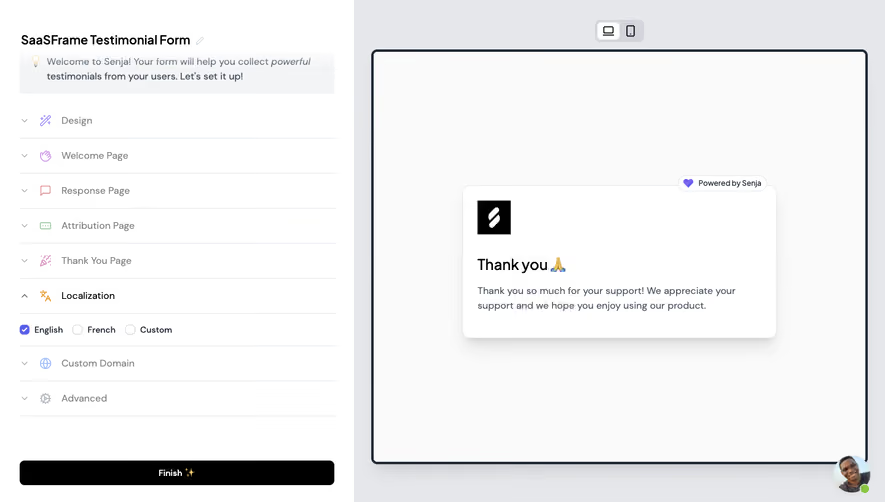
- **Character:** A practical testimonial form editor pairs a plain white settings column with a large framed preview on a cool gray canvas.
- **Contrast:** Black primary actions and typography establish a neutral interface; small purple accents and pastel accordion icons add selective color.
### Page composition
- **Capture scale:** The original is 1440 × 821 image pixels. Approximate source-pixel measurements are used; a roughly 1:1 CSS scale is plausible but unverified.
- **Editor column:** The left approximately 40% of the screen contains the form title, four accordion sections and a full-width bottom Finish button.
- **Open section:** Welcome Page is expanded with a title input, introductory-message textarea, Markdown helper and two checked collection options.
- **Preview region:** The right approximately 60% uses a gray background, a centered desktop/mobile selector and a large dark-outlined preview frame.
- **Preview content:** A white testimonial card sits centrally inside that frame, with an overlapping powered-by badge. A circular support avatar occupies the lower-right corner.
### Information hierarchy
- **Editing context:** The form name and pencil icon establish the editable object, followed by accordion headings that separate design and page stages.
- **Field sequence:** Labels precede controls, the Markdown note explains formatting, and checkbox options follow the message editor.
- **Preview priority:** A black square brand mark leads to the testimonial heading, explanatory copy, two bullets and stacked video/text submission actions.
### Typography
- **Family:** A clean sans serif is used in editor and preview; exact font identity is unverified.
- **Editor roles:** The form name is approximately 20 pixels and semibold. Accordion headings are around 16 pixels; field labels roughly 14 pixels and semibold; helper copy about 12 pixels.
- **Preview roles:** The heading is approximately 24 pixels, semibold with compact leading. Body and bullets are around 16 pixels with roughly 28-pixel line spacing.
- **Control roles:** Button labels use approximately 14 pixels and semibold weight; inputs and textarea use similarly compact text.
### Colors & surfaces
- **Measured neutrals:** Source samples include #FFFFFF, near-white #FAFAFA and black #000000 for white panels, preview interior and primary controls.
- **Measured gray palette:** #E5E7EB and #E4E6EA appear among the cool gray surfaces/boundaries; #F0F0F0 supports the pale secondary action.
- **Accent use:** Purple checkboxes, the powered-by heart and pastel section icons provide small status and identity accents without coloring the main canvas.
### Components
- **Accordion rows:** Thin light-gray separators divide the four stages; chevrons indicate expanded/collapsed state and small colored icons identify each section.
- **Text controls:** The title input is approximately 510 × 42 pixels; the textarea is roughly 510 × 160 pixels, each with a thin gray border and 5–6-pixel radius.
- **Collection choices:** Two purple checked boxes sit beside bold labels, vertically separated by around 20 pixels.
- **Preview frame:** A roughly 4-pixel dark border with about 8-pixel corner radius encloses a large near-white area.
- **Testimonial card:** Approximately 510 × 390 pixels, with about 24-pixel padding, a subtle border, roughly 12-pixel radius and a soft downward shadow.
- **Actions:** The black video and pale text-review buttons span the card width, approximately 44 pixels high with small radii and leading icons. The editor's black Finish button is about 40 pixels high.
### Visual rhythm
- **Editor spacing:** Approximately 32-pixel side padding aligns headings, dividers, fields and the Finish control.
- **Form rhythm:** Labels sit close to their controls, with larger 18–24-pixel gaps between field groups and accordion stages.
- **Preview balance:** Extensive blank space surrounds the centered card; an approximately 8-pixel gap separates its two actions.
### Responsive
- **Observed state:** Desktop preview is selected; a mobile icon is visible, but its output and interactions are not shown.
- **Recommended editor behavior:** On narrow screens, switch between settings and preview or stack them, preserving the form controls' usable width.
- **Recommended card behavior:** Make the card fluid, wrap body copy naturally and maintain full-width touch-friendly submission buttons; keep badges clear of text.
### Adaptation guidance
- **Preserve the distinction:** Keep configuration controls on a quiet white surface and the resulting form inside a clearly separate preview area.
- **Reuse component logic:** Use consistent accordion rows, labeled inputs and selected checkboxes; preserve the visible open Welcome Page state in a matching static rendition.
- **Maintain contrast:** Keep the primary video/Finish actions black, the secondary review action pale and purple restricted to small interface accents.
- **Implementation details:** Treat dimensions as estimates, verify font identity separately and ensure keyboard focus, accordion semantics and checkbox labels remain accessible.
Use this context to reproduce the reference's visual language: layout, typography, colors, spacing, borders, radii, and distinctive elements. The screenshot takes priority if descriptions conflict.
## Direction
{{preferences.fidelityInstructions}}
## Output
{{output.instructions}}
Deliver a polished, cohesive design with precise alignment, hierarchy, and spacing. Produce the requested visual artifact, not just a description. If unsupported, explain the limitation.

.avif)
Category
Patterns
Tech Stack


Added on
February 24, 2023
Found in 1 flow
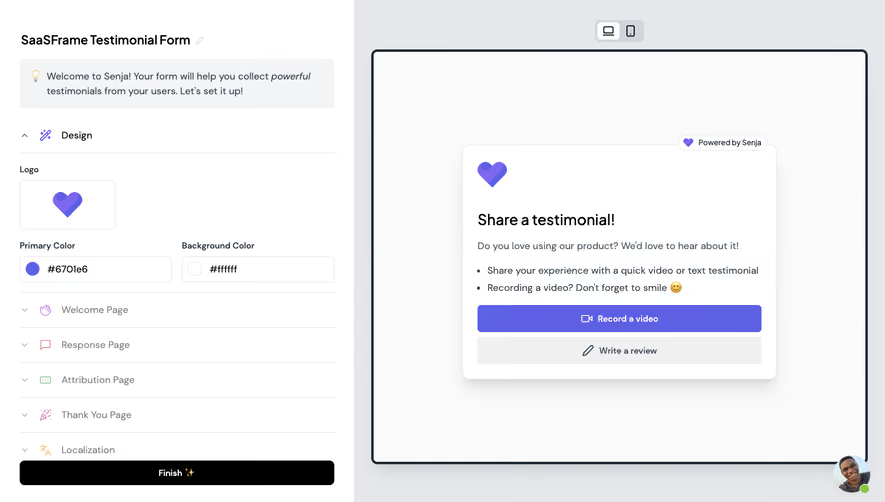


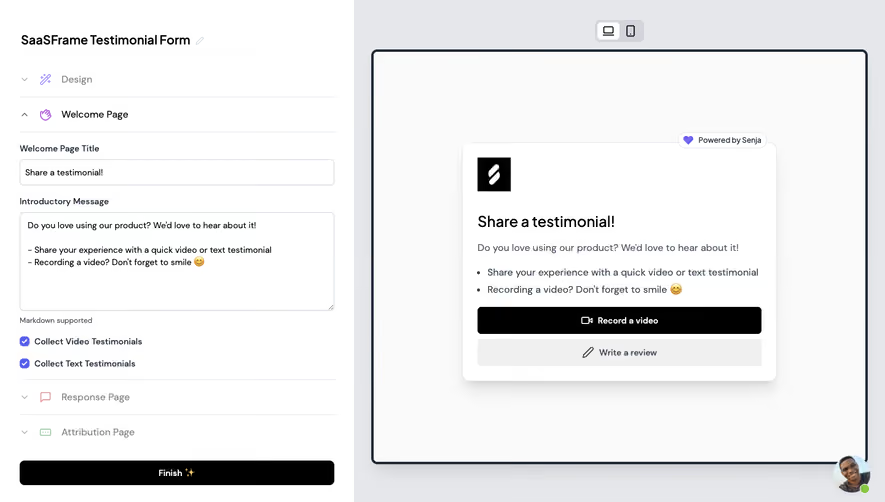
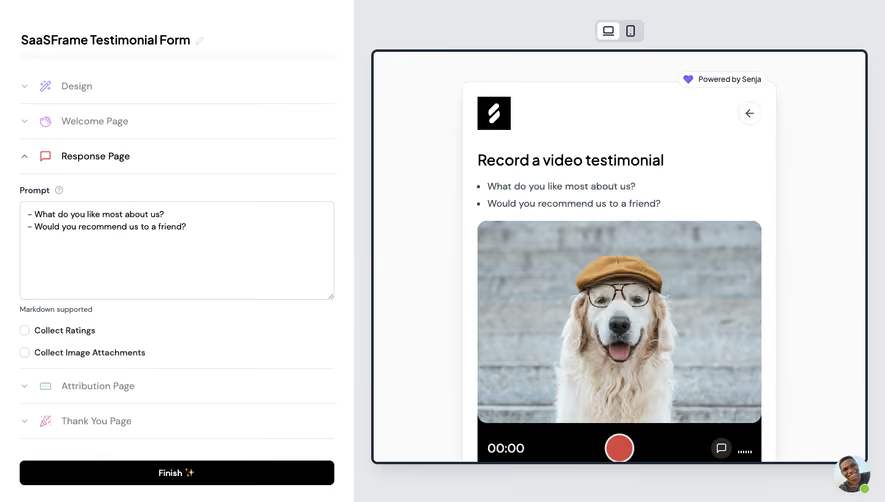




Similar screens



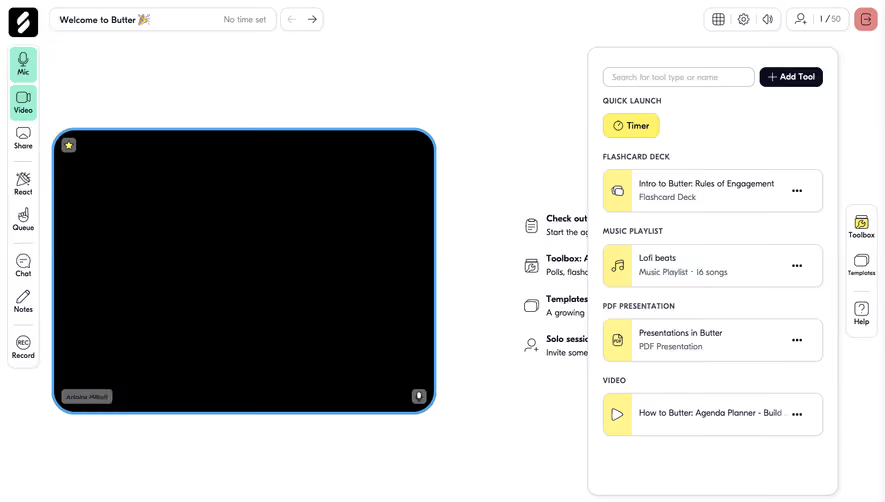

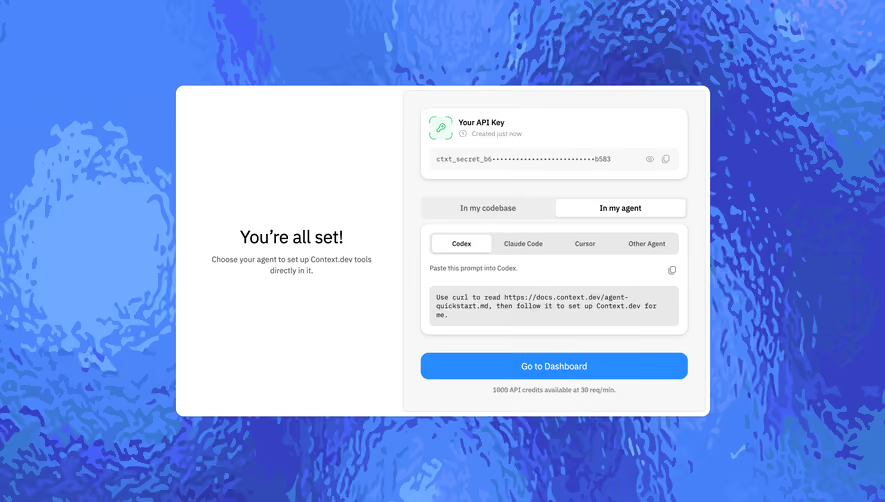

Upgrade to SaaSFrame Pro now to see similar examples.
Monthly
$18 /month
Billed $18 monthly
Browse all screens & flows
Filter and search screens & flows
Search text in screenshots
Access Figma files
Access mobile versions
Join now
Quarterly
$16 /month
Billed $48 quarterly
Browse all screens & flows
Filter and search screens & flows
Search text in screenshots
Access Figma files
Access mobile versions
Join now
Yearly
$15 /month
Billed $180 yearly
Browse all screens & flows
Filter and search screens & flows
Search text in screenshots
Access Figma files
Access mobile versions
Join now