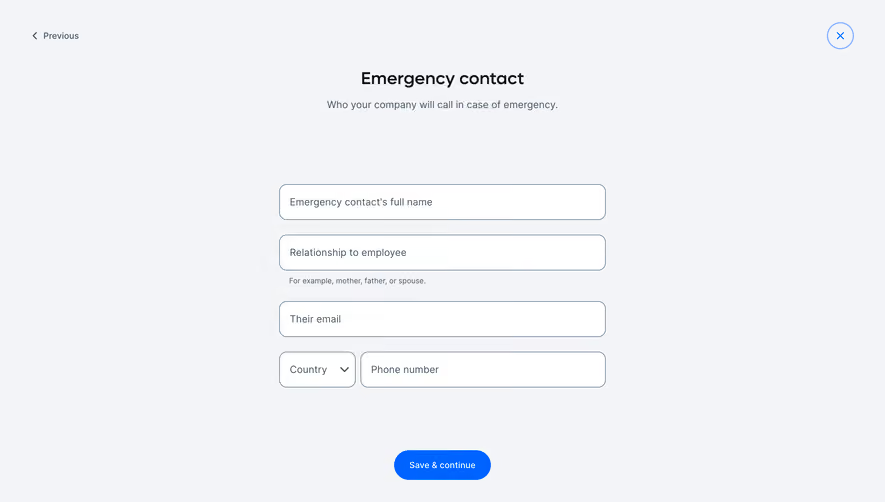
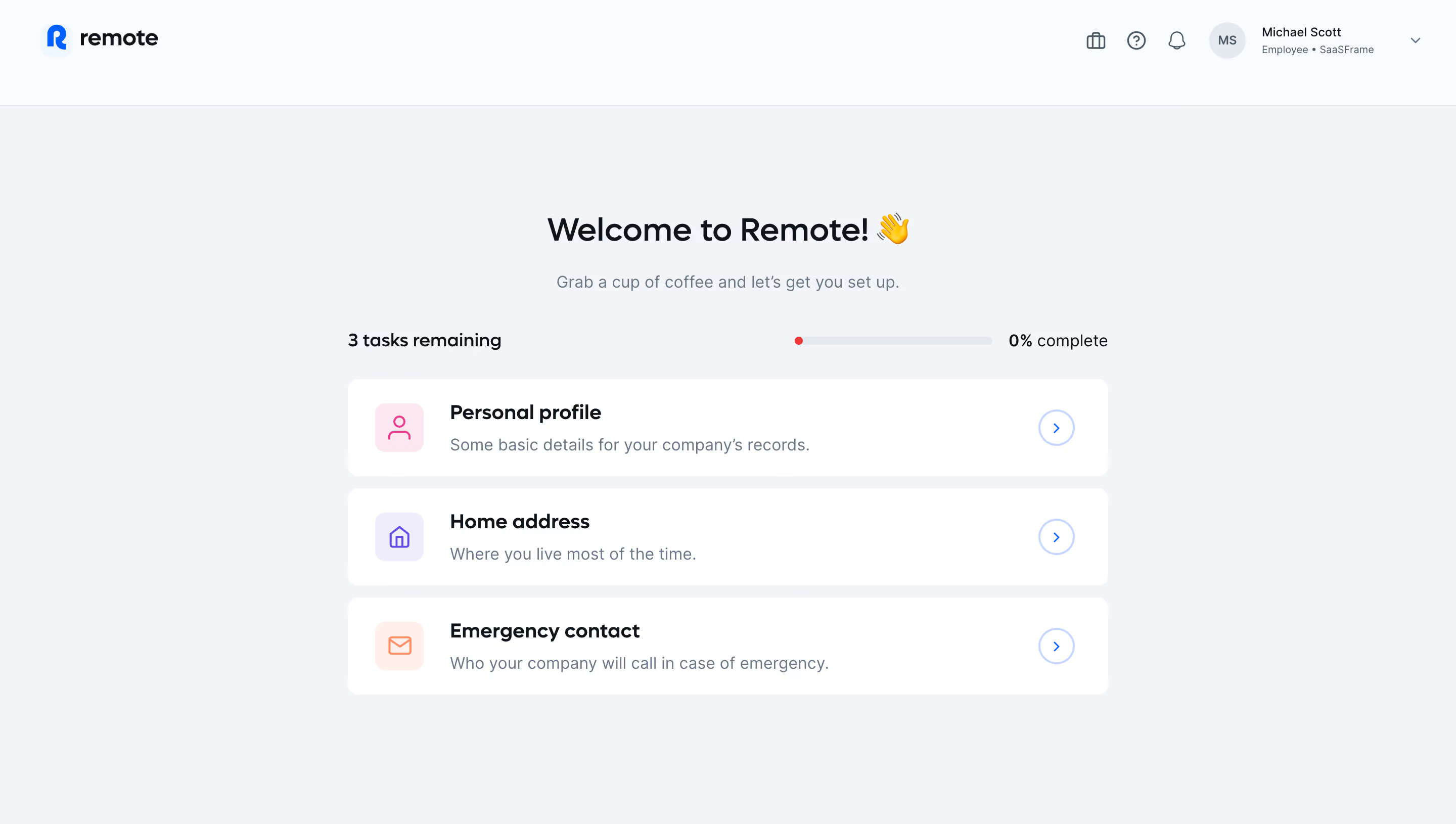
Generate a new design based on this screen using your own content.
Thank you! Your submission has been received!
Oops! Something went wrong while submitting the form.
# Design from Reference: Remote Employee User Onboarding
Create an original, high-fidelity visual design inspired by the reference. Prioritize composition, typography, colors, spacing, and component styling over technical implementation.
## Reference
- **Product:** Remote
- **Category:** User Onboarding
- **Screenshot:** https://cdn.prod.website-files.com/5e9dc792e1210c5325f7ebbc/6acb61aec08cd859ff851a69_6acad6401d50254551a160d4_cms-74b61f95ae47bc7a4bf7bdd1.webp
Analyze the screenshot first. If inaccessible, request it rather than guessing.
## Content
{{content.instructions}}
{{content.data}}
Preserve essential messaging and factual accuracy. Adapt structure and copy length for visual balance; never invent product claims.
## Visual Design
Use this context to reproduce the reference's visual language: layout, typography, colors, spacing, borders, radii, and distinctive elements. The screenshot takes priority if descriptions conflict.
## Direction
{{preferences.fidelityInstructions}}
## Output
{{output.instructions}}
Deliver a polished, cohesive design with precise alignment, hierarchy, and spacing. Produce the requested visual artifact, not just a description. If unsupported, explain the limitation.
The page embodies a minimalist, ultra-modern aesthetic that emphasizes clarity and simplicity. Whitespace is used generously to give content breathing room, allowing users to focus on core actions without distraction. The design feels approachable yet distinctly professional, using subtle design accents to establish trust and credibility.
Layout and Structure
Content is organized into clearly defined sections, with an intuitive left sidebar navigation leading users through sequential onboarding tasks. Main content occupies the center, framed by gentle visual containers that separate specific actions or instructions. The logical progression invites users to move methodically from one task to the next, and persists navigation for ease of reference.
Visual Elements
Illustrative icons add a welcoming touch and guide attention to primary actions, while subtle status indicators (e.g., checkmarks for completed tasks) offer instant feedback. Micro-animations are kept minimal, prioritizing user clarity over visual noise. Everything feels purposeful and reinforces the seamless user journey.
Color Palette and Typography
A restrained color palette—primarily calming blues, clean whites, and muted grays—projects stability and reassurance. Accents in green or purple highlight progress or key actions. Clean, highly legible sans-serif typography is used throughout, with a clear type hierarchy demarcating headings, tasks, and instructions.
User Experience Patterns & Unique Choices
Sticky task navigation ensures users never lose their place. Progress indicators and checklist metaphors foster a sense of accomplishment. The absence of clutter, combined with frictionless micro-interactions, results in a streamlined, almost “invisible” workflow that underscores reliability and care. The tone is quietly empowering, making complex onboarding feel friendly and achievable.
.webp)




.avif)