.webp)
Thank you! Your submission has been received!
Oops! Something went wrong while submitting the form.
Get SaaSFrame Pro
Monthly
$18
Quarterly
$48
Yearly
$180
Upgrade to access this feature
Browse all screens & flows
Filter and search screens & flows
Access Figma files
Access mobile versions
Bookmark screens & flows
Join now
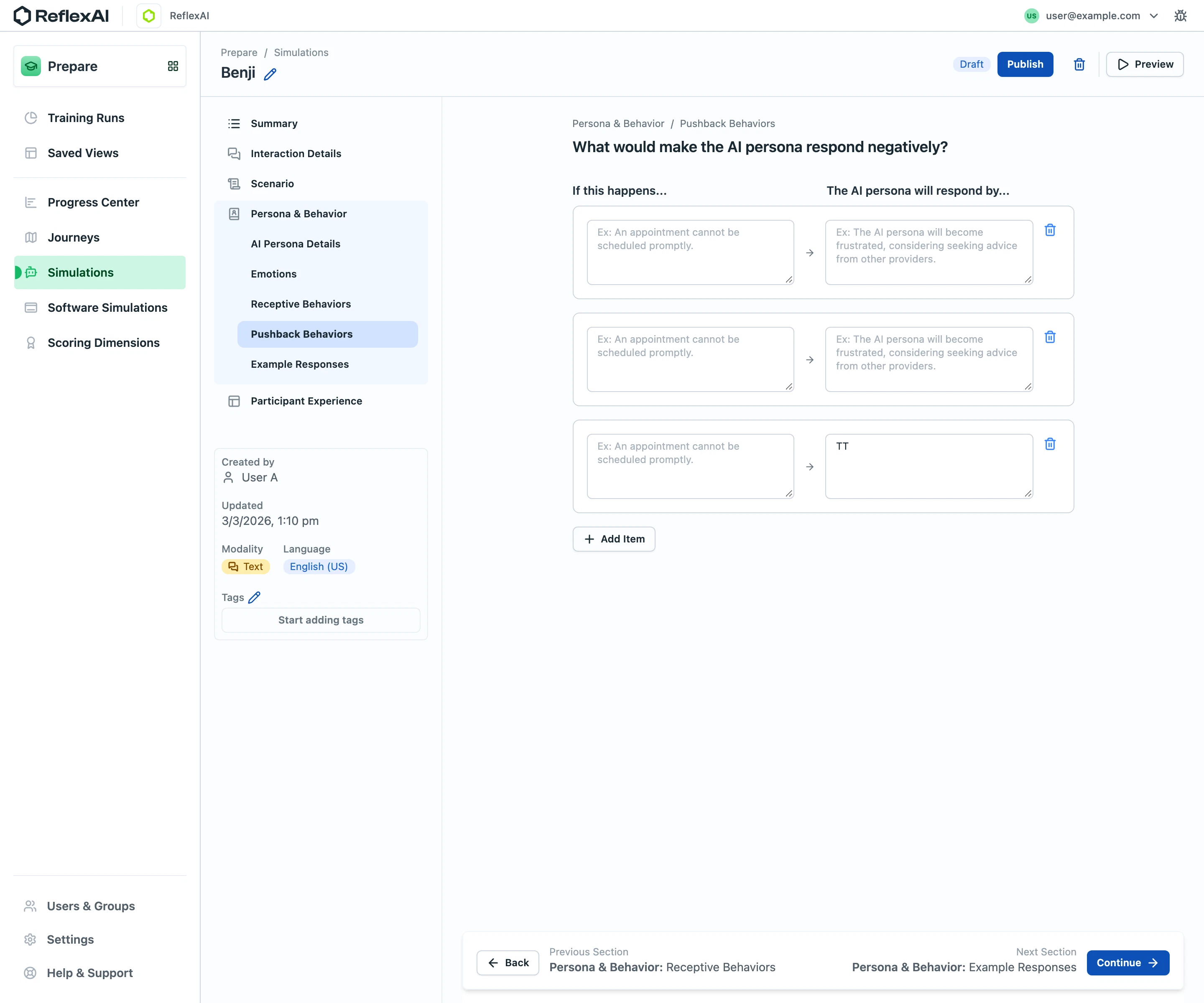
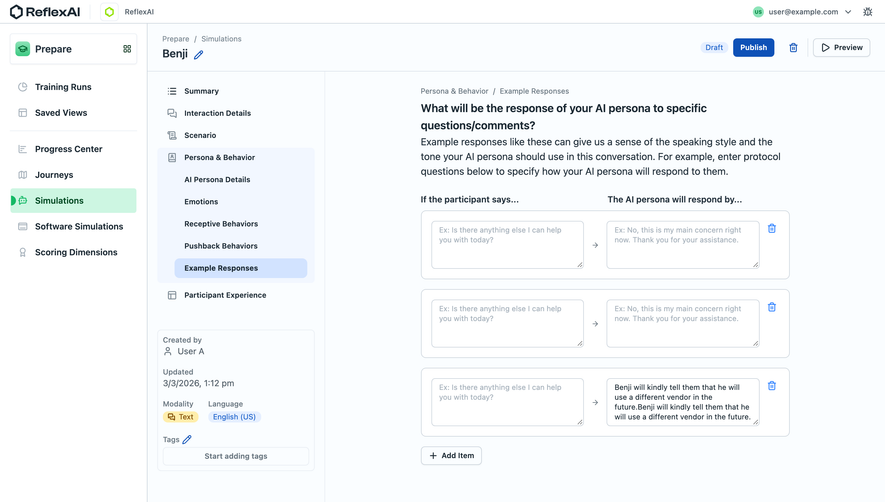
ReflexAI AI persona participant behaviors editor

ReflexAI
Simulations and quality assurance for critical conversations
Designed by
No items found.

Bookmark
Bookmark

Design with AI
Thank you! Your submission has been received!
Oops! Something went wrong while submitting the form.
# Design from Reference: ReflexAI AI persona participant behaviors editor
Create an original, high-fidelity visual design inspired by the reference. Prioritize composition, typography, colors, spacing, and component styling over technical implementation.
## Reference
- **Product:** ReflexAI
- **Category:** Add & Edit
- **Screenshot:** https://cdn.prod.website-files.com/5e9dc792e1210c5325f7ebbc/6aca27d5aca7079066e8e518_6aca2590752d7123197afc02_cms-24006b86665408a2ea478a21.webp
Analyze the screenshot first. If inaccessible, request it rather than guessing.
## Content
{{content.instructions}}
{{content.data}}
Preserve essential messaging and factual accuracy. Adapt structure and copy length for visual balance; never invent product claims.
## Visual Design
### Overall aesthetic
- **Character:** A structured simulation editor uses pale blue-white surfaces, dark slate text, fine cool borders, green global selection, and blue editing actions.
- **Tone:** The design is methodical and form-driven, with nested navigation and repeated cause/response input pairs.
- **Observed scale:** The source measures 2880 × 2400 pixels. CSS estimates assume a 2× capture, equivalent to 1440 × 1200; actual pixel ratio is unverified.
### Page composition
- **Global header:** ReflexAI branding and workspace context sit left; account/avatar and utility controls sit right.
- **Primary sidebar:** A roughly 240-pixel rail contains Prepare, training/navigation modules, selected Simulations, and lower user/settings/help links.
- **Editor header:** Breadcrumbs and a short simulation title appear left. Draft, Publish, delete, and Preview controls align right.
- **Section sidebar:** A second column roughly 290 pixels wide lists editor sections and an expanded Persona & Behavior group. Pushback Behaviors is selected.
- **Main form:** A narrow central-right content block contains breadcrumb-like section context, a question heading, two column labels, and three repeated input-pair cards.
- **Metadata card:** A small lower panel in the section sidebar contains creator, update, modality, language, and tags.
- **Bottom navigation:** A broad white bar near the bottom contains Back, previous/next section labels, and a blue Continue control.
### Information hierarchy
- **Editing context:** Global Simulations selection, editor breadcrumbs, and nested section selection establish three navigation levels.
- **Task question:** The bold form heading asks what would cause a negative persona response.
- **Pair structure:** Each row maps an event/input condition at left to a persona response at right, linked by a small arrow.
- **Current data:** Most visible textareas contain example placeholders; one response area contains a short entered fragment. It is sample content, not a meaningful behavior specification.
- **Draft state:** A Draft badge is visible. The screenshot does not establish that anything has been published.
- **Navigation:** Continue and adjacent section labels establish a sequential editing flow without showing the next section.
- **Action scope:** Publish, delete, and row-delete icons are visible interface elements only; no such action is implied by the image.
### Typography
- **Typeface appearance:** A neutral sans-serif is used throughout. Exact family is unverified.
- **Editor title/form heading:** Approximately 18–20 CSS pixels, semibold/bold, with line-height near 26 pixels.
- **Navigation labels:** Around 13–14 pixels, medium/semibold. Nested labels are smaller and indented.
- **Column headings:** Approximately 14–15 pixels, semibold.
- **Textareas:** Around 12–13 pixels with 17–18-pixel line-height; placeholder text is muted blue-gray.
- **Metadata:** Labels are about 12 pixels, values around 13–14 pixels. Small badges use compact type.
- **Bottom navigation:** Section captions are smaller/muted; section names and button labels are stronger.
### Colors & surfaces
- **Measured base:** #FAFDFF forms much of the editing canvas; #FFFFFF forms sidebars, cards, and controls.
- **Measured pale blue:** #F2F7FF supports nested-navigation surfaces, with #D2E3FF contributing to selected subitems.
- **Measured green:** #CDF6E2 supplies the selected global-module family.
- **Measured blue:** #0E51B7 appears in strong action controls.
- **Measured text:** #1A2832 supplies dark slate text; #A7B2BC supports muted placeholders/secondary details.
- **Measured borders:** #CDD5DD contributes to textarea and card outlines.
- **Depth:** Most panels are flat and lightly outlined; the bottom navigation bar has a subtle shadow.
### Components
- **Primary module selector:** Prepare appears in an outlined white card with a green icon tile and small grid utility.
- **Global navigation:** Icon-label rows include training, views, progress, journeys, simulations, software simulations, and scoring. Simulations uses a green rounded fill and small active edge marker.
- **Editor actions:** Draft is a pale blue badge; Publish is filled blue; Preview is outlined with a play symbol; delete is an icon-only action.
- **Nested section group:** Persona & Behavior has a pale blue container with indented subsection links. Pushback Behaviors has a stronger blue selection fill.
- **Input-pair card:** A rounded outlined rectangle approximately 600 × 112 CSS pixels contains two textareas, a centered right arrow, and a trailing blue trash symbol.
- **Textareas:** Each is roughly 248 × 78 pixels, with thin gray-blue outline, small radius, internal padding, and a resize affordance.
- **Repeated rows:** Three input-pair cards use identical structure and spacing.
- **Add Item:** A small outlined button with plus icon sits below the rows.
- **Metadata card:** Creator/update text, yellow Text badge, blue language badge, tag edit icon, and empty tag-entry area form a compact information block.
- **Bottom controls:** Back is outlined; Continue is blue with a right arrow. Previous and next section text occupy the space between.
- **Unshown states:** Validation, row addition/removal, publishing, preview playback, tag editing, and later sections are not visible.
### Visual rhythm
- **Layered columns:** Global navigation, section navigation, and form create a clear left-to-right progression.
- **Repeated form cadence:** Equal pair-card heights and consistent gaps make the mapping structure predictable.
- **Strong alignment:** Column labels align with corresponding textareas, while all rows share the same outer edges.
- **Large lower whitespace:** The form occupies the upper portion, leaving substantial open area before the bottom navigation.
- **State color separation:** Green marks global context, pale blue marks nested selection, and stronger blue marks actions.
### Responsive
- **Evidence limit:** Only a desktop editor is captured. Mobile and fixed-position behavior are unverified.
- **Recommended navigation:** Collapse the two sidebars into accessible menus/section selectors on narrow screens.
- **Recommended pairs:** Stack condition above response with explicit labels and a vertical relationship cue when side-by-side inputs become cramped.
- **Recommended actions:** Keep destructive and publishing controls clearly separated from routine continuation.
- **Recommended bottom bar:** Allow section labels and buttons to wrap without covering form content.
- **Recommended accessibility:** Label every textarea, identify row actions, preserve keyboard order, and announce added/deleted rows appropriately.
### Adaptation guidance
- **Preserve cause/response mapping:** Make each behavior pair explicit and repeatable.
- **Define editor logic separately:** Required fields, validation, saving, draft/publish behavior, and preview semantics need real product requirements.
- **Avoid inferred behavior:** Placeholder examples and a short entered fragment do not establish a working persona configuration.
- **Use safe sample data:** Replace account, creator, title, and timestamps with approved examples.
- **Implement accessible state:** Use semantic navigation, current-section indicators, clear focus, and descriptive icon labels.
- **Build from measured tokens:** Pale blue-white canvas, slate text, cool borders, green context, and blue actions form the core system.
Use this context to reproduce the reference's visual language: layout, typography, colors, spacing, borders, radii, and distinctive elements. The screenshot takes priority if descriptions conflict.
## Direction
{{preferences.fidelityInstructions}}
## Output
{{output.instructions}}
Deliver a polished, cohesive design with precise alignment, hierarchy, and spacing. Produce the requested visual artifact, not just a description. If unsupported, explain the limitation.

.avif)
Category
Patterns
Tech Stack

Added on
September 19, 2026


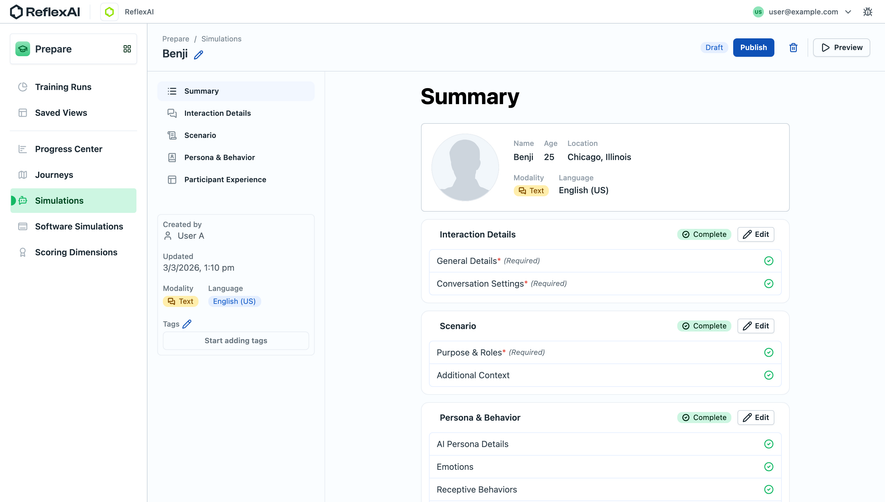

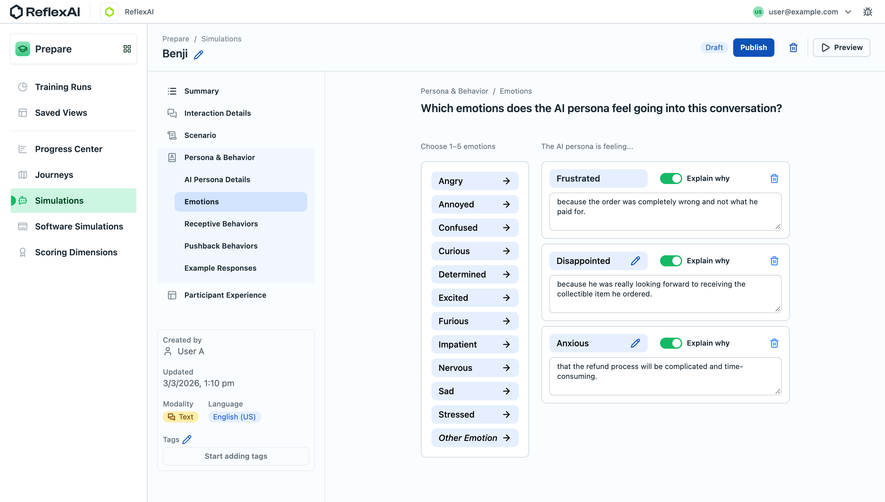
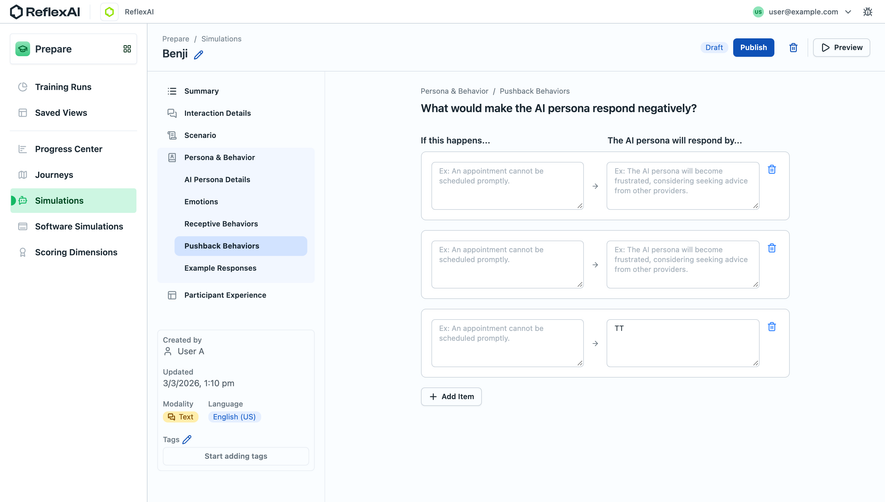
Similar screens



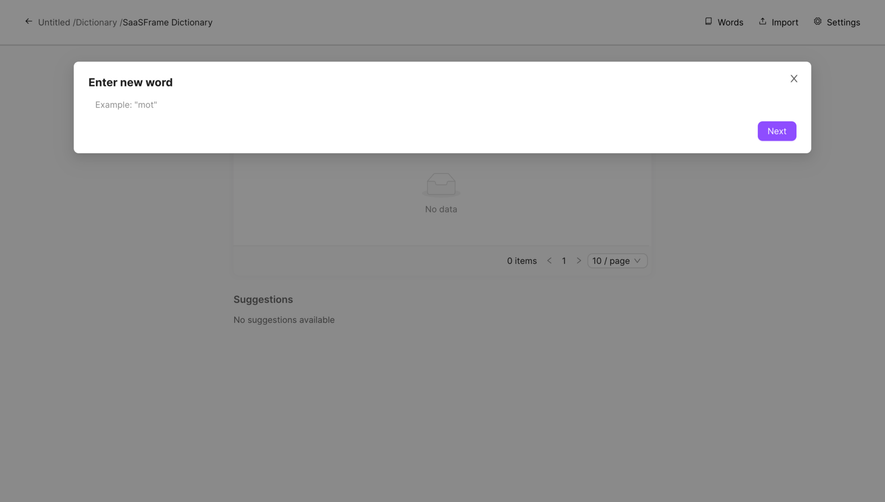

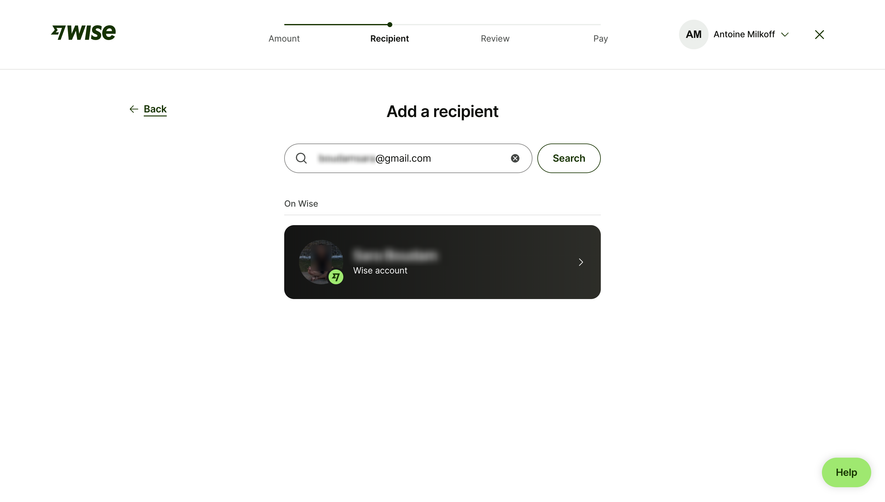

Upgrade to SaaSFrame Pro now to see similar examples.
Monthly
$18 /month
Billed $18 monthly
Browse all screens & flows
Filter and search screens & flows
Search text in screenshots
Access Figma files
Access mobile versions
Join now
Quarterly
$16 /month
Billed $48 quarterly
Browse all screens & flows
Filter and search screens & flows
Search text in screenshots
Access Figma files
Access mobile versions
Join now
Yearly
$15 /month
Billed $180 yearly
Browse all screens & flows
Filter and search screens & flows
Search text in screenshots
Access Figma files
Access mobile versions
Join now