.webp)
Thank you! Your submission has been received!
Oops! Something went wrong while submitting the form.
Get SaaSFrame Pro
Monthly
$18
Quarterly
$48
Yearly
$180
Upgrade to access this feature
Browse all screens & flows
Filter and search screens & flows
Access Figma files
Access mobile versions
Bookmark screens & flows
Join now
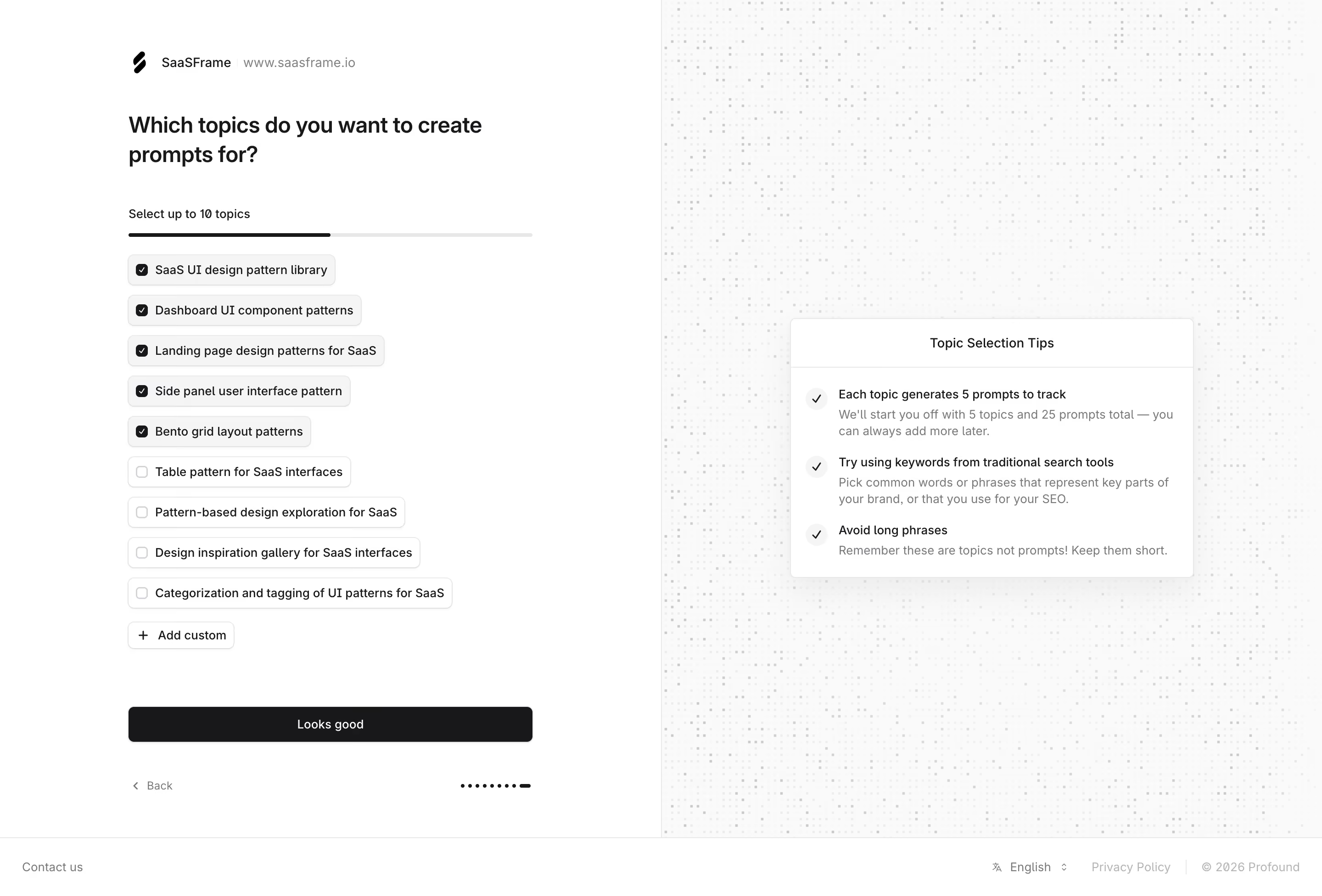
Profound Select Topics

Profound
Marketing for the AI era
Designed by
No items found.

Bookmark
Bookmark

Design with AI
Thank you! Your submission has been received!
Oops! Something went wrong while submitting the form.
# Design from Reference: Profound Select Topics
Create an original, high-fidelity visual design inspired by the reference. Prioritize composition, typography, colors, spacing, and component styling over technical implementation.
## Reference
- **Product:** Profound
- **Category:** Account Setup
- **Screenshot:** https://cdn.prod.website-files.com/5e9dc792e1210c5325f7ebbc/6acad340d5603a17eba5b6c3_6acad104fc7b168033f501e3_cms-0ad110e679c43d79170ed9ad.webp
Analyze the screenshot first. If inaccessible, request it rather than guessing.
## Content
{{content.instructions}}
{{content.data}}
Preserve essential messaging and factual accuracy. Adapt structure and copy length for visual balance; never invent product claims.
## Visual Design
### Overall aesthetic
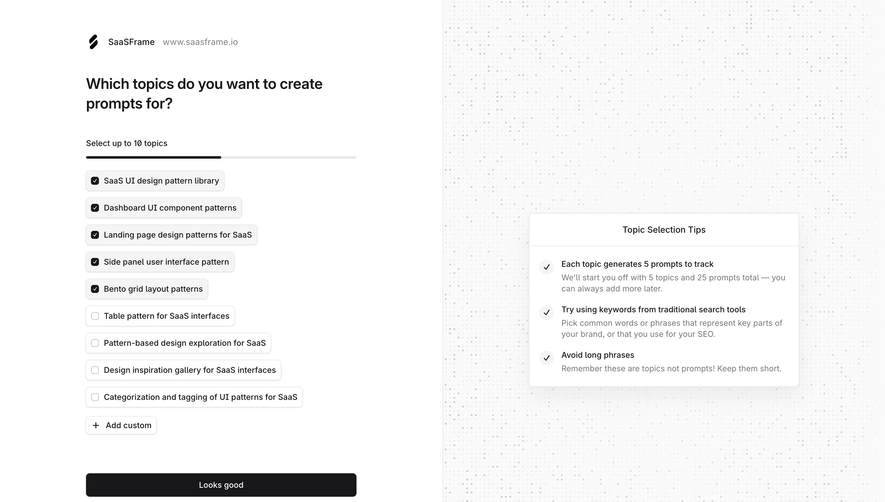
- **Character:** A restrained monochrome onboarding screen uses a white selection area and a pale dotted-texture guidance area, divided into equal halves.
- **Tone:** Compact outlined choices, neutral typography and a black confirmation button create a practical, low-distraction interface.
### Page composition
- **Capture scale:** The source measures 2880 × 1952 image pixels. CSS estimates below assume a 2× capture; device-pixel ratio is unverified.
- **Split layout:** The main area is divided at the midpoint by a hairline vertical border. A roughly 440 px CSS form column sits within the left half; a similarly wide guidance card is centered in the right half.
- **Left sequence:** A small workspace identity row precedes a two-line question, selection instruction, slim selection bar, nine topic choices and an Add custom control.
- **Lower controls:** A full-width Looks good button follows a large gap. A Back link and dotted onboarding indicator align below it.
- **Footer:** A full-width bottom strip contains contact access at the left and language, privacy and copyright items at the right.
### Information hierarchy
- **Question:** The two-line heading is the dominant text element in the form, followed by the smaller selection-limit instruction.
- **Selected state:** Five topics have filled dark checkboxes and subtle gray surfaces; four remaining topics have empty outlined checkboxes and white surfaces.
- **Guidance:** A titled card presents three check-marked tips, each with a dark lead sentence and lighter supporting copy.
- **Continuation:** The wide black confirmation button is clearly separated from the topic list, while Back remains a quiet text action.
### Typography
- **Family:** A neutral sans serif is visible throughout; exact font identity is unverified.
- **Heading:** The question appears approximately 24 px CSS, semibold, with about 32 px line height.
- **Controls and tips:** Choice labels, button text and tip titles are approximately 14 px with 18–20 px leading. Supporting tip copy uses the same approximate size in gray.
- **Secondary text:** Workspace URL, Back link and footer text use smaller or lighter treatments. The guidance-card title is centered and medium weight.
### Colors & surfaces
- **Measured base:** ICC-aware sRGB sampling yields #FFFFFF for primary surfaces and #FAFAFA for the right-side foundation.
- **Measured controls:** Dark #18181A appears in the main button and selected checkboxes. Neutral fills include #F5F5F5 and #F7F7F7.
- **Borders and texture:** Sampled #EDEDED and other pale grays support outlines, dividers and the fine dotted background.
- **Contrast:** Black and dark-gray text establish hierarchy; lighter gray supporting text recedes. No saturated accent color is visible.
### Components
- **Workspace identity:** A small black symbol, workspace name, separator and muted URL form a single horizontal line.
- **Selection meter:** A thin rounded bar spans the form width; the dark segment occupies about half its length, corresponding visually to five selected topics out of the stated ten-topic limit.
- **Topic choices:** Variable-width rounded rectangles stack vertically with approximately 10 px CSS gaps. Each contains a small checkbox and a single-line label; heights are around 34 px and radii around 7–8 px.
- **Custom control:** A smaller outlined button combines a plus icon and Add custom text beneath the list.
- **Confirmation:** A roughly 440 × 38 px CSS black button has a subtle shadow, small radius and centered white label.
- **Tips card:** A white bordered rectangle has a separate centered header band and three rows with pale circular check icons, dark lead text and gray explanations. Corners appear about 6 px.
- **Step indicator:** A row of small dark dots ends in an elongated mark, aligned opposite the Back link.
### Visual rhythm
- **Form spacing:** Approximately 40–45 px separates the identity row from the heading; a similarly generous pause precedes the selection instruction.
- **List cadence:** Uniform checkbox alignment and consistent row gaps organize topic buttons of different widths.
- **Action gap:** Broad whitespace separates Add custom from the confirmation button, making the latter a distinct final step.
- **Balanced halves:** The dense left column is counterbalanced by a centered guidance card surrounded by patterned whitespace.
### Responsive
- **Evidence boundary:** Only a desktop state is shown; responsive behaviors are recommendations.
- **Single-column flow:** Move the tips card below the topic list or into an expandable help region on narrow screens.
- **Long topics:** Permit multiline labels while maintaining checkbox alignment and adequate touch targets.
- **Footer and controls:** Wrap footer items and retain a full-width confirmation action without covering the Back link or progress indicator.
### Adaptation guidance
- **Selection model:** Reuse the explicit selected/unselected checkbox treatment, visible selection limit and custom-entry affordance for multi-choice onboarding.
- **Guidance structure:** Keep tips concise, using one emphasized instruction plus a supporting explanation per row.
- **State completeness:** Define keyboard focus, limit-reached feedback and custom-topic validation; these states are not visible in the capture.
- **Content flexibility:** Treat workspace identity and topic labels as dynamic data and test longer labels rather than fixing all buttons to identical widths.
- **Implementation scale:** Validate the assumed 2× pixel scale before assigning CSS dimensions; preserve the half-screen balance and neutral contrast system.
Use this context to reproduce the reference's visual language: layout, typography, colors, spacing, borders, radii, and distinctive elements. The screenshot takes priority if descriptions conflict.
## Direction
{{preferences.fidelityInstructions}}
## Output
{{output.instructions}}
Deliver a polished, cohesive design with precise alignment, hierarchy, and spacing. Produce the requested visual artifact, not just a description. If unsupported, explain the limitation.

.avif)
Category
Tech Stack

Added on
March 2, 2026
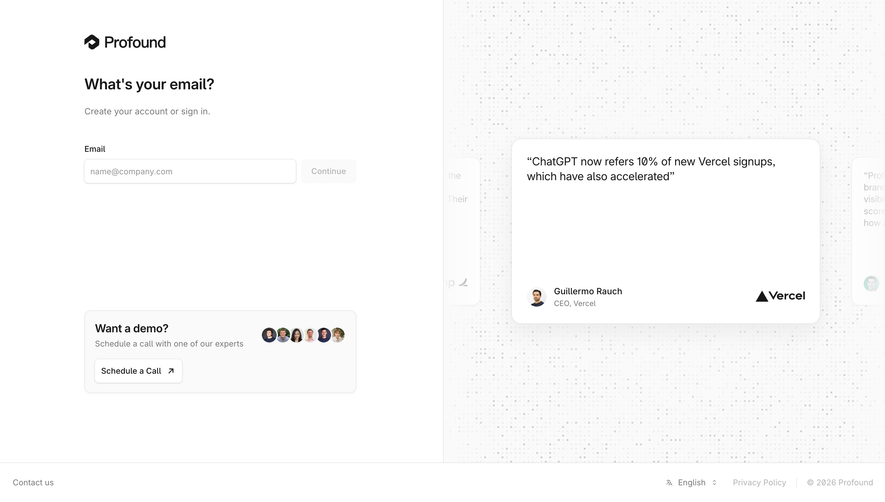
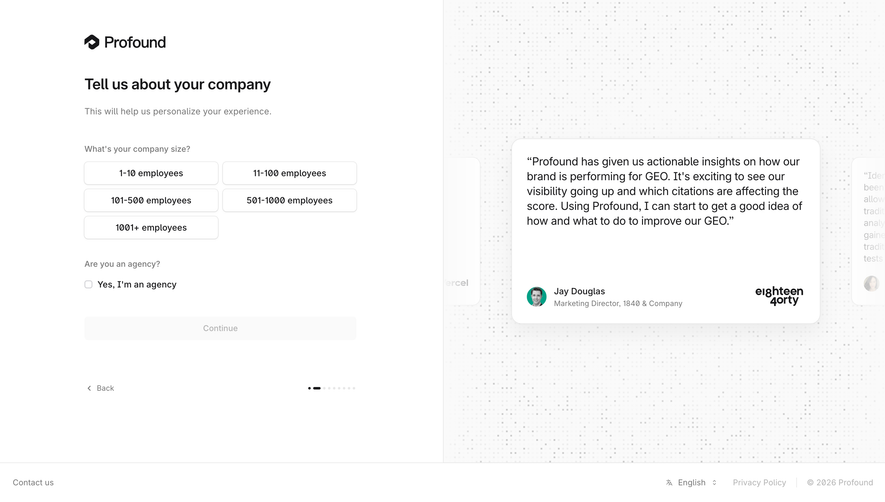
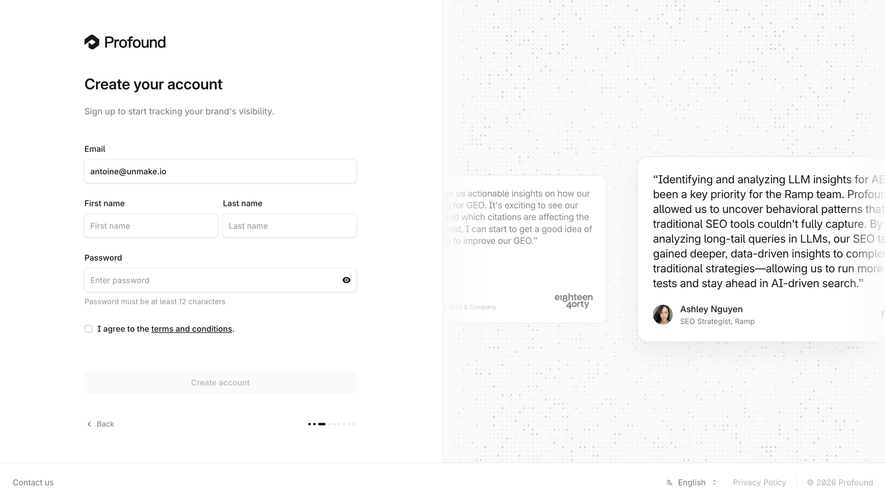
Similar screens





Upgrade to SaaSFrame Pro now to see similar examples.
Monthly
$18 /month
Billed $18 monthly
Browse all screens & flows
Filter and search screens & flows
Search text in screenshots
Access Figma files
Access mobile versions
Join now
Quarterly
$16 /month
Billed $48 quarterly
Browse all screens & flows
Filter and search screens & flows
Search text in screenshots
Access Figma files
Access mobile versions
Join now
Yearly
$15 /month
Billed $180 yearly
Browse all screens & flows
Filter and search screens & flows
Search text in screenshots
Access Figma files
Access mobile versions
Join now