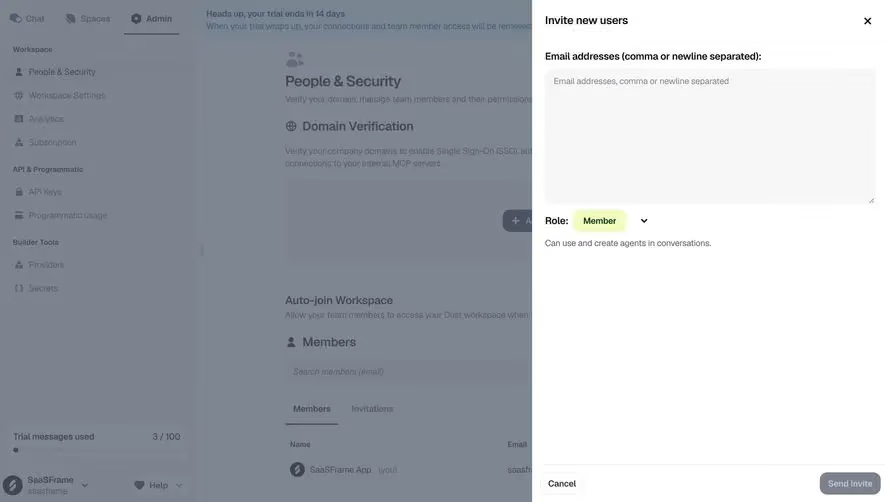
Generate a new design based on this screen using your own content.
Thank you! Your submission has been received!
Oops! Something went wrong while submitting the form.
# Design from Reference: Prelude Invite Team Members
Create an original, high-fidelity visual design inspired by the reference. Prioritize composition, typography, colors, spacing, and component styling over technical implementation.
## Reference
- **Product:** Prelude
- **Category:** Invite Team Members
- **Screenshot:** https://cdn.prod.website-files.com/5e9dc792e1210c5325f7ebbc/697b76578fbd503ac692b2a0_G3xHPHXV1XXekU2klWv80lii1U8omdO0J8YTCCg8M4Q.avif
Analyze the screenshot first. If inaccessible, request it rather than guessing.
## Content
{{content.instructions}}
{{content.data}}
Preserve essential messaging and factual accuracy. Adapt structure and copy length for visual balance; never invent product claims.
## Visual Design
Use this context to reproduce the reference's visual language: layout, typography, colors, spacing, borders, radii, and distinctive elements. The screenshot takes priority if descriptions conflict.
## Direction
{{preferences.fidelityInstructions}}
## Output
{{output.instructions}}
Deliver a polished, cohesive design with precise alignment, hierarchy, and spacing. Produce the requested visual artifact, not just a description. If unsupported, explain the limitation.
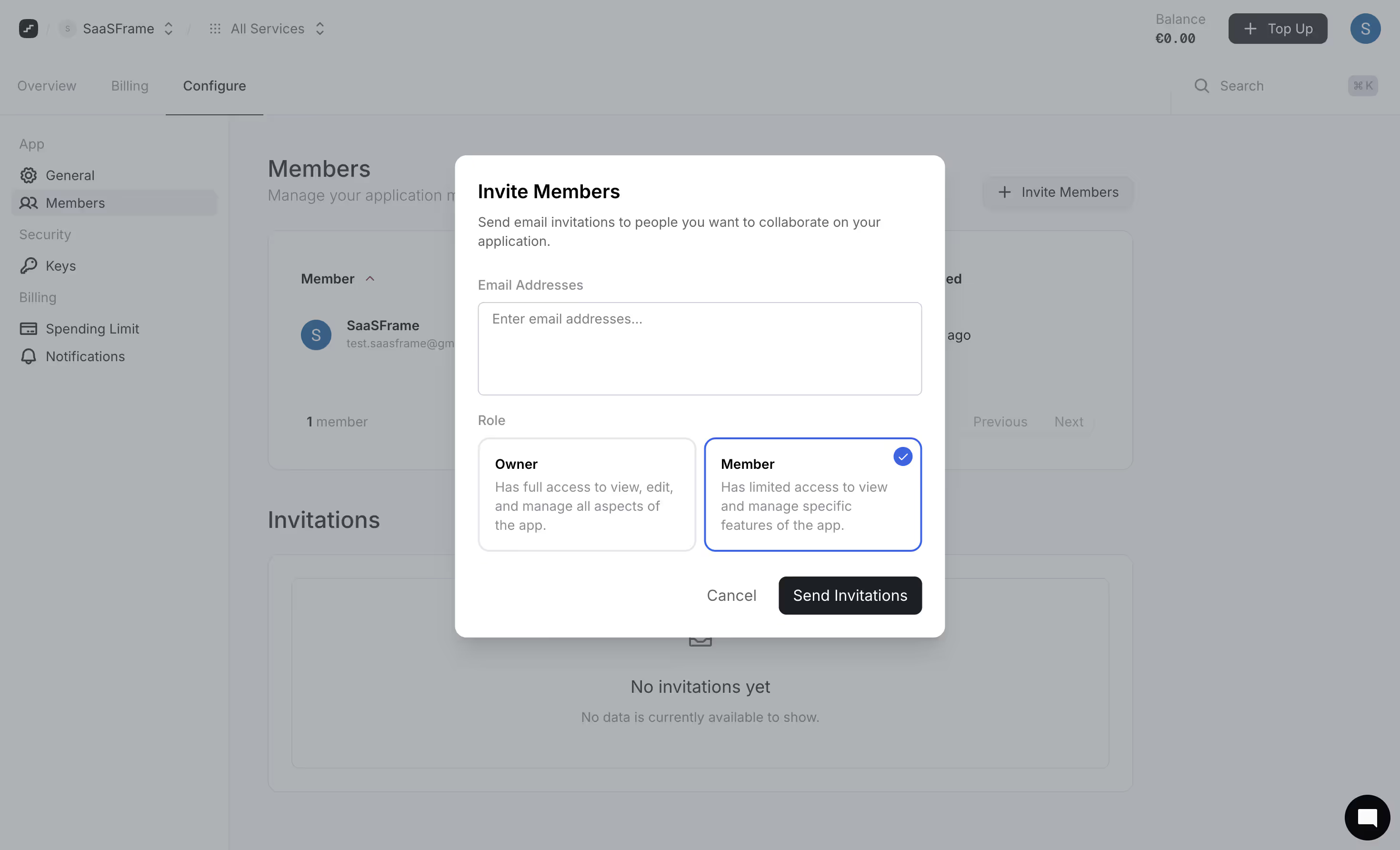
First thing you notice is how the invite modal sits perfectly centered over a softly dimmed background. The Members page behind it stays visible but clearly takes a backseat. That's good hierarchy at work.
Role Selection Done Right
The two role cards steal the show here. Owner vs Member, each with a short plain-English description of what they actually do. No ambiguity. The selected state on "Member" uses a blue border with a filled checkmark icon in the top corner. Simple, obvious, done. The unselected "Owner" card just sits there quietly. Love that contrast without needing heavy visual treatment.
Typography and Spacing Are Doing the Heavy Lifting
Everything breathes. The text input area for email addresses is generously sized. Labels like "Email Addresses" and "Role" float above their sections in a muted gray that separates them from the bolder content below. The "Send Invitations" button is a solid dark fill that anchors the bottom right. Cancel sits beside it as plain text. No visual competition. The whole left sidebar navigation uses tight, well-organized groupings under App, Security, and Billing headers.
.webp)



.avif)