Design with AI
Generate a new design based on this screen using your own content.
# Design from Reference: Popwork Product Tour
Create an original, high-fidelity visual design inspired by the reference. Prioritize composition, typography, colors, spacing, and component styling over technical implementation.
## Reference
- **Product:** Popwork
- **Category:** Product Tour
- **Screenshot:** https://cdn.prod.website-files.com/5e9dc792e1210c5325f7ebbc/6acb65d2b206c0d3f8f0f89c_6acb6518a88b2511fbea85e1_cms-6965aa0dc796c117ee189117.webp
Analyze the screenshot first. If inaccessible, request it rather than guessing.
## Content
{{content.instructions}}
{{content.data}}
Preserve essential messaging and factual accuracy. Adapt structure and copy length for visual balance; never invent product claims.
## Visual Design
### Overall aesthetic
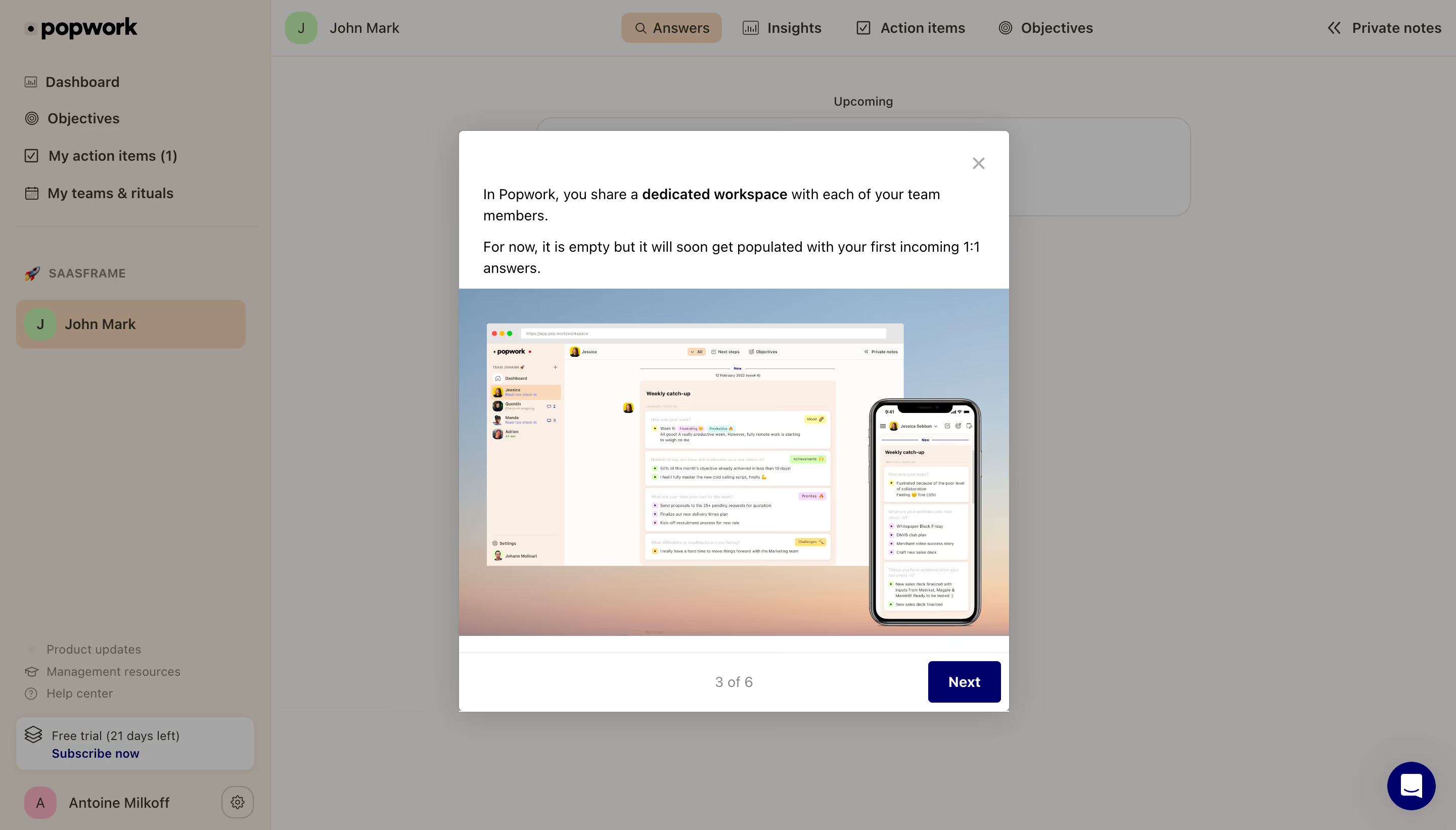
- **Character:** Product-tour modal over a warm workplace dashboard, using a large desktop/mobile screenshot as the teaching aid.
### Page composition
- **Capture:** 2880 × 1642 screenshot pixels; estimated 2× CSS scale.
- **Structure:** Dimmed sidebar/dashboard behind centered modal; two short paragraphs at top, full-width product illustration, then step counter and Next footer.
### Information hierarchy
- **Priority:** Dedicated workspace phrase is bold; illustration demonstrates eventual content, with 3 of 6 progress and Next below.
### Typography
- **Family:** Sans serif; exact family unverified.
- **Estimated CSS sizes:** Modal prose 14px with 22px line height, step counter 14px and button 14px bold.
### Colors & surfaces
- **Measured palette:** White #FFFFFF, image/paper #FEFCFA and dimmed backdrop #A5A4A3/#A39C95/#A4A3A2/#A6A6A6.
- **Accents:** Dark navy Next, pastel screenshot categories and muted blue-to-peach image background.
### Components
- **Elements:** Close icon, emphasized prose, desktop/browser and phone mockups, centered step count and bottom-right action.
- **Estimated geometry:** Modal approximately 544px wide, 4px radius, 24px text padding, 48px action and broad soft shadow.
### Visual rhythm
- **Spacing:** Text/image/footer bands give a clear instructional sequence; backdrop preserves dashboard context.
### Responsive
- **Suggested adaptation:** Fit modal to viewport, scale image and retain visible close/progression controls. Mobile behavior is unverified.
### Adaptation guidance
- **Transfer:** Preserve one lesson per tour step and use an accurate product-state illustration.
Use this context to reproduce the reference's visual language: layout, typography, colors, spacing, borders, radii, and distinctive elements. The screenshot takes priority if descriptions conflict.
## Direction
{{preferences.fidelityInstructions}}
## Output
{{output.instructions}}
Deliver a polished, cohesive design with precise alignment, hierarchy, and spacing. Produce the requested visual artifact, not just a description. If unsupported, explain the limitation.
.webp)


.avif)