.webp)
Thank you! Your submission has been received!
Oops! Something went wrong while submitting the form.
Get SaaSFrame Pro
Monthly
$18
Quarterly
$48
Yearly
$180
Upgrade to access this feature
Browse all screens & flows
Filter and search screens & flows
Access Figma files
Access mobile versions
Bookmark screens & flows
Join now
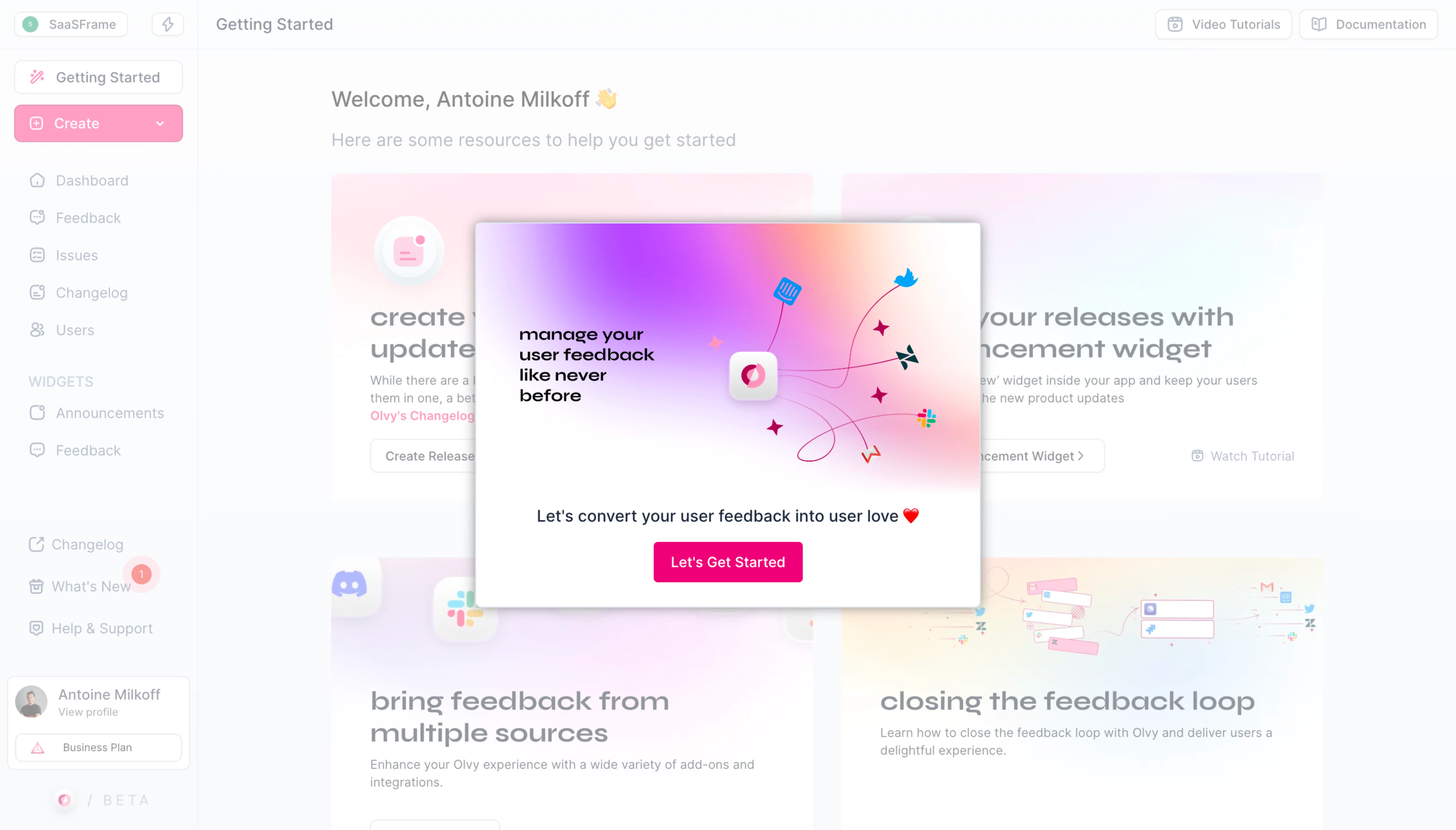
Olvy Product Tour
Olvy
Manage your user feedback like never before
Designed by
No items found.

Bookmark
Bookmark

Design with AI
Thank you! Your submission has been received!
Oops! Something went wrong while submitting the form.
# Design from Reference: Olvy Product Tour
Create an original, high-fidelity visual design inspired by the reference. Prioritize composition, typography, colors, spacing, and component styling over technical implementation.
## Reference
- **Product:** Olvy
- **Category:** Product Tour
- **Screenshot:** https://cdn.prod.website-files.com/5e9dc792e1210c5325f7ebbc/6acbbd95d6be908889c4e418_6acbbc33ad8ac5752784f3b2_cms-3ed1212689b05872d11b44c3.webp
Analyze the screenshot first. If inaccessible, request it rather than guessing.
## Content
{{content.instructions}}
{{content.data}}
Preserve essential messaging and factual accuracy. Adapt structure and copy length for visual balance; never invent product claims.
## Visual Design
### Overall aesthetic
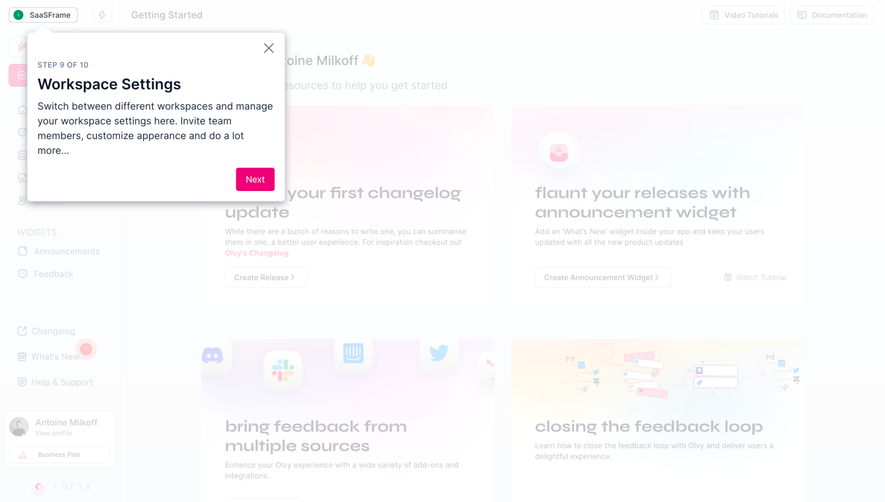
- **Character:** A vivid pink/purple onboarding welcome dialog floats over a washed-out resource dashboard.
- **Evidence:** Original dimensions are 5760 × 3284 px, inspected at 1400 px width. Measurements below use inspection pixels; a roughly 1440 CSS px layout captured at 4× is plausible but unverified.
- **State:** A translucent white veil reduces background contrast, while the dialog retains saturated artwork and a strong pink action.
### Page composition
- **Background shell:** A narrow left navigation rail, top getting-started bar, and four large resource panels form the underlying dashboard.
- **Dialog:** A centered white rectangle approximately 486 × 370 inspection px contains a large upper artwork panel and a compact lower message/action area.
- **Artwork:** A gradient cloud surrounds a central brand tile connected to service marks; short black promotional lettering sits left within the image.
- **Action area:** A centered one-line welcome message and hot-pink start button sit below the artwork.
- **Background utilities:** Tutorial/documentation buttons and account/plan controls remain visible through the veil.
### Information hierarchy
- **Foreground:** The saturated connected-service illustration dominates the tour introduction.
- **Message:** A short centered sentence introduces feedback-oriented onboarding, with a small heart accent.
- **Primary action:** One filled pink button provides the only visible foreground progression control.
- **Background:** Resource headings, sidebar navigation, and setup controls are deliberately subdued.
### Typography
- **Family:** A rounded sans serif is visible in the app, with a heavier geometric treatment inside artwork. Exact identities are unverified.
- **Dialog message:** Approximately 16 px medium weight with about 22 px line-height.
- **Button:** Around 14 px semibold white text.
- **Artwork text:** Bold compact lettering around 17–18 px, wrapping into several short lines.
- **Underlying UI:** Page/resource headings are larger but overlay-softened, making precise weight assessment uncertain.
### Colors & surfaces
- **Measured palette:** Frequent source samples include white #FFFFFF and pale veiled colors #FCFCFD, #FBFCFD, #FAFBFC, #F9FAFC, and #FCFDFE.
- **Foreground accents:** Hot pink marks the primary action; purple, pink, peach, and white blend across the artwork.
- **Background accents:** Faint pink and lavender resource panels and navigation remain visible through the white veil.
- **Depth:** A strong diffuse gray shadow separates the dialog from the pale background.
### Components
- **Dialog shell:** Near-square corners or very small rounding, white surface, and broad shadow.
- **Hero illustration:** Full-width gradient artwork occupies about two thirds of the dialog height, with curved connector lines and floating service icons.
- **Start button:** Approximately 144 × 40 inspection px, pink, with small 4 px radii and centered white label.
- **Resource cards:** Underlying two-column panels pair artwork, large headings, descriptions, and outlined actions.
- **Sidebar:** Compact icon/text navigation, a pink creation dropdown, grouped widget links, and lower account/plan card.
### Visual rhythm
- **Centering:** Dialog artwork, message, and action share a central axis.
- **Foreground spacing:** Compact gaps between message/button contrast with a spacious upper illustration.
- **Background grid:** Two-column resource panels provide a stable visual frame behind the modal.
- **Attention:** The white veil and saturated button create a clear focus hierarchy without a dark backdrop.
### Responsive
- **Observed limit:** Only desktop is shown; actual tour sequence and mobile layout are unverified.
- **Recommended dialog:** Fit width to viewport with safe gutters and permit vertical scrolling on short screens.
- **Recommended artwork:** Scale proportionally while keeping essential instructional copy as live text.
- **Recommended access:** Manage focus, expose a clear dismissal route, and prevent background navigation from receiving unintended focus.
### Adaptation guidance
- **Preserve:** Keep the vivid service-connection artwork, concise welcome message, and single primary start action.
- **Implement:** Use an accessible dialog separated from the underlying dashboard resources.
- **State discipline:** Treat pale background colors as overlay-altered, not normal app tokens.
- **Validate:** Confirm fonts, true CSS scale, artwork legibility, keyboard dismissal, and next-step behavior. No later tour state is shown.
Use this context to reproduce the reference's visual language: layout, typography, colors, spacing, borders, radii, and distinctive elements. The screenshot takes priority if descriptions conflict.
## Direction
{{preferences.fidelityInstructions}}
## Output
{{output.instructions}}
Deliver a polished, cohesive design with precise alignment, hierarchy, and spacing. Produce the requested visual artifact, not just a description. If unsupported, explain the limitation.

.avif)
Category
Patterns
Tech Stack


Added on
April 19, 2023
Found in 1 flow
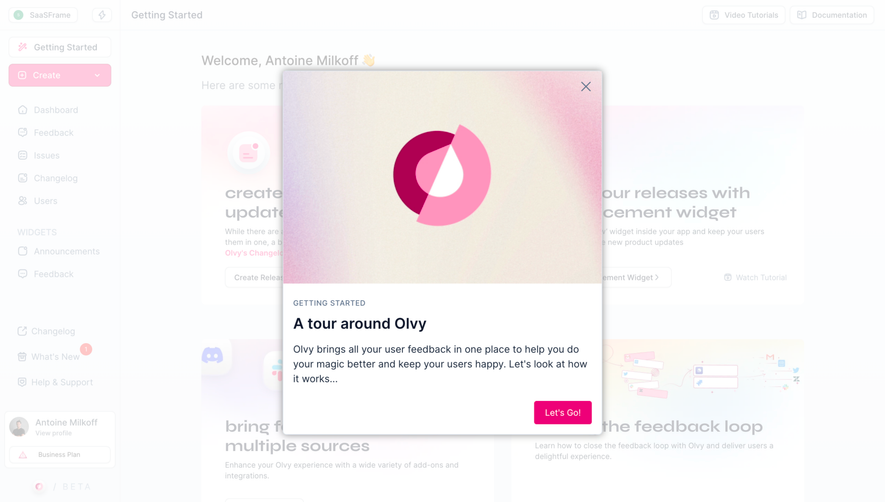
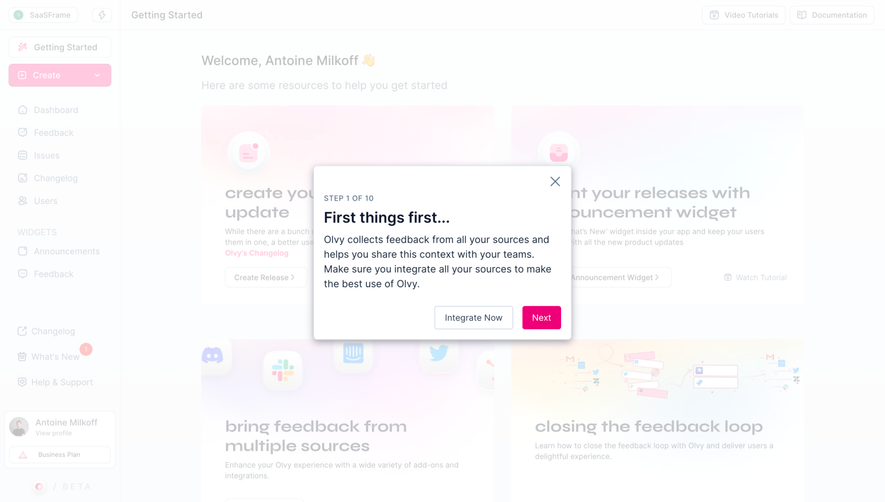



Similar screens



Upgrade to SaaSFrame Pro now to see similar examples.
Monthly
$18 /month
Billed $18 monthly
Browse all screens & flows
Filter and search screens & flows
Search text in screenshots
Access Figma files
Access mobile versions
Join now
Quarterly
$16 /month
Billed $48 quarterly
Browse all screens & flows
Filter and search screens & flows
Search text in screenshots
Access Figma files
Access mobile versions
Join now
Yearly
$15 /month
Billed $180 yearly
Browse all screens & flows
Filter and search screens & flows
Search text in screenshots
Access Figma files
Access mobile versions
Join now