.webp)
Thank you! Your submission has been received!
Oops! Something went wrong while submitting the form.
Get SaaSFrame Pro
Monthly
$18
Quarterly
$48
Yearly
$180
Upgrade to access this feature
Browse all screens & flows
Filter and search screens & flows
Access Figma files
Access mobile versions
Bookmark screens & flows
Join now
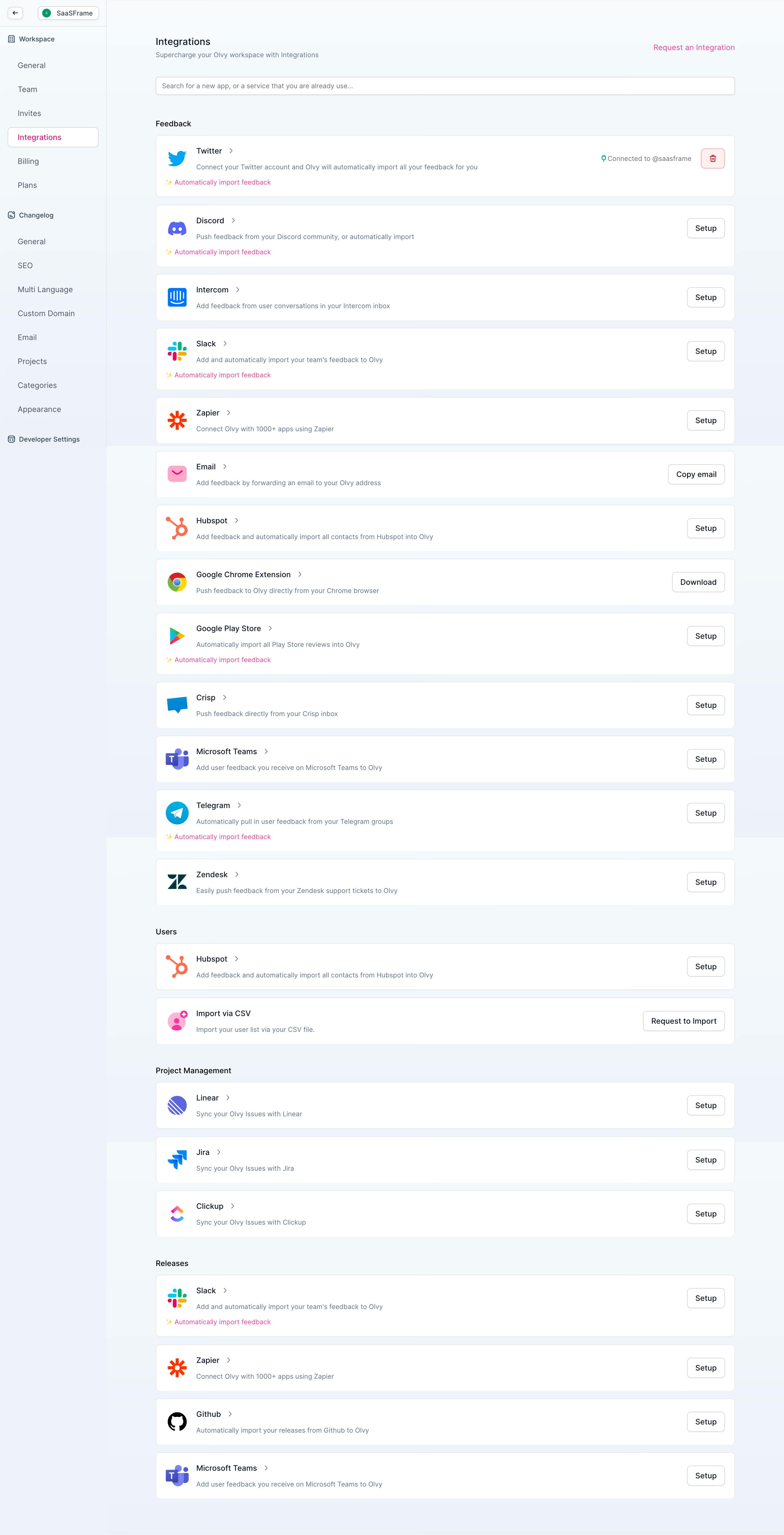
Olvy Integrations Settings

Olvy
Manage your user feedback like never before
Designed by
No items found.

Bookmark
Bookmark

Design with AI
Thank you! Your submission has been received!
Oops! Something went wrong while submitting the form.
# Design from Reference: Olvy Integrations Settings
Create an original, high-fidelity visual design inspired by the reference. Prioritize composition, typography, colors, spacing, and component styling over technical implementation.
## Reference
- **Product:** Olvy
- **Category:** Integrations
- **Screenshot:** https://cdn.prod.website-files.com/5e9dc792e1210c5325f7ebbc/6acbbc696325e7e23e4c9542_6acbbbc864a048f355a437bc_cms-5ff148b982a6d4d14a5f8698.webp
Analyze the screenshot first. If inaccessible, request it rather than guessing.
## Content
{{content.instructions}}
{{content.data}}
Preserve essential messaging and factual accuracy. Adapt structure and copy length for visual balance; never invent product claims.
## Visual Design
### Overall aesthetic
- **Style:** Light, utilitarian integrations directory with a pale blue-gray workspace, white horizontal cards, colorful provider logos and a bright pink product accent.
- **Scale:** Source screenshot is 2880 × 5638px. Measurements below estimate a 1440px-wide CSS layout at 2× capture scale; the image is a long desktop page.
### Page composition
- **Sidebar:** A roughly 196px rail contains a back control and workspace selector, followed by Workspace settings, Changelog settings and Developer Settings. Integrations is selected in a white outlined row with pink text.
- **Main column:** Content begins around x286 and extends to x1350, about 1064px wide. Integrations heading and subtitle sit at the top, with Request an Integration aligned right and a full-width search field below.
- **Section order:** The page lists Feedback, Users, Project Management and Releases. Cards form one continuous vertical column with small gaps and larger section separations.
### Information hierarchy
- **Feedback providers:** Thirteen cards cover Twitter, Discord, Intercom, Slack, Zapier, Email, Hubspot, Google Chrome Extension, Google Play Store, Crisp, Microsoft Teams, Telegram and Zendesk.
- **Remaining sections:** Users contains Hubspot and Import via CSV; Project Management contains Linear, Jira and Clickup; Releases contains Slack, Zapier, Github and Microsoft Teams.
- **Status and actions:** Twitter shows a connected-account status with a green icon and red outlined delete control. Other cards expose Setup, Copy email, Download or Request to Import actions. Selected cards include a pink automatic-import annotation.
### Typography
- **Family:** Clean sans-serif UI type; exact family is unverified.
- **Roles:** Estimated page title about 18px medium, subtitle and descriptions 13px/20px, provider names and card actions 14px, section headings 14px medium. Sidebar links are approximately 14px.
- **Hierarchy:** Provider names use dark navy while descriptions use muted slate-blue; the text remains compact throughout the long list.
### Colors & surfaces
- **Sampled surfaces:** ICC-aware sRGB samples include white #FFFFFF, blue-gray #EEF2F8, and lighter #F2F7FA, #F3F8FB, #F1F6F9 and #F4F9FC. Subtle background bands vary down the long capture.
- **Accents:** Bright pink visibly marks the selected sidebar link, integration-request link and automatic-import text. Provider logos retain their individual brand colors; green identifies the connected state.
- **Borders:** Cards and controls have fine pale blue-gray outlines, with restrained shadows most noticeable on small buttons and the search field.
### Components
- **Integration cards:** Approximately 1064px wide and 84px high for standard rows, expanding to about 112px when an import annotation is present. Corners are about 7–8px; horizontal padding is roughly 20px.
- **Card anatomy:** A roughly 36–40px provider logo sits left, followed by a title with small chevron and one-line description. Right-aligned actions share a consistent vertical position.
- **Buttons:** White outlined actions are approximately 38px tall, with 7px corners and 14–16px horizontal padding. The connected Twitter card substitutes status text and a compact red delete icon button.
- **Search and navigation:** The search field is about 34px high with a short placeholder. Sidebar groups use small outline icons and indented links; the selected item is approximately 166 × 36px.
### Visual rhythm
- **Repeated rows:** Cards use about 14–16px vertical gaps. Section labels introduce larger breaks of roughly 40–44px, giving the long directory clear category boundaries.
- **Alignment:** Logos, titles, descriptions and right actions maintain stable columns. Pink import annotations sit on a lower line beginning near the card's left padding, beneath the main identity row.
### Responsive
- **Recommended adaptation:** Desktop is the only observed layout. Collapse the settings sidebar and let cards become taller on mobile, with actions below descriptions.
- **Long content:** Allow names and descriptions to wrap; retain visible category labels and search rather than shrinking the entire directory. Keep connection status separate from destructive controls.
### Adaptation guidance
- **Preserve:** Keep category grouping, recognizable provider logos, concise descriptions, consistent per-card actions and explicit connected status.
- **Adapt:** Use actual available integrations and truthful capabilities. Reuse providers across categories only when the product supports the corresponding distinct purpose, as the reference does for feedback and releases.
Use this context to reproduce the reference's visual language: layout, typography, colors, spacing, borders, radii, and distinctive elements. The screenshot takes priority if descriptions conflict.
## Direction
{{preferences.fidelityInstructions}}
## Output
{{output.instructions}}
Deliver a polished, cohesive design with precise alignment, hierarchy, and spacing. Produce the requested visual artifact, not just a description. If unsupported, explain the limitation.

.avif)
Category
Patterns
Tech Stack


Added on
April 19, 2023
Similar screens
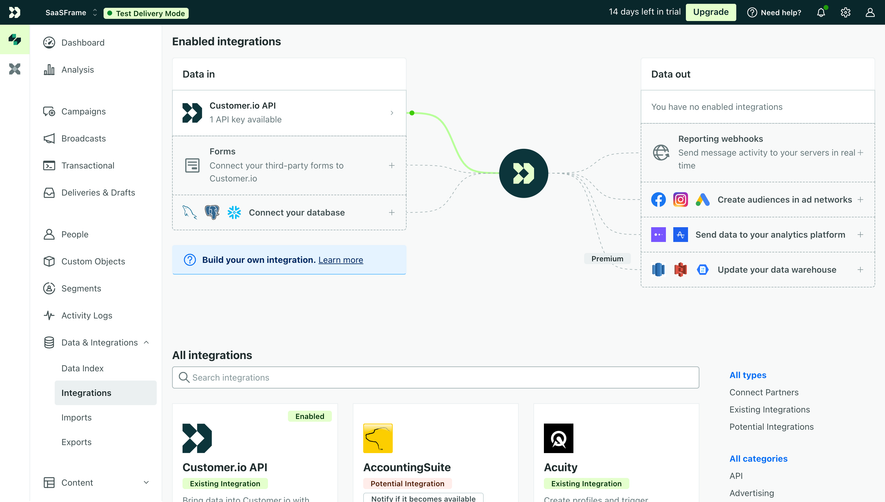






Upgrade to SaaSFrame Pro now to see similar examples.
Monthly
$18 /month
Billed $18 monthly
Browse all screens & flows
Filter and search screens & flows
Search text in screenshots
Access Figma files
Access mobile versions
Join now
Quarterly
$16 /month
Billed $48 quarterly
Browse all screens & flows
Filter and search screens & flows
Search text in screenshots
Access Figma files
Access mobile versions
Join now
Yearly
$15 /month
Billed $180 yearly
Browse all screens & flows
Filter and search screens & flows
Search text in screenshots
Access Figma files
Access mobile versions
Join now