.webp)
Thank you! Your submission has been received!
Oops! Something went wrong while submitting the form.
Get SaaSFrame Pro
Monthly
$18
Quarterly
$48
Yearly
$180
Upgrade to access this feature
Browse all screens & flows
Filter and search screens & flows
Access Figma files
Access mobile versions
Bookmark screens & flows
Join now
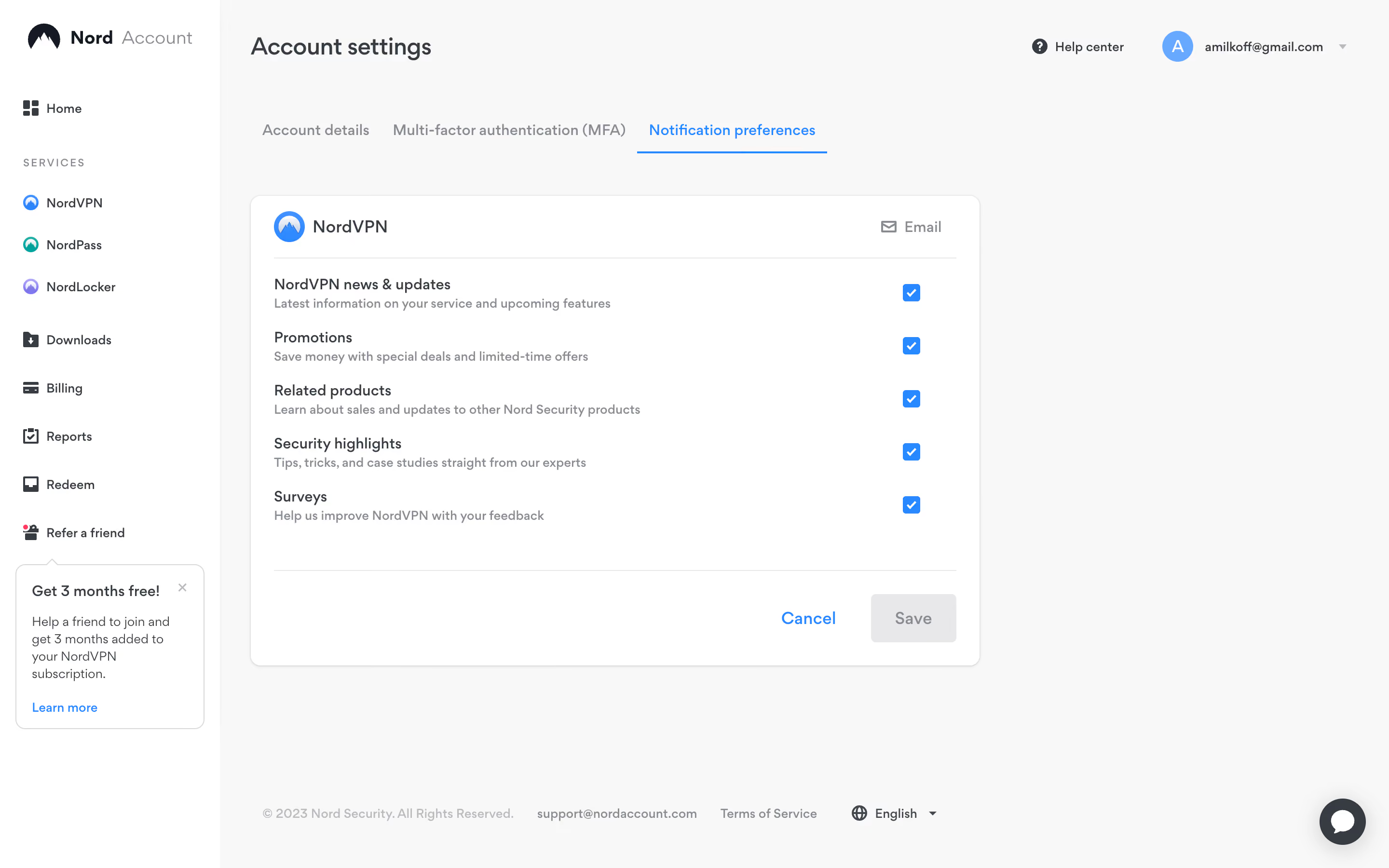
Nord VPN Notification Preferences

Nord VPN
Online VPN service for speed and security
Designed by
No items found.

Bookmark
Bookmark

Design with AI
Thank you! Your submission has been received!
Oops! Something went wrong while submitting the form.
# Design from Reference: Nord VPN Notification Preferences
Create an original, high-fidelity visual design inspired by the reference. Prioritize composition, typography, colors, spacing, and component styling over technical implementation.
## Reference
- **Product:** Nord VPN
- **Category:** Settings
- **Screenshot:** https://cdn.prod.website-files.com/5e9dc792e1210c5325f7ebbc/6acb6aecbf2e69a0c03b6c3e_6acb6a175391d62536b62a34_cms-1f87281aed348bfd636f87de.webp
Analyze the screenshot first. If inaccessible, request it rather than guessing.
## Content
{{content.instructions}}
{{content.data}}
Preserve essential messaging and factual accuracy. Adapt structure and copy length for visual balance; never invent product claims.
## Visual Design
### Overall aesthetic
- **Character:** A quiet account-settings interface uses a white navigation rail, pale gray workspace, compact dark text, and blue selection controls.
- **Evidence:** Original screenshot dimensions are 2880 × 1800 px, inspected at 1400 × 875 px. Measurements below are approximate CSS-scale estimates assuming a 1440 × 900 layout at 2× capture; this ratio is unverified.
### Page composition
- **Sidebar:** A white rail about 228 CSS px wide spans the full height. Brand, home, service links, utility links, referral entry, and a small referral callout form a vertical navigation stack.
- **Workspace:** Account settings sits at the upper left of the pale main area; help and account controls align at upper right.
- **Tabs:** Three horizontal account-setting tabs sit below the title, with notification preferences selected in blue.
- **Form:** A white rounded card about 756 × 488 CSS px holds a NordVPN header, five email-preference rows, and a separated action footer.
- **Page footer:** Small copyright, support, terms, and language items run along the bottom. A circular chat launcher sits at bottom right.
### Information hierarchy
- **Context:** The title and selected tab establish the settings location before the form begins.
- **Preference rows:** Each row pairs a dark label and smaller gray explanation on the left with a blue checked square on the right.
- **Channel:** An envelope icon and Email label in the card header identify the notification channel.
- **Action state:** Cancel appears as a blue text action, while Save is gray and visually disabled. All five preferences are checked in the displayed state.
### Typography
- **Family:** A clean interface sans serif with rounded details is used throughout; exact identity is unverified.
- **Title and card heading:** Page title is approximately 25 px medium weight; product heading is around 18 px.
- **Rows and tabs:** Preference labels and tabs are about 15–16 px, medium weight. Explanations are around 13 px with 18 px line-height.
- **Navigation and footer:** Sidebar items are about 13–14 px, while section labeling is small uppercase text with expanded tracking. Bottom utilities are about 12–13 px.
### Colors & surfaces
- **Measured palette:** Source samples include pale workspace #F8F8F8, white #FFFFFF, dark slate #373C43, line gray #E8E8E9, muted text #888C92, and near-white #F7F7F7.
- **Selection accent:** Bright blue marks the selected tab underline, checks, product icon, and Cancel action. Exact blue hex is not independently sampled.
- **Secondary accents:** Service icons include teal and purple; the interface otherwise stays neutral.
- **Depth:** A faint border and very soft shadow distinguish the form card from the pale workspace. The referral callout uses a simple outline.
### Components
- **Tabs:** Text labels with generous horizontal spacing; the active tab has a thin blue underline approximately the label width plus side padding.
- **Preference card:** Roughly 12 px corner radii and 24 px internal padding. A header divider and lower action divider span the inner width.
- **Checkboxes:** Blue squares around 18 px per side with small corner radii and centered white checkmarks.
- **Actions:** Save is an approximately 88 × 50 px muted gray rectangle with 6 px corners. Cancel sits to its left as an unfilled blue label.
- **Referral callout:** A narrow outlined card includes a small upper pointer, bold heading, explanatory text, dismiss icon, and blue link.
- **Utility controls:** Account avatar is a blue circle with an initial; the language item pairs a globe and chevron. Chat uses a dark circular background and white message symbol.
### Visual rhythm
- **Alignment:** Main title, tabs, and form align near x260 CSS px, about 32 px beyond the sidebar.
- **Rows:** Five preference rows repeat at approximately 55 px intervals. Labels and explanations remain tightly paired.
- **Card spacing:** Header padding and generous space before the action divider prevent the form from feeling crowded.
- **Empty space:** The form occupies the left portion of a much wider workspace, leaving a large blank region to the right.
### Responsive
- **Observed limit:** Only a desktop state is provided; actual mobile behavior is unverified.
- **Recommended navigation:** Collapse the sidebar into an accessible compact navigation at narrow widths and keep the settings title and selected tab clear.
- **Recommended form:** Let the card fill available width with 20–24 CSS px gutters, allow descriptions to wrap, and keep checkboxes aligned with their labels.
- **Recommended controls:** Enlarge checkbox hit areas to at least 44 CSS px without changing the small visible square; prevent floating chat from covering actions.
### Adaptation guidance
- **Preserve:** Keep label/helper/check alignment, restrained blue selection cues, and a clearly separated form-action area.
- **Implement:** Use native labeled checkboxes and accessible tabs. Preserve the displayed checked and disabled states as reference states, with distinct focus styling in implementation.
- **Layout:** Use a flexible workspace and constrained form width rather than positioning the card against a fixed screenshot coordinate.
- **Validate:** Confirm font, true CSS scale, keyboard behavior, save-state transitions, and narrow-screen footer wrapping. No preference changes are implied by this static capture.
Use this context to reproduce the reference's visual language: layout, typography, colors, spacing, borders, radii, and distinctive elements. The screenshot takes priority if descriptions conflict.
## Direction
{{preferences.fidelityInstructions}}
## Output
{{output.instructions}}
Deliver a polished, cohesive design with precise alignment, hierarchy, and spacing. Produce the requested visual artifact, not just a description. If unsupported, explain the limitation.

.avif)
Category
Patterns
No items found.
Tech Stack

Added on
April 6, 2023
Found in 1 flow
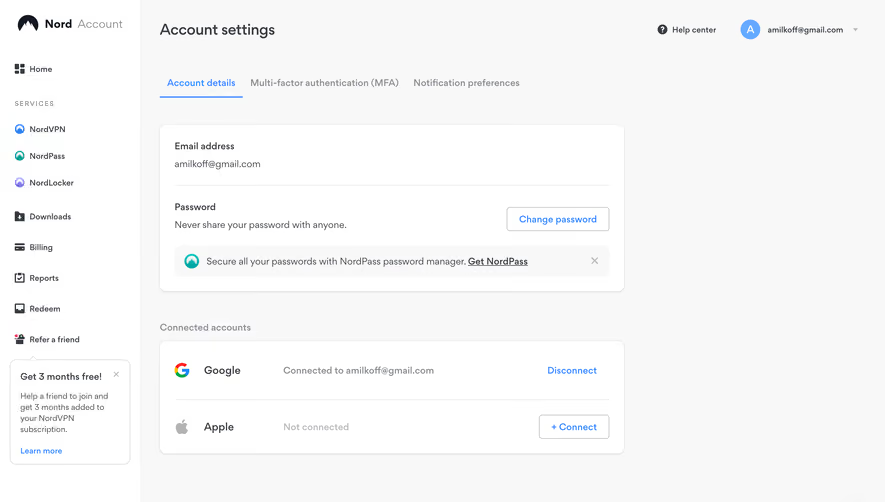
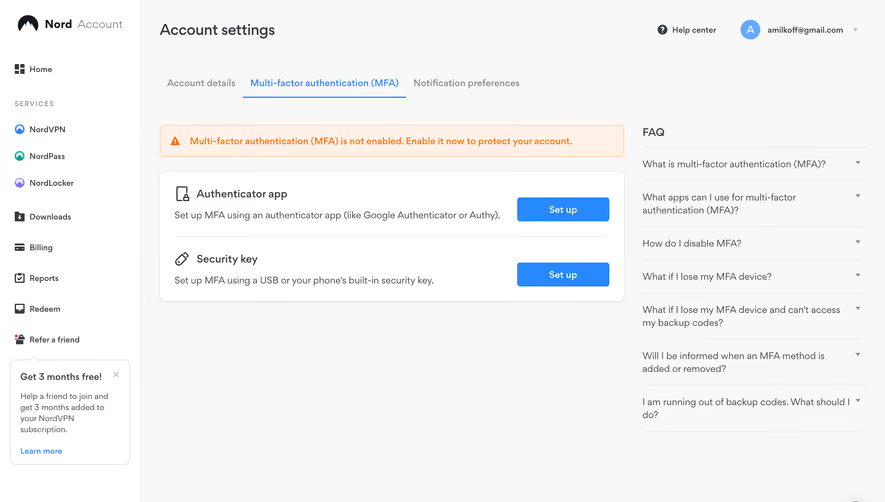
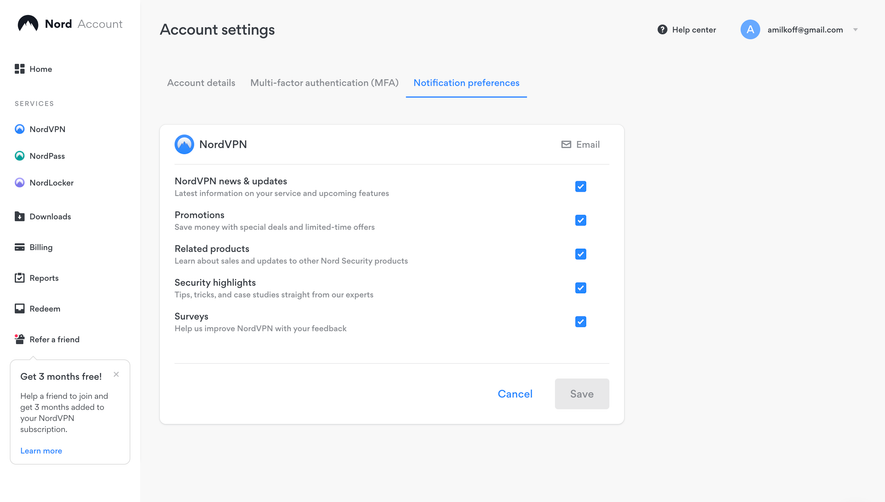
Similar screens





Upgrade to SaaSFrame Pro now to see similar examples.
Monthly
$18 /month
Billed $18 monthly
Browse all screens & flows
Filter and search screens & flows
Search text in screenshots
Access Figma files
Access mobile versions
Join now
Quarterly
$16 /month
Billed $48 quarterly
Browse all screens & flows
Filter and search screens & flows
Search text in screenshots
Access Figma files
Access mobile versions
Join now
Yearly
$15 /month
Billed $180 yearly
Browse all screens & flows
Filter and search screens & flows
Search text in screenshots
Access Figma files
Access mobile versions
Join now