.webp)
Thank you! Your submission has been received!
Oops! Something went wrong while submitting the form.
Get SaaSFrame Pro
Monthly
$18
Quarterly
$48
Yearly
$180
Upgrade to access this feature
Browse all screens & flows
Filter and search screens & flows
Access Figma files
Access mobile versions
Bookmark screens & flows
Join now
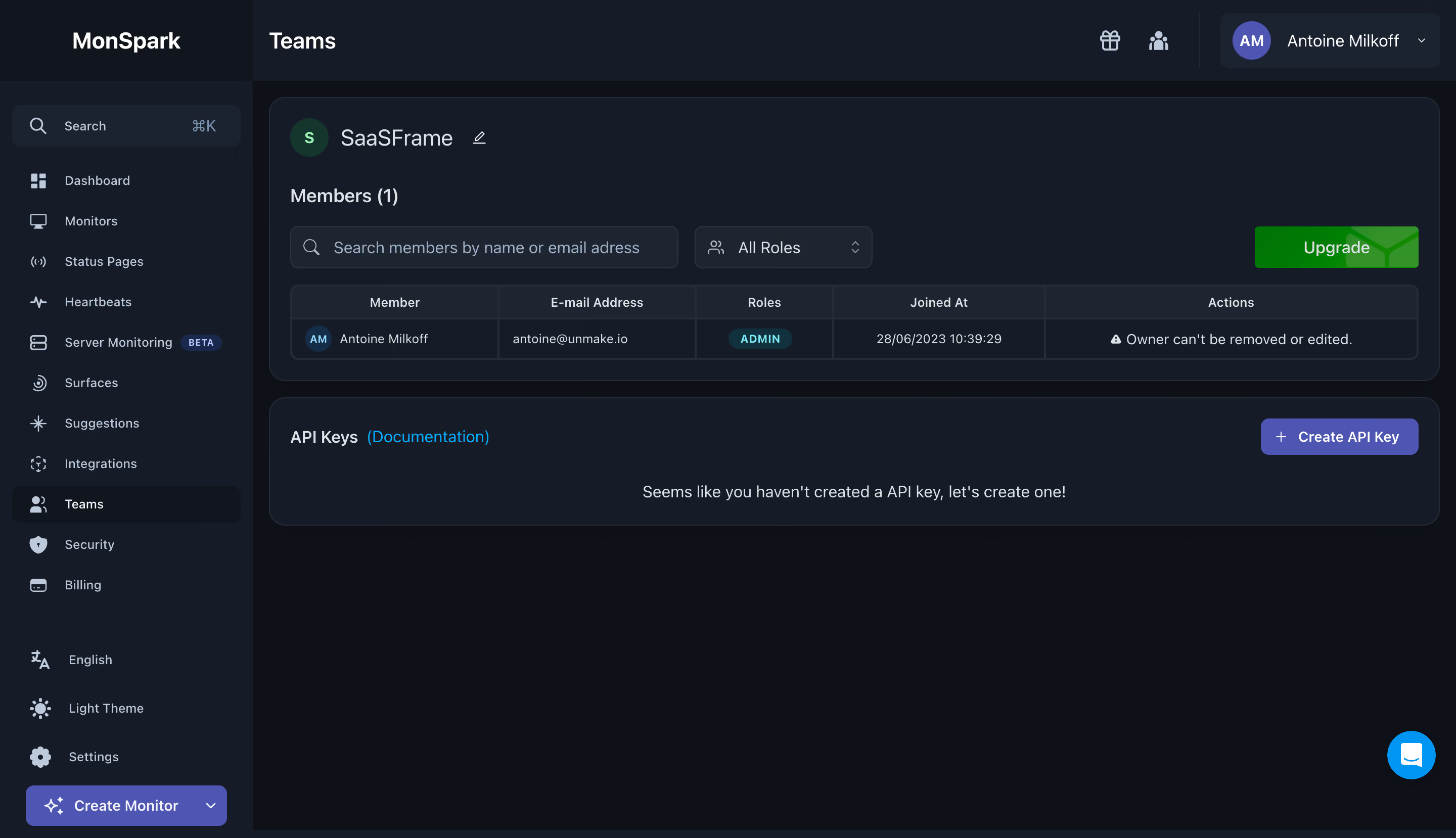
MonSpark Team Settings

MonSpark
All In One Website Monitoring
Designed by
No items found.

Bookmark
Bookmark

Design with AI
Thank you! Your submission has been received!
Oops! Something went wrong while submitting the form.
# Design from Reference: MonSpark Team Settings
Create an original, high-fidelity visual design inspired by the reference. Prioritize composition, typography, colors, spacing, and component styling over technical implementation.
## Reference
- **Product:** MonSpark
- **Category:** Team Members
- **Screenshot:** https://cdn.prod.website-files.com/5e9dc792e1210c5325f7ebbc/6acb65c5b206c0d3f8f0f67b_6acb650a0e8221f130815bc2_cms-68657a1e78c0d09245521efa.webp
Analyze the screenshot first. If inaccessible, request it rather than guessing.
## Content
{{content.instructions}}
{{content.data}}
Preserve essential messaging and factual accuracy. Adapt structure and copy length for visual balance; never invent product claims.
## Visual Design
### Overall aesthetic
- **Character:** Dense dark monitoring administration interface with navy-charcoal layers, muted slate labels and violet primary controls.
- **Evidence and scale:** Screenshot is 2880 × 1658 image pixels. Dimensions estimate a 1440 × 829 CSS viewport at 2× capture scale; actual DPR and font identity are unverified.
### Page composition
- **Application shell:** A roughly 250px CSS left rail sits beneath the brand. The top bar contains the Teams title, small utilities and a right-aligned account dropdown.
- **Main content:** Two wide rounded panels fill the upper workspace: team/member management first, API-key area second.
- **Members panel:** Team identity and edit icon lead into member count, search, role filter, upgrade action and a five-column table with one row.
- **API-key panel:** Heading/documentation link align left, creation action right and a centered empty-state sentence below. No secret values are visible.
- **Lower region:** Broad empty dark workspace continues beneath the panels; a bright blue support circle sits at bottom right.
### Information hierarchy
- **Navigation:** Teams has a darker active row; other monitoring destinations remain muted with outline icons.
- **Management context:** Team name and member heading precede filters and table, keeping identity and data scope clear.
- **Action distinctions:** Green Upgrade separates billing-related action from violet Create API Key and Create Monitor controls.
- **State:** The member row carries a small ADMIN badge and an ownership restriction message; the API-key area is empty.
### Typography
- **Page/brand:** Approximately 23–24px CSS semibold sans-serif.
- **Team and section roles:** Team name around 22px; member/API headings around 16–18px, medium.
- **Data and navigation:** Table text, links and sidebar labels around 12–14px; table headers and badges are smaller near 11–12px with slightly increased tracking.
- **Family:** Neutral sans-serif, exact family and computed weight unverified.
### Colors & surfaces
- **Measured shell:** Deep #0E1118 forms the workspace, with #161C27 and #1F2530 in panels/controls.
- **Measured raised layers:** #11151E and #1B2331 distinguish selected/utility regions.
- **Measured accent:** Muted violet #4E55B3 is prominent in primary buttons and avatar. Bright blue #0095F3 appears in support/documentation accents; green #349328 appears in upgrade-related pixels.
- **Text/borders:** Off-white text, pale slate icons and very fine gray-blue borders provide contrast without bright outlines.
### Components
- **Sidebar search:** Rounded dark field with search icon, muted label and shortcut hint; consistent icon/text navigation follows.
- **Panel shells:** Full-width dark cards with approximately 16px radii, thin gray-blue borders and around 20px padding.
- **Member filters:** Search field around 385 × 42px CSS, role select around 176px wide and an upgrade button aligned to the far right.
- **Table:** Compact bordered grid with header row, one data row and distinct member/email/role/joined/actions columns. Small circular initials avatar and cyan pill role badge add local structure.
- **API action:** Violet rounded button around 156 × 36px with white plus icon and bold label.
- **Utilities:** Account dropdown combines circular initials and chevron; bottom rail controls include language/theme/settings and a wide violet creation dropdown.
### Visual rhythm
- **Shell spacing:** Main cards begin around 16px from the rail and viewport edge, with roughly 16px between them.
- **Density:** The upper member region is compact and structured, contrasting with the much emptier API-key panel and lower workspace.
- **Alignment:** Panel headings, filters and table share consistent left/right boundaries; sidebar entries maintain regular vertical intervals.
### Responsive
- **Observed limit:** Only a desktop administration state is shown; dropdowns, creation flows and mobile layout are unobserved.
- **Recommended adaptation:** Collapse the rail, wrap filters/actions and use a horizontally scrollable or stacked member table where necessary.
- **Recommended priorities:** Preserve role and ownership information and keep creation actions reachable without shrinking labels.
### Adaptation guidance
- **Preserve the hierarchy:** Use layered navy surfaces, subtle borders and restrained violet actions, with separate colors only for meaningful secondary action types.
- **Keep administration explicit:** Distinguish member data from key-management state using separate panels and clear headings.
- **Implementation:** Provide accessible table structure, filter labels, menu names and visible focus. Empty API state and ownership message are observed; key creation and permission behavior are not established by the screenshot.
Use this context to reproduce the reference's visual language: layout, typography, colors, spacing, borders, radii, and distinctive elements. The screenshot takes priority if descriptions conflict.
## Direction
{{preferences.fidelityInstructions}}
## Output
{{output.instructions}}
Deliver a polished, cohesive design with precise alignment, hierarchy, and spacing. Produce the requested visual artifact, not just a description. If unsupported, explain the limitation.

.avif)
Category
Tech Stack


Added on
June 28, 2023
Similar screens



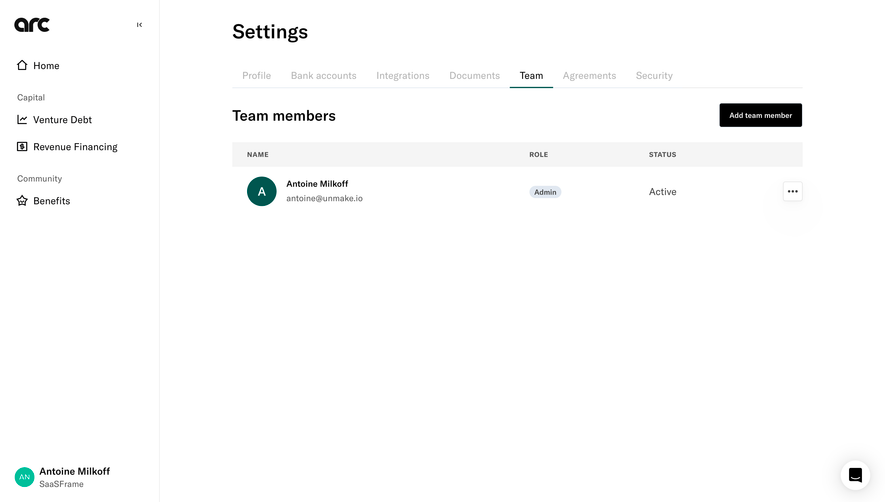

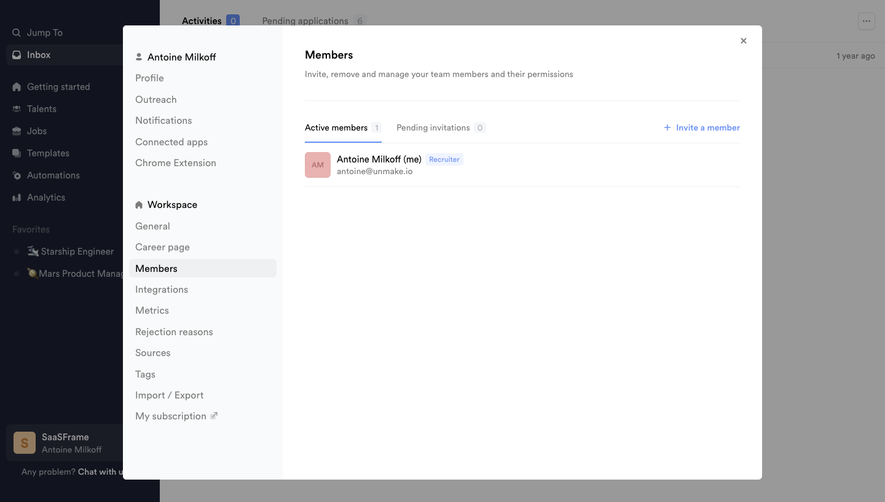

Upgrade to SaaSFrame Pro now to see similar examples.
Monthly
$18 /month
Billed $18 monthly
Browse all screens & flows
Filter and search screens & flows
Search text in screenshots
Access Figma files
Access mobile versions
Join now
Quarterly
$16 /month
Billed $48 quarterly
Browse all screens & flows
Filter and search screens & flows
Search text in screenshots
Access Figma files
Access mobile versions
Join now
Yearly
$15 /month
Billed $180 yearly
Browse all screens & flows
Filter and search screens & flows
Search text in screenshots
Access Figma files
Access mobile versions
Join now