Design with AI
Generate a new design based on this screen using your own content.
# Design from Reference: MentionFunnel Product Tour
Create an original, high-fidelity visual design inspired by the reference. Prioritize composition, typography, colors, spacing, and component styling over technical implementation.
## Reference
- **Product:** MentionFunnel
- **Category:** Product Tour
- **Screenshot:** https://cdn.prod.website-files.com/5e9dc792e1210c5325f7ebbc/6acbbbe8f023ce865170e0eb_6acbbb2bb7ca13cf70091d32_cms-81666d9bdf5aac02355a7fa3.webp
Analyze the screenshot first. If inaccessible, request it rather than guessing.
## Content
{{content.instructions}}
{{content.data}}
Preserve essential messaging and factual accuracy. Adapt structure and copy length for visual balance; never invent product claims.
## Visual Design
### Overall aesthetic
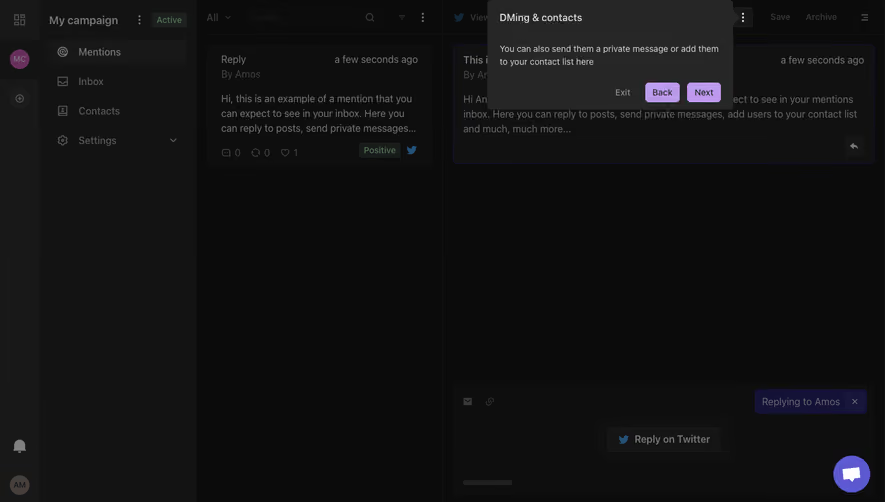
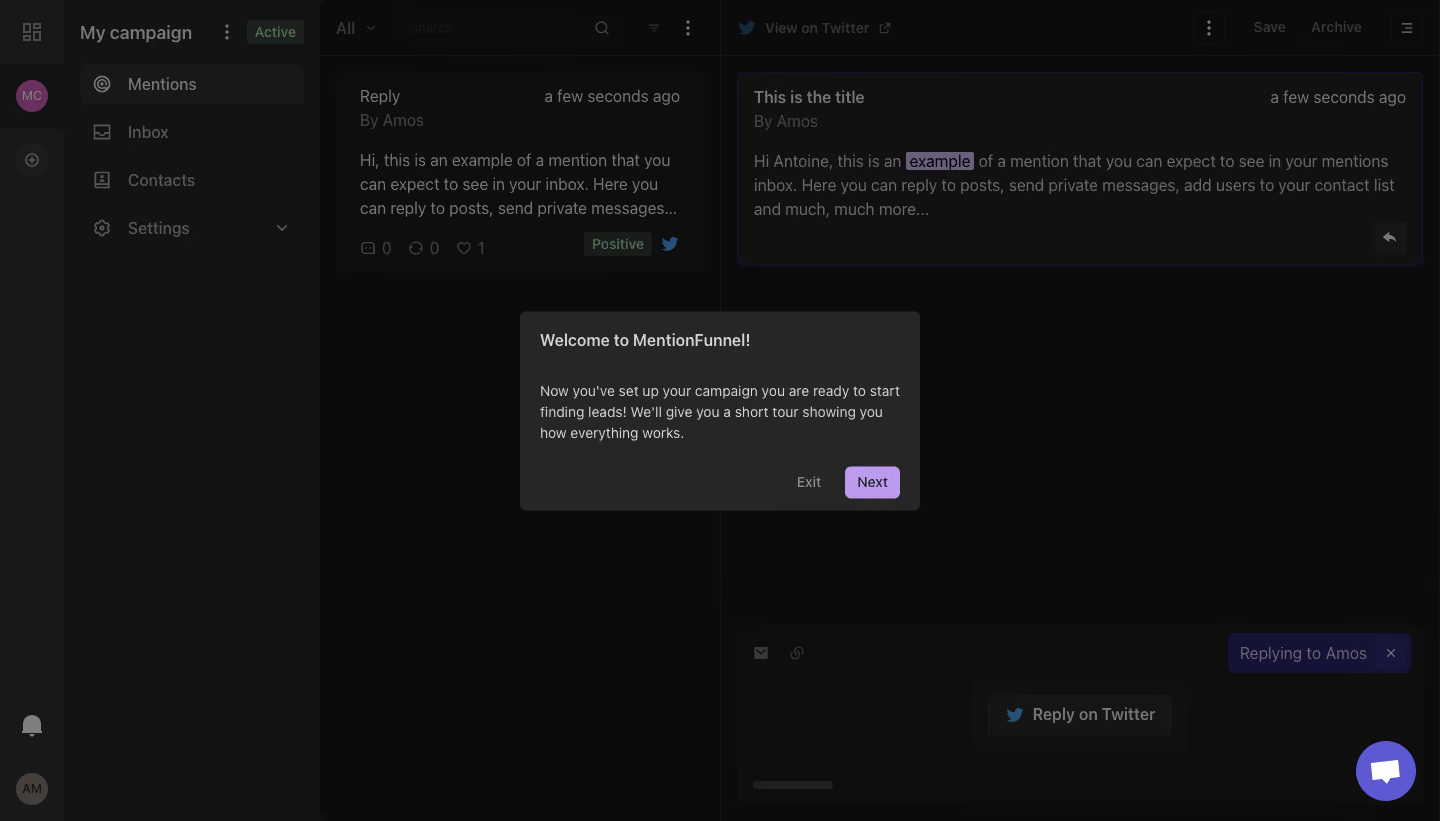
- **Character:** A dark campaign-inbox interface interrupted by a compact welcome-tour dialog.
- **Focus:** A heavy scrim subordinates the detailed workspace, while a charcoal panel and lavender Next button establish the immediate task.
### Page composition
- **Capture:** The source is 1440 × 821 image pixels. A 1× CSS scale is plausible but unverified; measurements refer to image pixels.
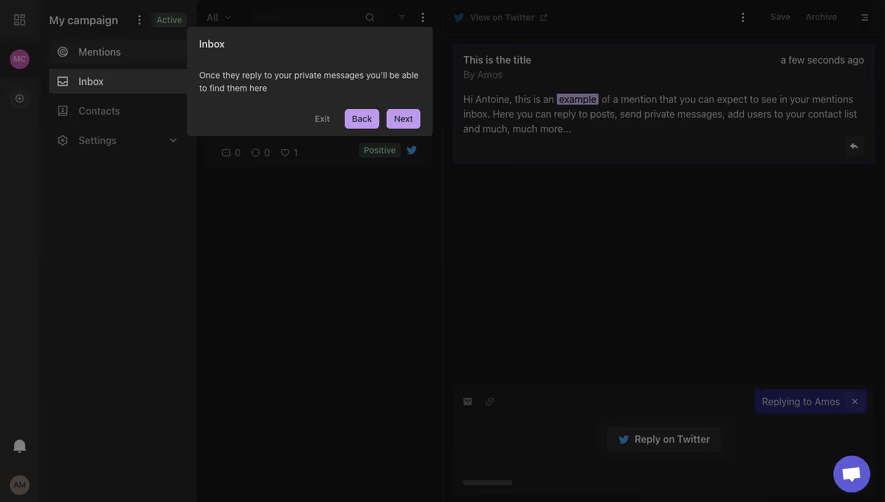
- **Workspace:** A narrow icon rail, campaign-navigation column, mention list and wider message-detail area form four vertical regions.
- **Dialog:** A centered panel around 400 × 200 pixels contains a heading, short paragraph and lower-right action pair.
- **Background detail:** The selected mention appears at upper right, with a large reply composer below and a purple chat launcher at bottom right.
### Information hierarchy
- **Welcome:** “Welcome to MentionFunnel!” is the dialog's strongest label.
- **Explanation:** A compact three-line paragraph introduces the tour after campaign setup.
- **Actions:** Muted Exit precedes a filled lavender Next button; no progress dots or close icon are visible.
- **Underlying context:** Mentions is selected in the campaign navigation, while the list/detail view shows example content and sentiment indicators.
### Typography
- **Family:** A neutral sans serif is visible; exact font identity is unverified.
- **Dialog:** Heading is approximately 16 image pixels, semibold; body is around 14 pixels with 21-pixel line height.
- **Actions:** Exit and Next are about 14 pixels, medium weight.
- **Workspace:** Navigation and message text are mostly 16 pixels, with smaller timestamps and metadata.
### Colors & surfaces
- **Measured palette:** ICC-aware sRGB sampling yields dominant dark tones #0B0B0B, #131313, #0E0E0E, #111111, #181818 and modal charcoal #262626.
- **Accents:** Lavender identifies Next; the dimmed interface retains blue social icons, green status badges and purple selection/composer accents.
- **Treatment:** The modal has roughly 6-pixel corners and a flat charcoal fill. Fine dark rules separate workspace columns.
### Components
- **Tour panel:** Approximately 20-pixel inner padding, left-aligned text and a bottom action row.
- **Next button:** A compact lavender rectangle around 55 × 32 pixels, with small rounded corners and dark text.
- **Mention cards:** Dark list/detail panels combine title, author, timestamp, excerpt and tiny engagement/sentiment elements.
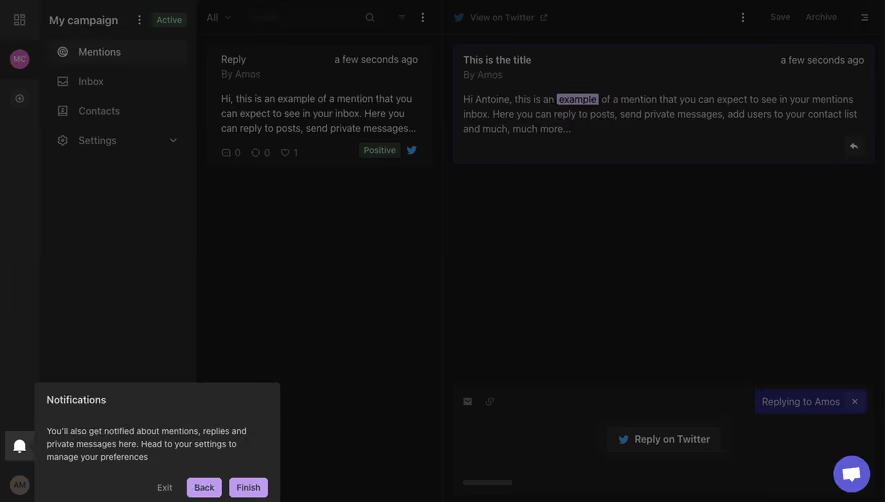
- **Shell navigation:** Icon-plus-label items, campaign status and lower avatar/notification controls remain visible beneath the scrim.
### Visual rhythm
- **Modal spacing:** A generous gap separates heading from explanation, followed by another gap before the action row.
- **Contrast:** The center panel is brighter than the dimmed background without becoming a white interruption.
- **Density:** Dense workspace content contrasts with the deliberately short tour message.
### Responsive
- **Recommendation:** Keep the dialog within viewport width minus 32 CSS pixels and allow the paragraph to wrap naturally.
- **Recommendation:** Collapse the underlying multi-column inbox into a list/detail navigation pattern on phones. Only desktop is captured.
### Adaptation guidance
- **Preserve:** Retain the concise tour introduction, explicit exit option and single progression action.
- **Implement:** Use dialog focus management and keyboard-accessible controls; behavior is not established by the still.
- **Context:** Keep background content recognizable enough to connect the tour to the inbox, without allowing it to compete visually.
Use this context to reproduce the reference's visual language: layout, typography, colors, spacing, borders, radii, and distinctive elements. The screenshot takes priority if descriptions conflict.
## Direction
{{preferences.fidelityInstructions}}
## Output
{{output.instructions}}
Deliver a polished, cohesive design with precise alignment, hierarchy, and spacing. Produce the requested visual artifact, not just a description. If unsupported, explain the limitation.
.webp)



.avif)