Design with AI
Generate a new design based on this screen using your own content.
# Design from Reference: MentionFunnel Account Setup
Create an original, high-fidelity visual design inspired by the reference. Prioritize composition, typography, colors, spacing, and component styling over technical implementation.
## Reference
- **Product:** MentionFunnel
- **Category:** Account Setup
- **Screenshot:** https://cdn.prod.website-files.com/5e9dc792e1210c5325f7ebbc/6acbbbe5f023ce865170e098_6acbbb267aa5c17bd936e632_cms-813ddb9166e2af20a1081140.webp
Analyze the screenshot first. If inaccessible, request it rather than guessing.
## Content
{{content.instructions}}
{{content.data}}
Preserve essential messaging and factual accuracy. Adapt structure and copy length for visual balance; never invent product claims.
## Visual Design
### Overall aesthetic
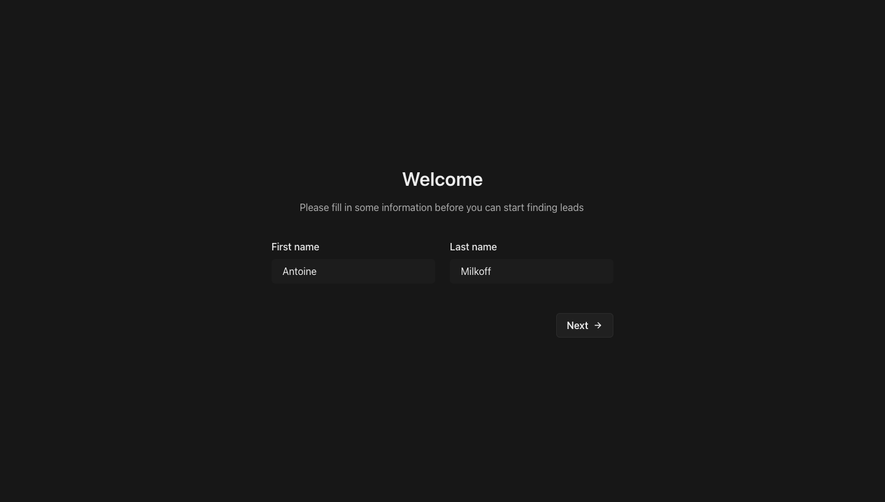
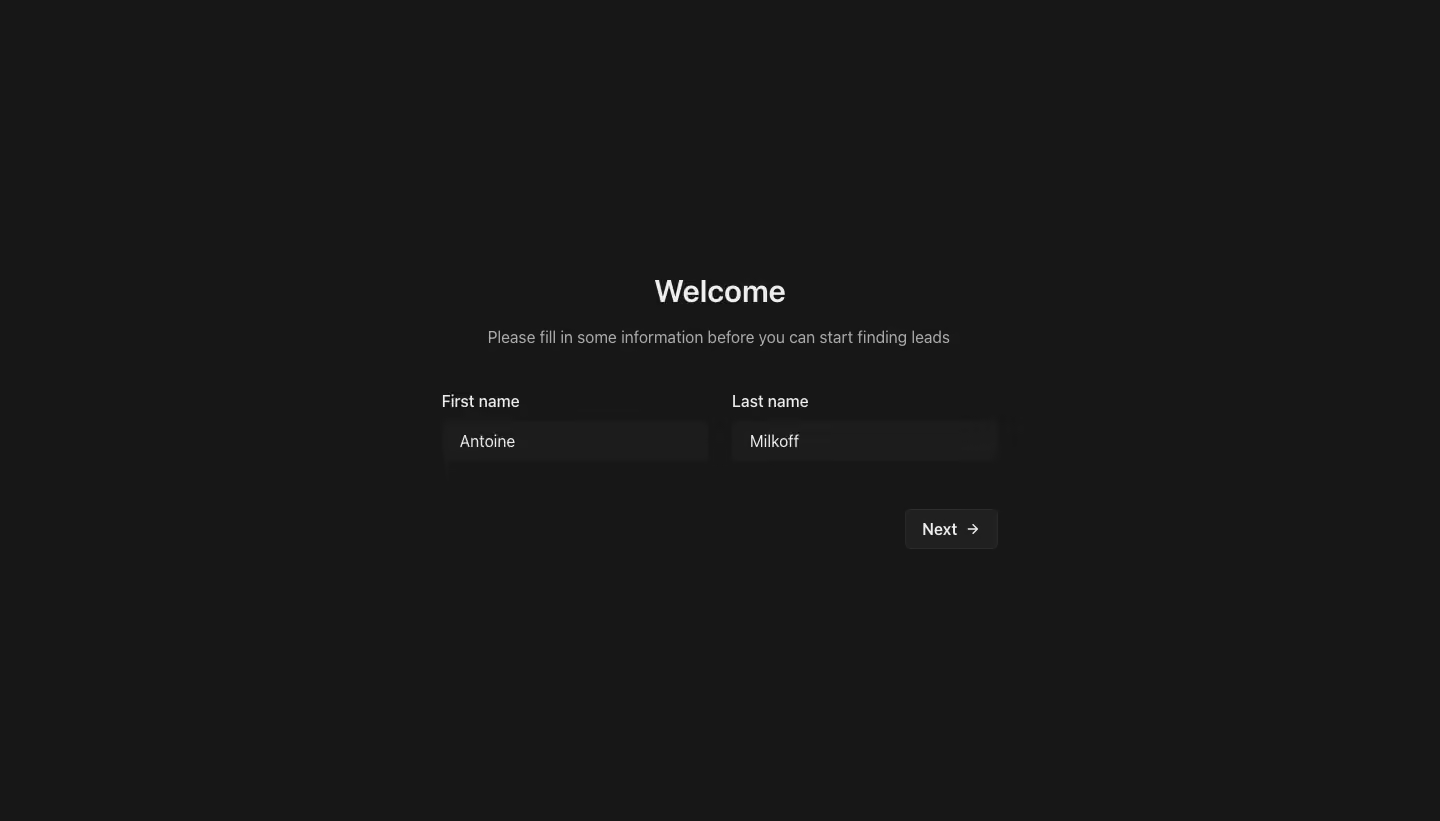
- **Character:** A very sparse dark onboarding form uses charcoal surfaces, near-white text and two side-by-side name fields.
- **Capture evidence:** The screenshot measures 1440 × 821 pixels. Approximate dimensions are image pixels; near-1× CSS scale is plausible but unverified.
- **Tone:** Minimal decoration and a short welcome message keep the focus on basic profile information.
### Page composition
- **Canvas:** A uniform dark background fills the screen without visible brand, navigation or footer.
- **Welcome:** A centered heading and one-line instruction sit above the form.
- **Form row:** First name and Last name labels align above two equal-width fields.
- **Action:** A compact Next button with right arrow sits beneath the fields, aligned to the right edge of the form.
- **Whitespace:** Large empty margins surround the small central task area.
### Information hierarchy
- **Heading:** Welcome is the strongest text.
- **Instruction:** Muted copy explains that information is needed before lead discovery begins.
- **Fields:** Persistent labels identify the two populated inputs.
- **Action:** Next provides a single continuation path, with no competing action visible.
- **State:** Both fields contain values; no validation or error message is visible.
### Typography
- **Family:** A neutral sans-serif is visible; exact identity is unverified.
- **Heading:** Approximately 30px bold with 36px line-height.
- **Instruction:** Approximately 16px regular, muted gray.
- **Labels and values:** Approximately 16px regular with compact line-height.
- **Action:** Approximately 16px medium alongside a small arrow.
- **Tracking:** Mostly normal spacing, with no strong display-type treatment.
### Colors & surfaces
- **Canvas:** Sampled #171717 supplies nearly the whole page.
- **Fields:** Sampled #1C1C1C creates subtle input rectangles.
- **Action surface:** Sampled #202020 supplies the Next button.
- **Primary text:** Sampled #EDEDED supplies bright headings, labels and values.
- **Secondary text:** Sampled #ABABAB supplies the instruction.
- **Borders:** Sampled #2B2B2B contributes to the subtle button outline.
### Components
- **Inputs:** Two approximately 266 × 40px fields use dark fills, small 6px radii and around 16px horizontal padding.
- **Labels:** Each label sits approximately 8px above its field.
- **Next button:** Approximately 92 × 40px, dark fill, fine border and 5px radius, with text and arrow centered.
- **Form width:** The two fields and roughly 24px gap create a total width around 556px.
- **Surface treatment:** No enclosing card, shadow or decorative illustration is visible.
### Visual rhythm
- **Opening spacing:** Roughly 20px separates heading and instruction.
- **Form separation:** Around 44–48px separates instruction and field labels.
- **Action gap:** Approximately 48px sits between inputs and Next.
- **Alignment:** Heading/instruction are centered, while form labels are left aligned and the action is right aligned.
- **Open composition:** The small form occupies only the middle portion of the page.
### Responsive
- **Evidence limit:** Only a desktop state is observed; validation and mobile behavior are unverified.
- **Form recommendation:** Stack the two fields with 20–24px viewport padding on narrow screens.
- **Action recommendation:** Keep Next reachable and give it a generous touch target.
- **Contrast recommendation:** Maintain readable labels and clear focus outlines against the dark canvas.
- **Keyboard recommendation:** Use a logical first-name, last-name, next-action order.
### Adaptation guidance
- **Minimal flow:** Preserve the short instruction and two-field structure for this setup step.
- **Form semantics:** Associate labels with inputs and use appropriate autocomplete attributes.
- **Privacy:** Use representative names in demonstrations.
- **Feedback:** Define required-field, loading and error states separately from this populated capture.
- **Accessibility:** Provide visible focus and announce validation feedback without relying only on color.
Use this context to reproduce the reference's visual language: layout, typography, colors, spacing, borders, radii, and distinctive elements. The screenshot takes priority if descriptions conflict.
## Direction
{{preferences.fidelityInstructions}}
## Output
{{output.instructions}}
Deliver a polished, cohesive design with precise alignment, hierarchy, and spacing. Produce the requested visual artifact, not just a description. If unsupported, explain the limitation.
.webp)



.avif)