.webp)
Thank you! Your submission has been received!
Oops! Something went wrong while submitting the form.
Get SaaSFrame Pro
Monthly
$18
Quarterly
$48
Yearly
$180
Upgrade to access this feature
Browse all screens & flows
Filter and search screens & flows
Access Figma files
Access mobile versions
Bookmark screens & flows
Join now
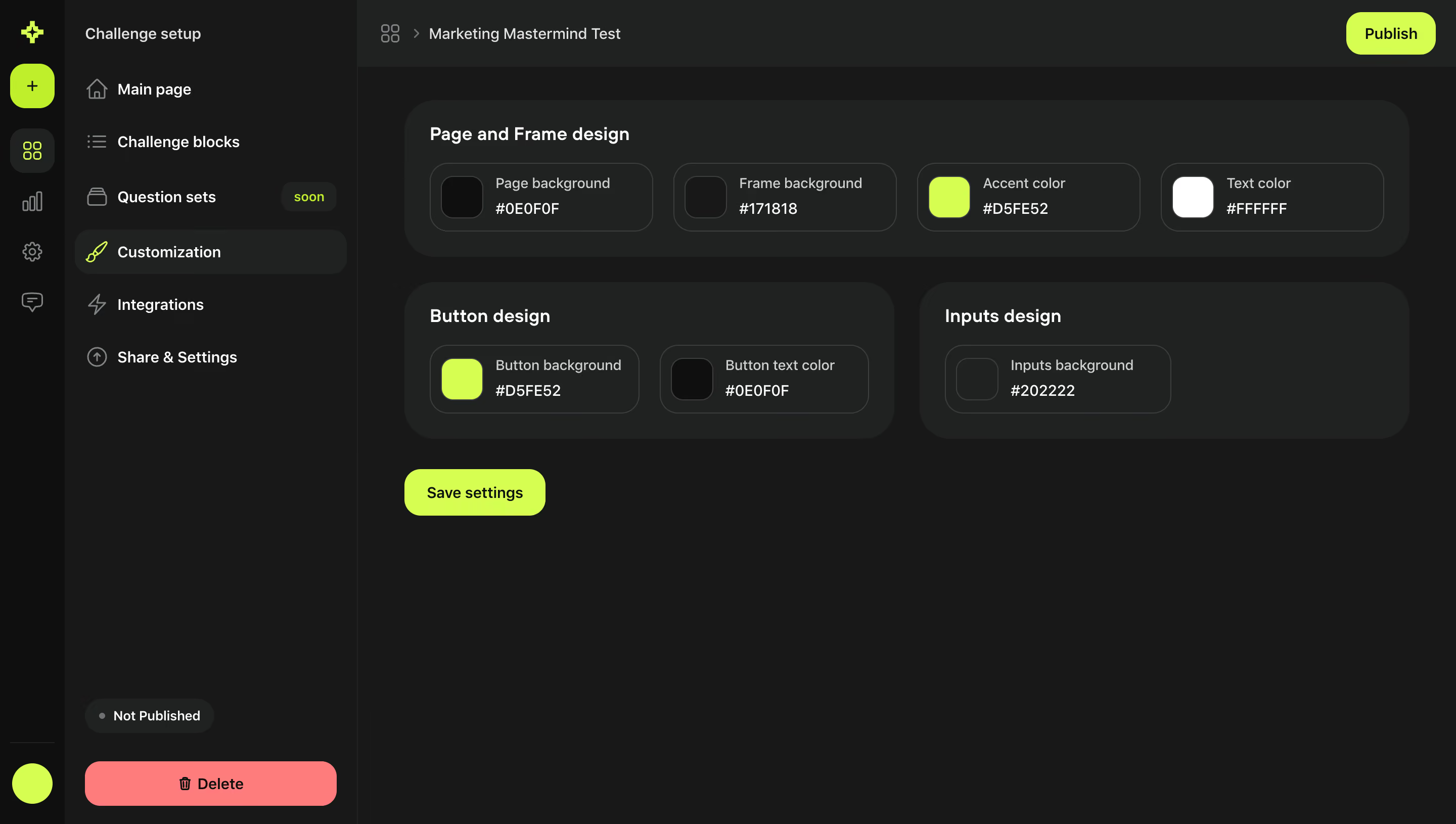
Meiro Challenge Customization Setup

Meiro
AI-powered builder for tests & quizzes
Designed by
No items found.

Bookmark
Bookmark

Design with AI
Thank you! Your submission has been received!
Oops! Something went wrong while submitting the form.
# Design from Reference: Meiro Challenge Customization Setup
Create an original, high-fidelity visual design inspired by the reference. Prioritize composition, typography, colors, spacing, and component styling over technical implementation.
## Reference
- **Product:** Meiro
- **Category:** Appearance Customization
- **Screenshot:** https://cdn.prod.website-files.com/5e9dc792e1210c5325f7ebbc/6acadbded05a3f53c0a86168_6acadb23b2f1b924c5f38094_cms-315dcc136f1f32eefec35e57.webp
Analyze the screenshot first. If inaccessible, request it rather than guessing.
## Content
{{content.instructions}}
{{content.data}}
Preserve essential messaging and factual accuracy. Adapt structure and copy length for visual balance; never invent product claims.
## Visual Design
### Overall aesthetic
- **Style:** Dark challenge-builder customization screen with large rounded charcoal groups and high-visibility lime actions.
- **Character:** A compact icon rail, technical color controls and coral deletion action give the interface a bold tool-oriented identity.
- **Capture:** The image measures 2880 × 1630 pixels. CSS estimates assume a 2× capture, equivalent to approximately 1440 × 815 CSS pixels; actual scale and font identity are unverified.
### Page composition
- **Icon rail:** A narrow far-left strip contains brand, creation and workspace icons with a lower circular accent control.
- **Setup navigation:** A wider adjacent sidebar lists challenge setup sections, with customization selected.
- **Top bar:** The challenge name appears in a breadcrumb-like header; a lime Publish button aligns right.
- **Main settings:** A wide Page and Frame design group contains four color controls in one row.
- **Secondary groups:** Button design and Inputs design sit side by side below, with two controls in the left group and one in the right.
- **Save action:** A lime Save settings button sits beneath the groups at left.
- **Lower sidebar:** An unpublished-status pill and large coral Delete button anchor the bottom.
### Information hierarchy
- **Current task:** Customization is highlighted in the setup navigation with a lime brush icon.
- **Group headings:** White semibold titles distinguish page/frame, button and input styling.
- **Color controls:** Each outlined unit presents a swatch, semantic label and hex text.
- **Action separation:** Save settings applies the displayed customization task; Publish is a distinct upper-right workflow action.
- **State:** A Not Published pill gives explicit challenge status.
- **Destructive route:** Delete is isolated at the sidebar bottom and distinguished by coral fill.
### Typography
- **Family:** A rounded UI sans-serif is visible; exact identity is unverified.
- **Group headings:** Approximately 18-pixel CSS size, semibold, with 24-pixel line height.
- **Navigation:** Approximately 16 pixels, medium weight.
- **Control labels:** Approximately 14 pixels in light gray; hex values approximately 14 pixels and stronger weight.
- **Buttons:** Approximately 14–16 pixels, medium-to-semibold, in black on bright fills.
- **Small state labels:** Approximately 12 pixels, with compact line height.
### Colors & surfaces
- **Measured base:** #171818 fills the main dark workspace; #0E0F0F appears in the far-left rail and dark swatches.
- **Measured groups:** #202222 supports the rounded settings containers.
- **Measured outlines:** #3A3E3E separates individual controls.
- **Measured lime:** Captured bright action/swatch pixels include #CAFF00, with #B2F100 among related accent pixels.
- **Measured destructive action:** Coral #FF7277 fills the deletion button.
- **Measured text:** White #FFFFFF, light gray #CDD1D1 and muted #7F8484 establish text hierarchy.
- **Displayed values versus pixels:** The UI displays labels such as #D5FE52 for an accent, while the actual captured lime samples differ. Treat displayed configuration text and measured image colors as separate evidence.
### Components
- **Selected setup row:** A broad charcoal rounded rectangle contains the brush icon and Customization label.
- **Status badge:** A small dark pill with a muted dot and unpublished text sits above deletion.
- **Main group:** Approximately 995 × 155 CSS pixels, with around 30-pixel corners and 25-pixel padding.
- **Color controls:** Outlined rounded rectangles roughly 220 × 68 pixels contain a 40-pixel rounded swatch and two text lines.
- **Button-design group:** Approximately 485 pixels wide, holding background and text-color controls.
- **Input-design group:** A similarly sized panel contains one input-background control.
- **Save button:** Approximately 140 × 46 pixels with 16-pixel corners.
- **Publish:** A compact lime rounded control at the top right.
- **Delete:** A wide coral button, approximately 249 × 44 pixels, with a trash icon and dark label.
- **State scope:** No color picker, save confirmation, publication dialog or live challenge preview is shown.
### Visual rhythm
- **Sidebar widths:** The icon rail and setup navigation together occupy roughly 354 CSS pixels.
- **Main inset:** Approximately 45 pixels separate the navigation boundary from the settings groups.
- **Group gaps:** Roughly 24 pixels separate the upper and lower rows of settings.
- **Control rhythm:** Equal swatch sizes and shared two-line labels create repeatable compact controls.
- **Whitespace:** The main configuration occupies the upper half, leaving a large dark lower canvas.
- **Action anchoring:** Save remains close to the settings, while publish and delete occupy separate shell locations.
### Responsive
- **Recommendation — navigation:** Collapse the two navigation layers into a compact accessible menu on small screens.
- **Recommendation — color groups:** Wrap the four-control row into fewer columns.
- **Recommendation — lower groups:** Stack button and input settings when their controls no longer fit comfortably.
- **Recommendation — values:** Keep hex text readable and associated with its swatch/label.
- **Recommendation — actions:** Preserve clear distinction between save, publish and delete. No mobile layout is evidenced.
### Adaptation guidance
- **Preserve semantic grouping:** Keep page/frame, button and input color roles distinct.
- **Reuse rounded modules:** Standardize panel padding, large group radii and smaller control radii.
- **Keep measured color evidence separate:** Do not substitute displayed configuration strings for sampled screenshot colors.
- **Maintain action hierarchy:** Use lime for constructive actions and coral for isolated deletion.
- **Define picker and feedback states:** Color editing, validation, saving and publication behavior require separate implementation.
- **Avoid inferring a preview:** The screenshot shows settings only, without the resulting challenge page.
Use this context to reproduce the reference's visual language: layout, typography, colors, spacing, borders, radii, and distinctive elements. The screenshot takes priority if descriptions conflict.
## Direction
{{preferences.fidelityInstructions}}
## Output
{{output.instructions}}
Deliver a polished, cohesive design with precise alignment, hierarchy, and spacing. Produce the requested visual artifact, not just a description. If unsupported, explain the limitation.

.avif)
Category
Patterns
Tech Stack

Added on
August 31, 2023

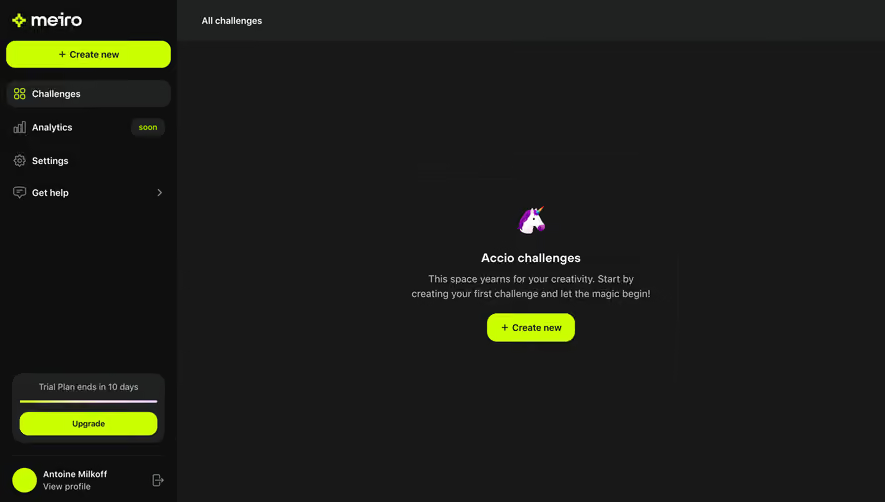
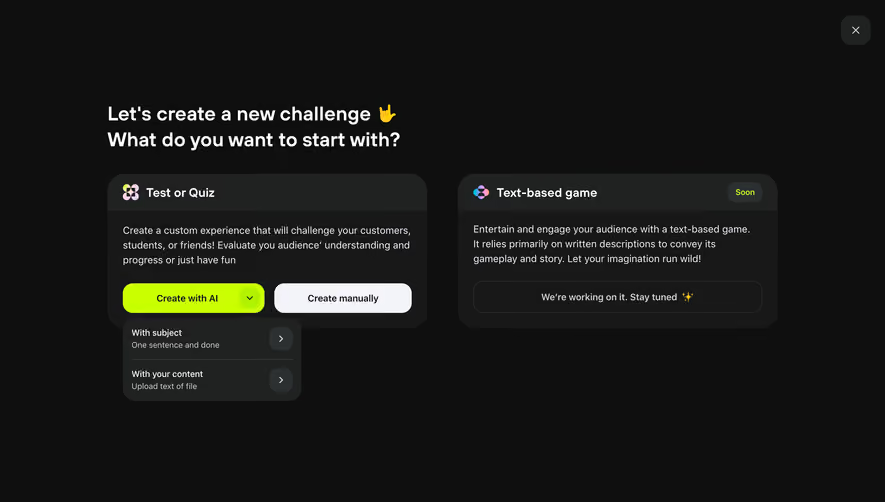

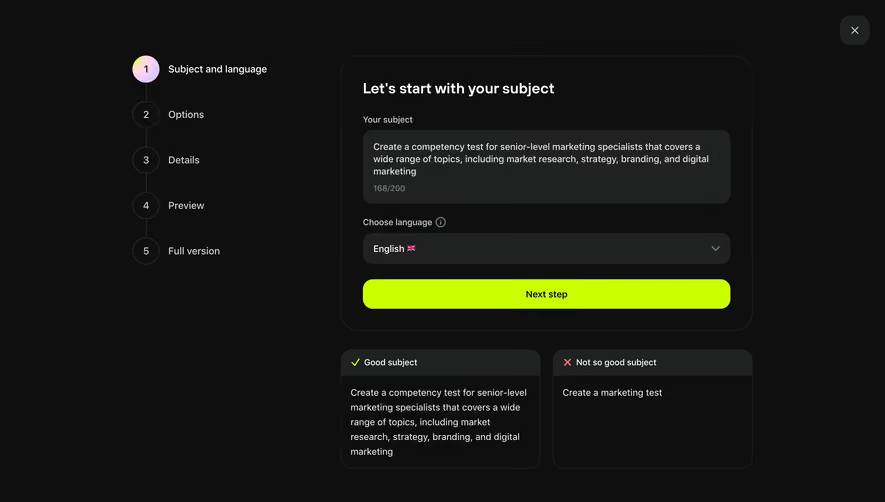


Similar screens


Upgrade to SaaSFrame Pro now to see similar examples.
Monthly
$18 /month
Billed $18 monthly
Browse all screens & flows
Filter and search screens & flows
Search text in screenshots
Access Figma files
Access mobile versions
Join now
Quarterly
$16 /month
Billed $48 quarterly
Browse all screens & flows
Filter and search screens & flows
Search text in screenshots
Access Figma files
Access mobile versions
Join now
Yearly
$15 /month
Billed $180 yearly
Browse all screens & flows
Filter and search screens & flows
Search text in screenshots
Access Figma files
Access mobile versions
Join now