Design with AI
Generate a new design based on this screen using your own content.
# Design from Reference: Loops Loop Flowchart
Create an original, high-fidelity visual design inspired by the reference. Prioritize composition, typography, colors, spacing, and component styling over technical implementation.
## Reference
- **Product:** Loops
- **Category:** Flowchart
- **Screenshot:** https://cdn.prod.website-files.com/5e9dc792e1210c5325f7ebbc/6acadbf3d05a3f53c0a86426_6acadb4eb2f1b924c5f39477_cms-97d5d8007f0dcc19961b455f.webp
Analyze the screenshot first. If inaccessible, request it rather than guessing.
## Content
{{content.instructions}}
{{content.data}}
Preserve essential messaging and factual accuracy. Adapt structure and copy length for visual balance; never invent product claims.
## Visual Design
### Overall aesthetic
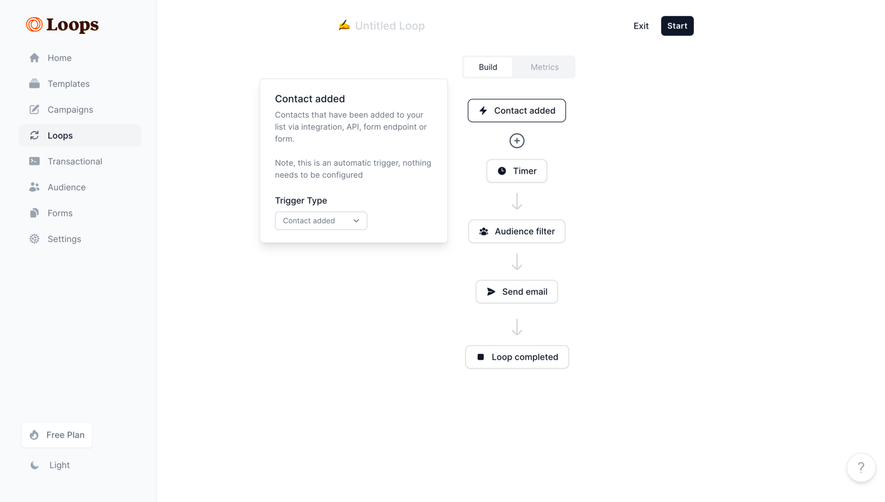
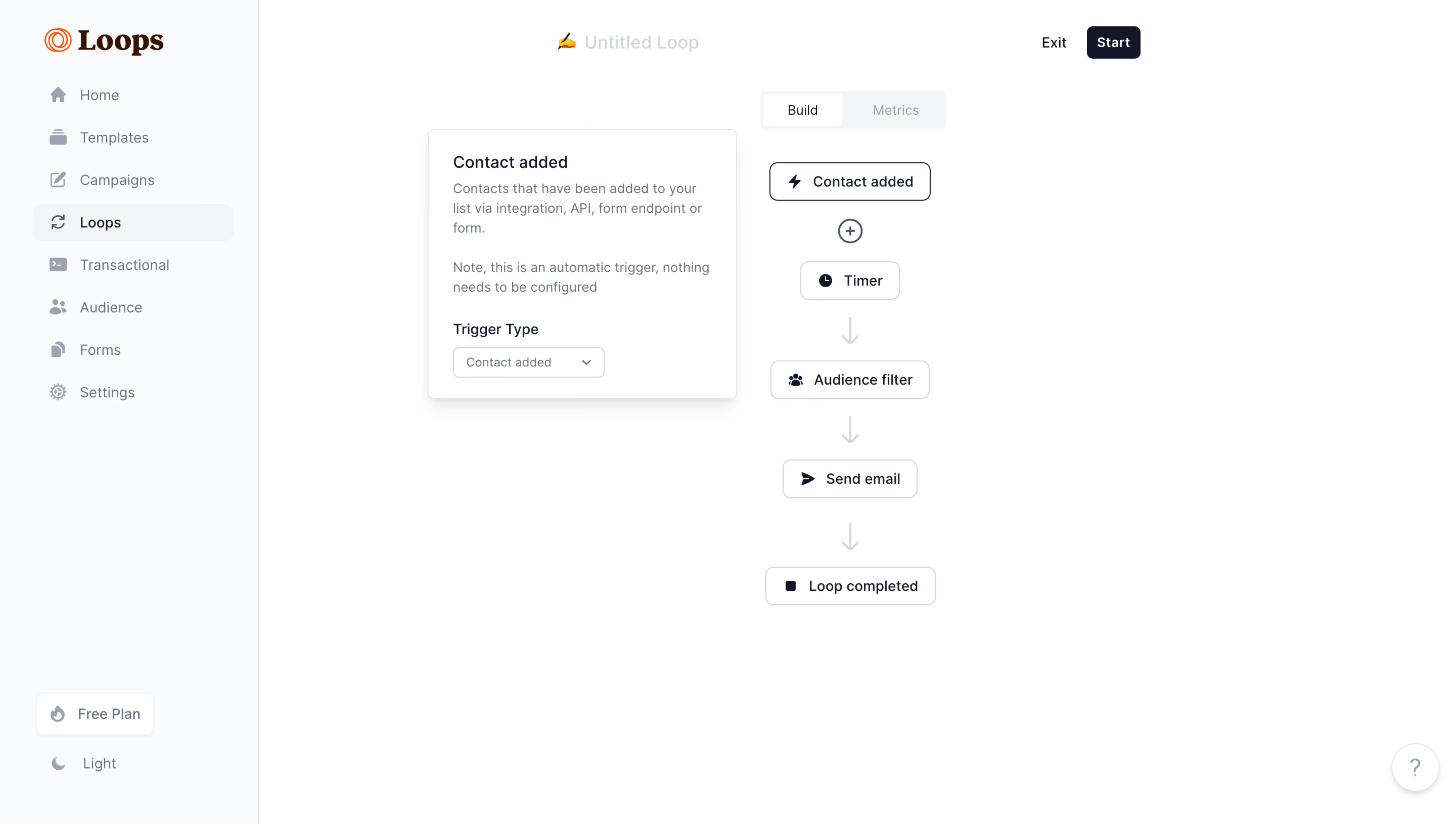
- **Character:** Minimal white automation builder with a pale sidebar, compact dark-outlined nodes and a floating trigger configuration card.
- **Accent:** Orange branding is isolated from the otherwise navy/gray interface.
- **Scale:** The source measures 5760 × 3260 px. Dimensions below estimate a 1440 × 815 CSS layout at 4× scale; device ratio and zoom are unverified.
### Page composition
- **Sidebar:** Roughly 255 CSS px rail contains brand, eight destinations and bottom plan/theme controls.
- **Header:** Editable untitled-loop label sits above the canvas, with Exit and dark Start right.
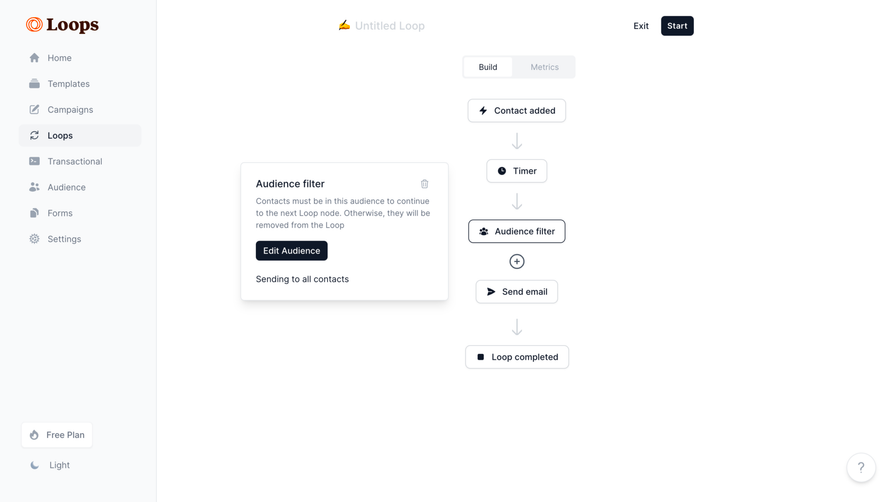
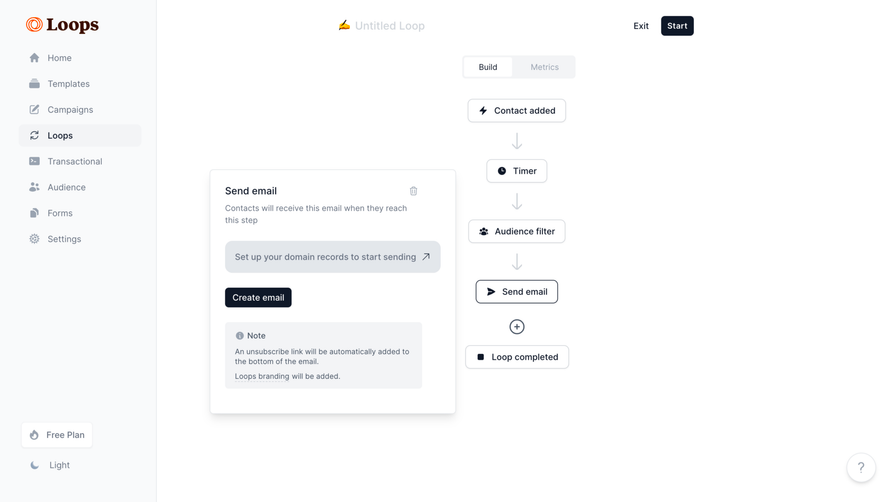
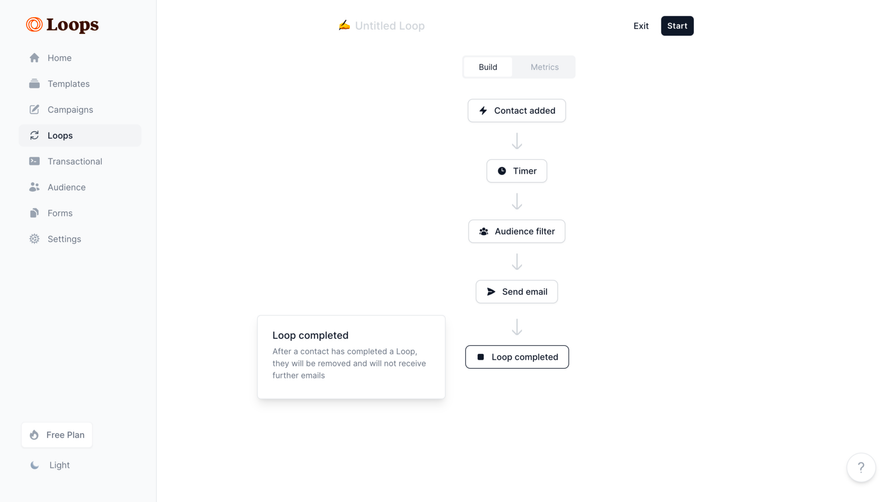
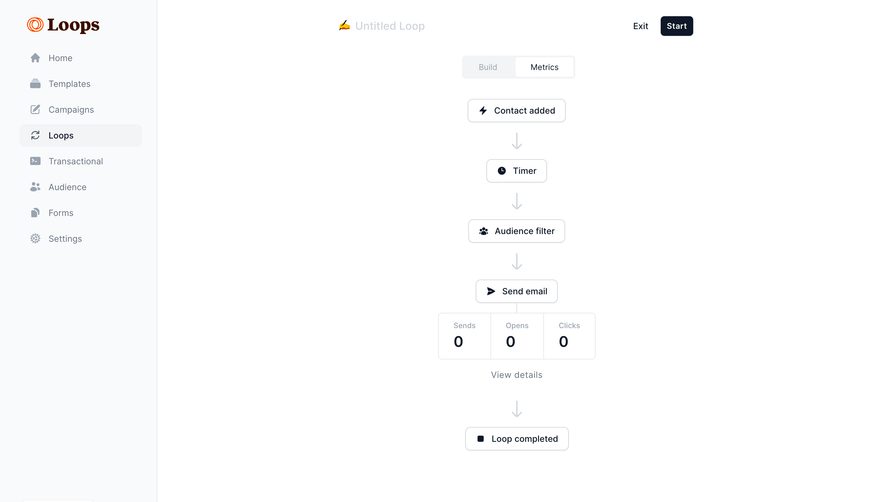
- **Flow:** A centered vertical sequence contains Contact added, Timer, Audience filter, Send email and Loop completed nodes.
- **Configuration:** A white shadowed trigger card sits left of the top flow nodes.
- **View switch:** Build/Metrics segmented control appears above the sequence.
### Information hierarchy
- **Location:** Loops is selected in navigation; Build is active.
- **Trigger:** Contact added has a stronger outline and its configuration card is open.
- **Sequence:** Downward arrows make order explicit.
- **Action:** Start is the primary header action, but no automation is started.
- **State:** The visible flow is a configured-looking draft, not evidence of execution.
### Typography
- **Family:** Neutral sans-serif; brand uses contrasting serif lettering. Exact identities are unverified.
- **Nodes:** Approximately 14–15 px medium-weight labels.
- **Card title:** Around 17 px; body/helper about 14 px with 20 px leading.
- **Navigation:** Compact 14 px labels with muted inactive states.
- **Header:** Light untitled text and stronger Start caption distinguish title from action.
### Colors & surfaces
- **Measured base:** ICC-aware sRGB sampling yields #FFFFFF and #F9FAFB.
- **Measured neutrals:** #F3F4F6, #D0D5DB and #E3E7EB define selected regions, outlines and arrows.
- **Measured dark:** #0F1828 supplies node/action foreground.
- **Accent:** Orange appears in the logo.
- **Depth:** Configuration card has soft shadow; nodes remain lightly outlined.
### Components
- **Flow nodes:** Small rounded rectangles pair icons with labels.
- **Connectors:** Pale downward arrows link stages; a circular plus sits below the trigger.
- **Trigger card:** Title, two explanatory paragraphs and labeled dropdown sit within roughly 300 px-wide white card.
- **View tabs:** Build is white within a pale segmented background; Metrics is muted.
- **Start:** Compact dark rounded button.
- **Help:** Small circular question control sits lower right.
### Visual rhythm
- **Vertical cadence:** Nodes share a center axis and regular spacing.
- **Card offset:** Configuration sits to the left without interrupting flow order.
- **Whitespace:** Broad blank canvas keeps the simple sequence readable.
- **Sidebar:** Even rows and bottom-anchored utilities balance the workspace.
### Responsive
- **Evidence limit:** Only desktop is shown; recommendations follow.
- **Canvas:** Allow panning/scrolling and preserve node readability.
- **Configuration:** Move editing into a drawer on narrow screens.
- **Shell:** Collapse navigation and keep execution controls distinct.
### Adaptation guidance
- **Reusable pattern:** Pair a readable vertical flow with contextual node configuration.
- **State clarity:** Distinguish draft/build state from running metrics.
- **Accessibility:** Provide keyboard node navigation and textual sequence order.
- **Interaction truth:** Do not infer sent email or completed loop from node labels.
Use this context to reproduce the reference's visual language: layout, typography, colors, spacing, borders, radii, and distinctive elements. The screenshot takes priority if descriptions conflict.
## Direction
{{preferences.fidelityInstructions}}
## Output
{{output.instructions}}
Deliver a polished, cohesive design with precise alignment, hierarchy, and spacing. Produce the requested visual artifact, not just a description. If unsupported, explain the limitation.
.webp)



.avif)