.webp)
Thank you! Your submission has been received!
Oops! Something went wrong while submitting the form.
Get SaaSFrame Pro
Monthly
$18
Quarterly
$48
Yearly
$180
Upgrade to access this feature
Browse all screens & flows
Filter and search screens & flows
Access Figma files
Access mobile versions
Bookmark screens & flows
Join now
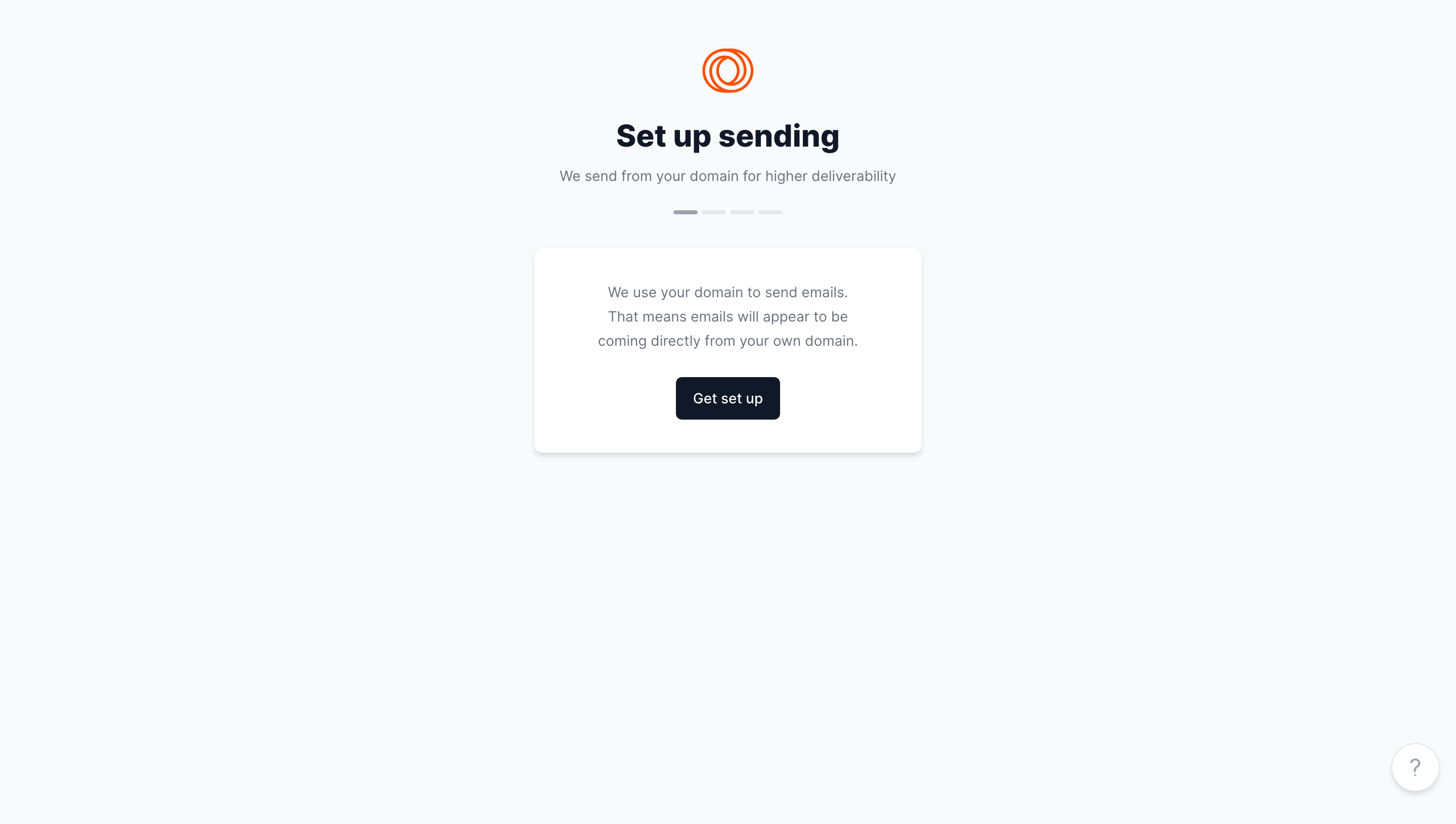
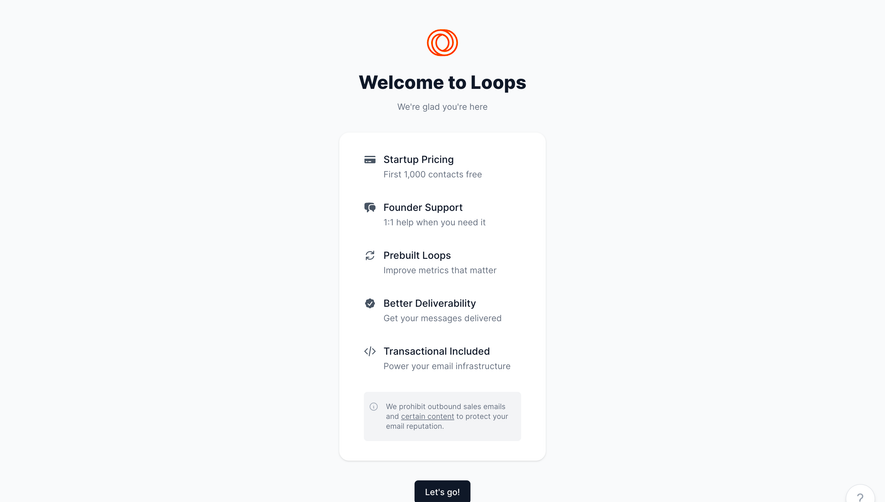
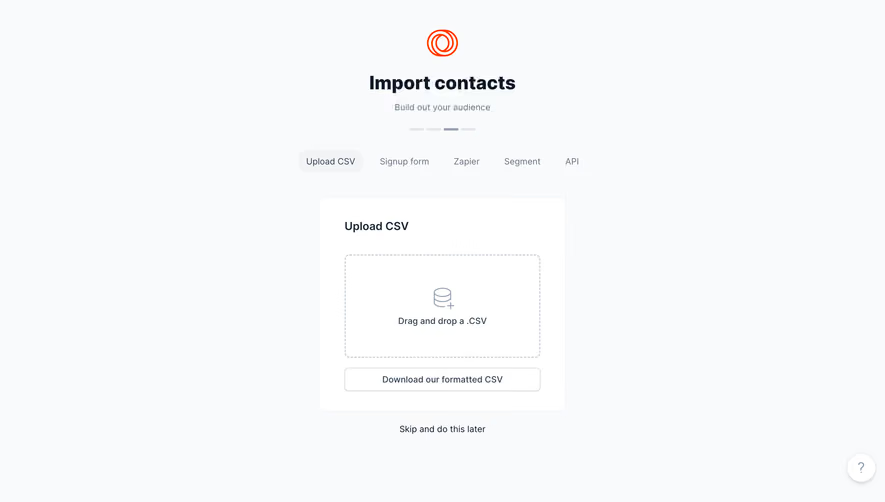
Loops Account Setup

Loops
The email platform built for SaaS
Designed by
No items found.

Bookmark
Bookmark

Design with AI
Thank you! Your submission has been received!
Oops! Something went wrong while submitting the form.
# Design from Reference: Loops Account Setup
Create an original, high-fidelity visual design inspired by the reference. Prioritize composition, typography, colors, spacing, and component styling over technical implementation.
## Reference
- **Product:** Loops
- **Category:** Account Setup
- **Screenshot:** https://cdn.prod.website-files.com/5e9dc792e1210c5325f7ebbc/6acadbedd05a3f53c0a86381_6acadb40ca6d79c1e0c8e0a8_cms-d41ae3270487e471d52c59fb.webp
Analyze the screenshot first. If inaccessible, request it rather than guessing.
## Content
{{content.instructions}}
{{content.data}}
Preserve essential messaging and factual accuracy. Adapt structure and copy length for visual balance; never invent product claims.
## Visual Design
### Overall aesthetic
- **Character:** A minimal onboarding introduction uses a very pale gray canvas, dark navy typography, one white card, and a small orange line-mark logo.
- **Tone:** The sparse centered layout focuses attention on a single setup action rather than presenting configuration details immediately.
- **Observed scale:** The source measures 2880 × 1630 pixels. CSS estimates assume a 2× capture, roughly 1440 × 815; actual pixel ratio is unverified.
### Page composition
- **Centered header group:** An orange interlocking-loop mark sits above the Set up sending heading and a short muted subtitle.
- **Progress:** Four small horizontal segments appear below the subtitle. The first is darker than the other three.
- **Instruction card:** A white rounded card approximately 384 × 204 CSS pixels sits beneath the progress indicator. It contains a centered three-line explanation and one dark button.
- **Outer space:** Most of the lower viewport is empty, with the content clustered in the upper-middle region.
- **Help:** A small circular question-mark control sits near the lower-right corner.
### Information hierarchy
- **Task identity:** The bold heading is the strongest text; the subtitle explains the domain-based sending purpose.
- **Step context:** The segmented indicator suggests the first of four stages visually, but later stages are not shown.
- **Explanation before action:** The card introduces the sending-domain concept before presenting Get set up.
- **Single action:** No form fields, alternative setup paths, or completed configuration are visible.
- **Claim scope:** The subtitle’s deliverability statement is captured product copy, not independently verified guidance.
### Typography
- **Typeface appearance:** A neutral sans-serif is used throughout. Exact font identity is unverified.
- **Heading:** Approximately 30–32 CSS pixels, bold, with a line-height near 38 pixels.
- **Subtitle and explanation:** Around 14–15 pixels, regular weight, with roughly 24-pixel line-height inside the card.
- **Button:** Approximately 14-pixel medium white text, centered.
- **Alignment:** Logo, title, subtitle, progress, explanation, and action all share a central axis.
### Colors & surfaces
- **Measured canvas:** #F9FAFB dominates the page; #FFFFFF forms the card and help control.
- **Measured navy:** #0F1828 supplies the heading/button family.
- **Measured secondary text:** #687281 appears in muted explanatory copy.
- **Measured orange:** #FF3D00 supplies the logo accent.
- **Other neutrals:** #F3F4F6 contributes to pale interface detail. The card has a fine light boundary and soft lower shadow.
### Components
- **Logo:** A compact orange outline of overlapping loops, approximately 48 pixels across, appears without a wordmark.
- **Progress segments:** Four short rounded gray bars form a compact horizontal row; the first is visibly darker.
- **Instruction card:** A white rectangle with roughly 8-pixel corners and generous internal padding separates the explanation from the pale background.
- **Get set up control:** A dark rounded rectangle approximately 104 × 42 pixels has 6-pixel corners and centered text.
- **Help button:** A white circle roughly 48 pixels in diameter contains a muted question mark and subtle shadow.
- **Unshown states:** Focus, loading, setup fields, domain verification, errors, and completion are not established by the image.
### Visual rhythm
- **Compact introduction:** The logo, heading, subtitle, and progress indicator form a tight vertical group.
- **Card separation:** A larger gap precedes the white card, marking the transition from context to action.
- **Internal breathing room:** The explanatory text and button are separated by around 24 pixels.
- **Whitespace:** The large empty lower area keeps the task calm and prevents competing visual anchors.
### Responsive
- **Evidence limit:** Only a desktop onboarding view is captured. Mobile behavior is unverified.
- **Recommended sizing:** Make the card fluid within 20–24-pixel gutters while keeping its text at a readable size.
- **Recommended spacing:** Reduce excessive upper/lower whitespace on short screens without compressing the explanation/action gap.
- **Recommended controls:** Keep the setup and help controls keyboard accessible, with clear focus and sufficient touch targets.
### Adaptation guidance
- **Preserve the introductory step:** Explain the purpose briefly, show progress, and offer one clear setup action.
- **Do not invent configuration:** Domain fields, DNS instructions, validation, and verification states require separate product specifications.
- **Use the measured palette:** Pale gray, white, navy, muted text, and a small orange brand accent are sufficient.
- **Implement semantics:** Provide an accessible progress label, descriptive button names, and a help destination.
- **Validate follow-through:** Ensure the action leads to a real setup process with clear loading, failure, and success feedback.
Use this context to reproduce the reference's visual language: layout, typography, colors, spacing, borders, radii, and distinctive elements. The screenshot takes priority if descriptions conflict.
## Direction
{{preferences.fidelityInstructions}}
## Output
{{output.instructions}}
Deliver a polished, cohesive design with precise alignment, hierarchy, and spacing. Produce the requested visual artifact, not just a description. If unsupported, explain the limitation.

.avif)
Category
Patterns
Tech Stack


Added on
August 14, 2023



Similar screens







Upgrade to SaaSFrame Pro now to see similar examples.
Monthly
$18 /month
Billed $18 monthly
Browse all screens & flows
Filter and search screens & flows
Search text in screenshots
Access Figma files
Access mobile versions
Join now
Quarterly
$16 /month
Billed $48 quarterly
Browse all screens & flows
Filter and search screens & flows
Search text in screenshots
Access Figma files
Access mobile versions
Join now
Yearly
$15 /month
Billed $180 yearly
Browse all screens & flows
Filter and search screens & flows
Search text in screenshots
Access Figma files
Access mobile versions
Join now