.webp)
Thank you! Your submission has been received!
Oops! Something went wrong while submitting the form.
Get SaaSFrame Pro
Monthly
$18
Quarterly
$48
Yearly
$180
Upgrade to access this feature
Browse all screens & flows
Filter and search screens & flows
Access Figma files
Access mobile versions
Bookmark screens & flows
Join now
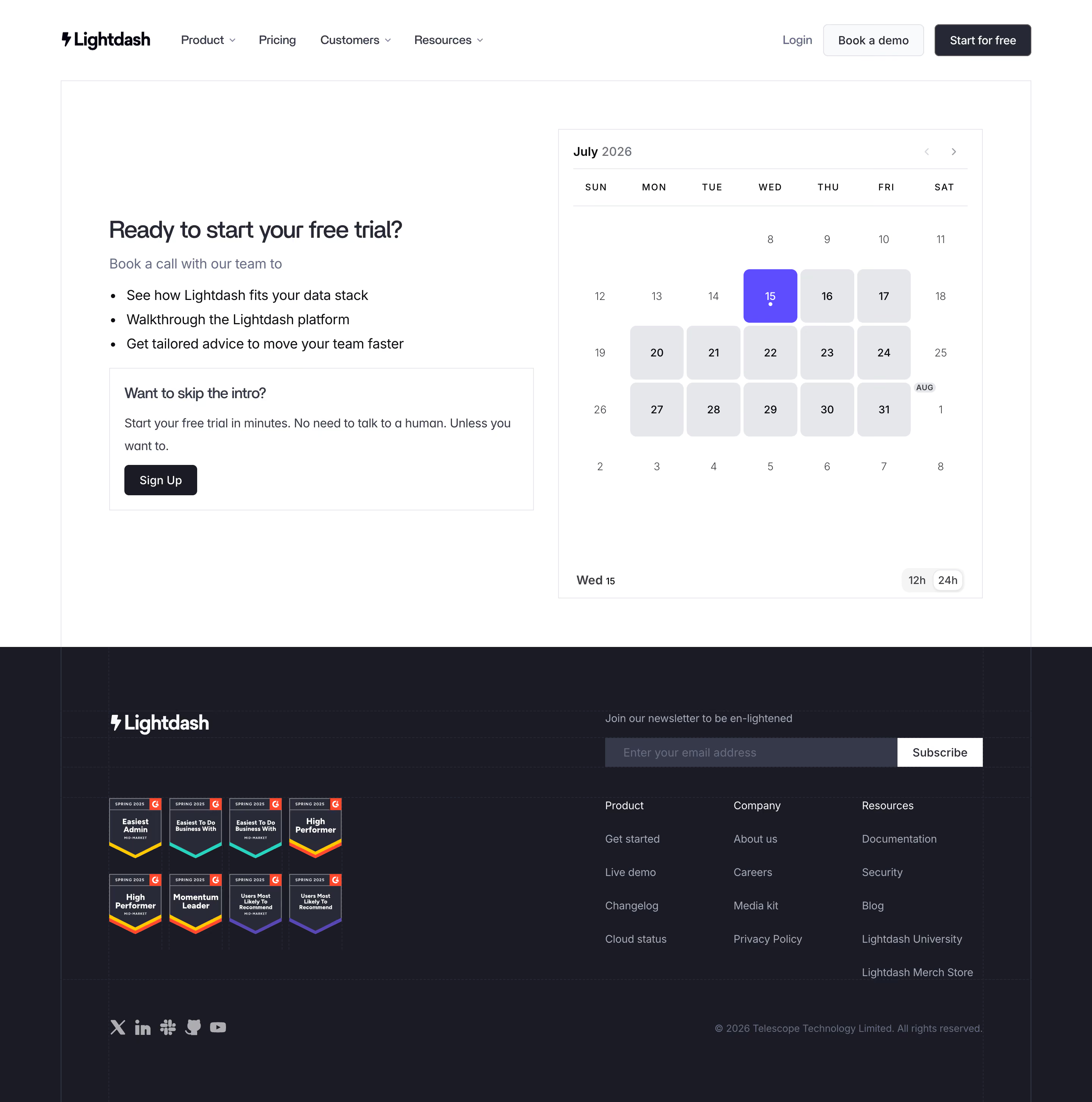

Lightdash Contact Page

Lightdash
The open-source AI native BI platform
Designed by


Bookmark
Bookmark

Design with AI
Thank you! Your submission has been received!
Oops! Something went wrong while submitting the form.
# Design from Reference: Lightdash Contact Page
Create an original, high-fidelity visual design inspired by the reference. Prioritize composition, typography, colors, spacing, and component styling over technical implementation.
## Reference
- **Product:** Lightdash
- **Category:** Contact Page
- **Screenshot:** https://cdn.prod.website-files.com/5e9dc792e1210c5325f7ebbc/6acad12eb2165b6c7fffad42_6acad0bbd5603a17eba4db00_cms-6c24738815e2454a50b4131b.webp
Analyze the screenshot first. If inaccessible, request it rather than guessing.
## Content
{{content.instructions}}
{{content.data}}
Preserve essential messaging and factual accuracy. Adapt structure and copy length for visual balance; never invent product claims.
## Visual Design
### Overall aesthetic
- **Style:** Restrained trial-booking page with a white two-column content area and a dense dark footer.
- **Character:** Neutral sans serif, fine rectangular outlines, compact dark actions, gray calendar cells, and one violet selected day.
- **Surface treatment:** Mostly flat; subtle grid lines continue through the footer as a quiet technical motif.
### Page composition
- **Capture and scale:** 2880 × 2906 image px. CSS estimates assume a 2× capture, approximately 1440 × 1453 CSS px; scale is unverified.
- **Header:** Brand and product/pricing/customer/resource navigation left; login, outlined demo, and dark free-start actions right.
- **Main frame:** Approximately 1280px-wide outlined rectangle below the header.
- **Left column:** Trial-call heading, short intro, three bullets, and a bordered self-service signup panel.
- **Right column:** Large calendar about 560 × 620px, with month navigation, weekday row, date grid, selected-date footer, and 12h/24h switch.
- **Footer:** Dark full-width region with brand/award grid left and newsletter/link groups right; social icons and copyright sit at the bottom.
### Information hierarchy
- **Main task:** Trial-call heading leads the explanatory left column.
- **Call benefits:** Three bullets clarify the purpose of the appointment.
- **Alternative:** Self-service signup is separated inside a bordered inset panel.
- **Calendar selection:** Violet date stands out among pale-gray available-looking cells and plain dates; actual availability semantics are unverified.
- **Footer:** Newsletter precedes Product, Company, and Resources links; award badges supply secondary proof.
### Typography
- **Family:** Neutral proportional sans serif; exact identity is unverified.
- **Main heading:** Approximately 32px medium with 40px line-height.
- **Intro/bullets:** Approximately 18px with 30–32px line-height.
- **Inset heading:** Approximately 20px medium; body around 16px with 28px leading.
- **Calendar:** Approximately 14–16px; weekday labels around 12px uppercase with expanded tracking.
- **Header/footer:** Approximately 14–16px, with muted footer links.
- **Precision:** CSS sizes and weights are visual estimates.
### Colors & surfaces
- **Canvas:** Sampled #FFFFFF.
- **Footer:** Sampled #1A1B25.
- **Calendar cells / boundaries:** Sampled #E6E7EB.
- **Dark controls:** Sampled #292A38 and #272835.
- **Newsletter field:** Sampled #36394A.
- **Selected date:** Sampled #5E4CFF.
- **Light control fill:** Sampled #F9FAFB.
- **Darkest text:** Sampled #0D0D12.
- **Treatment:** Pale outlines and muted slate text keep the scheduling area subdued.
### Components
- **Header actions:** Outlined demo and dark start buttons around 42px high with small 4px radii.
- **Self-service panel:** Thin rectangular outline, approximately 20px padding, short heading/body, and dark signup button.
- **Calendar frame:** Thin pale outline, broad inner margins, month label left and small previous/next chevrons right.
- **Date cells:** Roughly 72px squares with 8px radius for filled states; selected violet cell has white date and small dot.
- **Calendar footer:** Selected weekday/date at left; compact pale segmented 12h/24h control at right.
- **Newsletter form:** Long dark-gray field with white Subscribe button at right.
- **Award grid:** Eight shield-like badges in two rows, separate from the navigation columns.
- **Footer socials:** Small muted icons without prominent enclosing buttons.
- **State limits:** No time-slot list, booking confirmation, or submitted form is visible.
### Visual rhythm
- **Column balance:** Copy and signup alternative counterweight the larger calendar.
- **Alignment:** Main panel, header content, and footer inner grid share broad container edges.
- **Calendar rhythm:** Seven equal weekday lanes and repeated square cells create regularity.
- **Footer rhythm:** Brand/awards form one block; newsletter and three link groups form another.
- **Spacing:** Generous main-area whitespace contrasts with the denser dark footer.
### Responsive
- **Observed state:** Desktop only; mobile booking behavior is unverified.
- **Layout recommendation:** Stack copy above the calendar with 20–24px gutters.
- **Calendar recommendation:** Keep seven columns legible and preserve adequate date touch targets.
- **Alternative recommendation:** Keep self-service signup clearly distinct from booking.
- **Footer recommendation:** Stack newsletter and link groups, wrapping award badges.
### Adaptation guidance
- **Preserve:** Clear appointment purpose, self-service alternative, simple calendar, violet selection, and dark technical footer.
- **Starting geometry:** Approximately 1280px main frame, 560px calendar, 32px heading, and 72px date cells under the unverified 2× assumption.
- **Data fidelity:** Populate dates, availability, time zone, and booking details from the real scheduling system.
- **Claim fidelity:** Use approved award and trial content rather than assuming captured claims remain current.
- **Implementation recommendation:** Provide keyboard-accessible calendar navigation, explicit selected states, and booking feedback; static pixels do not prove functionality.
Use this context to reproduce the reference's visual language: layout, typography, colors, spacing, borders, radii, and distinctive elements. The screenshot takes priority if descriptions conflict.
## Direction
{{preferences.fidelityInstructions}}
## Output
{{output.instructions}}
Deliver a polished, cohesive design with precise alignment, hierarchy, and spacing. Produce the requested visual artifact, not just a description. If unsupported, explain the limitation.

.avif)
Category
Patterns
No items found.
Tech Stack

Added on
July 15, 2026
Similar screens



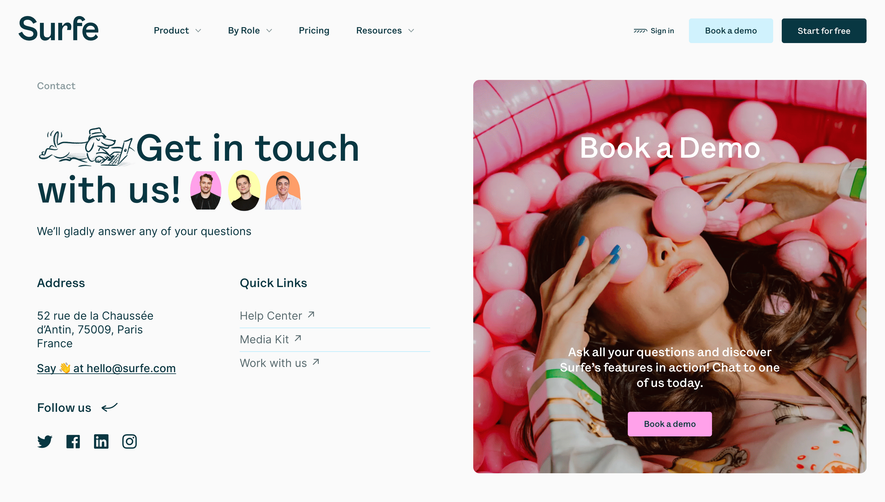

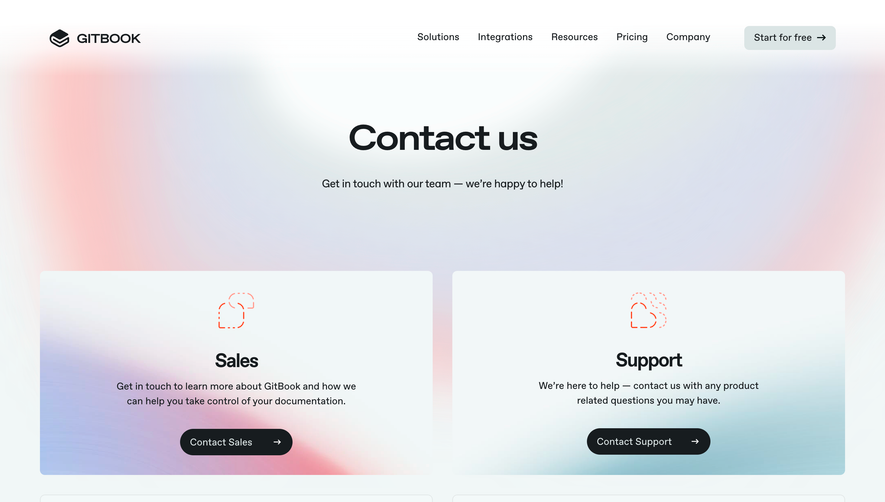

Upgrade to SaaSFrame Pro now to see similar examples.
Monthly
$18 /month
Billed $18 monthly
Browse all screens & flows
Filter and search screens & flows
Search text in screenshots
Access Figma files
Access mobile versions
Join now
Quarterly
$16 /month
Billed $48 quarterly
Browse all screens & flows
Filter and search screens & flows
Search text in screenshots
Access Figma files
Access mobile versions
Join now
Yearly
$15 /month
Billed $180 yearly
Browse all screens & flows
Filter and search screens & flows
Search text in screenshots
Access Figma files
Access mobile versions
Join now