.webp)
Thank you! Your submission has been received!
Oops! Something went wrong while submitting the form.
Get SaaSFrame Pro
Monthly
$18
Quarterly
$48
Yearly
$180
Upgrade to access this feature
Browse all screens & flows
Filter and search screens & flows
Access Figma files
Access mobile versions
Bookmark screens & flows
Join now
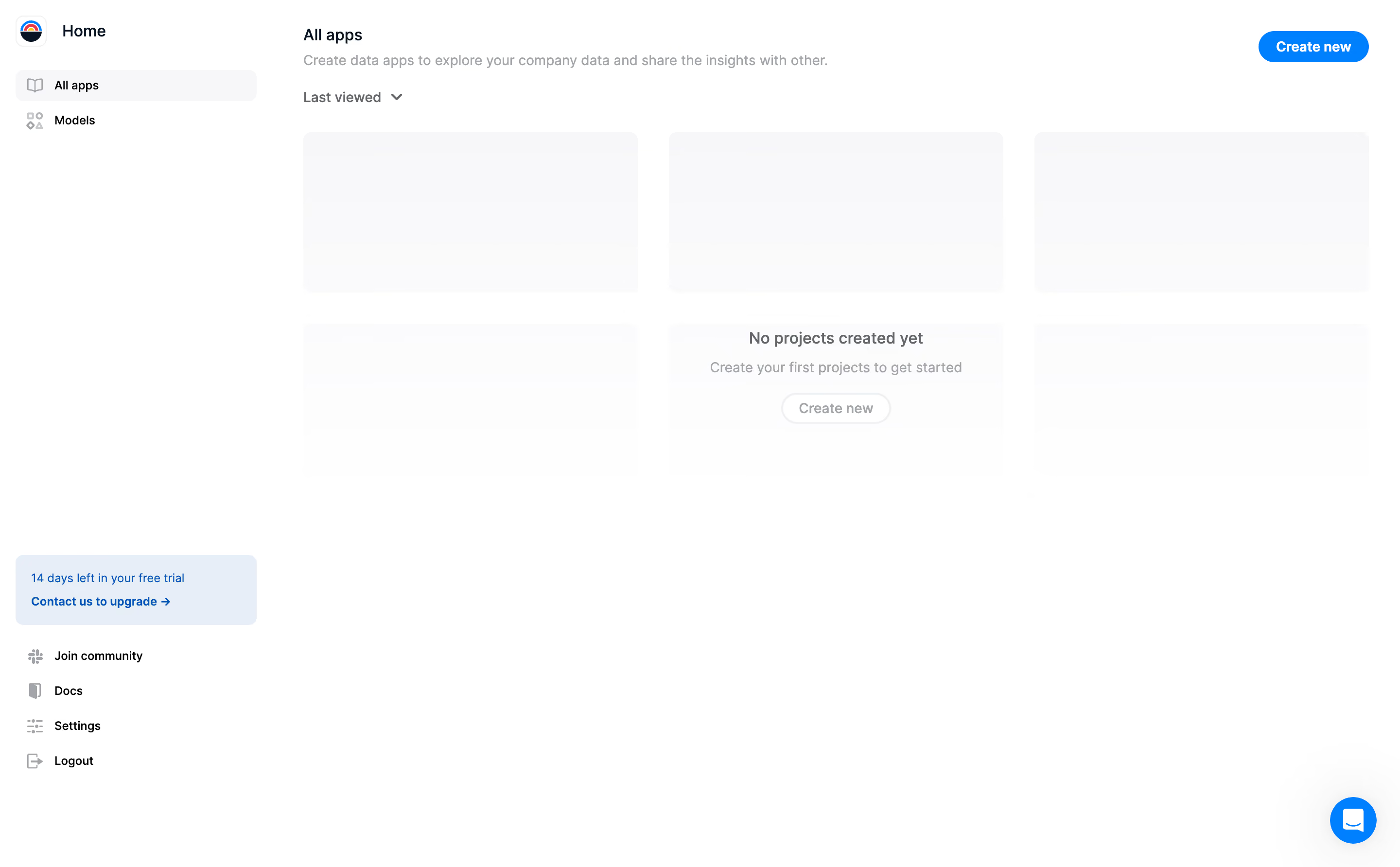
Latitude Empty Dashboard

Latitude
The missing workspace for data analysts
Designed by
No items found.

Bookmark
Bookmark

Design with AI
Thank you! Your submission has been received!
Oops! Something went wrong while submitting the form.
# Design from Reference: Latitude Empty Dashboard
Create an original, high-fidelity visual design inspired by the reference. Prioritize composition, typography, colors, spacing, and component styling over technical implementation.
## Reference
- **Product:** Latitude
- **Category:** Empty State
- **Screenshot:** https://cdn.prod.website-files.com/5e9dc792e1210c5325f7ebbc/6acad5d0d05a3f53c0a6e509_6acad555c910b3adf9e51c7f_cms-3d992f2b5b38314d0f33687c.webp
Analyze the screenshot first. If inaccessible, request it rather than guessing.
## Content
{{content.instructions}}
{{content.data}}
Preserve essential messaging and factual accuracy. Adapt structure and copy length for visual balance; never invent product claims.
## Visual Design
### Overall aesthetic
- **Style:** Sparse data-app dashboard with white canvas, pale placeholder cards and bright-blue creation actions.
- **Character:** Compact navigation and a small colorful product mark support a clean first-use workspace.
- **Capture:** The image measures 2880 × 1784 pixels. CSS estimates assume a 2× capture, equivalent to approximately 1440 × 892 CSS pixels; actual scale and font identity are unverified.
### Page composition
- **Sidebar:** An approximately 280-CSS-pixel rail contains Home, All apps and Models, with trial/community/documentation/account controls lower down.
- **Main header:** All apps and a short explanatory line sit at upper left; a blue creation pill aligns right.
- **Sort control:** Last viewed with a down chevron sits beneath the introduction.
- **Placeholder grid:** Six pale rounded rectangles form a three-column, two-row arrangement.
- **Empty-state message:** Centered copy and a light outlined creation control sit over the middle of the second row.
- **Support:** A blue circular chat launcher overlays the lower-right corner.
### Information hierarchy
- **Current view:** All apps is selected in the sidebar and repeated as the main heading.
- **Purpose:** A muted sentence explains creating and sharing data applications.
- **Primary action:** The upper-right blue Create new control is strongest.
- **Empty state:** A bold short message explains that no projects exist, followed by guidance and a secondary creation route.
- **Trial context:** A pale-blue card communicates remaining trial time and an upgrade-contact path.
- **State scope:** No projects, app titles or data previews are populated; placeholder rectangles are not evidence of completed apps.
### Typography
- **Family:** A neutral UI sans-serif is visible; exact identity is unverified.
- **Main heading:** Approximately 16-pixel CSS size, semibold.
- **Description:** Approximately 14 pixels with 20-pixel line height, muted gray.
- **Empty-state heading:** Approximately 16 pixels and semibold.
- **Empty-state support:** Approximately 14–15 pixels, regular.
- **Navigation:** Approximately 12–14 pixels, with stronger selected text.
- **Actions:** Approximately 14 pixels, semibold.
### Colors & surfaces
- **Measured base:** White #FFFFFF fills the workspace.
- **Measured placeholders:** #F8F8F9, #F9F9FA and #F7F7F8 occur in pale card-like regions.
- **Measured trial surface:** Pale blue #E7EEF8 distinguishes the trial notice.
- **Text:** Dark navy/black supports headings; light gray supports descriptions and empty-state guidance.
- **Accent role:** Bright blue marks the main creation action, upgrade link and chat launcher.
- **Depth:** The layout is mostly flat; the support launcher has a soft surrounding shadow.
### Components
- **Product mark:** A small rounded square with a colorful semicircle symbol precedes Home.
- **Selected row:** All apps uses a pale-gray rounded background and small book-like icon.
- **Main creation:** A blue fully rounded pill, approximately 114 × 32 CSS pixels, sits at upper right.
- **Placeholder cards:** Approximately 344 × 165 pixels with 8-pixel corners and about 32-pixel grid gaps.
- **Empty-state action:** A light outlined rounded control sits below the explanatory line.
- **Trial card:** Approximately 248 × 72 pixels, with small rounded corners, trial text and a stronger upgrade-contact link.
- **Lower navigation:** Icon-label links provide community, documentation, settings and logout access.
- **Chat launcher:** A roughly 48-pixel blue circle contains a white conversation symbol.
- **State scope:** No sort menu, creation dialog or loading animation can be established from the static capture.
### Visual rhythm
- **Main inset:** Content begins approximately 32 pixels beyond the sidebar width.
- **Grid spacing:** Equal card dimensions establish a clear three-column scaffold.
- **Header spacing:** Heading, description and sorting control form a compact upper cluster.
- **Empty-state placement:** The message is centered within the grid region, leaving broad blank lower space.
- **Sidebar anchoring:** Trial and utility links form a distinct lower group.
### Responsive
- **Recommendation — sidebar:** Collapse navigation on narrow screens while retaining current-view context.
- **Recommendation — grid:** Reduce three columns to two and then one.
- **Recommendation — empty state:** Keep the message and creation route centered without overlapping placeholder edges.
- **Recommendation — header:** Wrap the creation action below the description if necessary.
- **Recommendation — support:** Keep chat access clear of creation controls. No mobile layout is evidenced.
### Adaptation guidance
- **Preserve explicit absence:** Explain that no projects exist rather than implying the placeholders contain data.
- **Keep creation prominent:** Retain a clear primary creation route and a contextual empty-state alternative.
- **Reuse light scaffolding:** Maintain white canvas, pale rounded placeholders and restrained navigation.
- **Separate trial messaging:** Keep upgrade context in the sidebar instead of interrupting setup.
- **Define loading versus empty states:** The static image contains both placeholders and empty copy; implementation should make those states deliberate.
- **Avoid invented project details:** No app names, metrics or previews are visible.
Use this context to reproduce the reference's visual language: layout, typography, colors, spacing, borders, radii, and distinctive elements. The screenshot takes priority if descriptions conflict.
## Direction
{{preferences.fidelityInstructions}}
## Output
{{output.instructions}}
Deliver a polished, cohesive design with precise alignment, hierarchy, and spacing. Produce the requested visual artifact, not just a description. If unsupported, explain the limitation.

.avif)
Category


Added on
November 22, 2023

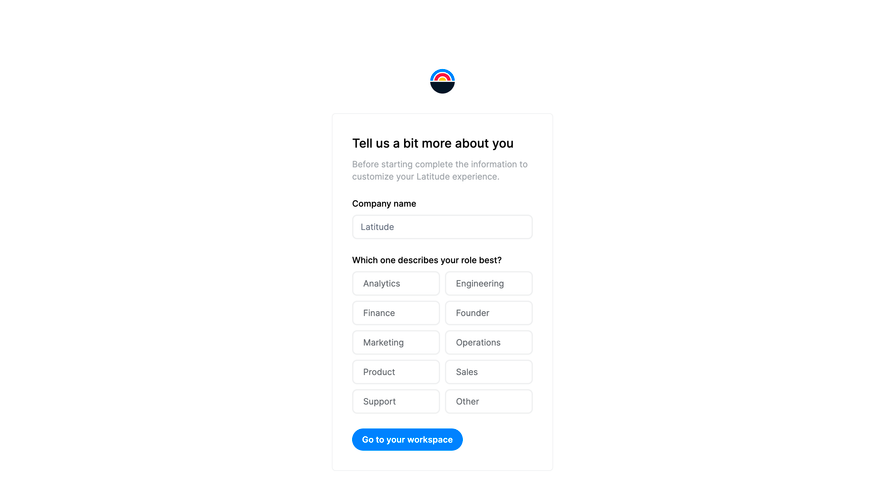

Similar screens
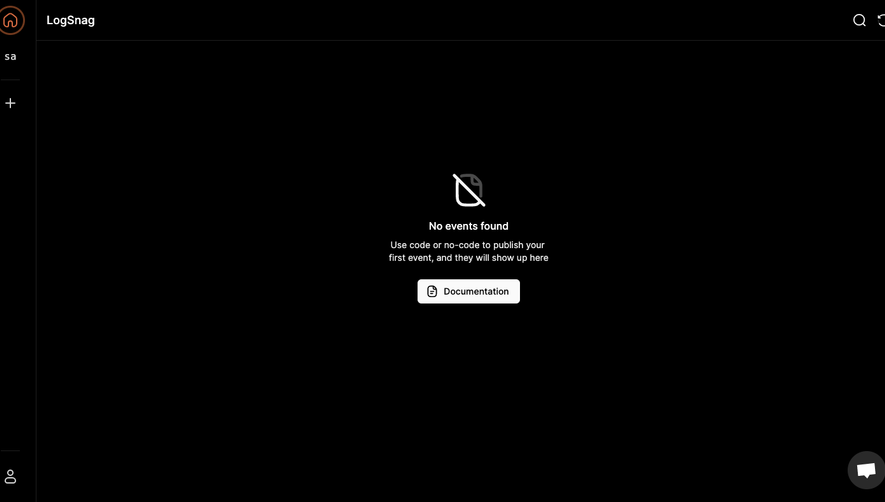


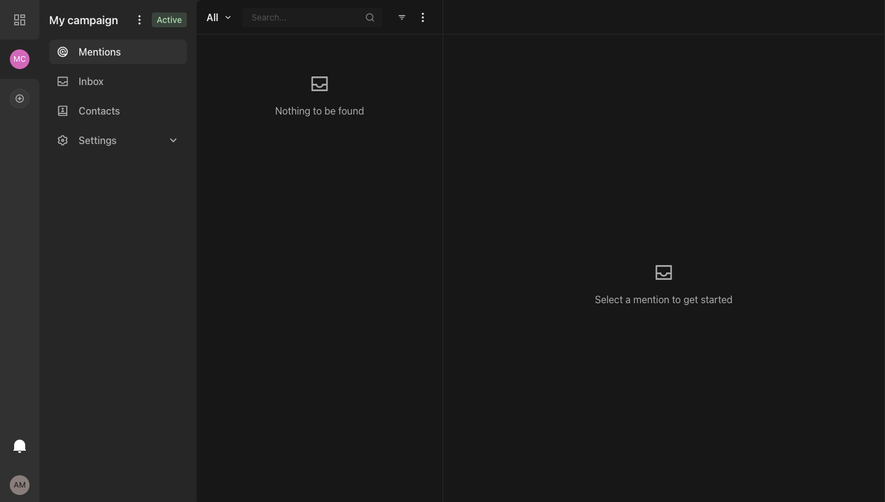



Upgrade to SaaSFrame Pro now to see similar examples.
Monthly
$18 /month
Billed $18 monthly
Browse all screens & flows
Filter and search screens & flows
Search text in screenshots
Access Figma files
Access mobile versions
Join now
Quarterly
$16 /month
Billed $48 quarterly
Browse all screens & flows
Filter and search screens & flows
Search text in screenshots
Access Figma files
Access mobile versions
Join now
Yearly
$15 /month
Billed $180 yearly
Browse all screens & flows
Filter and search screens & flows
Search text in screenshots
Access Figma files
Access mobile versions
Join now