Design with AI
Generate a new design based on this screen using your own content.
# Design from Reference: June Account Setup
Create an original, high-fidelity visual design inspired by the reference. Prioritize composition, typography, colors, spacing, and component styling over technical implementation.
## Reference
- **Product:** June
- **Category:** Account Setup
- **Screenshot:** https://cdn.prod.website-files.com/5e9dc792e1210c5325f7ebbc/6acbbc796325e7e23e4c9757_6acbbbcba4008ddb7475eac5_cms-721f204b182fc9f5799469bf.webp
Analyze the screenshot first. If inaccessible, request it rather than guessing.
## Content
{{content.instructions}}
{{content.data}}
Preserve essential messaging and factual accuracy. Adapt structure and copy length for visual balance; never invent product claims.
## Visual Design
### Overall aesthetic
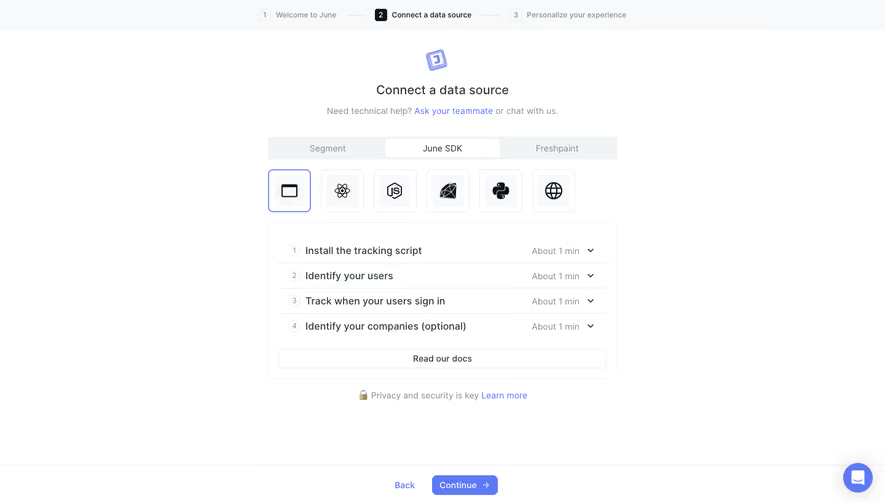
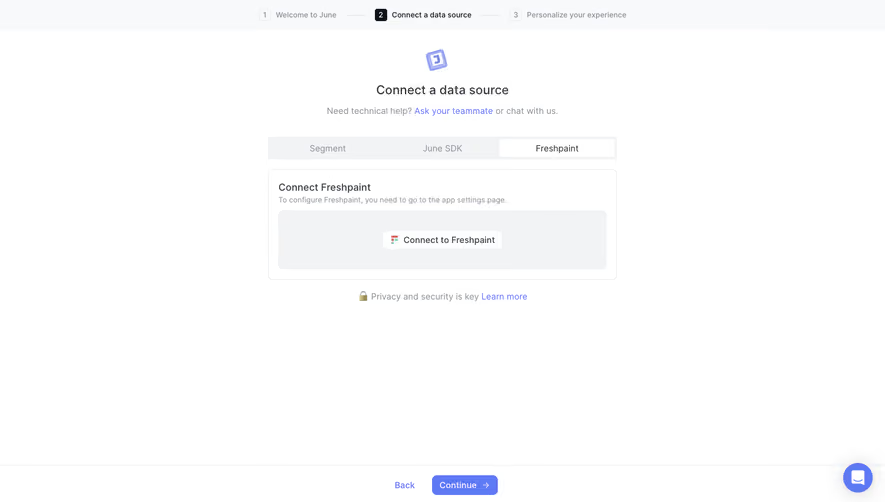
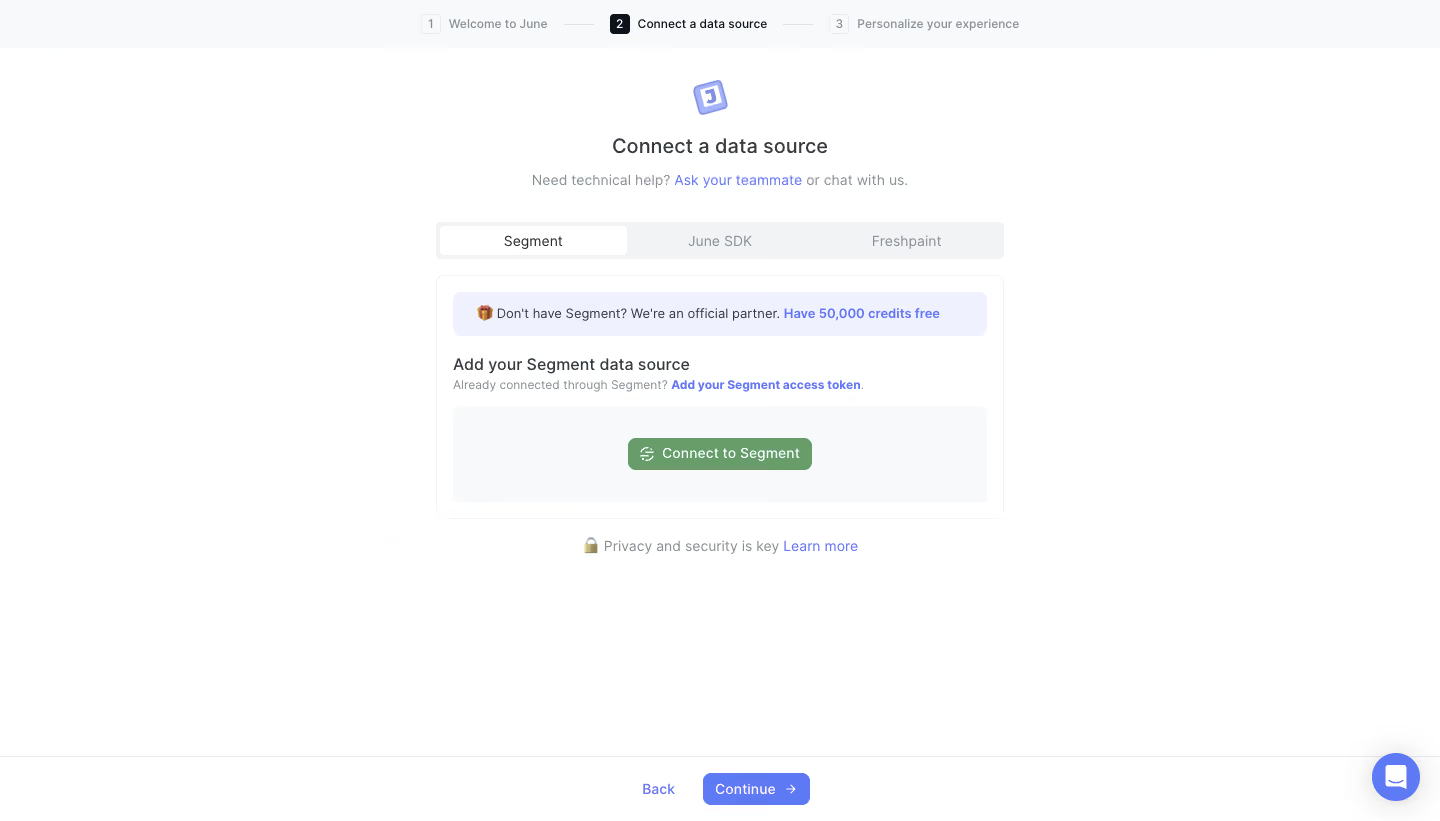
- **Character:** Quiet data-connection onboarding step with a centered integration card and subtle blue/lavender guidance.
### Page composition
- **Canvas:** 1440 × 821 screenshot px.
- **Structure:** Three-step top progress strip; centered icon/title/help line; segmented integration tabs; outlined connection card; security note; persistent bottom Back/Continue controls.
### Information hierarchy
- **Priority:** Connect a data source heading identifies the task. Active Segment tab and green connection button define the current route; blue access-token link offers another method.
### Typography
- **Family:** Neutral sans serif, exact font unverified.
- **Scale:** Estimated screenshot heading 22 px, body/control 14 px, progress and helper labels 12 px.
### Colors & surfaces
- **Sampled palette:** White #FFFFFF; pale-gray #F8F9FA/#F1F3F5; lavender #F0F1FE; integration green #689C69; progression blue #5E79F4.
### Components
- **Tabs/card:** Three equal segments with white active segment; rounded outlined card with lavender partner banner, connection instructions and pale inner action area.
- **Progress:** Small numbered squares, active second label darkened, thin connectors.
- **Footer:** White bar with fine top rule, blue Back text and compact blue Continue button; floating support control lower right.
### Visual rhythm
- **Spacing:** Estimated screenshot content width 570 px; approximately 16 px inner padding, 24 px gaps and extensive lower white space.
### Responsive
- **Observed:** Desktop only.
- **Adaptation:** Fit integration card within 20 px gutters, allow top progress labels to shorten and preserve both assistance and alternative token route.
### Adaptation guidance
- **Preserve:** Clear active integration, contained connection task and stable progression footer.
- **Replace:** Use available integrations and accurate authorization requirements; do not reuse promotional credit claims.
Use this context to reproduce the reference's visual language: layout, typography, colors, spacing, borders, radii, and distinctive elements. The screenshot takes priority if descriptions conflict.
## Direction
{{preferences.fidelityInstructions}}
## Output
{{output.instructions}}
Deliver a polished, cohesive design with precise alignment, hierarchy, and spacing. Produce the requested visual artifact, not just a description. If unsupported, explain the limitation.
.webp)



.avif)