.webp)
Thank you! Your submission has been received!
Oops! Something went wrong while submitting the form.
Get SaaSFrame Pro
Monthly
$18
Quarterly
$48
Yearly
$180
Upgrade to access this feature
Browse all screens & flows
Filter and search screens & flows
Access Figma files
Access mobile versions
Bookmark screens & flows
Join now
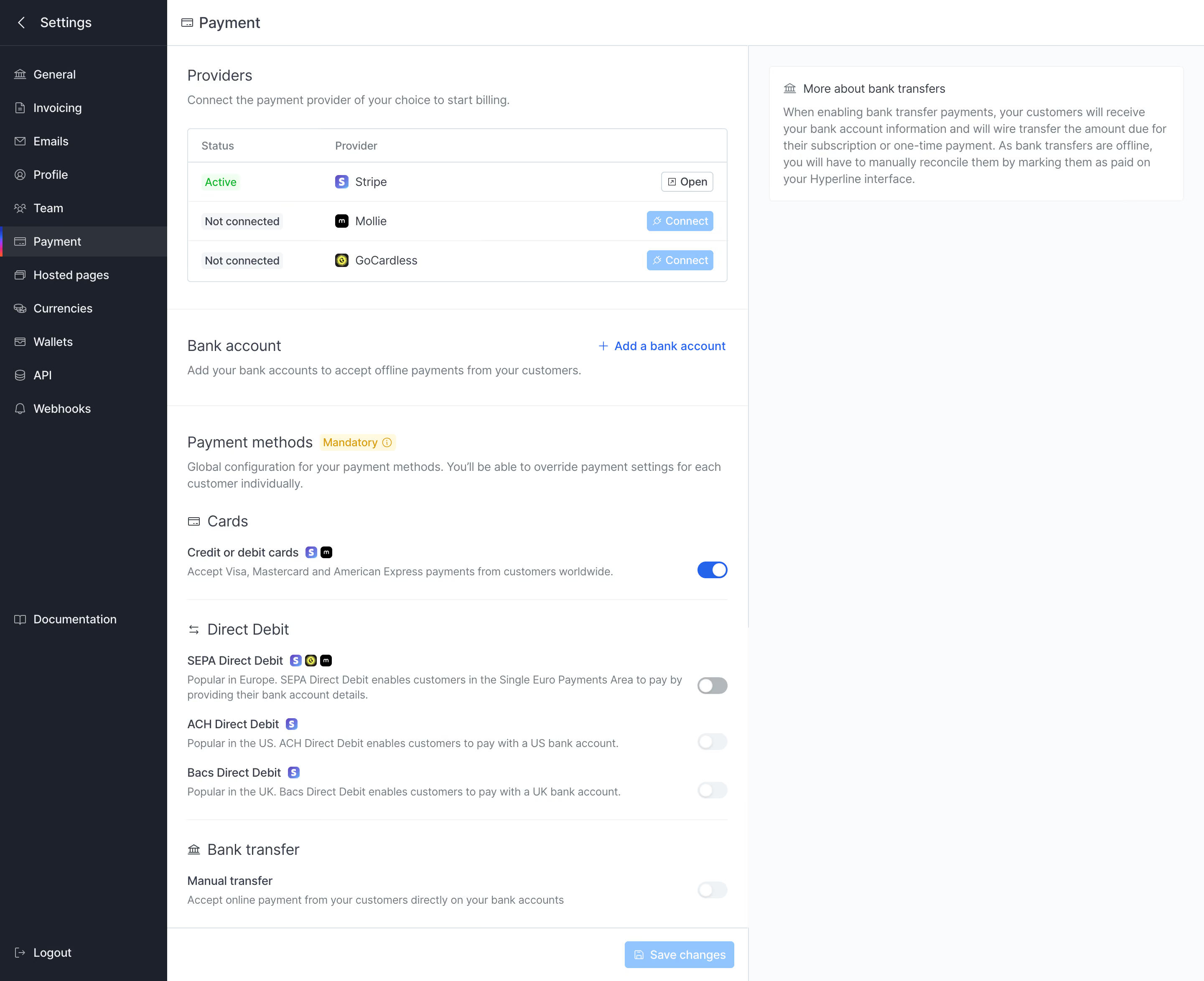
Hyperline Payment Settings

Hyperline
Billing & subscriptions for B2B SaaS
Designed by
No items found.

Bookmark
Bookmark

Design with AI
Thank you! Your submission has been received!
Oops! Something went wrong while submitting the form.
# Design from Reference: Hyperline Payment Settings
Create an original, high-fidelity visual design inspired by the reference. Prioritize composition, typography, colors, spacing, and component styling over technical implementation.
## Reference
- **Product:** Hyperline
- **Category:** Settings
- **Screenshot:** https://cdn.prod.website-files.com/5e9dc792e1210c5325f7ebbc/6acad7ea1025e911ae520f09_6acad7727796407cec161009_cms-734052afe26611abb4abf92d.webp
Analyze the screenshot first. If inaccessible, request it rather than guessing.
## Content
{{content.instructions}}
{{content.data}}
Preserve essential messaging and factual accuracy. Adapt structure and copy length for visual balance; never invent product claims.
## Visual Design
### Overall aesthetic
- **Style:** Structured billing-settings interface with a dark navigation sidebar, white configuration column and pale contextual-help area.
- **Character:** Compact blue-gray typography, thin borders, small provider icons and blue actions/toggles.
- **Surface treatment:** Flat section divisions, a bordered provider table and a small white help card. Decorative imagery and heavy shadows are absent.
### Page composition
- **Capture scale:** 2881 × 2348 image px. CSS estimates assume an unverified 2× capture, approximately 1441 × 1174 CSS px.
- **Sidebar:** Approximately 200 CSS px wide, full height, with back-to-settings header, eleven icon-led settings links and lower documentation/logout routes. Payment is selected.
- **Main header:** A shallow white strip identifies Payment with a small card icon.
- **Configuration column:** Approximately 695 CSS px wide, divided into Providers, Bank account and Payment methods regions.
- **Provider region:** Heading and one-line instruction precede a three-row table with status, provider and action columns.
- **Bank-account region:** Heading and supporting sentence sit left; Add a bank account aligns right. No bank-account details are visible.
- **Methods region:** Introductory label includes a Mandatory badge. Cards, Direct Debit and Bank transfer subsections follow with aligned right-hand switches.
- **Contextual help:** A pale right column occupies the remaining width. Near its top, a white bordered card explains bank-transfer handling.
- **Bottom action:** Save changes sits at the lower right of the configuration column in a shallow footer area.
### Information hierarchy
- **Provider status:** Stripe is shown Active with Open; Mollie and GoCardless are Not connected with Connect actions.
- **Method hierarchy:** Subsection headings distinguish card, debit and transfer families; method names lead into smaller muted descriptions.
- **Captured switches:** Cards is on. SEPA is off with a darker gray track; ACH, Bacs and manual transfer appear off with much paler tracks. Their enabled/disabled behavior cannot be established from appearance alone.
- **Help hierarchy:** Bank-transfer explanation is spatially separate from the editable configuration.
- **Action hierarchy:** Blue links/buttons identify connection and save routes; the screenshot does not show saved feedback or an open account form.
### Typography
- **Family:** Neutral compact sans serif; exact identity is unverified.
- **Page/section labels:** Approximately 17–18 CSS px, regular to medium weight, with 24 px leading.
- **Sidebar:** Approximately 14 px, with small muted icons.
- **Method labels:** Approximately 14 px medium; descriptions around 13–14 px with 19–20 px leading.
- **Table:** Approximately 13–14 px; column headings are muted and status chips use compact text.
- **Help card:** Title around 14 px and body around 14 px with 20 px leading.
- **Measurement limit:** All values are visual CSS estimates under the assumed 2× capture.
### Colors & surfaces
- **Main surface:** Sampled sRGB #FFFFFF fills the configuration area and help card.
- **Help canvas:** Sampled #FAFBFC supplies the very pale cool right region.
- **Sidebar:** Sampled #1C212C is the principal dark navy surface; #2D323C provides a lighter selected-row reference.
- **Secondary text:** Sampled #717C86 supplies muted descriptions and labels.
- **Light actions:** Sampled #83C7FF supplies the pale-blue Connect/Save reference.
- **Rules:** Sampled #DBE1E8 and #F1F2F3 provide subtle border and divider references.
- **Semantic accents:** Bright blue marks the enabled card switch and add-account link; a small green status chip and warm mandatory badge provide localized state color. Exact values are not established by the dominant-color sample.
### Components
- **Provider table:** White bordered rectangle with small-radius corners, shallow header and three equal-height rows separated by pale rules.
- **Provider identity:** Tiny branded square icons precede names; method labels also include small provider marks indicating availability.
- **Status chips:** Compact pale labels, green for Active and neutral gray for Not connected.
- **Actions:** Small outlined Open control and pale-blue Connect buttons with leading symbols.
- **Switches:** Small pill tracks with circular white thumbs, aligned to one consistent right edge.
- **Method groups:** Thin horizontal rules separate Cards, Direct Debit and Bank transfer without enclosing cards.
- **Mandatory badge:** Small warm-tinted inline rectangle with information symbol beside the section title.
- **Help card:** Thin border, white fill, modest padding and small bank icon beside its title.
- **Selected navigation:** Lighter charcoal row with a thin colored leading marker and Payment label.
- **Save control:** Compact pale-blue rectangle with disk icon and white text.
### Visual rhythm
- **Column discipline:** Navigation, editable configuration and contextual explanation form three stable vertical zones.
- **Density:** Provider table is compact; method descriptions use larger vertical gaps to separate payment choices.
- **Alignment:** Section headings, table and descriptions share a common inset; switches and toolbar actions align right.
- **Whitespace:** The help column remains mostly empty below its explanation, preventing competition with settings.
### Responsive
- **Evidence limit:** Only desktop is shown; recommendations below are not observed behavior.
- **Navigation recommendation:** Collapse the sidebar into a settings menu.
- **Help recommendation:** Move contextual bank-transfer information beneath the relevant method group or into an accessible expandable panel.
- **Methods recommendation:** Allow descriptions to wrap while preserving a dedicated switch column.
- **Table recommendation:** Stack provider status/action details when the three-column row no longer fits.
- **Accessibility recommendation:** Label switches, distinguish unavailable from off states clearly and announce save results; these behaviors are not verified by the screenshot.
### Adaptation guidance
- **Preserve configuration clarity:** Separate provider connections, bank accounts and accepted payment methods.
- **Use accurate state:** Populate provider availability, connection status and method eligibility from actual target data.
- **Keep explanations contextual:** Place operational notes beside the settings they explain without presenting them as editable fields.
- **Retain restraint:** Use dark navigation, white configuration, pale help surface and one blue interaction accent.
- **Avoid inferred behavior:** Do not invent connected accounts, saving rules or disabled-state causes from this capture.
Use this context to reproduce the reference's visual language: layout, typography, colors, spacing, borders, radii, and distinctive elements. The screenshot takes priority if descriptions conflict.
## Direction
{{preferences.fidelityInstructions}}
## Output
{{output.instructions}}
Deliver a polished, cohesive design with precise alignment, hierarchy, and spacing. Produce the requested visual artifact, not just a description. If unsupported, explain the limitation.

.avif)
Category
Tech Stack

Added on
November 2, 2023
Similar screens
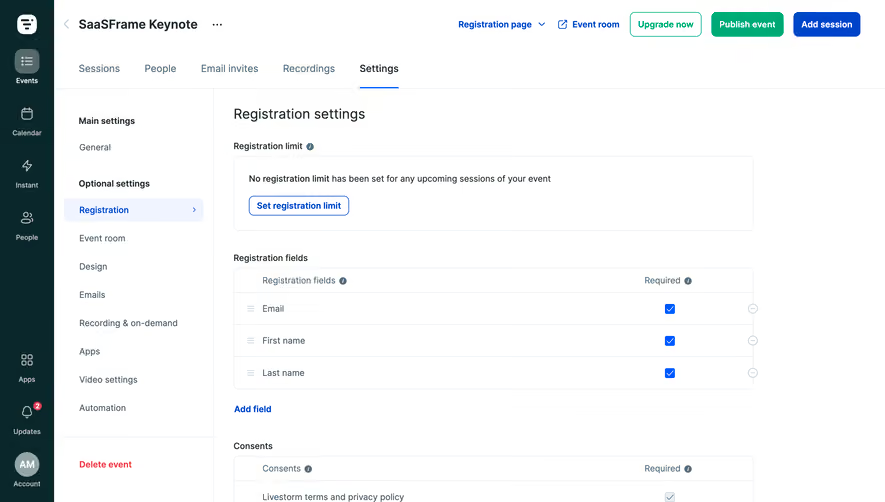



Upgrade to SaaSFrame Pro now to see similar examples.
Monthly
$18 /month
Billed $18 monthly
Browse all screens & flows
Filter and search screens & flows
Search text in screenshots
Access Figma files
Access mobile versions
Join now
Quarterly
$16 /month
Billed $48 quarterly
Browse all screens & flows
Filter and search screens & flows
Search text in screenshots
Access Figma files
Access mobile versions
Join now
Yearly
$15 /month
Billed $180 yearly
Browse all screens & flows
Filter and search screens & flows
Search text in screenshots
Access Figma files
Access mobile versions
Join now