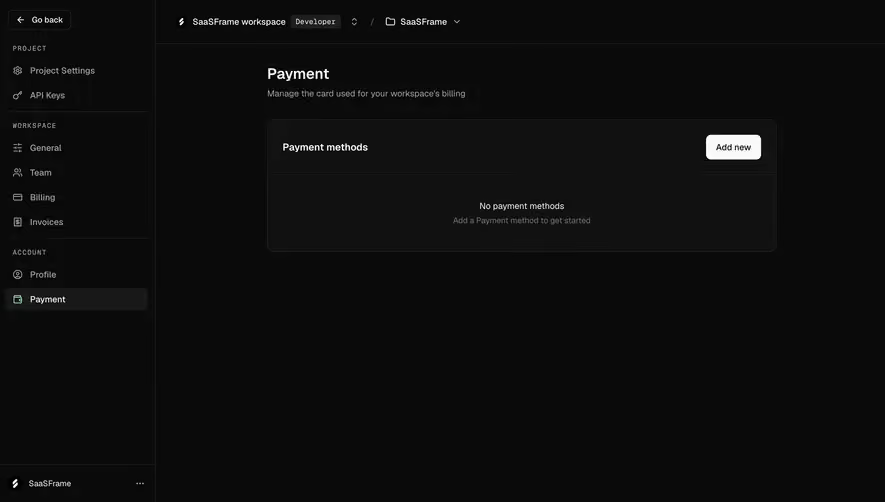
Generate a new design based on this screen using your own content.
Thank you! Your submission has been received!
Oops! Something went wrong while submitting the form.
# Design from Reference: Hume AI Voice Conversion Playground
Create an original, high-fidelity visual design inspired by the reference. Prioritize composition, typography, colors, spacing, and component styling over technical implementation.
## Reference
- **Product:** Hume AI
- **Category:** Empty State
- **Screenshot:** https://cdn.prod.website-files.com/5e9dc792e1210c5325f7ebbc/6acad405c910b3adf9e48b8c_6acad18f3279c14eb676acf9_cms-713ed683ab4c3b09cb7fe33a.webp
Analyze the screenshot first. If inaccessible, request it rather than guessing.
## Content
{{content.instructions}}
{{content.data}}
Preserve essential messaging and factual accuracy. Adapt structure and copy length for visual balance; never invent product claims.
## Visual Design
Use this context to reproduce the reference's visual language: layout, typography, colors, spacing, borders, radii, and distinctive elements. The screenshot takes priority if descriptions conflict.
## Direction
{{preferences.fidelityInstructions}}
## Output
{{output.instructions}}
Deliver a polished, cohesive design with precise alignment, hierarchy, and spacing. Produce the requested visual artifact, not just a description. If unsupported, explain the limitation.
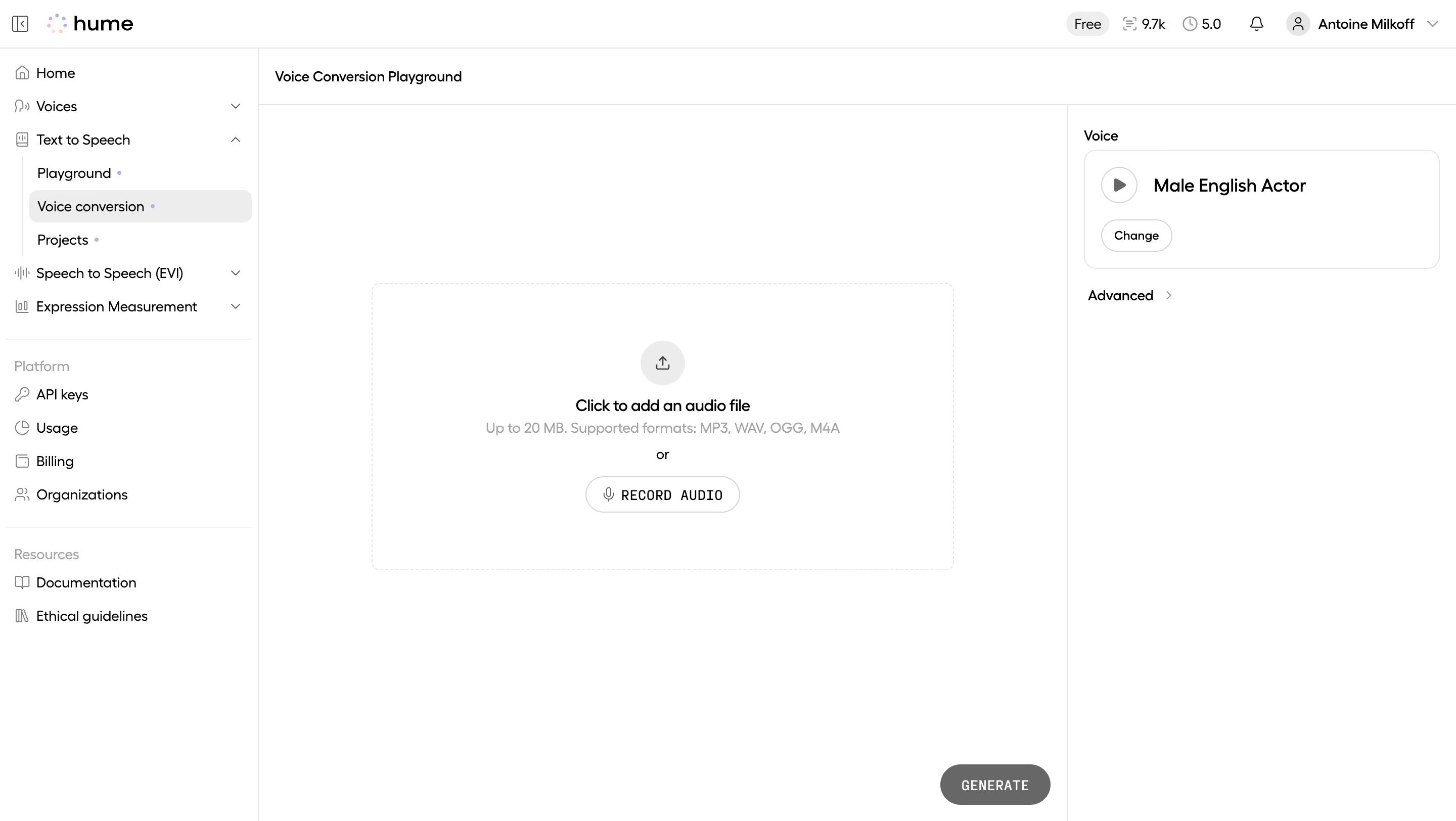
Hume's Voice Conversion Playground is clean to the point of feeling empty, and that's the whole point. The massive upload zone dominates the center with a soft dashed border and a simple "Click to add an audio file" prompt. It breathes. No clutter, no confusion about what to do first.
Smart Split Between Action and Settings
The left sidebar handles navigation with a well-organized hierarchy under Text to Speech, Speech to Speech, and platform tools like API keys and Billing. On the right, the voice selector sits in its own quiet panel showing "Male English Actor" with a play button and a Change option. That two-panel framing around the central workspace keeps everything reachable without competing for attention.
What Makes It Feel Different
The typography is restrained. Small, mostly monospaced labels on the Record Audio button give it a developer-tool texture. The grayscale GENERATE button at the bottom right feels intentionally muted until you're ready. Everything says "tool first, brand second." The little colored dots next to nav items are a subtle touch marking new features without being loud about it.
.webp)



.avif)