Design with AI
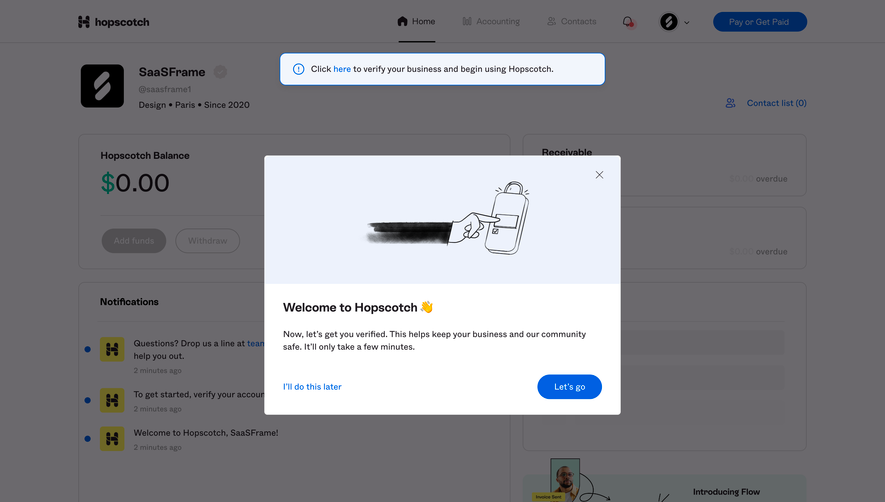
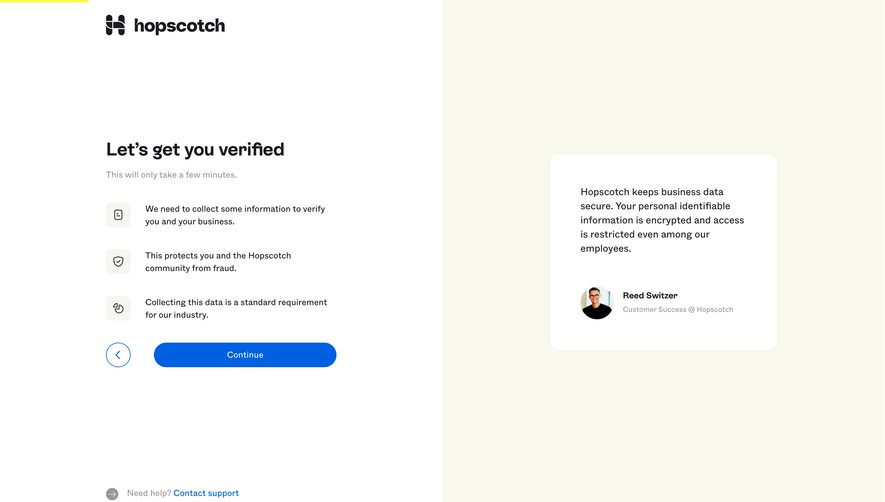
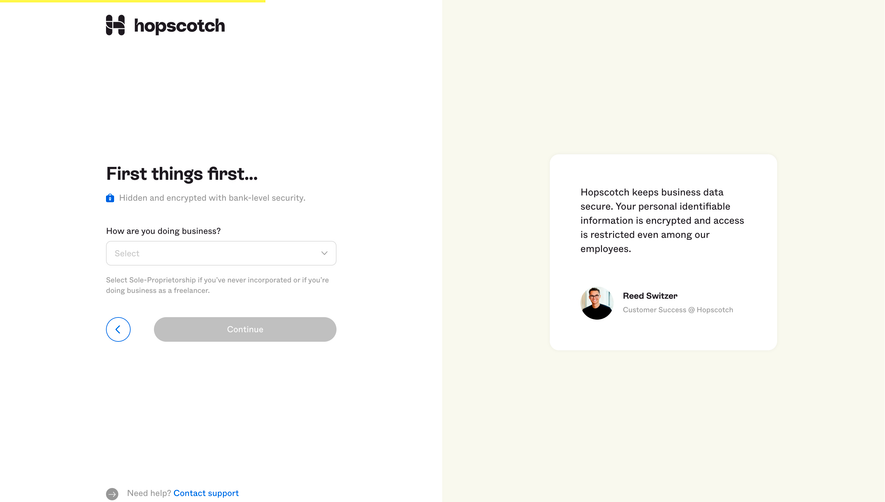
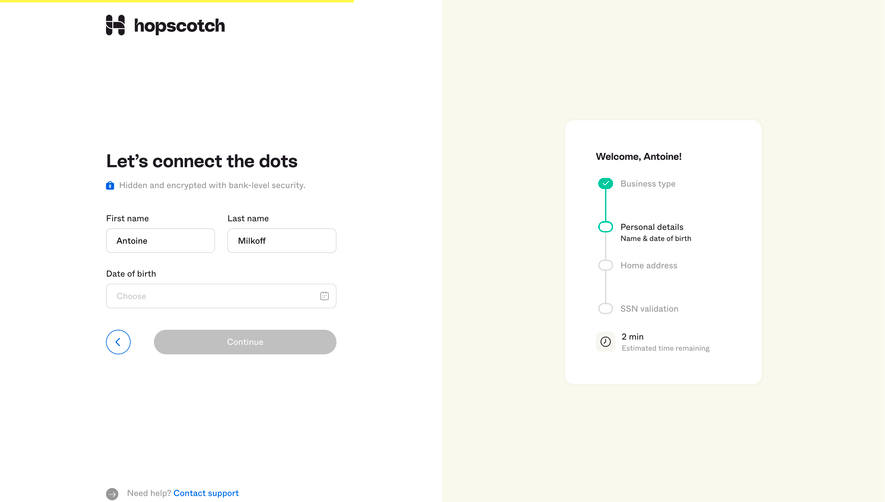
Generate a new design based on this screen using your own content.
# Design from Reference: Hopscotch Account Setup
Create an original, high-fidelity visual design inspired by the reference. Prioritize composition, typography, colors, spacing, and component styling over technical implementation.
## Reference
- **Product:** Hopscotch
- **Category:** Account Setup
- **Screenshot:** https://cdn.prod.website-files.com/5e9dc792e1210c5325f7ebbc/6acb65d3b206c0d3f8f0f8c1_6acb6519adcf005a3c5d3c12_cms-b9729d043b315d5e43986a27.webp
Analyze the screenshot first. If inaccessible, request it rather than guessing.
## Content
{{content.instructions}}
{{content.data}}
Preserve essential messaging and factual accuracy. Adapt structure and copy length for visual balance; never invent product claims.
## Visual Design
### Overall aesthetic
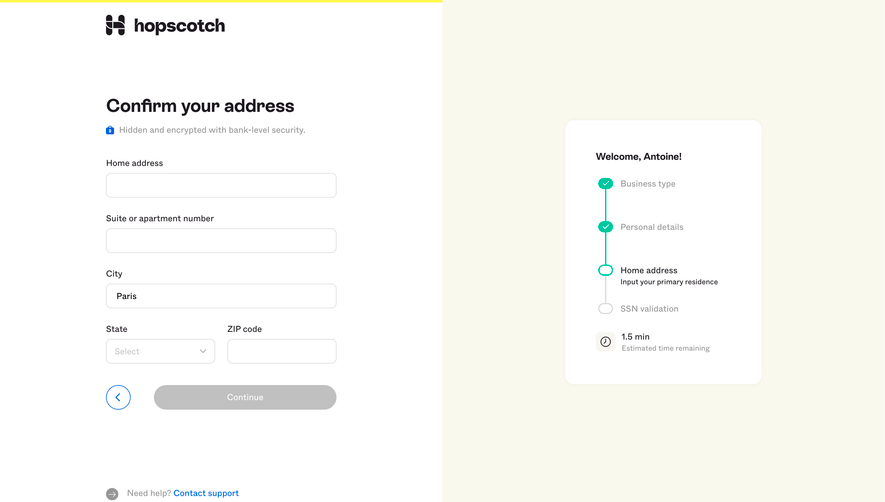
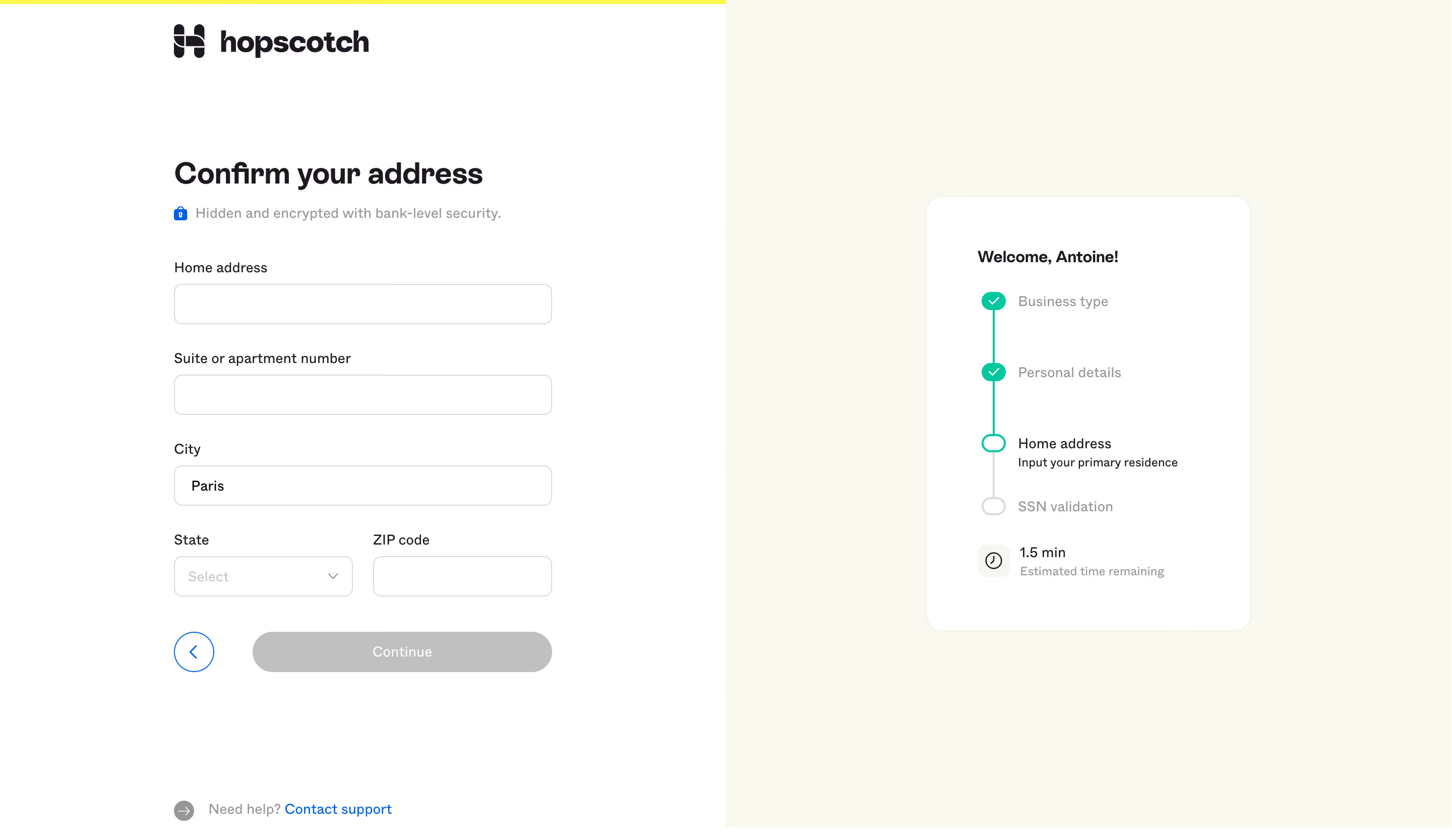
- **Character:** A guided financial-account setup uses a white form half, pale cream progress half and restrained mint/blue accents.
- **Capture scale:** The screenshot measures 2880 × 1666 pixels. Approximate CSS dimensions assume a 1440 × 833 viewport at 2× density; this is unverified.
- **Tone:** Clear labels, a security reassurance and explicit step progress make a sensitive address task feel structured.
### Page composition
- **Split layout:** White left and cream right regions divide the screen equally.
- **Brand/progress:** A dark Hopscotch wordmark sits near the top left beneath a thin yellow top line.
- **Address form:** A roughly 376px-wide column contains heading, security note, address fields and navigation.
- **Step card:** A rounded white card on the right lists completed and upcoming setup stages.
- **Support:** A small help/contact line sits near the lower-left edge.
### Information hierarchy
- **Task heading:** Confirm your address is the strongest text.
- **Security:** A blue lock precedes a muted reassurance directly below the heading.
- **Fields:** Home address, apartment/suite, city, state and ZIP code follow in order.
- **Visible state:** City contains a value, other fields are empty and Continue appears disabled.
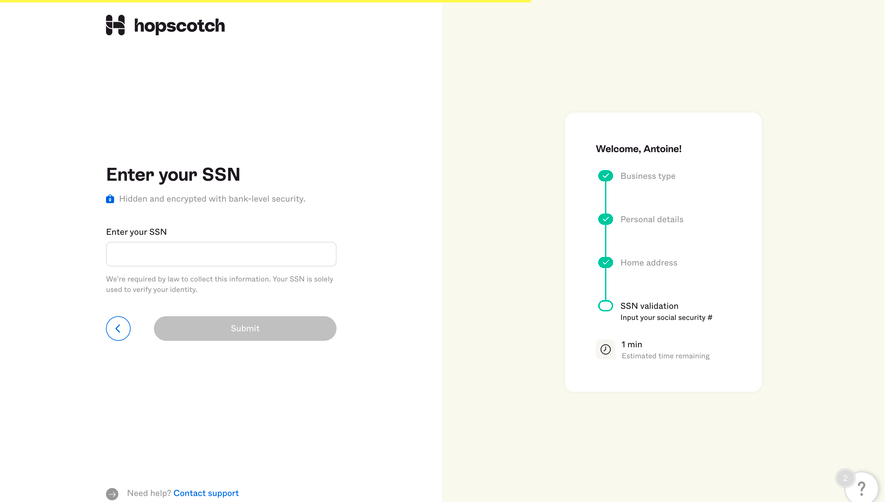
- **Progress:** Business type and Personal details are checked, Home address is current and SSN validation is pending.
### Typography
- **Family:** A rounded sans-serif is visible; exact identity is unverified.
- **Heading:** Approximately 30px CSS bold with 38px line-height.
- **Labels/values:** Approximately 14px regular.
- **Security/support:** Approximately 14px muted text.
- **Progress card:** Approximately 16px bold greeting, 14px stage labels and 12px helper text.
- **Action:** Approximately 14px medium white text.
### Colors & surfaces
- **Form surface:** Sampled #FFFFFF supplies the left region and progress card.
- **Progress background:** Sampled #F9F9EE supplies pale cream.
- **Primary ink:** Sampled #1E1920 supplies dark warm-gray text.
- **Disabled controls:** Sampled #C0C0C0 supplies the Continue fill; #DBDBDB contributes to borders.
- **Top accent:** Sampled #FFF84B supplies the thin yellow top strip.
- **State accents:** Mint-green marks completed/current steps; blue highlights back and support controls.
### Components
- **Inputs:** Full-width fields are around 40px high, thin gray outline and 8px radii.
- **Paired row:** State selector and ZIP field split the final form row with a small gap.
- **Navigation:** A circular blue outlined back button sits beside a wide gray Continue pill.
- **Progress card:** Approximately 320 × 430px CSS with around 18px radii and generous padding.
- **Stepper:** Small circles connect vertically; completed steps are mint filled with white checks, current is mint outlined and pending is gray.
- **Time estimate:** A small clock tile precedes an estimated remaining-time label.
### Visual rhythm
- **Form inset:** Approximately 172px left margin centers the narrow form within its half.
- **Field cadence:** Around 24px separates label/input groups.
- **Header gap:** A large break separates brand from the task heading.
- **Card spacing:** Progress steps repeat about 70px apart.
- **Open lower region:** Broad blank space separates the form from support.
### Responsive
- **Evidence limit:** Only a desktop step is visible; validation and mobile behavior are unverified.
- **Layout recommendation:** Move compact progress above the form on narrow screens.
- **Field recommendation:** Keep address fields fluid and stack state/ZIP if necessary.
- **Action recommendation:** Retain a clear disabled-state explanation and accessible navigation targets.
### Adaptation guidance
- **Form semantics:** Use persistent labels and appropriate address autocomplete.
- **Progress clarity:** Pair color with step labels and completion icons.
- **Privacy:** Use representative address data and avoid copying personal details.
- **Accessibility:** Label required states, expose errors and provide visible focus.
- **Scope:** The screenshot shows address confirmation, not completed identity verification.
Use this context to reproduce the reference's visual language: layout, typography, colors, spacing, borders, radii, and distinctive elements. The screenshot takes priority if descriptions conflict.
## Direction
{{preferences.fidelityInstructions}}
## Output
{{output.instructions}}
Deliver a polished, cohesive design with precise alignment, hierarchy, and spacing. Produce the requested visual artifact, not just a description. If unsupported, explain the limitation.
.webp)


.avif)