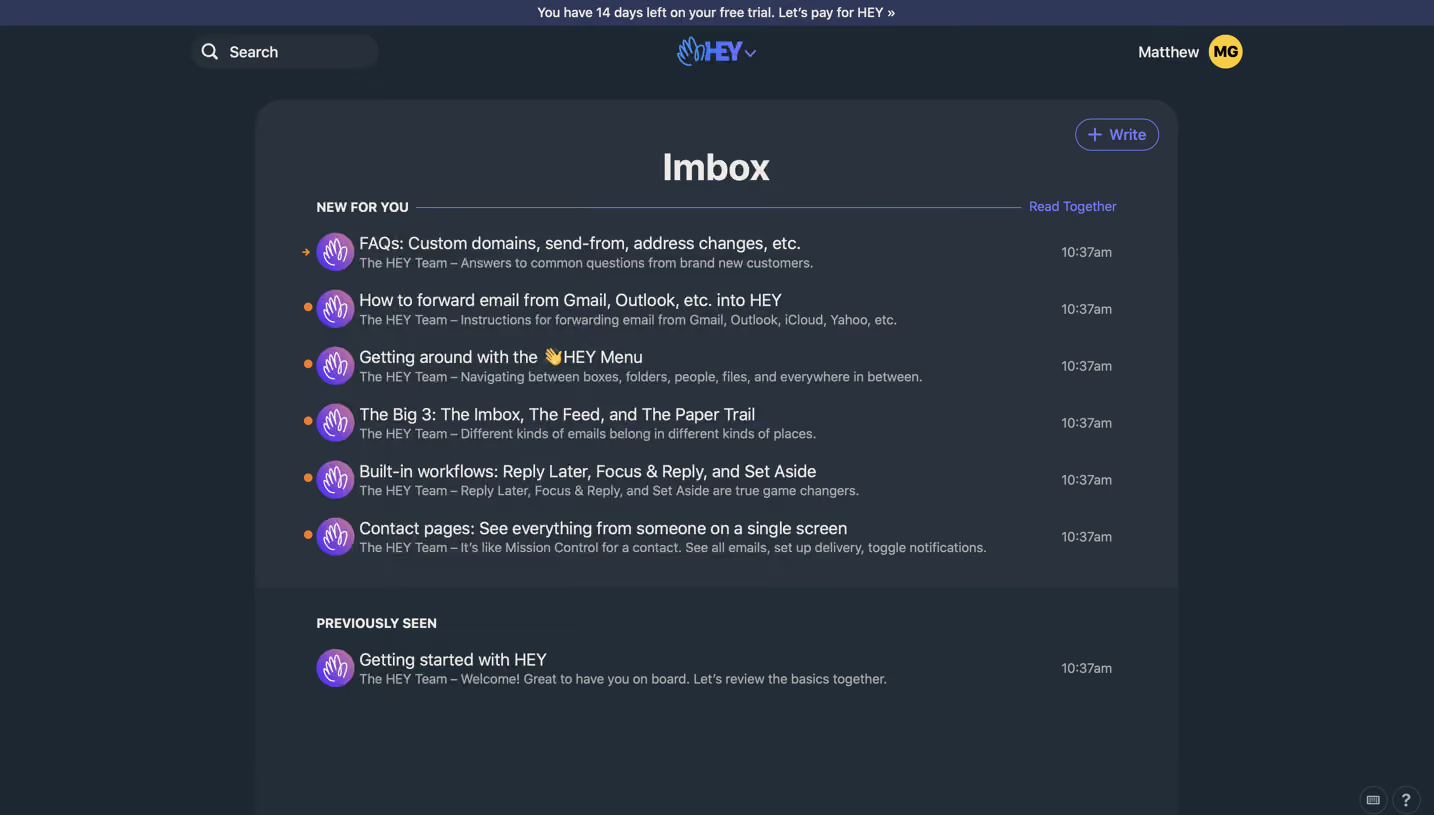
Design with AI
Generate a new design based on this screen using your own content.
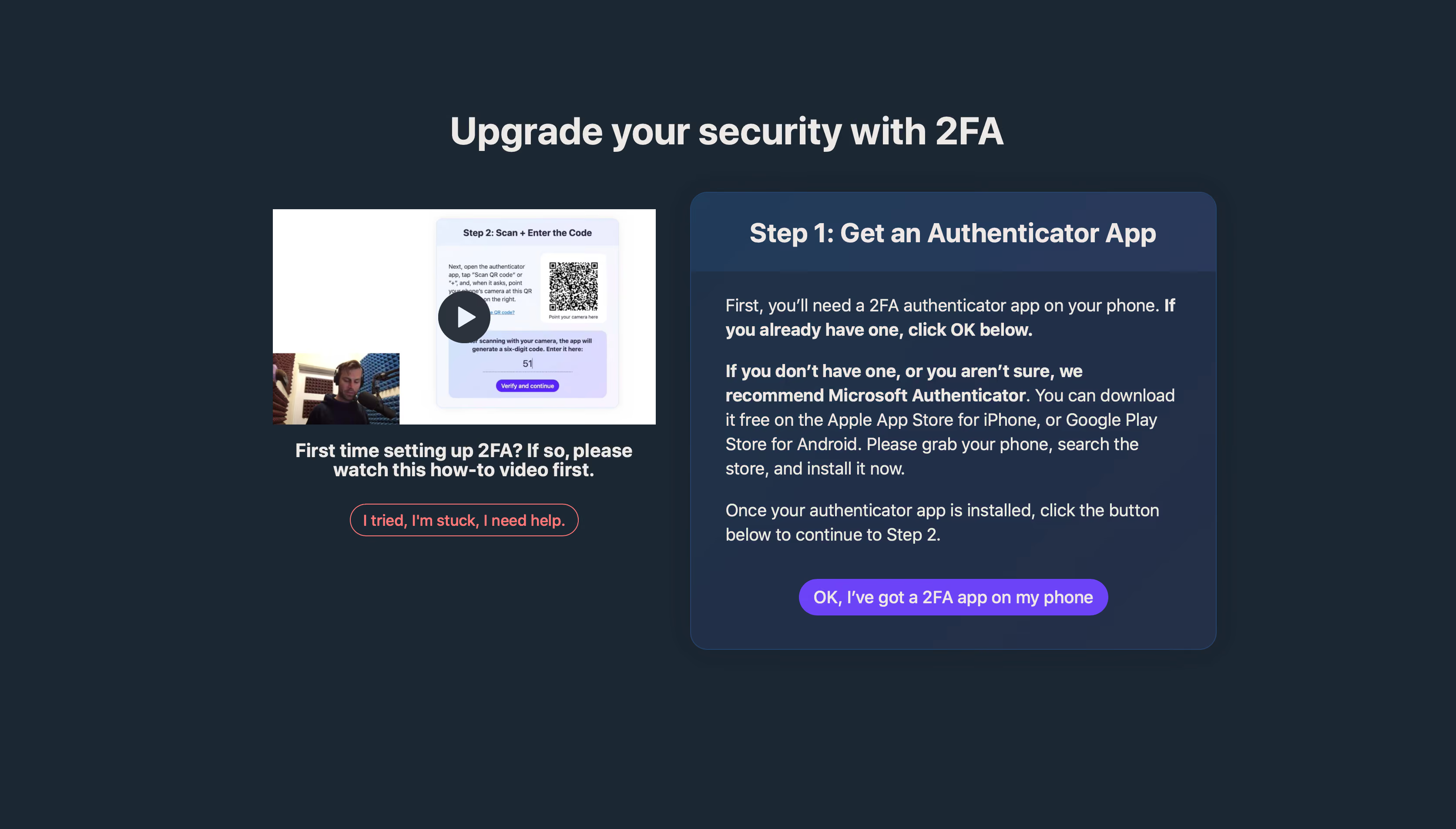
# Design from Reference: Hey Sign Up Flow
Create an original, high-fidelity visual design inspired by the reference. Prioritize composition, typography, colors, spacing, and component styling over technical implementation.
## Reference
- **Product:** Hey
- **Category:** Account Setup
- **Screenshot:** https://cdn.prod.website-files.com/5e9dc792e1210c5325f7ebbc/6acbc9351790037d3e058f1f_6acbc64479661806cce6ac8f_cms-492a90ebecdddd7aae5ee6a2.webp
Analyze the screenshot first. If inaccessible, request it rather than guessing.
## Content
{{content.instructions}}
{{content.data}}
Preserve essential messaging and factual accuracy. Adapt structure and copy length for visual balance; never invent product claims.
## Visual Design
### Overall aesthetic
- **Character:** A dark security-setup screen with a two-column instructional layout, tutorial preview and prominent purple progression action.
- **Tone:** Direct and supportive, combining detailed guidance with a visible help path.
### Page composition
- **Capture:** The source measures 3346 × 1906 pixels. CSS scale is unverified; the full image was inspected in a 1400-pixel-wide reading view.
- **Heading:** A large centered security title sits above the content.
- **Left column:** A landscape how-to video preview is followed by a bold two-line prompt and coral outlined help button.
- **Right column:** A large rounded blue-slate panel contains a darker/lighter header band, several explanatory paragraphs and a centered purple action.
- **Margins:** Broad dark space surrounds both columns and extends below them.
### Information hierarchy
- **Page purpose:** The main heading introduces two-factor authentication.
- **Step:** “Step 1: Get an Authenticator App” is the right panel's strongest label.
- **Instructions:** Bold phrases distinguish users who already have an app from those needing one, followed by continuation guidance.
- **Actions:** The purple affirmative action leads to the next step; the coral help button is secondary.
- **Tutorial:** The preview shows a later setup screen and presenter, but its embedded QR/code content should not be reproduced or inferred.
### Typography
- **Family:** A conventional sans serif is visible; exact identity is unverified.
- **Observed reading scale:** In the 1400-pixel-wide view, the main title is around 38 pixels, step title around 27 pixels and body around 18 pixels with 24-pixel line height. These are reduced-image measurements, not CSS estimates.
- **Emphasis:** Bold phrases within otherwise regular paragraphs create a clear conditional reading path.
- **Actions:** Button labels are medium to bold, with white on purple and coral on the dark background.
### Colors & surfaces
- **Measured palette:** ICC-aware sRGB samples include background #1B2733, panel family #213048/#203148 and light foreground #EDE9E6/#FFFFFF.
- **Accents:** Purple marks the main action, while coral identifies the help outline and label.
- **Treatment:** The right panel has generous rounded corners and a subtle blue border; the video preview is a plain rectangle.
### Components
- **Instruction panel:** A prominent step-title band sits above a padded body with three paragraph groups.
- **Primary action:** A long rounded purple pill centers near the panel bottom, labeled as confirmation that an app is installed.
- **Help control:** A compact coral outlined pill sits below the tutorial prompt.
- **Video preview:** A dark circular play overlay sits over a setup demonstration with a small presenter view; playback is not verified.
### Visual rhythm
- **Alignment:** Left tutorial content centers within its column, while right instructions are left aligned.
- **Spacing:** Paragraph groups use moderate gaps, and the primary action has a clear buffer below the final sentence.
- **Contrast:** The lighter blue-slate panel differentiates instructions from the dark page without switching to white.
### Responsive
- **Recommendation:** Stack tutorial/help before the instruction panel on phones, retaining a clear step title and readable paragraphs.
- **Recommendation:** Let the long affirmative button wrap or expand vertically rather than reducing its text excessively. No mobile state is shown.
### Adaptation guidance
- **Preserve:** Retain explicit step guidance, tutorial support and a separate help route.
- **Implement:** Keep essential instructions in accessible text and provide captions/transcript for the tutorial.
- **Content integrity:** Describe the captured authenticator recommendation as historical UI copy; do not infer live setup secrets from the preview.
Use this context to reproduce the reference's visual language: layout, typography, colors, spacing, borders, radii, and distinctive elements. The screenshot takes priority if descriptions conflict.
## Direction
{{preferences.fidelityInstructions}}
## Output
{{output.instructions}}
Deliver a polished, cohesive design with precise alignment, hierarchy, and spacing. Produce the requested visual artifact, not just a description. If unsupported, explain the limitation.
.webp)



.avif)