Design with AI
Generate a new design based on this screen using your own content.
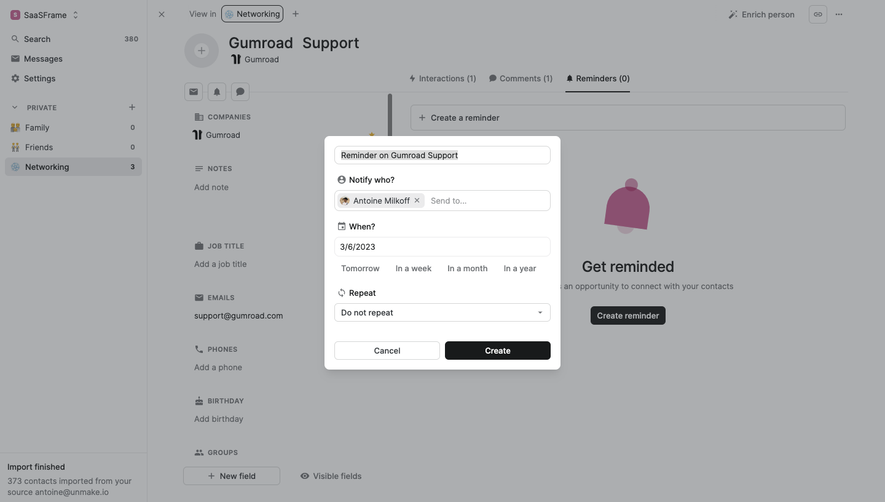
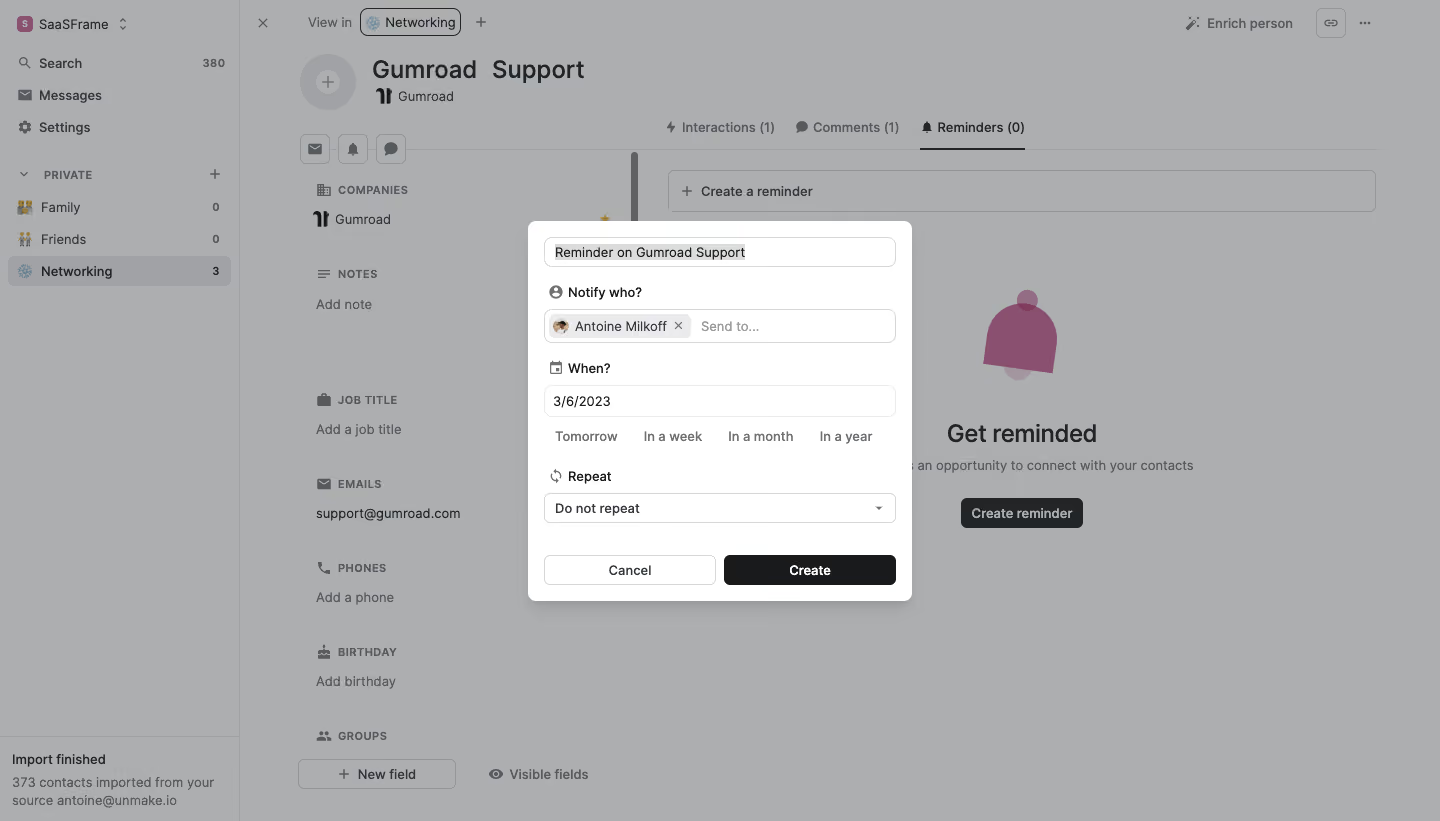
# Design from Reference: Folk Create A Reminder
Create an original, high-fidelity visual design inspired by the reference. Prioritize composition, typography, colors, spacing, and component styling over technical implementation.
## Reference
- **Product:** Folk
- **Category:** Add & Edit
- **Screenshot:** https://cdn.prod.website-files.com/5e9dc792e1210c5325f7ebbc/6acbb9efd37e66e942ffba71_6acb7080b328e2f9e304074e_cms-23416a81fc932f9c8fed0642.webp
Analyze the screenshot first. If inaccessible, request it rather than guessing.
## Content
{{content.instructions}}
{{content.data}}
Preserve essential messaging and factual accuracy. Adapt structure and copy length for visual balance; never invent product claims.
## Visual Design
### Overall aesthetic
- **Character:** Compact CRM reminder dialog, with neutral form styling over a dimmed contact workspace.
### Page composition
- **Canvas:** 1440 × 821 screenshot px.
- **Structure:** Centered white modal approximately 384 × 382 screenshot px over a gray scrim. Background retains left navigation, contact details and a reminder tab/empty state.
### Information hierarchy
- **Priority:** Reminder title, recipient, date, repeat selector and paired footer actions follow a single vertical reading path.
- **Actions:** Dark Create button is stronger than the outlined Cancel button.
### Typography
- **Family:** Compact interface sans serif; exact font unverified.
- **Scale:** Estimated screenshot labels/body 13–14 px, background contact title 24 px; medium-weight form labels and normal input values.
### Colors & surfaces
- **Sampled palette:** Dimmed background #ACAEB0, modal #FFFFFF, dark text #222527, darker action #181A1B and muted background illustration #8A5070.
- **Surfaces:** Light-gray outlines, subtle shadow and approximately 8 px dialog radius; scrim is an overlay, not the normal workspace background.
### Components
- **Fields:** Editable reminder title; recipient chip with avatar/remove icon; date input; four quick date suggestions; repeat dropdown.
- **Geometry:** Estimated screenshot modal padding 16 px; controls approximately 30 px high with 6 px radii; two equal-width footer buttons.
- **Icons:** Small person, calendar and repeat symbols reinforce field grouping.
### Visual rhythm
- **Spacing:** Approximately 12–20 screenshot px between field groups; inline date shortcuts reduce vertical weight.
### Responsive
- **Observed:** Desktop modal only.
- **Adaptation:** Fit dialog to viewport with 16 px gutters, allow internal scrolling, and wrap date shortcuts without compressing labels.
### Adaptation guidance
- **Preserve:** Clear field order, compact recipient tokens and decisive primary action.
- **Replace:** Use supplied contact/reminder information; keep the surrounding workspace visually subordinate.
Use this context to reproduce the reference's visual language: layout, typography, colors, spacing, borders, radii, and distinctive elements. The screenshot takes priority if descriptions conflict.
## Direction
{{preferences.fidelityInstructions}}
## Output
{{output.instructions}}
Deliver a polished, cohesive design with precise alignment, hierarchy, and spacing. Produce the requested visual artifact, not just a description. If unsupported, explain the limitation.
.webp)


.avif)