Design with AI
Generate a new design based on this screen using your own content.
# Design from Reference: Fiberplane User Onboarding
Create an original, high-fidelity visual design inspired by the reference. Prioritize composition, typography, colors, spacing, and component styling over technical implementation.
## Reference
- **Product:** Fiberplane
- **Category:** User Onboarding
- **Screenshot:** https://cdn.prod.website-files.com/5e9dc792e1210c5325f7ebbc/6acbca368313d4c6c0cc4076_6acbc831cbca608c080b58b3_cms-56c8262dc39aefbc71a4b00b.webp
Analyze the screenshot first. If inaccessible, request it rather than guessing.
## Content
{{content.instructions}}
{{content.data}}
Preserve essential messaging and factual accuracy. Adapt structure and copy length for visual balance; never invent product claims.
## Visual Design
### Overall aesthetic
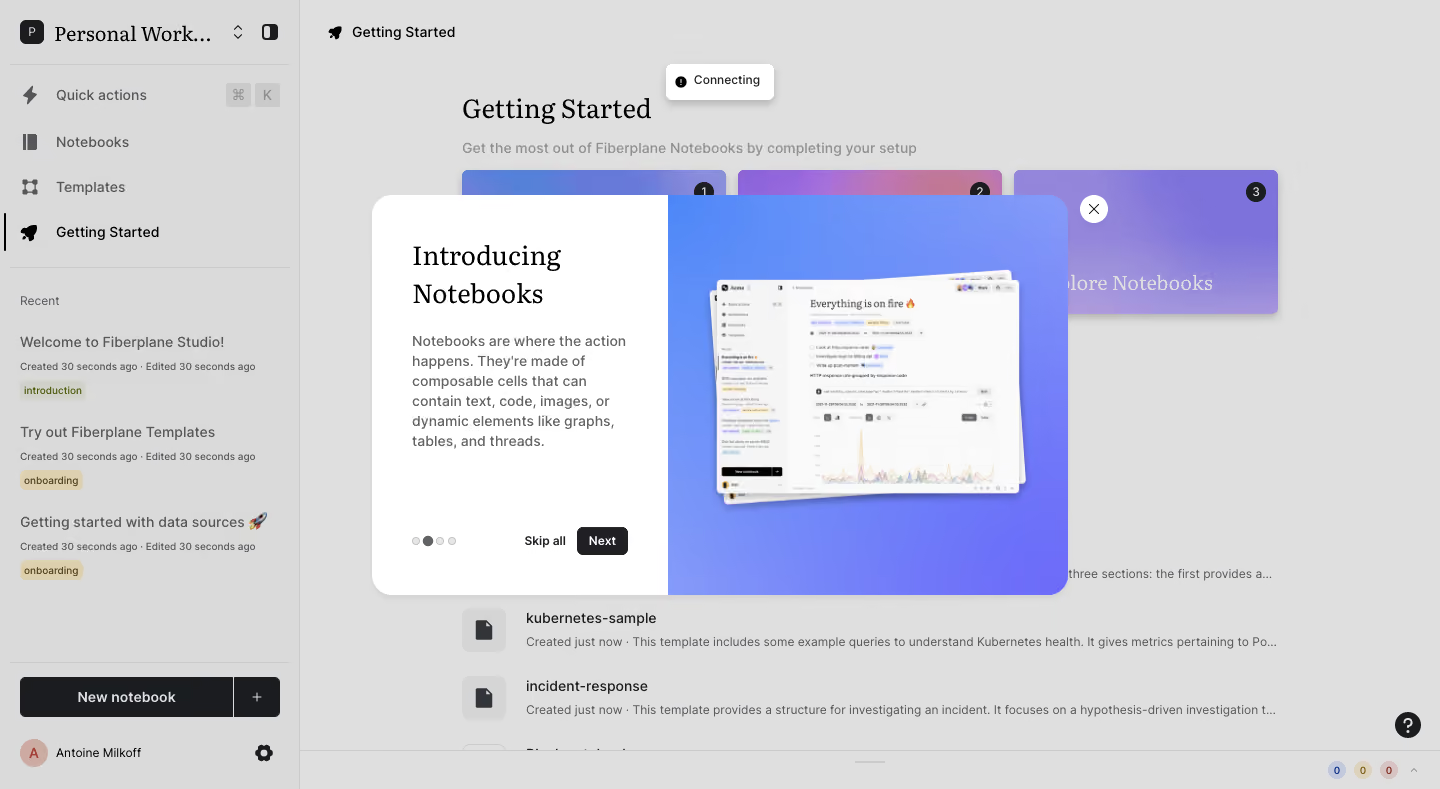
- **Character:** A product-introduction modal pairing editorial serif text with a vivid blue-purple product preview.
- **Context:** A pale notebook workspace is dimmed beneath the tour, preserving navigation and setup context.
### Page composition
- **Capture:** The source measures 1440 × 789 image pixels. A 1× CSS scale is plausible but unverified.
- **Shell:** A wide pale sidebar contains workspace identity, quick actions, notebooks/templates, recent documents and a bottom New notebook action.
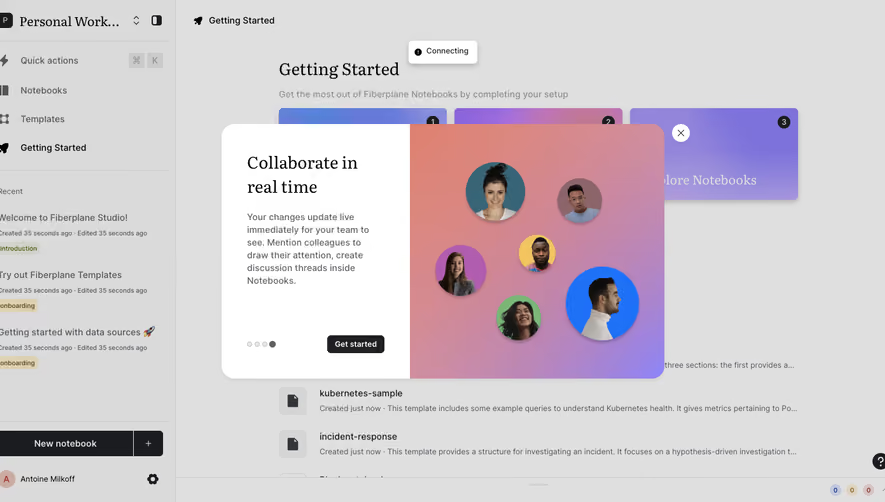
- **Background:** Getting Started heading, three gradient setup cards and notebook rows occupy the main area; a small Connecting notice sits near the top.
- **Modal:** A centered rounded panel around 696 × 400 pixels divides into a narrow white text column and wider gradient image region.
- **Controls:** Four progress dots, Skip all and Next sit along the white column's bottom; a separate white circular close control sits just outside the upper-right edge.
### Information hierarchy
- **Title:** “Introducing Notebooks” is the largest modal text, set in a serif over two lines.
- **Explanation:** A short paragraph describes composable notebook cells and their content types.
- **Preview:** Layered notebook windows with a chart illustrate the product on the right.
- **Progression:** The second of four dots is dark; Next is filled dark, while Skip all is plain text.
### Typography
- **Families:** Modal title uses a serif; body, navigation and actions use a sans serif. Exact identities are unverified.
- **Title:** Approximately 28 image pixels with 36-pixel line height, regular weight.
- **Body:** Around 14 pixels with 20-pixel line height and muted gray color.
- **Actions:** Compact labels around 12 pixels, medium to semibold.
- **Background:** The Getting Started page heading also uses a serif, reinforcing the editorial style.
### Colors & surfaces
- **Measured palette:** ICC-aware sRGB sampling yields dimmed surfaces #DFDFDF/#DADADA, white #FFFFFF, pale #FAFAFA/#F5F5F5 and dark #1B1C1F.
- **Preview:** Saturated blue and purple gradient fills the right half, with white product windows and a subtle shadow.
- **Geometry:** The modal has generous corners around 20 pixels, a soft lower shadow and a sharp internal white/gradient division.
### Components
- **Text pane:** Approximately 296 pixels wide, with 40-pixel left/top padding and constrained body width.
- **Product image:** Slightly tilted stacked app windows show a notebook, sidebar and multiseries chart.
- **Tour controls:** Four small dots, plain Skip all and a compact black Next button share the lower row.
- **Dismissal:** A circular white X control floats outside the panel.
- **Background list:** Recent notebook titles use small colored tags and timestamps; these are contextual content, not modal controls.
### Visual rhythm
- **Contrast:** Quiet white text pane balances the bright gradient visual.
- **Spacing:** Title/body are grouped near the top while navigation anchors the bottom, leaving useful breathing room.
- **Layering:** Dimmed workspace, modal and stacked product windows create three clear depth levels.
### Responsive
- **Recommendation:** Stack text above the preview or reduce the decorative image on phones, preserving readable description and controls.
- **Recommendation:** Keep the external close control inside safe viewport margins and allow scrolling on short screens. No mobile state is captured.
### Adaptation guidance
- **Preserve:** Retain the serif/sans pairing, concise concept explanation and strong product visual.
- **Implement:** Provide accessible dialog labeling, step announcements and keyboard navigation.
- **State:** Treat the Connecting notice as captured background state; do not infer a completed connection or interactive tutorial behavior.
Use this context to reproduce the reference's visual language: layout, typography, colors, spacing, borders, radii, and distinctive elements. The screenshot takes priority if descriptions conflict.
## Direction
{{preferences.fidelityInstructions}}
## Output
{{output.instructions}}
Deliver a polished, cohesive design with precise alignment, hierarchy, and spacing. Produce the requested visual artifact, not just a description. If unsupported, explain the limitation.
.webp)



.avif)