Design with AI
Generate a new design based on this screen using your own content.
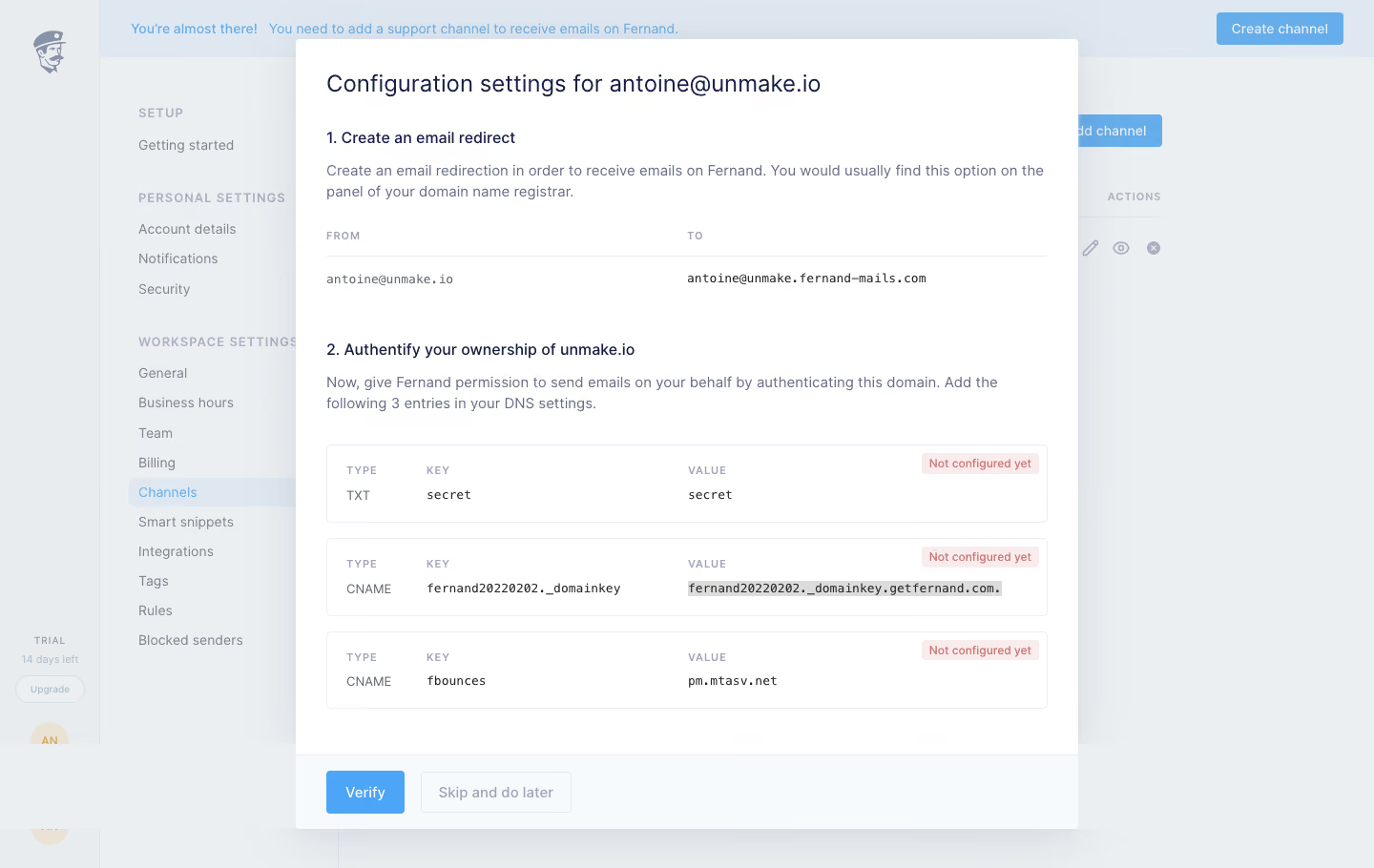
# Design from Reference: Fernand Domain authentication
Create an original, high-fidelity visual design inspired by the reference. Prioritize composition, typography, colors, spacing, and component styling over technical implementation.
## Reference
- **Product:** Fernand
- **Category:** Settings
- **Screenshot:** https://cdn.prod.website-files.com/5e9dc792e1210c5325f7ebbc/6acbbd9bd6be908889c4e50c_6acbbcc3436a6cc27afd2665_cms-e6668d1e812586ed5db2ee69.webp
Analyze the screenshot first. If inaccessible, request it rather than guessing.
## Content
{{content.instructions}}
{{content.data}}
Preserve essential messaging and factual accuracy. Adapt structure and copy length for visual balance; never invent product claims.
## Visual Design
### Overall aesthetic
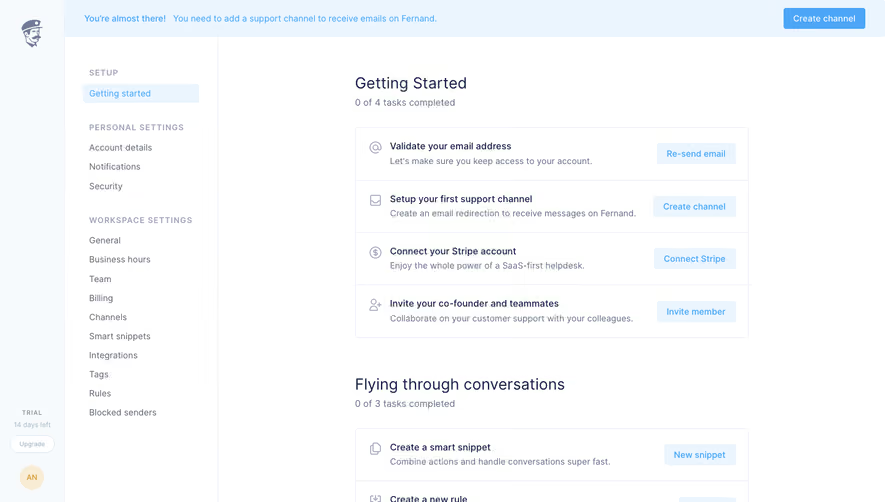
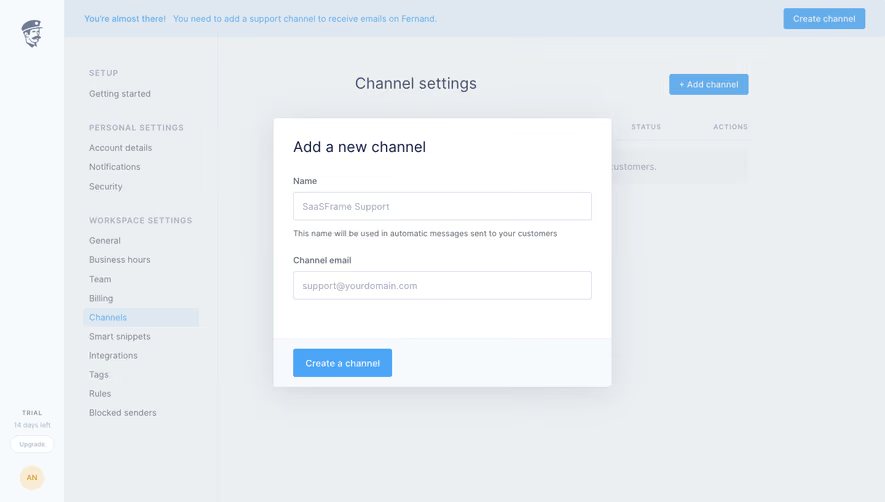
- **Style:** A restrained domain-configuration modal over a pale support-settings workspace, with structured DNS records and blue verification action.
- **Character:** Technical and instructional, prioritizing readable setup steps and configuration status.
### Page composition
- **Capture and scale:** 1440 × 910 screenshot pixels. Sizes below are approximate screenshot pixels; CSS scale is unverified.
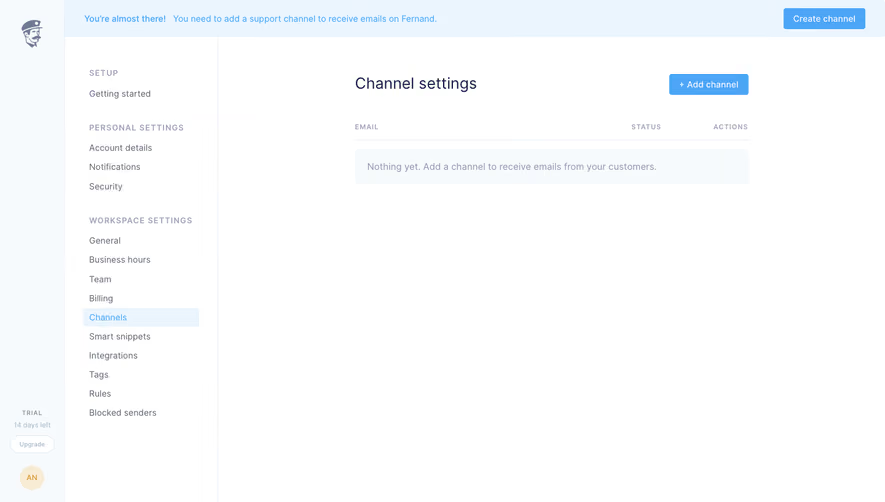
- **Backdrop:** A narrow brand rail and grouped settings navigation remain visible under a pale overlay; Channels is selected and a setup banner spans the top.
- **Dialog:** A roughly 820 px-wide white panel contains a configuration title, email-redirection step, ownership-authentication step, three DNS record blocks, and a separated action footer.
### Information hierarchy
- **Steps:** Numbered headings separate receiving-email redirection from domain ownership/authentication.
- **Data:** A From/To row precedes three Type/Key/Value record panels. Pale red status badges identify unconfigured entries.
- **Actions:** Verify is filled blue; Skip and do later is outlined and muted.
### Typography
- **Family:** Neutral sans serif with monospace technical values; exact identities unverified.
- **Roles:** Title approximately 24 px; step headings 16 px medium; body 15–16 px with 22 px line-height.
- **Technical labels:** Uppercase column labels are around 11 px with tracking; record values around 12–13 px monospace.
### Colors & surfaces
- **Foundation:** Sampled sRGB #FFFFFF defines the dialog, with #F7FAFC the footer/pale details.
- **Backdrop:** Sampled #ECEFF2, #E8ECEF, #DFE8F0, #EBEEF1, and #E7EAED are muted background/overlay composites.
- **Accents:** Blue marks verification and selected navigation; pale red badges mark unconfigured records. Exact accent values unverified.
### Components
- **Record blocks:** Three thin-bordered rectangles with modest 4–5 px radii align Type, Key, and Value columns; status badges sit upper right.
- **Redirect row:** Small uppercase headings and a thin rule establish two equal columns.
- **Footer:** A pale full-width band with top border holds two compact rectangular actions, aligned left.
- **Dialog boundary:** Small outer radii and broad soft shadow distinguish the panel without heavy decoration.
### Visual rhythm
- **Spacing:** Use around 32 px dialog padding, 35–45 px between setup steps, and 16 px between record panels.
- **Alignment:** Keep headings, explanations, and record blocks on a consistent left edge.
### Responsive
- **Observed state:** Desktop only.
- **Recommended reflow:** Stack technical columns or allow contained horizontal scrolling for long DNS values. Keep status associated with each record.
### Adaptation guidance
- **Preserve:** Retain numbered instructions, explicit technical columns, visible status badges, and separated verification footer.
- **Adapt:** Use actual provider-generated configuration values and accurate setup instructions.
- **Avoid:** Do not copy account/domain data or infer successful verification.
Use this context to reproduce the reference's visual language: layout, typography, colors, spacing, borders, radii, and distinctive elements. The screenshot takes priority if descriptions conflict.
## Direction
{{preferences.fidelityInstructions}}
## Output
{{output.instructions}}
Deliver a polished, cohesive design with precise alignment, hierarchy, and spacing. Produce the requested visual artifact, not just a description. If unsupported, explain the limitation.
.webp)



.avif)