Design with AI
Generate a new design based on this screen using your own content.
# Design from Reference: EigenPal Agents empty state
Create an original, high-fidelity visual design inspired by the reference. Prioritize composition, typography, colors, spacing, and component styling over technical implementation.
## Reference
- **Product:** EigenPal
- **Category:** Empty State
- **Screenshot:** https://cdn.prod.website-files.com/5e9dc792e1210c5325f7ebbc/6acad04e34c900e8fc1b4958_6acacfda3ce5f4104ebcf9dc_cms-8f5474bdd8f7bbf5783c70d1.webp
Analyze the screenshot first. If inaccessible, request it rather than guessing.
## Content
{{content.instructions}}
{{content.data}}
Preserve essential messaging and factual accuracy. Adapt structure and copy length for visual balance; never invent product claims.
## Visual Design
### Overall aesthetic
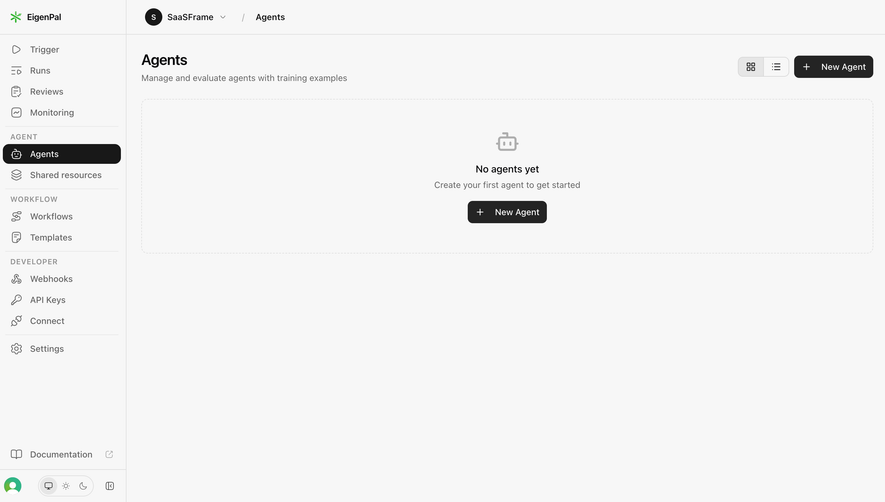
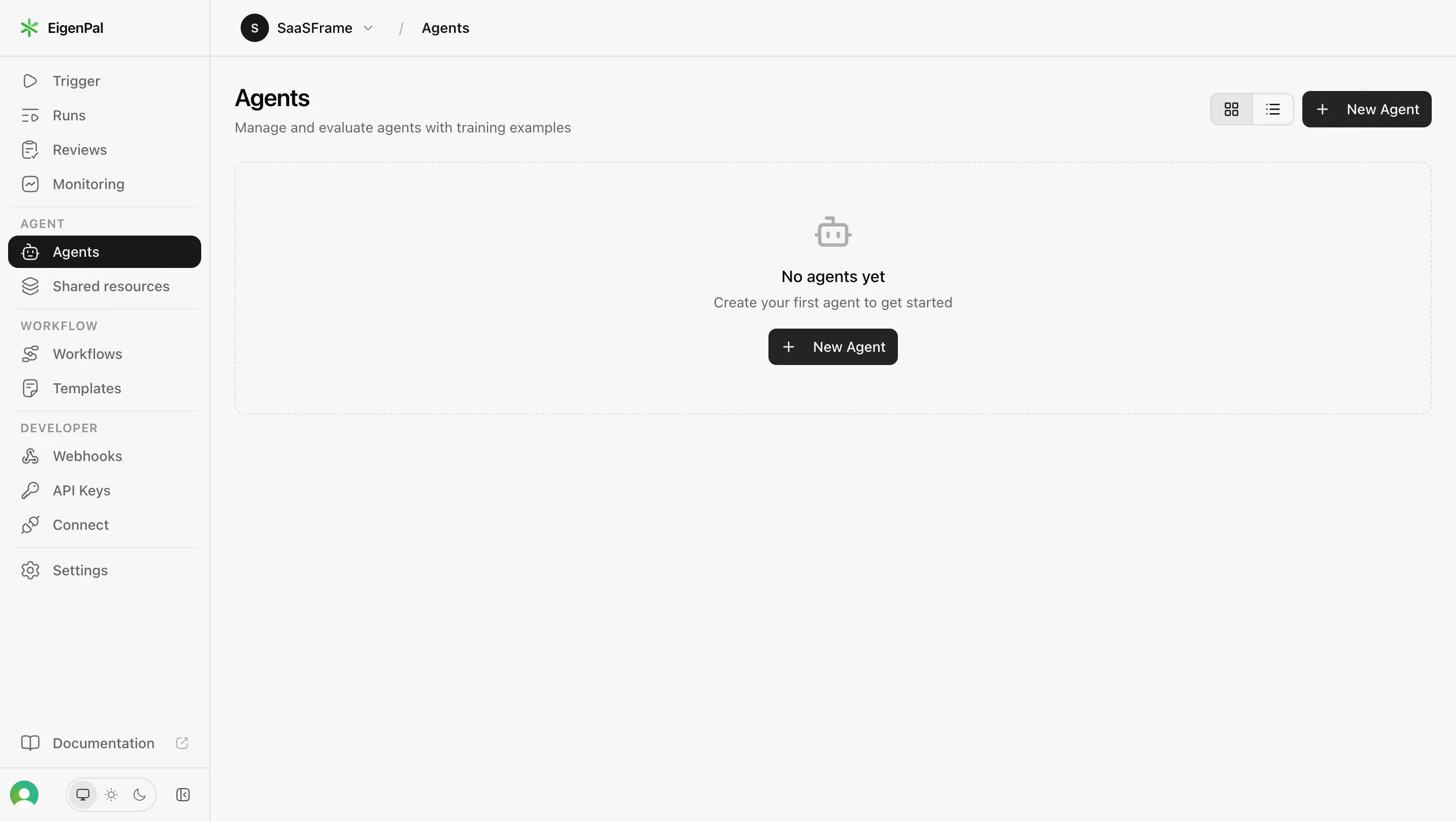
- **Style:** A restrained monochrome agent-management workspace with a compact navigation rail and a large dashed empty-state panel.
- **Character:** Developer-oriented and utilitarian, using dark actions and thin dividers with a small green brand accent.
### Page composition
- **Capture and scale:** The screenshot measures 2880 × 1624 pixels, consistent with an estimated 2× capture. Following dimensions are estimated CSS pixels under that assumption.
- **Shell:** An approximately 208 px-wide left sidebar spans the page. A shallow top breadcrumb bar identifies the workspace and Agents section.
- **Main header:** The page heading and one-line description align left; grid/list view controls and a New Agent action align right.
- **Empty state:** A wide dashed rectangle, approximately 1180 px by 250 px, begins below the header. Its centered stack contains a muted robot icon, short empty-state heading, supporting sentence, and a second New Agent button. The rest of the workspace is open.
### Information hierarchy
- **Navigation:** Agents is highlighted with a dark rounded fill in the sidebar. Group labels divide agent, workflow, and developer tools.
- **Creation focus:** The header action and central empty-state action provide two clear entry points to creating the first agent.
- **Support:** Documentation and account/theme utilities occupy the sidebar bottom, visually separate from primary navigation.
### Typography
- **Family:** A neutral sans serif is visible; exact identity is unverified.
- **Heading:** The page heading is approximately 24 px CSS semibold with tight line-height.
- **Body and controls:** Sidebar links, description, buttons, and empty-state text are around 14 px. Empty-state title is slightly heavier than its supporting sentence.
- **Group labels:** Small uppercase sidebar labels use approximately 11–12 px text and expanded tracking.
### Colors & surfaces
- **Foundation:** Sampled sRGB #F7F7F7 covers nearly the entire shell. Fine boundaries include #DEDEDE, #E6E6E6, and #E8E8E8.
- **Ink:** Sampled #242424 and #181818 define dark actions and selected navigation, with #09090B among the darkest text tones.
- **Secondary text:** Sampled #656565 supports muted descriptive copy. The robot icon is lighter gray.
- **Brand:** Green appears only in the brand symbol and lower account avatar, keeping the main interaction palette neutral.
### Components
- **Sidebar:** Thin line icons precede labels. The selected Agents row uses a dark fill, white icon/text, and roughly 8 px radius. Fine horizontal rules separate navigation groups.
- **Breadcrumb:** A small dark circular workspace avatar and name precede a slash and current-section label.
- **Creation buttons:** Dark rounded buttons combine a plus icon and white New Agent label, approximately 36–38 px high with 7–8 px radii.
- **View switch:** Two adjacent square icon segments share a fine border; the grid segment has a darker light-gray fill in this capture.
- **Empty panel:** A subtle dashed border and roughly 10 px radius frame the blank state without a shadow. The small robot icon sits above two short text lines and the action.
- **Bottom utilities:** Documentation includes an external-link icon. Below it, avatar, theme controls, and a compact sidebar utility icon share a narrow footer strip.
### Visual rhythm
- **Spacing:** Use approximately 24 px main gutters, 16 px heading-to-description spacing, and about 24 px between header and empty panel.
- **Empty-state stack:** Keep roughly 16–20 px between icon, heading/copy group, and action. Center the group within the panel.
- **Restraint:** Preserve the large unoccupied lower workspace; do not add decorative cards to fill an empty-state screen.
### Responsive
- **Observed state:** Only desktop is provided.
- **Recommended reflow:** Collapse the sidebar into a drawer and allow header controls to wrap beneath the title. Maintain a fluid empty panel with 20–24 px outer gutters.
- **Priority:** Keep the central creation action clearly visible and large enough to tap; secondary view controls can remain compact.
### Adaptation guidance
- **Preserve:** Retain the quiet monochrome shell, grouped line-icon navigation, dark selected row, dashed empty panel, and repeated creation action.
- **Adapt:** Replace agent terminology, breadcrumb identity, icon, and supporting sentence with the new product's actual empty collection.
- **Avoid:** Do not fabricate agents or data to fill the screen. The visible design intentionally communicates a first-use state.
Use this context to reproduce the reference's visual language: layout, typography, colors, spacing, borders, radii, and distinctive elements. The screenshot takes priority if descriptions conflict.
## Direction
{{preferences.fidelityInstructions}}
## Output
{{output.instructions}}
Deliver a polished, cohesive design with precise alignment, hierarchy, and spacing. Produce the requested visual artifact, not just a description. If unsupported, explain the limitation.
.webp)



.avif)