Generate a new design based on this screen using your own content.
Thank you! Your submission has been received!
Oops! Something went wrong while submitting the form.
# Design from Reference: Dust Setup Platforms
Create an original, high-fidelity visual design inspired by the reference. Prioritize composition, typography, colors, spacing, and component styling over technical implementation.
## Reference
- **Product:** Dust
- **Category:** Account Setup
- **Screenshot:** https://cdn.prod.website-files.com/5e9dc792e1210c5325f7ebbc/6980862009e734af4423bb15_D699gD1G8sA_z7yb0WXn23UQmx6Ahk270YKiuTsiD7w.avif
Analyze the screenshot first. If inaccessible, request it rather than guessing.
## Content
{{content.instructions}}
{{content.data}}
Preserve essential messaging and factual accuracy. Adapt structure and copy length for visual balance; never invent product claims.
## Visual Design
Use this context to reproduce the reference's visual language: layout, typography, colors, spacing, borders, radii, and distinctive elements. The screenshot takes priority if descriptions conflict.
## Direction
{{preferences.fidelityInstructions}}
## Output
{{output.instructions}}
Deliver a polished, cohesive design with precise alignment, hierarchy, and spacing. Produce the requested visual artifact, not just a description. If unsupported, explain the limitation.
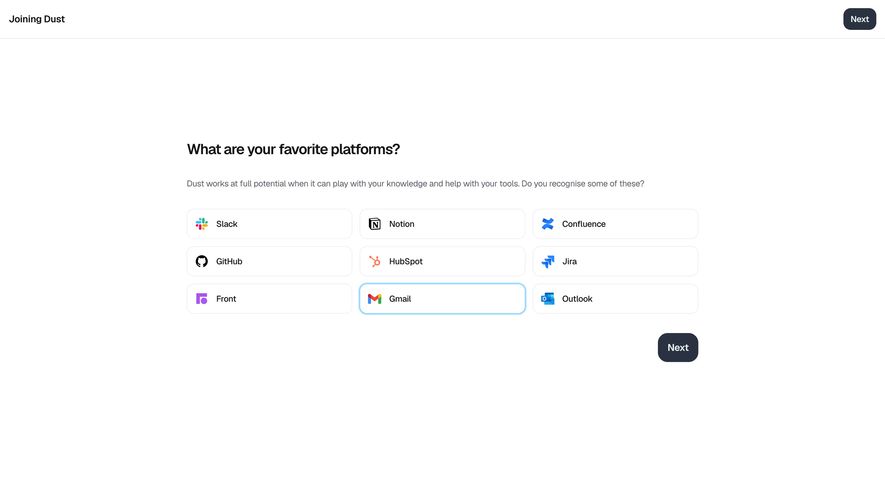
This is Dust's platform selection screen during onboarding, and it's a great example of letting whitespace do the heavy lifting. Nine integration options laid out in a tight 3x3 grid. Each card is dead simple: icon on the left, name on the right. No descriptions, no tooltips, no noise. You either recognize the tool or you don't.
Smart Visual Hierarchy
The selected state on Gmail is subtle but effective. A soft blue border and light background tint. Nothing screams at you. The "Next" button sits bottom-right in dark charcoal, pulling your eye forward naturally. There's also a duplicate Next in the top nav which feels intentional for quick progressors. Typography is clean and minimal. The heading is bold and large, the subtext underneath stays light gray and conversational.
What Makes It Stand Out
The restraint here is the real design move. No progress bar, no illustrations, no gradients. Just a question, some cards, and a button. It trusts the user to get it immediately. That confidence in simplicity is hard to pull off without feeling empty, but Dust nails the balance.
.webp)




.avif)