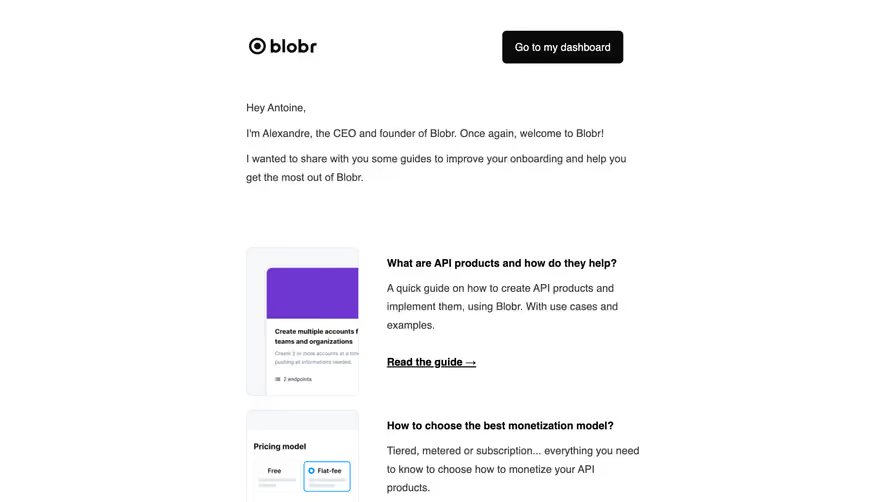
Design with AI
Generate a new design based on this screen using your own content.
# Design from Reference: Drip Onboarding Emails
Create an original, high-fidelity visual design inspired by the reference. Prioritize composition, typography, colors, spacing, and component styling over technical implementation.
## Reference
- **Product:** Drip
- **Category:** Onboarding Email
- **Screenshot:** https://cdn.prod.website-files.com/5e9dc792e1210c5325f7ebbc/6acbc77aa4008ddb7479342e_6acbc5d980dd38e7e7576935_cms-be4ecb2d5a79c60d544ba8b1.webp
Analyze the screenshot first. If inaccessible, request it rather than guessing.
## Content
{{content.instructions}}
{{content.data}}
Preserve essential messaging and factual accuracy. Adapt structure and copy length for visual balance; never invent product claims.
## Visual Design
### Overall aesthetic
- **Style:** Bright educational onboarding email with simple typography and a vivid workflow illustration.
- **Visual character:** White canvas, magenta brand/action, gray explanatory copy, and a large green product graphic.
- **Contrast:** Color is concentrated in the hero and CTA; the remaining email is deliberately plain.
### Page composition
- **Screenshot size:** 1360 × 1034 image px. Capture-to-CSS ratio unverified; dimensions below use screenshot pixels.
- **Header:** Magenta Drip logo at left and underlined View in browser at right, above a thin divider.
- **Content width:** Approximately 720 screenshot px, centered.
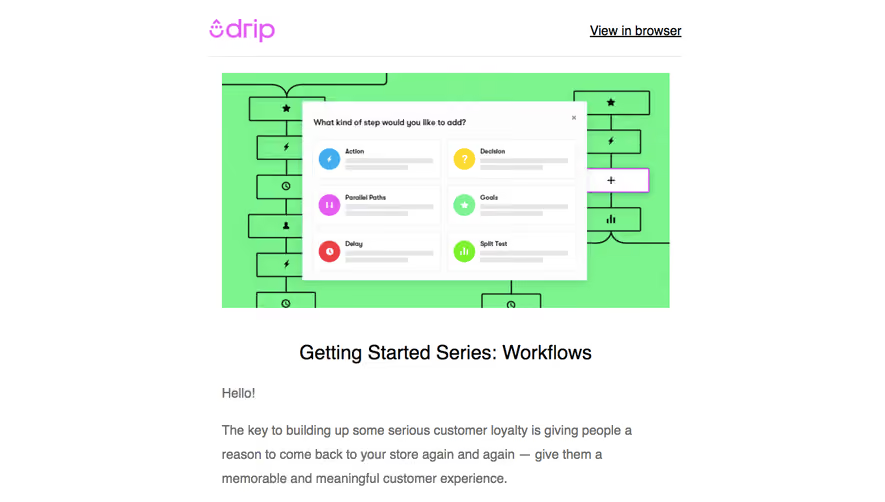
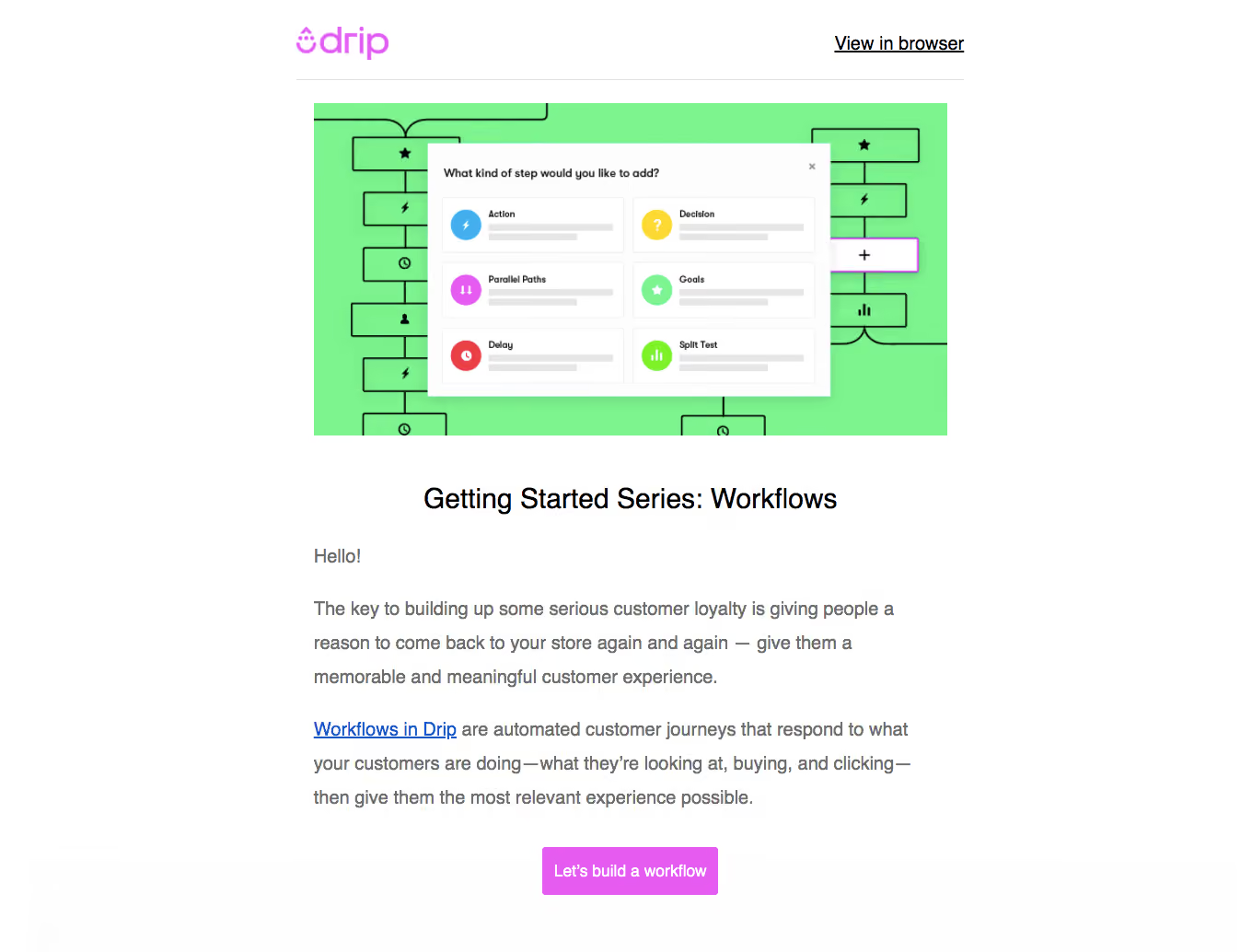
- **Hero:** Wide green workflow artwork with a white step-selection dialog layered over connected diagram blocks.
- **Text:** Centered Getting Started Series: Workflows heading followed by left-aligned greeting and two explanatory paragraphs.
- **Action:** Centered magenta workflow-building button at the bottom.
### Information hierarchy
- **Educational focus:** Workflow illustration precedes the series heading, establishing the topic visually.
- **Reading order:** Greeting, customer-experience premise, linked workflow explanation, and build action.
- **Link hierarchy:** Inline blue underlined link is secondary to the filled magenta CTA.
- **Product detail:** Step picker displays six categories in a 2 × 3 arrangement within the hero artwork.
### Typography
- **Family:** Neutral sans serif; exact family unverified.
- **Heading:** Approximately 30 screenshot px, medium weight, line-height 38 px.
- **Body:** Approximately 20 px with generous 36 px line-height.
- **Header utility:** Approximately 18 px, underlined.
- **Button:** Approximately 16 px semibold.
- **Artwork labels:** Small bold headings within the illustrative dialog; they are not main email controls.
- **Precision:** Sizes are visual pixel estimates, not extracted CSS.
### Colors & surfaces
- **Canvas/dialog:** Sampled sRGB #FFFFFF with nearby #FEFEFE/#FDFDFD.
- **Hero green:** Sampled #7DF48E, #7CF38D, and #7BF18C.
- **Brand/action magenta:** Sampled #E65CF1.
- **Body gray:** Sampled #6C6C6C.
- **Divider:** Sampled #E6E6E6.
- **Local illustration accents:** Blue, yellow, magenta, red, and lime circular symbols differentiate workflow step types.
### Components
- **Header divider:** Thin light-gray horizontal rule spanning content width.
- **Hero artwork:** Approximately 690 × 360 screenshot px, rectangular, showing outlined connected blocks behind an elevated white picker.
- **Illustrated picker:** Six bordered white option tiles, colored circle icons, short labels, and placeholder lines.
- **CTA:** Approximately 190 × 52 screenshot px, magenta fill, white label, and small 3–4 px corners.
- **Links:** Conventional blue underlined inline treatment; browser utility uses black underline.
- **Observed state:** Static email and product artwork; workflow editor interaction is not demonstrated.
### Visual rhythm
- **Vertical cadence:** Roughly 48 px between hero and title, then 32–40 px before body.
- **Paragraph spacing:** Around 24–32 px distinguishes conceptual explanation from linked product guidance.
- **Alignment:** Header, image, and body share content edges; title and action are centered.
- **Whitespace:** Broad side margins keep the narrow educational column readable.
### Responsive
- **Observed version:** Email screenshot only.
- **Width recommendation:** Use a fluid email container and 20–24 px mobile padding.
- **Image recommendation:** Scale hero as one image while retaining recognizable picker structure.
- **Typography recommendation:** Reduce body toward 16 px on narrow screens with comfortable leading.
- **Action recommendation:** Keep CTA large enough for touch and allow its label to wrap if necessary.
### Adaptation guidance
- **Preserve:** Product-artwork introduction, concise educational sequence, inline supporting link, and single workflow action.
- **Brand adaptation:** Replace Drip identity and vivid accents consistently with the target brand.
- **Content fidelity:** Use actual workflow capabilities and supported step types.
- **Artwork fidelity:** Treat the hero picker as demonstration imagery rather than functioning email controls.
- **Starting values:** Approximately 720 px content measure, 30 px heading, 20 px screenshot body, and 52 px button height; CSS scale remains unverified.
Use this context to reproduce the reference's visual language: layout, typography, colors, spacing, borders, radii, and distinctive elements. The screenshot takes priority if descriptions conflict.
## Direction
{{preferences.fidelityInstructions}}
## Output
{{output.instructions}}
Deliver a polished, cohesive design with precise alignment, hierarchy, and spacing. Produce the requested visual artifact, not just a description. If unsupported, explain the limitation.
.webp)



.avif)