Design with AI
Generate a new design based on this screen using your own content.
# Design from Reference: Dock Issuing Credentials Success
Create an original, high-fidelity visual design inspired by the reference. Prioritize composition, typography, colors, spacing, and component styling over technical implementation.
## Reference
- **Product:** Dock
- **Category:** Success
- **Screenshot:** https://cdn.prod.website-files.com/5e9dc792e1210c5325f7ebbc/6acad967bd9ce0e960551df6_6acad8df9918fda16bb19b6f_cms-211cc4cd9c018aae389aa932.webp
Analyze the screenshot first. If inaccessible, request it rather than guessing.
## Content
{{content.instructions}}
{{content.data}}
Preserve essential messaging and factual accuracy. Adapt structure and copy length for visual balance; never invent product claims.
## Visual Design
### Overall aesthetic
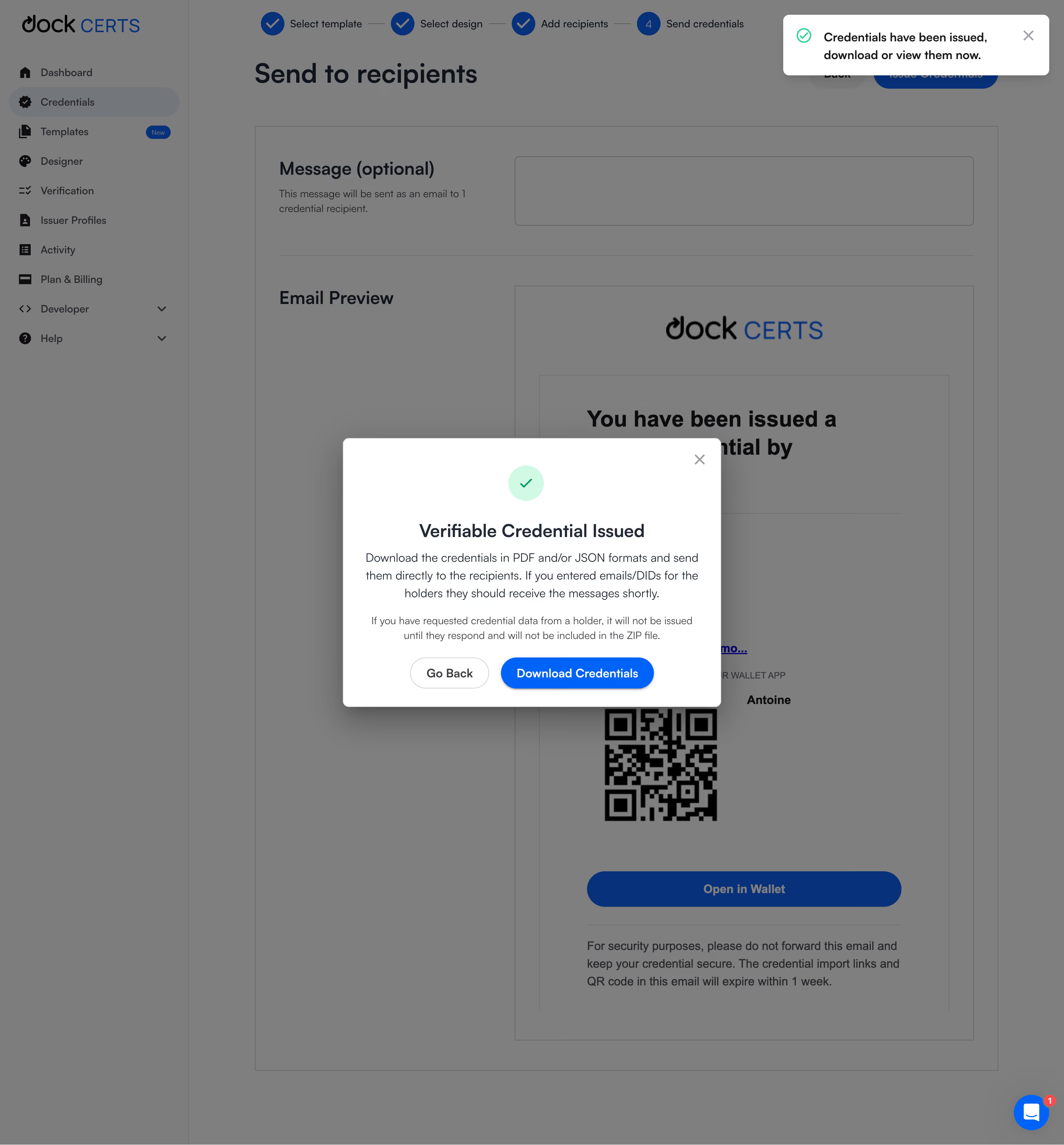
- **Character:** A credential-issuance dashboard is dimmed beneath a white success modal and separate upper-right confirmation toast.
- **Accent hierarchy:** Green checks communicate success, while vivid blue download/action controls contrast with neutral outlines and gray overlay.
### Page composition
- **Capture scale:** The source measures 2880 × 3100 image pixels. CSS estimates below assume a 2× capture; device-pixel ratio is unverified.
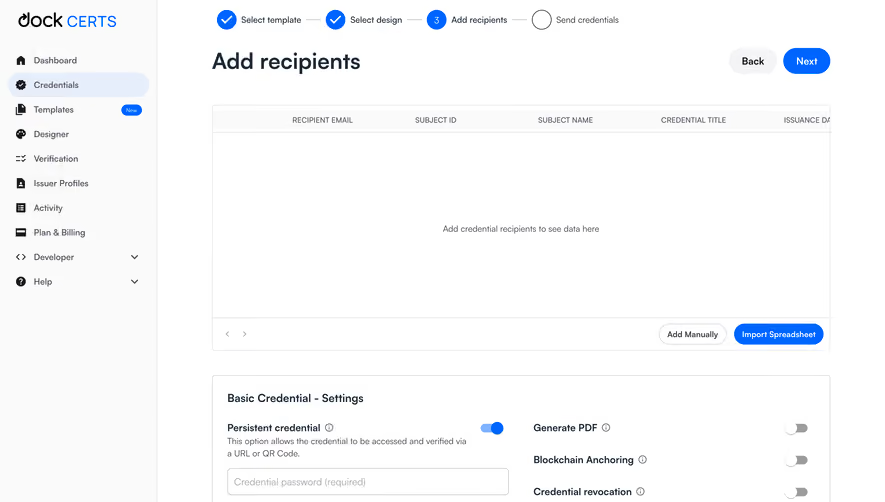
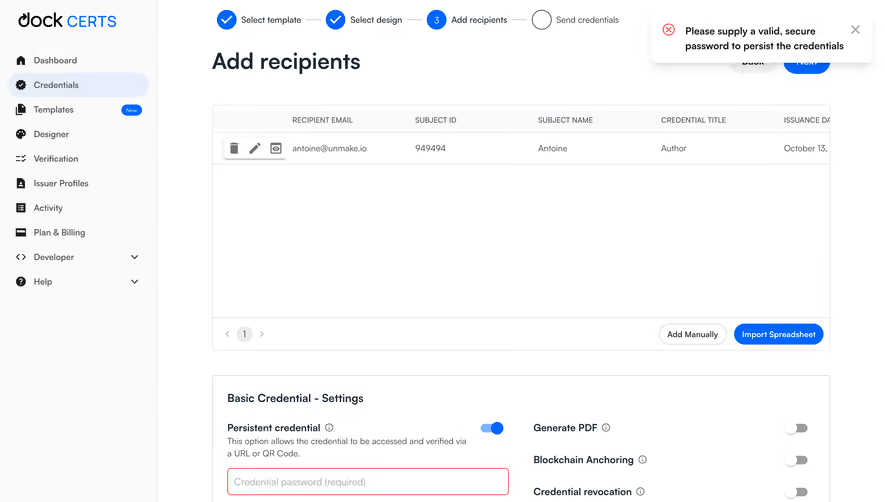
- **Background shell:** A roughly 255 px CSS sidebar contains brand and icon-led navigation. The main page shows a four-stage issuance tracker and recipient-send heading.
- **Background form:** An optional message field sits above a large email-preview region containing brand, text, QR code and wallet action.
- **Success modal:** A roughly 510 × 365 px CSS white dialog is centered over the page, with check icon, heading, two explanatory paragraphs and paired actions.
- **Toast:** A compact white confirmation sits at the upper right with green check and close icon.
- **Support:** A blue chat launcher with red unread badge remains visible near the lower-right corner.
### Information hierarchy
- **Success state:** A green check and bold issuance heading establish the modal's outcome.
- **Next step:** Download Credentials is the strongest modal control, beside a quieter Go Back outline.
- **Supporting detail:** Two centered paragraphs explain delivery/download information, with the second smaller and muted.
- **Background progress:** Three completed blue checks precede the fourth send stage, reinforcing the workflow context.
- **Redundant confirmation:** The toast repeats the success message in a separate notification layer.
### Typography
- **Family:** A clean sans serif is visible; exact identity is unverified.
- **Modal heading:** Approximately 24 px CSS, semibold, with 30 px leading.
- **Body:** Approximately 16 px with 24 px line height; the secondary paragraph is around 14 px.
- **Actions:** Approximately 16 px, medium/semibold.
- **Background roles:** The page title is larger and bold; sidebar labels and step names are compact.
### Colors & surfaces
- **Measured foundation:** ICC-aware sRGB sampling yields white #FFFFFF and overlay grays #7F7F7F/#7D7D7D.
- **Measured blue:** #0064FF appears in the primary action; dimmed blue #003280 remains visible behind the overlay.
- **Measured dark text:** Black #000000 and dark slate tones support headings and body.
- **Success treatment:** A pale mint circle contains a stronger green check; the toast uses a green outlined check.
- **Depth:** Broad dark shadows lift both dialog and toast from the dimmed page.
### Components
- **Modal shell:** A rounded white rectangle has approximately 8 px CSS corners, generous padding and a top-right X.
- **Success symbol:** A pale green circular disc contains a simple check centered above the title.
- **Action pills:** Go Back uses a thin gray outline; Download Credentials is solid blue with white text and a subtle shadow.
- **Toast:** A wide compact card combines icon, two-line bold message and separate close control.
- **Stepper:** Four numbered/completed circles are connected by short horizontal rules.
- **Email preview:** A bordered white mock email contains a large heading, QR code and blue wallet button; it is secondary beneath the overlay.
- **Sidebar:** Icon/text rows use consistent vertical cadence, with Credentials selected in a rounded highlight.
### Visual rhythm
- **Modal centering:** Icon, title, paragraphs and actions share a central axis.
- **Text spacing:** Moderate gaps separate the success title, main explanation and smaller note.
- **Layer contrast:** Bright modal/toast surfaces remain crisp against uniformly darkened background content.
- **Background structure:** Stepper, page heading and large form blocks create a clear vertical workflow.
### Responsive
- **Evidence boundary:** Only a desktop state is shown; responsive behaviors are recommendations.
- **Modal width:** Use a fluid max-width dialog with safe gutters and scroll support for short screens.
- **Action wrapping:** Stack the two actions if labels become cramped.
- **Notification placement:** Keep toast and chat controls from overlapping the modal's dismissal or primary action.
### Adaptation guidance
- **Completion pattern:** Reuse explicit success identity, concise delivery information and a clear next action.
- **Accessible layers:** Manage dialog focus and announce status without duplicating confusing announcements from the toast.
- **Data handling:** Replace QR codes, recipient details and credential data with application-specific content.
- **State boundaries:** The screenshot displays an issuance-success interface; no download or external delivery was performed or independently verified.
- **Scale calibration:** Validate the assumed 2× capture scale before implementing dimensions.
Use this context to reproduce the reference's visual language: layout, typography, colors, spacing, borders, radii, and distinctive elements. The screenshot takes priority if descriptions conflict.
## Direction
{{preferences.fidelityInstructions}}
## Output
{{output.instructions}}
Deliver a polished, cohesive design with precise alignment, hierarchy, and spacing. Produce the requested visual artifact, not just a description. If unsupported, explain the limitation.
.webp)



.avif)