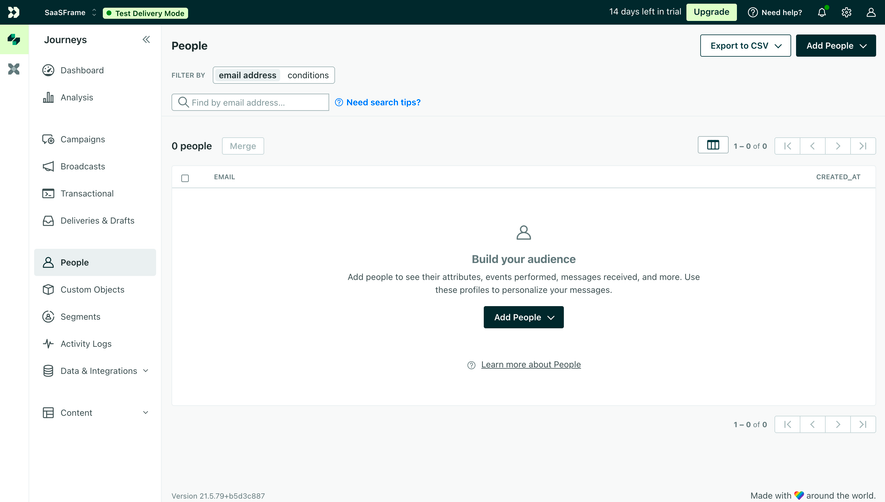
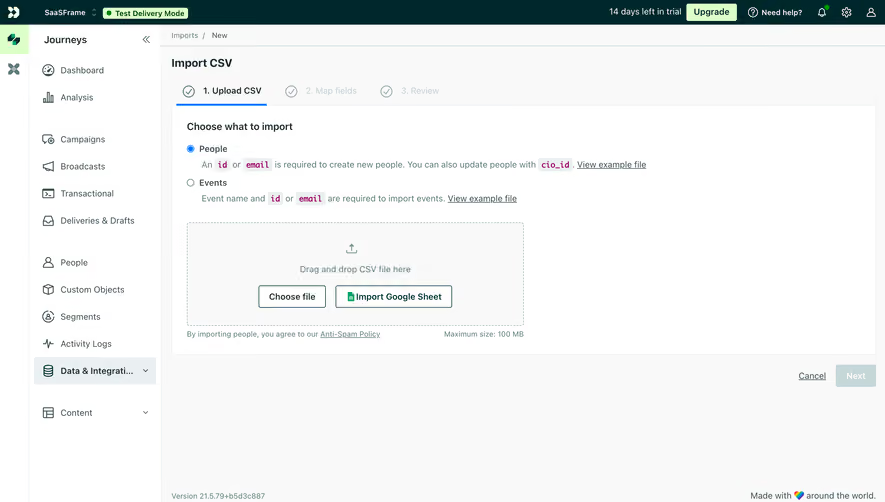
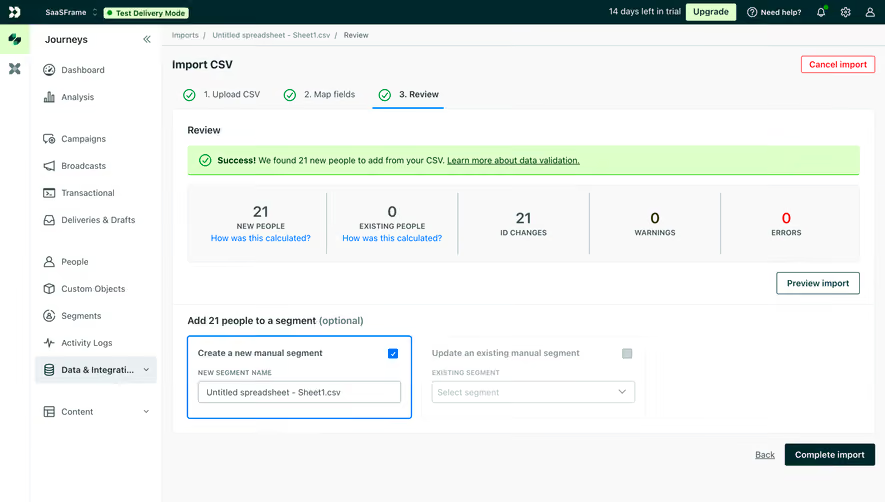
Generate a new design based on this screen using your own content.
Thank you! Your submission has been received!
Oops! Something went wrong while submitting the form.
# Design from Reference: Customer.io Data Import Mapping
Create an original, high-fidelity visual design inspired by the reference. Prioritize composition, typography, colors, spacing, and component styling over technical implementation.
## Reference
- **Product:** Customer.io
- **Category:** Import & Export
- **Screenshot:** https://cdn.prod.website-files.com/5e9dc792e1210c5325f7ebbc/6aca27edaca7079066e8e89e_6aca270c391fed6b9e15b6e7_cms-617280fbe070fc2f3c5de661.webp
Analyze the screenshot first. If inaccessible, request it rather than guessing.
## Content
{{content.instructions}}
{{content.data}}
Preserve essential messaging and factual accuracy. Adapt structure and copy length for visual balance; never invent product claims.
## Visual Design
Use this context to reproduce the reference's visual language: layout, typography, colors, spacing, borders, radii, and distinctive elements. The screenshot takes priority if descriptions conflict.
## Direction
{{preferences.fidelityInstructions}}
## Output
{{output.instructions}}
Deliver a polished, cohesive design with precise alignment, hierarchy, and spacing. Produce the requested visual artifact, not just a description. If unsupported, explain the limitation.
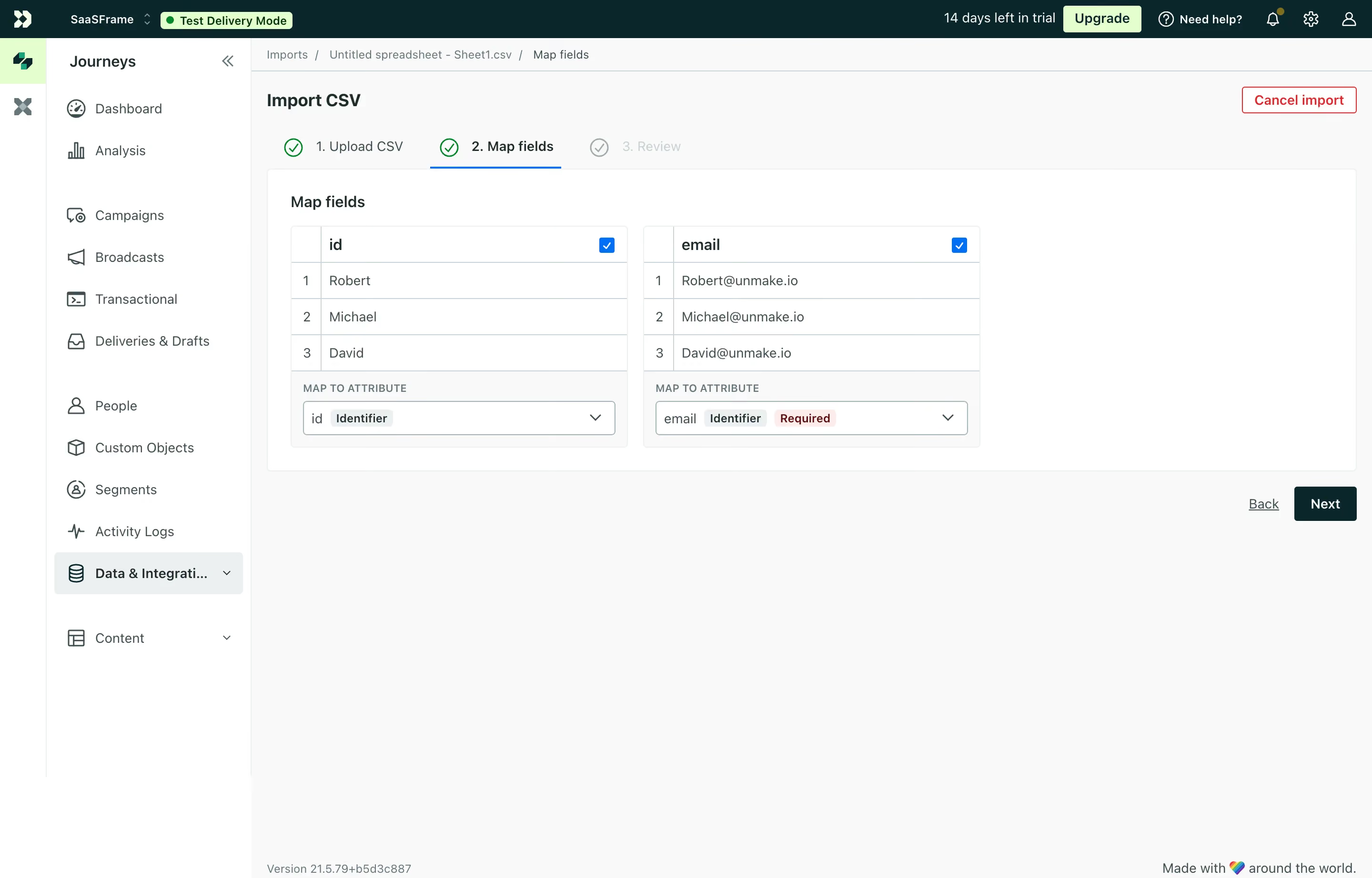
This is Customer.io's CSV import flow, and it's a great example of making a boring task feel manageable. The step indicator at the top is clean. Green checkmarks for completed steps, bold active state for the current one, grayed out for what's next. Simple and effective.
The Map Fields Layout Does the Heavy Lifting
Two columns showing your CSV data side by side with mapping dropdowns below. You instantly see your actual data (Robert, Michael, David) alongside the corresponding emails. That preview table approach is smart because it builds confidence. You know exactly what's getting imported before you commit. The blue checkbox toggles on each column header let you include or exclude fields fast.
Color and Type Keep Things Grounded
The palette is minimal. White cards, light gray background, green accents for actions and confirmations. That red "Cancel import" button in the top right stands out just enough without screaming. The "Required" tag in coral next to the email identifier is a small but critical detail. Typography is straightforward sans-serif throughout. Nothing fancy, nothing distracting. The left sidebar with its icon-based nav stays out of the way completely.
.webp)




.avif)