.webp)
Thank you! Your submission has been received!
Oops! Something went wrong while submitting the form.
Get SaaSFrame Pro
Monthly
$18
Quarterly
$48
Yearly
$180
Upgrade to access this feature
Browse all screens & flows
Filter and search screens & flows
Access Figma files
Access mobile versions
Bookmark screens & flows
Join now
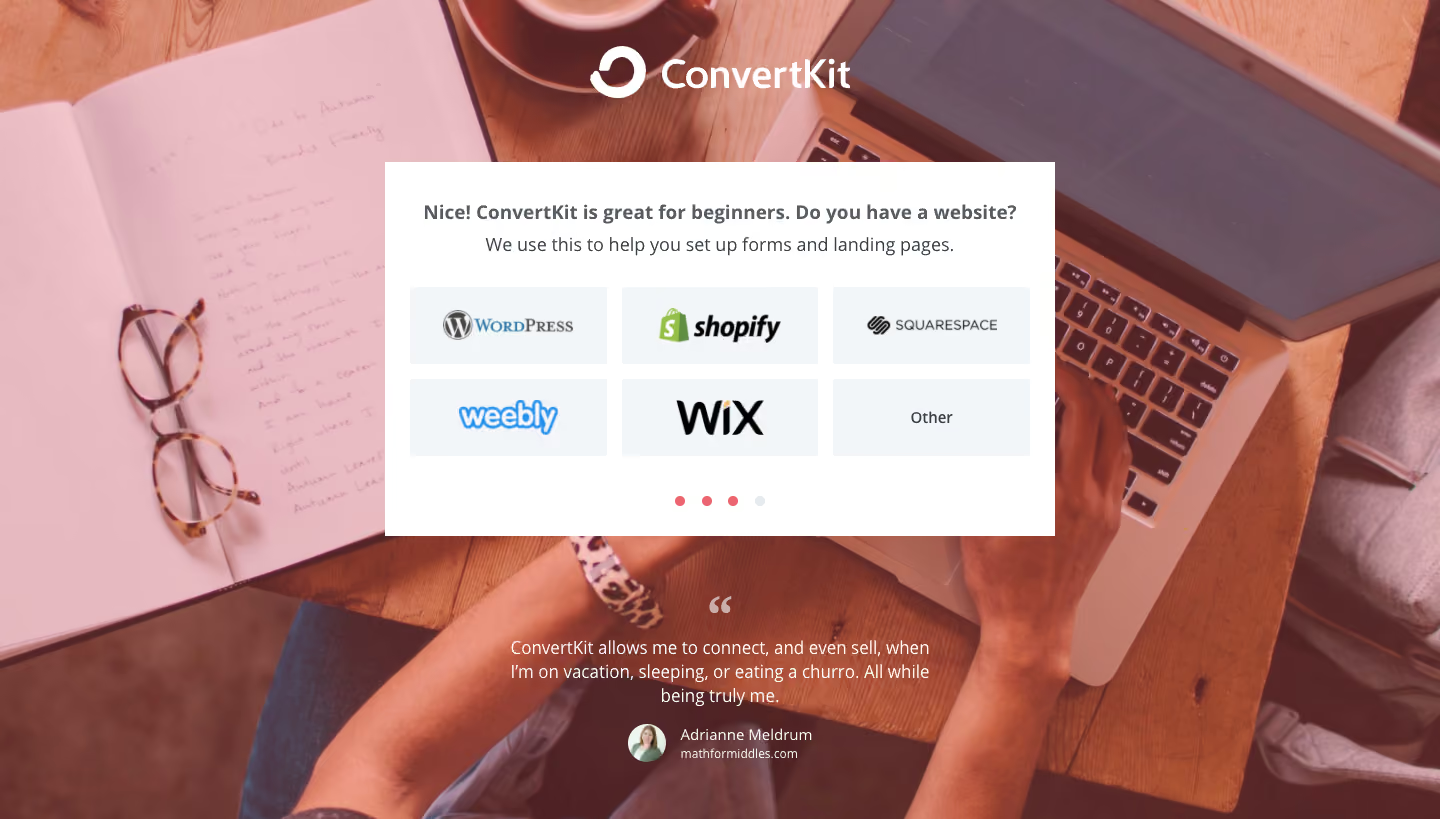
ConvertKit Sign Up Flow

ConvertKit
Email Marketing for Online Creators
Designed by
No items found.

Bookmark
Bookmark

Design with AI
Thank you! Your submission has been received!
Oops! Something went wrong while submitting the form.
# Design from Reference: ConvertKit Sign Up Flow
Create an original, high-fidelity visual design inspired by the reference. Prioritize composition, typography, colors, spacing, and component styling over technical implementation.
## Reference
- **Product:** ConvertKit
- **Category:** Account Setup
- **Screenshot:** https://cdn.prod.website-files.com/5e9dc792e1210c5325f7ebbc/6acbc07a7ce271b12870b784_6acbbfd0c2a55c243f97dbf4_cms-6060e00c2ad129467256cc53.webp
Analyze the screenshot first. If inaccessible, request it rather than guessing.
## Content
{{content.instructions}}
{{content.data}}
Preserve essential messaging and factual accuracy. Adapt structure and copy length for visual balance; never invent product claims.
## Visual Design
### Overall aesthetic
- **Style:** Signup questionnaire over a full-viewport warm photographic background, with a centered white choice panel.
- **Character:** A large white brand mark and a customer quotation lend credibility to a simple platform-selection task.
- **Capture:** The image measures 1440 × 819 pixels. CSS estimates assume approximately 1:1 capture scale; browser scale and font identity are unverified.
### Page composition
- **Background:** An overhead desk photograph fills the canvas, showing an open notebook, glasses, coffee, laptop, tablet and a person's arms under a warm pink tint.
- **Brand:** A large white ConvertKit logo is centered near the top.
- **Question panel:** A white rectangle approximately 670 × 375 pixels begins near x385, y162.
- **Choice grid:** Six pale tiles form a three-column, two-row platform selector beneath the question and explanation.
- **Progress:** Four small dots align centrally below the options; three are coral and the final one pale.
- **Testimonial:** A centered white quotation, large quotation mark and portrait attribution sit below the panel over the photograph.
### Information hierarchy
- **Question:** A bold centered line asks about the user's website platform.
- **Explanation:** A smaller regular line explains the relevance to forms and landing pages.
- **Choices:** Recognizable platform logos are the primary interactive content; a text-only Other tile completes the grid.
- **Progress:** The small dot sequence communicates questionnaire position without a visible numeric step label.
- **Social proof:** The testimonial is secondary to the white task panel but remains clearly visible below it.
- **State scope:** No tile is visibly selected and no subsequent step is shown.
### Typography
- **Family:** A neutral sans-serif is visible; exact identity is unverified.
- **Question:** Approximately 20-pixel CSS size, bold, with around 28-pixel line height.
- **Explanation:** Approximately 18 pixels, regular, with 26-pixel line height.
- **Other option:** Approximately 16 pixels, medium weight.
- **Testimonial:** Approximately 18 pixels with 24-pixel line height, centered.
- **Attribution:** Name around 14 pixels; supporting site text around 12 pixels.
- **Platform logos:** Their varied lettering belongs to brand artwork rather than the page's UI font.
### Colors & surfaces
- **Measured panel:** White #FFFFFF fills the questionnaire.
- **Measured option surface:** Pale blue-gray #F3F6F9 fills the six choice tiles.
- **Photographic samples:** Pink tones such as #E8BBC2 and #EABDC4 are image-color variations rather than flat interface tokens.
- **Text:** Dark slate-gray supports the question and explanation; testimonial and branding are white.
- **Accent role:** Coral progress dots contrast with one pale inactive dot.
- **Depth:** The white panel is flat and rectangular; photographic detail supplies the visual depth.
### Components
- **Question container:** A square-cornered white panel with approximately 25-pixel horizontal inset.
- **Platform tiles:** Approximately 197 × 77 pixels, with 15-pixel horizontal/vertical gaps and minimal rounding.
- **Visible choices:** WordPress, Shopify, Squarespace, Weebly, Wix and Other.
- **Progress dots:** Four roughly 10-pixel circles use even spacing beneath the grid.
- **Quotation mark:** A large pale-white typographic quote sits above the testimonial.
- **Attribution:** A small circular portrait sits beside stacked name and site text.
- **State scope:** No back button, hover styling, selected-platform indicator or validation feedback is visible.
### Visual rhythm
- **Centering:** Logo, panel, progress and testimonial share a common vertical axis.
- **Panel spacing:** The question and explanation are tightly grouped, followed by a larger gap before the grid.
- **Grid repetition:** Equal tile sizes create a balanced two-row selection layout.
- **Proof separation:** A generous gap below the panel distinguishes the testimonial from the task.
- **Contrast:** The bright white panel interrupts the busy warm photo, keeping the choices readable.
### Responsive
- **Recommendation — panel:** Make the questionnaire fluid with comfortable viewport gutters.
- **Recommendation — options:** Reduce three columns to two or one while preserving recognizable logos and touch targets.
- **Recommendation — background:** Crop the photo deliberately and maintain sufficient overlay contrast for white text.
- **Recommendation — height:** Allow scrolling so the panel and testimonial do not collide on short screens.
- **Recommendation — progress:** Provide accessible current-step information beyond colored dots. No mobile layout is evidenced.
### Adaptation guidance
- **Preserve one-question focus:** Keep platform selection and its brief purpose explanation together.
- **Use recognizable choices:** Maintain consistent tile dimensions despite varying logo aspect ratios.
- **Separate proof from input:** Retain the testimonial below the task panel rather than mixing it into the option grid.
- **Keep background subordinate:** Use a warm tint and crop that do not undermine the white panel or testimonial.
- **Define selection behavior:** Add selected, hover, focus and progression feedback separately.
- **Avoid inferring previous steps:** The visible progress dots do not establish the content of the other questionnaire screens.
Use this context to reproduce the reference's visual language: layout, typography, colors, spacing, borders, radii, and distinctive elements. The screenshot takes priority if descriptions conflict.
## Direction
{{preferences.fidelityInstructions}}
## Output
{{output.instructions}}
Deliver a polished, cohesive design with precise alignment, hierarchy, and spacing. Produce the requested visual artifact, not just a description. If unsupported, explain the limitation.

.avif)
Category
Patterns
No items found.
Tech Stack



Added on
February 4, 2023
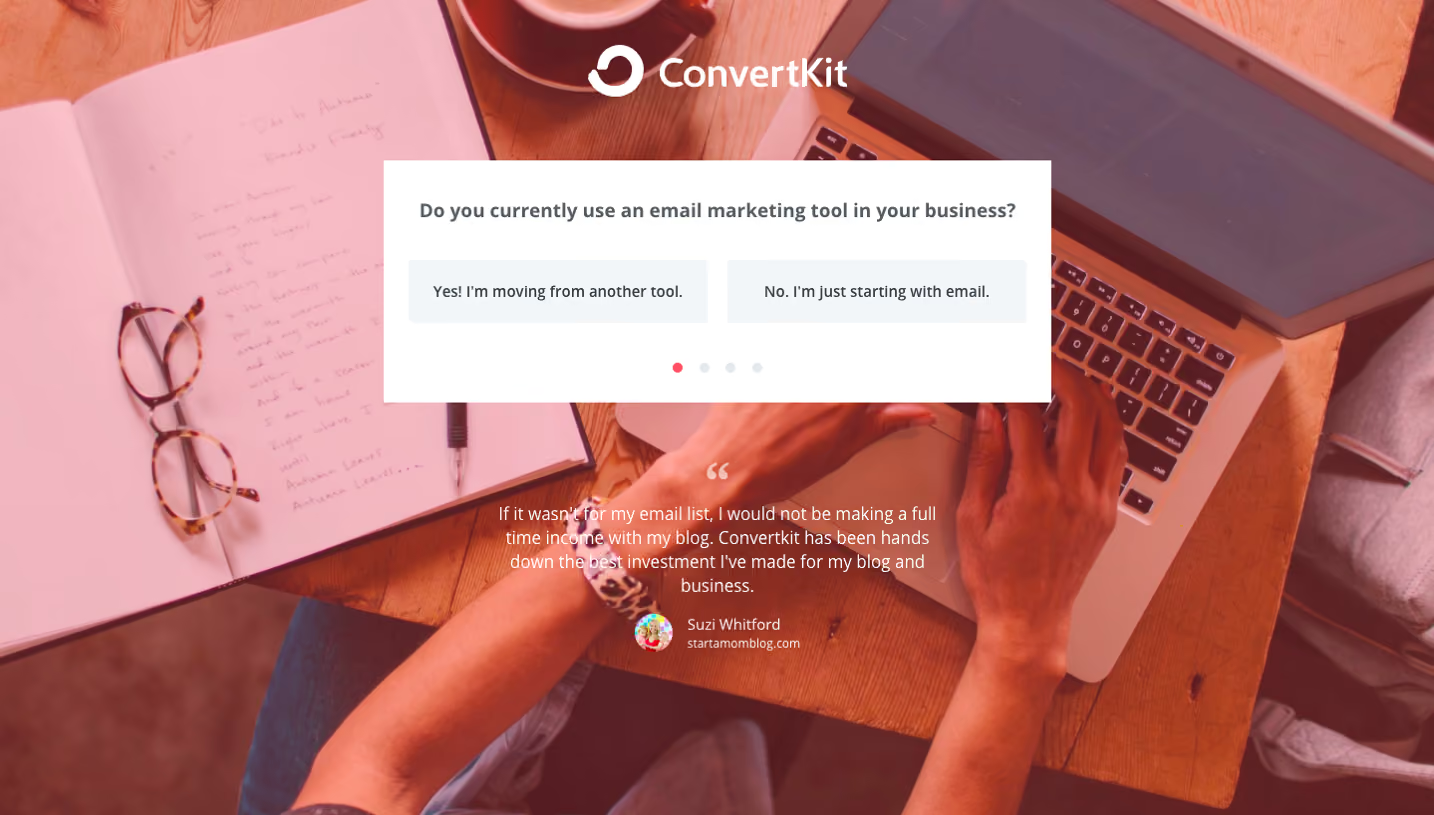


Similar screens
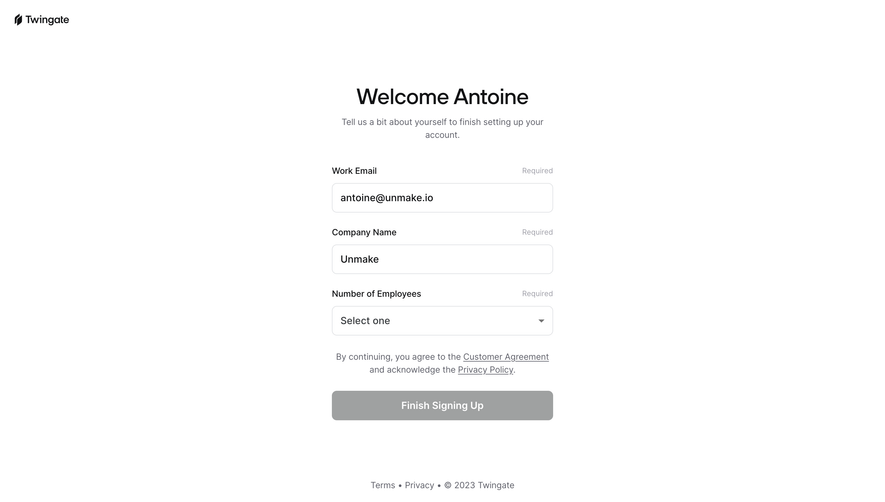


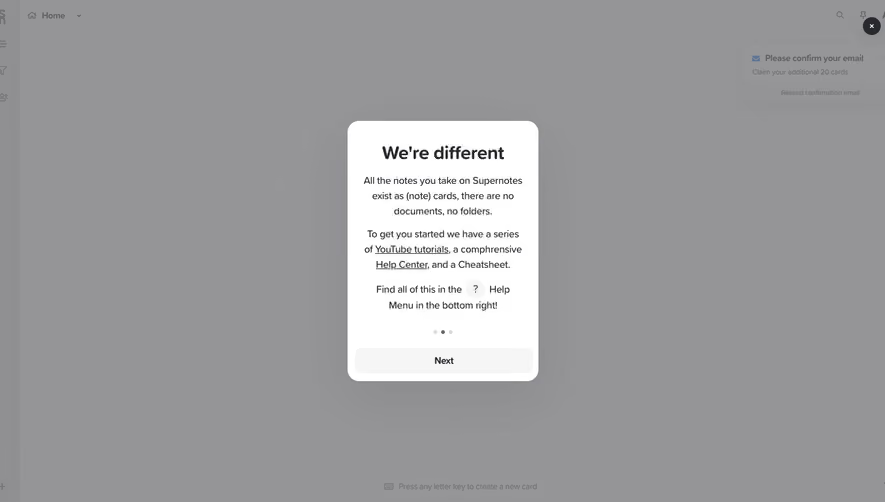



Upgrade to SaaSFrame Pro now to see similar examples.
Monthly
$18 /month
Billed $18 monthly
Browse all screens & flows
Filter and search screens & flows
Search text in screenshots
Access Figma files
Access mobile versions
Join now
Quarterly
$16 /month
Billed $48 quarterly
Browse all screens & flows
Filter and search screens & flows
Search text in screenshots
Access Figma files
Access mobile versions
Join now
Yearly
$15 /month
Billed $180 yearly
Browse all screens & flows
Filter and search screens & flows
Search text in screenshots
Access Figma files
Access mobile versions
Join now