Generate a new design based on this screen using your own content.
Thank you! Your submission has been received!
Oops! Something went wrong while submitting the form.
# Design from Reference: Checkout.com Top Up Details
Create an original, high-fidelity visual design inspired by the reference. Prioritize composition, typography, colors, spacing, and component styling over technical implementation.
## Reference
- **Product:** Checkout.com
- **Category:** Details
- **Screenshot:** https://cdn.prod.website-files.com/5e9dc792e1210c5325f7ebbc/6acad4c11025e911ae51842b_6acad3d3d63d2caea65b5caa_cms-2a98f41d5f8d641801f38934.webp
Analyze the screenshot first. If inaccessible, request it rather than guessing.
## Content
{{content.instructions}}
{{content.data}}
Preserve essential messaging and factual accuracy. Adapt structure and copy length for visual balance; never invent product claims.
## Visual Design
Use this context to reproduce the reference's visual language: layout, typography, colors, spacing, borders, radii, and distinctive elements. The screenshot takes priority if descriptions conflict.
## Direction
{{preferences.fidelityInstructions}}
## Output
{{output.instructions}}
Deliver a polished, cohesive design with precise alignment, hierarchy, and spacing. Produce the requested visual artifact, not just a description. If unsupported, explain the limitation.
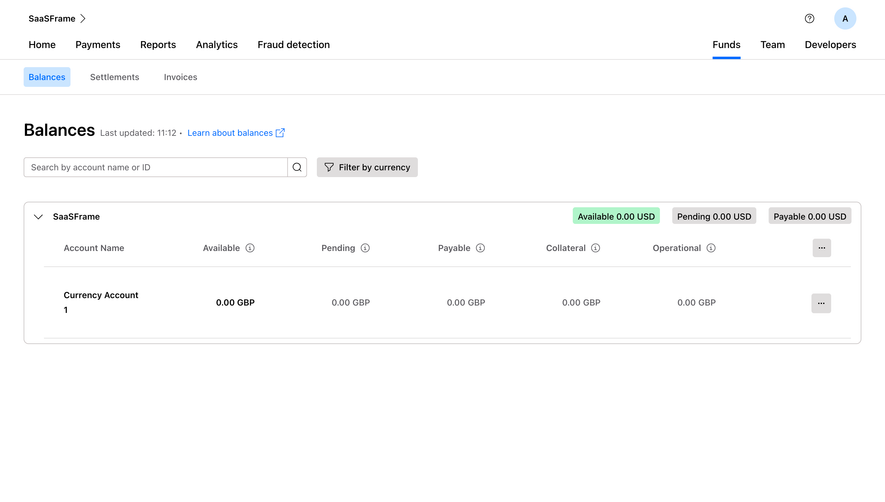
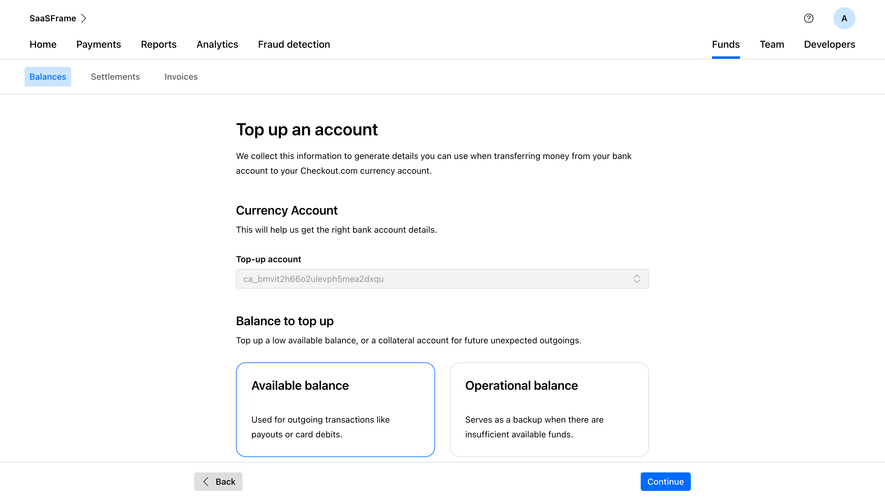
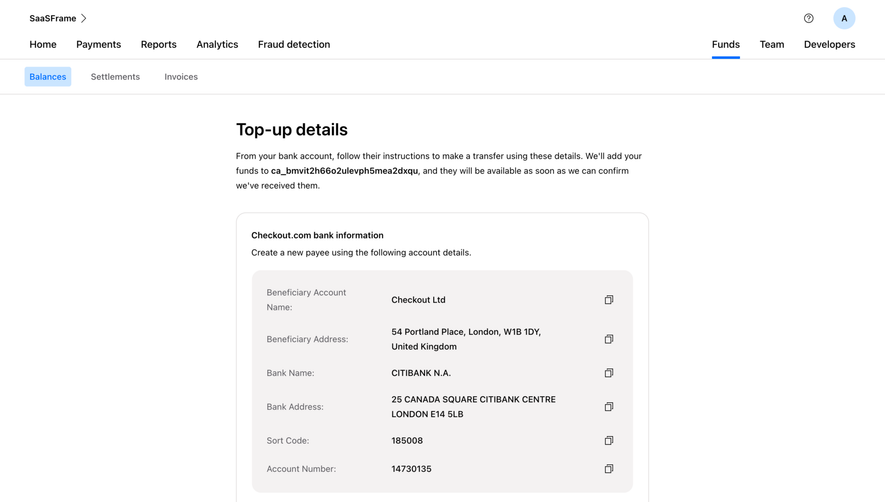
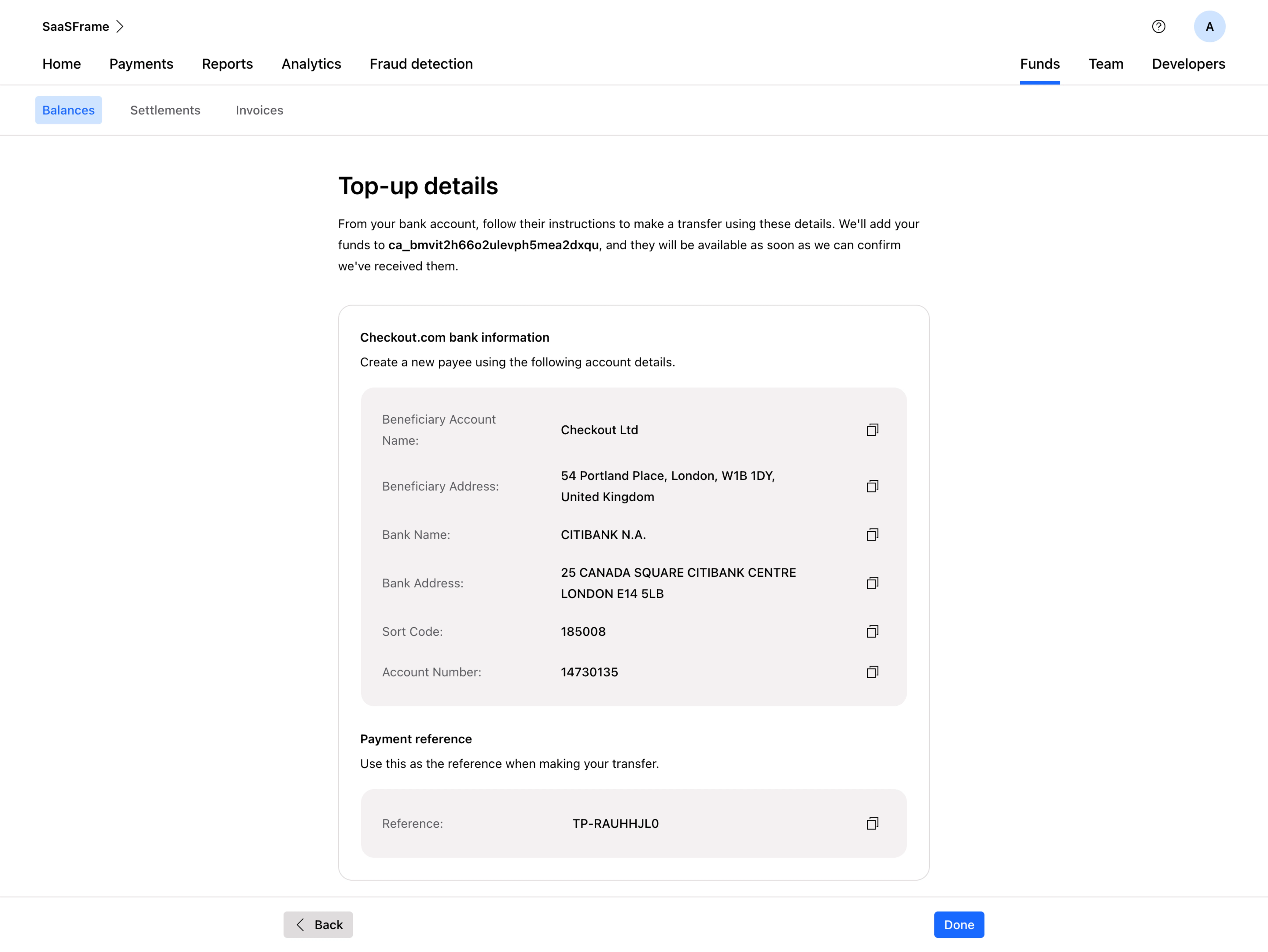
This is one of those utility screens that most teams phone in, but Checkout.com's dashboard actually nails it. The top-up details page is clean, scannable, and builds trust through clarity. You immediately clock the structured table layout with label-value pairs, each row separated just enough to breathe. Copy icons sit right-aligned on every field. Smart.
Layout That Respects Your Time
The hierarchy here is solid. Bold "Top-up details" header, a brief explainer paragraph, then the card with bank info and payment reference clearly sectioned. Two distinct content blocks inside one card keep things grouped without feeling cramped. The reference code at the bottom gets its own highlighted row, which is exactly what you want when someone's alt-tabbing between their bank app and this screen.
Restrained Color, Strong Typography
Almost no color on the page. Just the blue accent on "Balances" tab and the "Done" button. Everything else is black, gray, and white. The typography is confident and readable. Nothing fancy, nothing distracting. That restraint makes the important action elements pop without competing. The Back and Done buttons anchored to the bottom feel natural and unforced.
.webp)




.avif)