.webp)
Thank you! Your submission has been received!
Oops! Something went wrong while submitting the form.
Get SaaSFrame Pro
Monthly
$18
Quarterly
$48
Yearly
$180
Upgrade to access this feature
Browse all screens & flows
Filter and search screens & flows
Access Figma files
Access mobile versions
Bookmark screens & flows
Join now
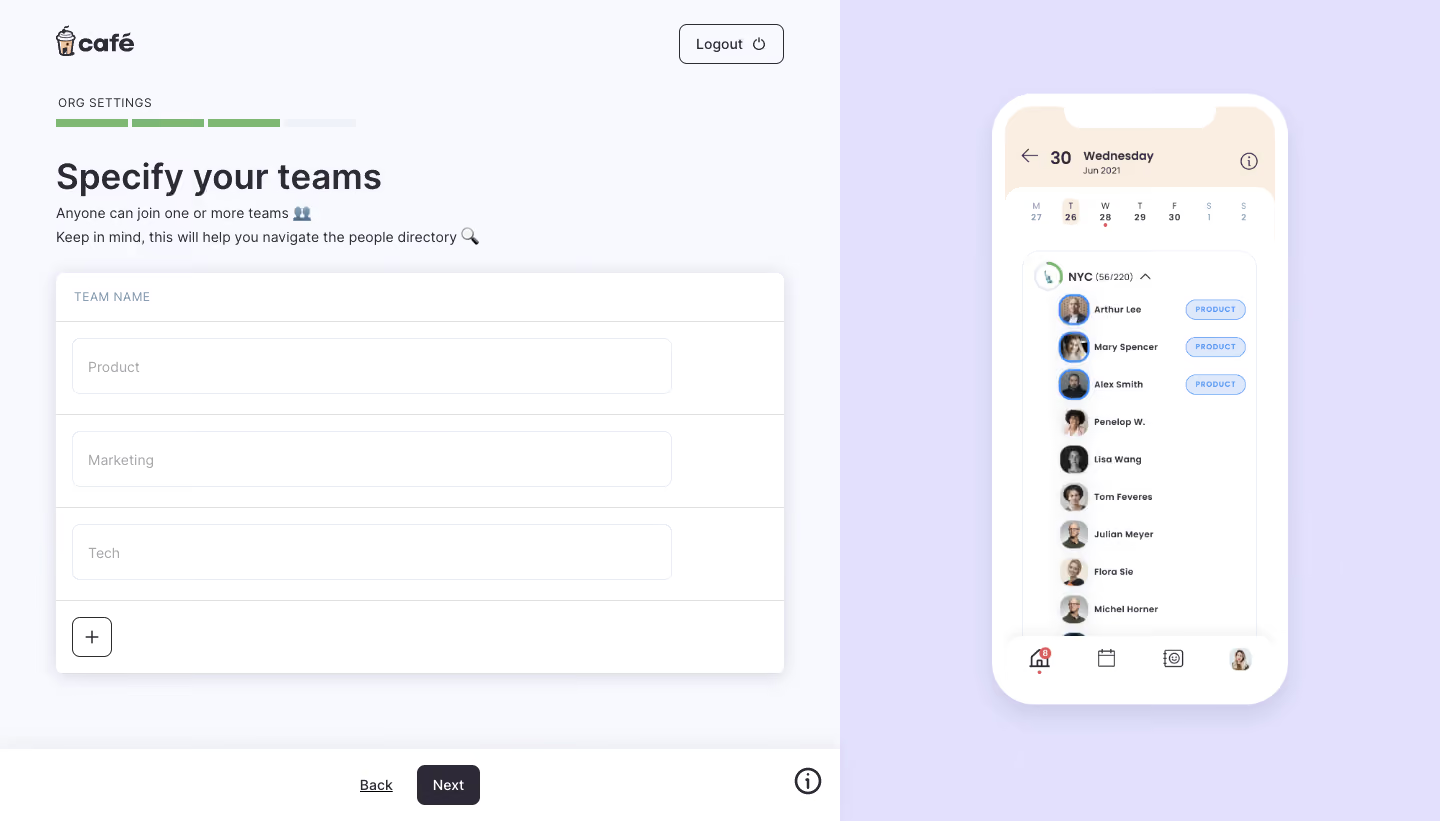
Café Teams Setup

Café
The Social Hub for Hybrid Teams
Designed by
No items found.

Bookmark
Bookmark

Design with AI
Thank you! Your submission has been received!
Oops! Something went wrong while submitting the form.
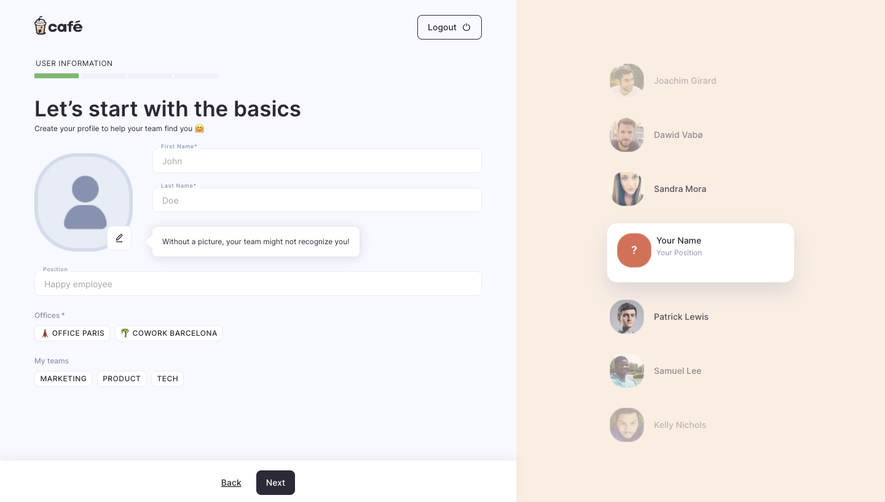
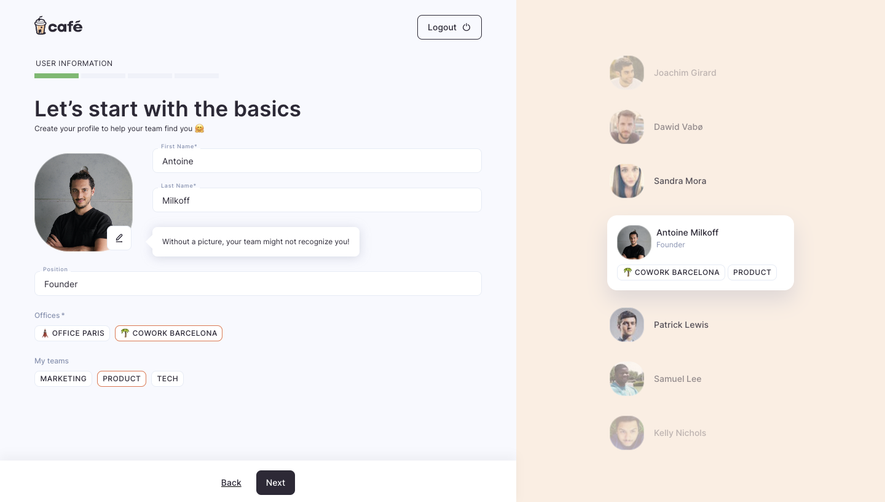
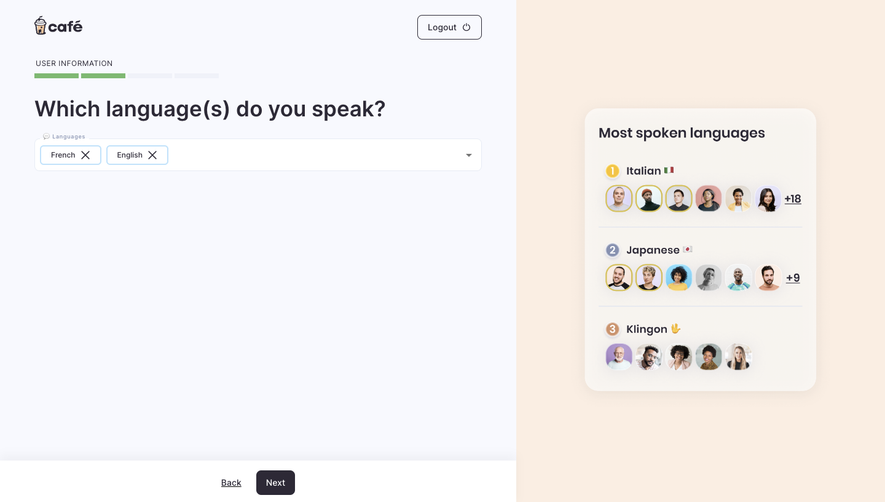
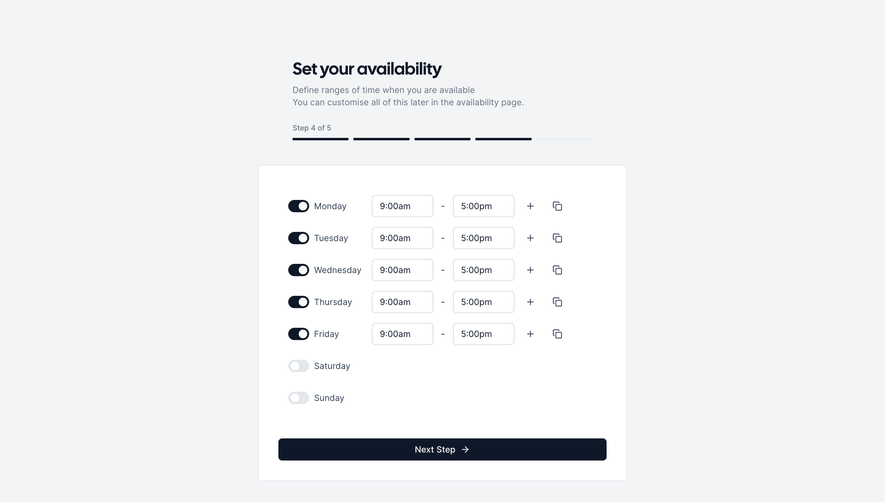
# Design from Reference: Café Teams Setup
Create an original, high-fidelity visual design inspired by the reference. Prioritize composition, typography, colors, spacing, and component styling over technical implementation.
## Reference
- **Product:** Café
- **Category:** Account Setup
- **Screenshot:** https://cdn.prod.website-files.com/5e9dc792e1210c5325f7ebbc/6acc0f3e304575a4a3255246_6acc09d692350ef1e7e86da2_cms-f57695b742e86f58ab15b493-v3.webp
Analyze the screenshot first. If inaccessible, request it rather than guessing.
## Content
{{content.instructions}}
{{content.data}}
Preserve essential messaging and factual accuracy. Adapt structure and copy length for visual balance; never invent product claims.
## Visual Design
### Overall aesthetic
- **Style:** Friendly organization-setup interface with a pale neutral form area and lavender product-preview panel.
- **Character:** Rounded controls, a coffee-themed wordmark, small emoji cues and a soft-shadowed phone mockup make the setup feel approachable.
- **Capture:** The screenshot measures 1440 × 821 image pixels. CSS estimates assume approximately 1:1 capture scale; browser scale and font identity are unverified.
### Page composition
- **Split layout:** The left setup region occupies about 840 pixels; the right 600-pixel region has a flat pale-lavender background.
- **Header:** The brand mark sits near x56, y28, with an outlined logout control near the upper-right of the left pane.
- **Progress and introduction:** A small organization-settings label, segmented progress bar, large heading and two short explanatory lines sit above the form.
- **Team editor:** A wide white card contains a small column heading, three team-name rows and an add-row control.
- **Bottom navigation:** A white strip spans the left pane's bottom, with Back and Next centered and an information icon at right.
- **Preview:** A tall phone illustration is centered in the lavender pane, showing a dated people directory with portraits, team tags and bottom navigation.
### Information hierarchy
- **Primary task:** The large team-setup heading leads, with concise guidance explaining multiple team membership and directory navigation.
- **Progress:** Three green segments and a pale final segment communicate position within organization setup.
- **Input hierarchy:** A small uppercase team-name label precedes three equally styled entries.
- **Progression:** A dark Next button is stronger than the underlined Back action.
- **Add affordance:** A separate square plus control sits beneath the existing rows.
- **Preview role:** The phone demonstrates how team labels appear in the directory; it is supporting imagery rather than an evidenced live mobile view.
### Typography
- **Family:** A rounded UI sans-serif is visible; exact font identity is unverified.
- **Main heading:** Approximately 36-pixel CSS size, bold, with around 44-pixel line height.
- **Explanation:** Approximately 14 pixels with 24-pixel line height.
- **Progress and column labels:** Approximately 12 pixels, uppercase, with slight tracking.
- **Inputs and actions:** Approximately 14 pixels; placeholders are muted and controls use dark text.
- **Preview text:** Much smaller labels and names belong to the scaled phone artwork, not the desktop form's primary type scale.
### Colors & surfaces
- **Measured left canvas:** Pale near-white #F8F9FE fills the setup area.
- **Measured preview background:** Lavender #E2E0FC fills the right pane.
- **Measured card surface:** White #FFFFFF supports the editor, bottom strip and phone frame.
- **Measured text:** Deep gray-violet #2D2936 supports the main heading and dark action.
- **Measured supporting tones:** Light peach #FAEEE3 appears in the phone header; #E8ECF5 appears among pale boundaries and preview surfaces.
- **Accents:** Green indicates progress; small blue tags and avatar outlines appear in the phone illustration.
- **Depth:** The team editor and phone cast broad soft shadows against their pale backgrounds.
### Components
- **Progress bar:** Four short horizontal segments span about 300 pixels; three are green and the last is pale.
- **Editor card:** Approximately 728 × 400 pixels, with 10–12-pixel corners and a subtle shadow.
- **Header row:** A roughly 49-pixel-high column-label region is separated by a thin horizontal rule.
- **Team inputs:** Three approximately 600 × 56-pixel outlined fields sit in rows about 93 pixels high, with 16-pixel top/bottom inset.
- **Row boundaries:** Fine gray rules divide the editor into clear horizontal bands.
- **Add control:** A 40 × 40-pixel outlined square with roughly 8-pixel corners and a centered plus icon.
- **Logout:** An outlined rounded rectangle combines a text label and power icon.
- **Bottom actions:** Next is approximately 63 × 40 pixels with a dark fill and 8-pixel corners; Back is a simple underlined text link.
- **Phone mockup:** Approximately 296 × 612 pixels with large rounded white edges, a notch, peach date header, avatar list and bottom navigation.
- **State scope:** Three team-name examples are visible, but no validation, row removal or successful continuation state is shown.
### Visual rhythm
- **Left alignment:** Logo, progress, heading and editor share an approximately 56-pixel left inset.
- **Introduction spacing:** Small gaps connect progress and task title, followed by a larger break before the editor.
- **Form cadence:** Equal row heights and input widths create a predictable repeated structure.
- **Panel balance:** The broad editor contrasts with the narrower, vertically centered phone preview.
- **Navigation separation:** The bottom white strip creates a stable distinct zone for progression controls.
### Responsive
- **Recommendation — split:** Hide or move the preview beneath the form when two panes no longer fit comfortably.
- **Recommendation — editor:** Make the card and inputs fluid, retaining consistent row padding.
- **Recommendation — navigation:** Keep Back and Next reachable without covering form content on short screens.
- **Recommendation — progress:** Preserve all step segments and pair them with accessible progress text.
- **Recommendation — examples:** Keep illustrative phone content distinct from actual form controls. No responsive desktop state is evidenced.
### Adaptation guidance
- **Preserve the focused step:** Keep team naming separate from broader organization settings while explaining its directory benefit.
- **Use repeatable rows:** Build a consistent labeled input row and explicit add action for additional teams.
- **Retain visual continuity:** Reuse pale surfaces, dark-violet text, green progress and soft shadows across setup steps.
- **Keep preview purposeful:** Show how teams appear in the people directory without letting the illustration compete with entry.
- **Define unseen behavior:** Specify adding, editing, validation and persistence separately; the screenshot shows only the current list.
- **Maintain semantic controls:** Use labeled fields, an accessible add-team name and a clear keyboard path through Back and Next.
Use this context to reproduce the reference's visual language: layout, typography, colors, spacing, borders, radii, and distinctive elements. The screenshot takes priority if descriptions conflict.
## Direction
{{preferences.fidelityInstructions}}
## Output
{{output.instructions}}
Deliver a polished, cohesive design with precise alignment, hierarchy, and spacing. Produce the requested visual artifact, not just a description. If unsupported, explain the limitation.

.avif)
Category
Tech Stack


Added on
March 9, 2023
Found in 1 flow
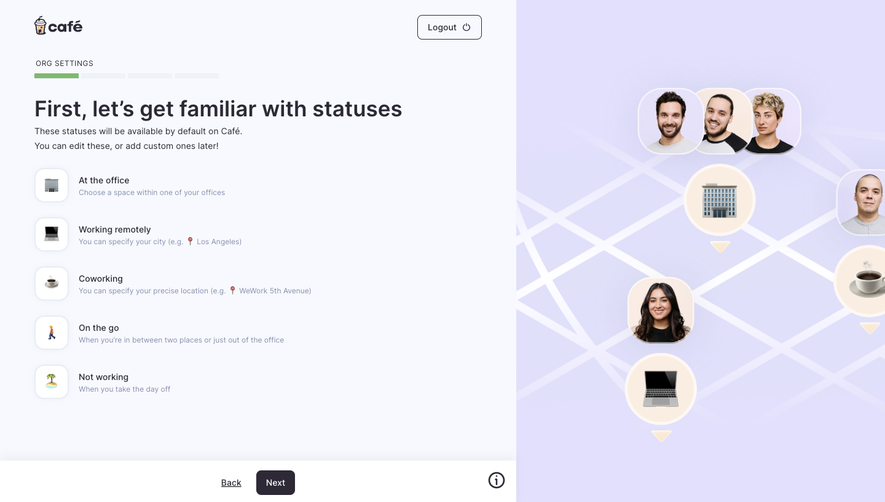

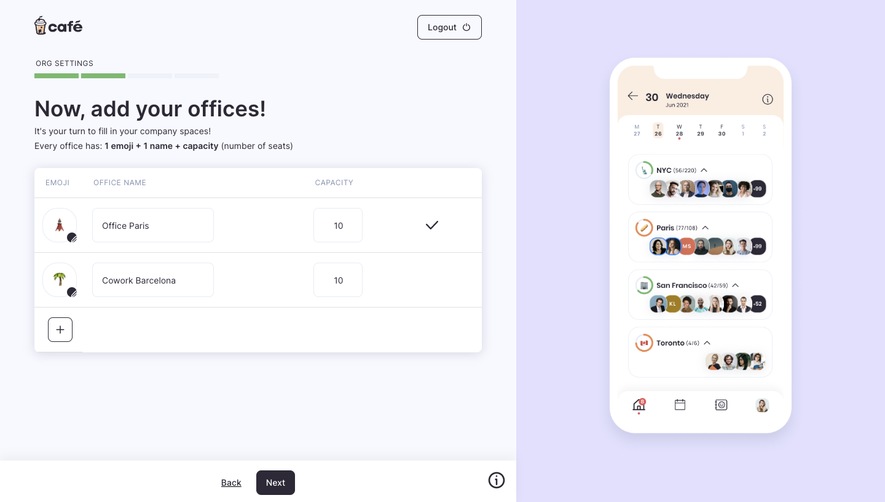


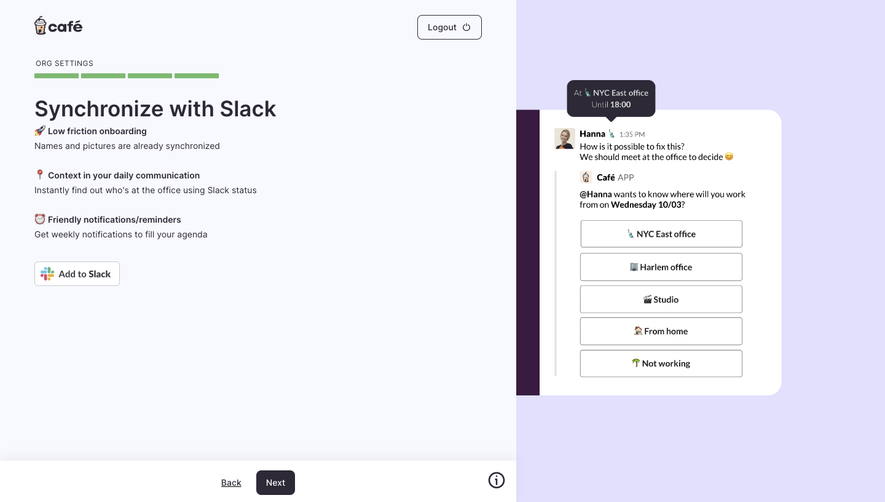

Similar screens




Upgrade to SaaSFrame Pro now to see similar examples.
Monthly
$18 /month
Billed $18 monthly
Browse all screens & flows
Filter and search screens & flows
Search text in screenshots
Access Figma files
Access mobile versions
Join now
Quarterly
$16 /month
Billed $48 quarterly
Browse all screens & flows
Filter and search screens & flows
Search text in screenshots
Access Figma files
Access mobile versions
Join now
Yearly
$15 /month
Billed $180 yearly
Browse all screens & flows
Filter and search screens & flows
Search text in screenshots
Access Figma files
Access mobile versions
Join now