.webp)
Thank you! Your submission has been received!
Oops! Something went wrong while submitting the form.
Get SaaSFrame Pro
Monthly
$18
Quarterly
$48
Yearly
$180
Upgrade to access this feature
Browse all screens & flows
Filter and search screens & flows
Access Figma files
Access mobile versions
Bookmark screens & flows
Join now
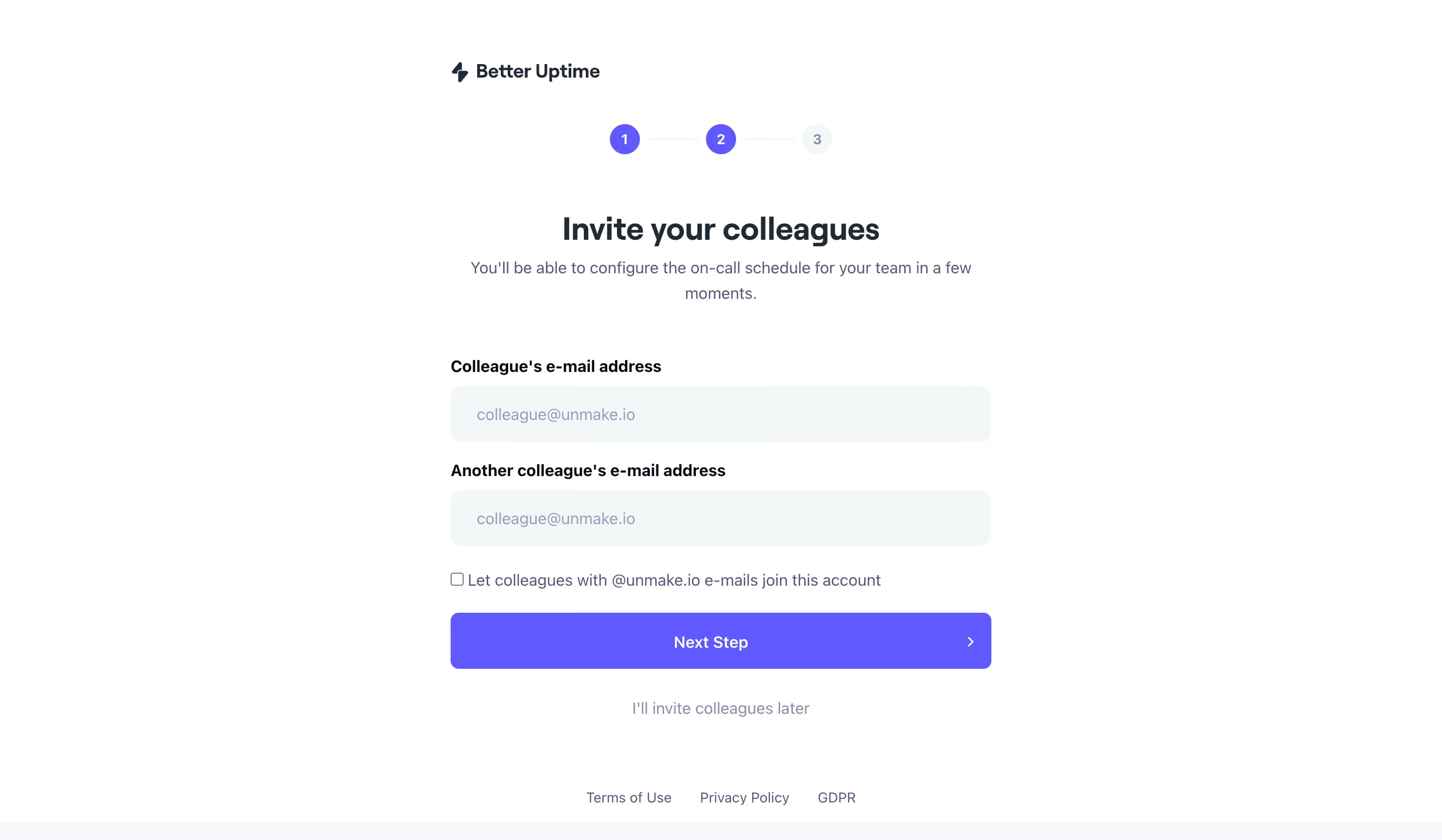
Better Stack etter Uptime Invite Team Members

Better Stack
Radically Better Observability Stack
Designed by
No items found.

Bookmark
Bookmark

Design with AI
Thank you! Your submission has been received!
Oops! Something went wrong while submitting the form.
# Design from Reference: Better Stack etter Uptime Invite Team Members
Create an original, high-fidelity visual design inspired by the reference. Prioritize composition, typography, colors, spacing, and component styling over technical implementation.
## Reference
- **Product:** Better Stack
- **Category:** Invite Team Members
- **Screenshot:** https://cdn.prod.website-files.com/5e9dc792e1210c5325f7ebbc/6acb6ae6bf2e69a0c03b6b8a_6acb6a052d777adaad16ccaf_cms-bd037f17bed6b09e9b5d7d7f.webp
Analyze the screenshot first. If inaccessible, request it rather than guessing.
## Content
{{content.instructions}}
{{content.data}}
Preserve essential messaging and factual accuracy. Adapt structure and copy length for visual balance; never invent product claims.
## Visual Design
### Overall aesthetic
- **Character:** A sparse colleague-invitation step uses a white canvas, dark navy heading, cool pale input fills, and a vivid violet primary action.
- **Tone:** The centered composition and simple three-stage progress indicator make the onboarding task feel contained and approachable.
- **Observed scale:** The source measures 2880 × 1678 pixels. CSS estimates assume a 2× capture, equivalent to roughly 1440 × 839; actual pixel ratio is unverified.
### Page composition
- **Content column:** A roughly 540 CSS-pixel form column is centered horizontally, with a small Better Uptime lockup aligned to its left edge near the top.
- **Progress:** Three numbered circles connected by pale rules sit centered beneath the branding. The first two circles are violet; the third is pale.
- **Introduction:** A centered invitation heading and two-line explanation follow the progress indicator.
- **Form:** Two labeled email fields stack vertically. A checkbox row below offers domain-based colleague access.
- **Action area:** A full-width violet Next Step button follows, then a centered muted link to invite colleagues later.
- **Footer:** Terms of Use, Privacy Policy, and GDPR links form a compact centered row near the bottom. A pale horizontal strip touches the lower edge.
### Information hierarchy
- **Current task:** The large invitation heading is the strongest text.
- **Progress context:** Numbered circles indicate a three-step flow, with the second stage visually reached. The exact completed/current semantics beyond the visible fill treatment are unverified.
- **Input priority:** Two explicit labels distinguish the first and additional colleague email fields.
- **Optional access rule:** The unchecked checkbox and domain-based sentence form a secondary decision below the fields.
- **Forward versus defer:** The saturated full-width button is primary; the muted invite-later link is secondary.
- **Privacy:** Captured email examples and organization domain are personal/contextual data and should not be copied into reusable designs.
### Typography
- **Typeface appearance:** A neutral sans-serif is used throughout. Exact font family is unverified.
- **Heading:** Approximately 30–32 CSS pixels, bold around 700, with line-height near 38 pixels.
- **Supporting copy:** Approximately 16 pixels, regular weight, with 24-pixel line-height and muted indigo-gray color.
- **Labels:** Around 16 pixels, semibold/bold, left aligned above fields.
- **Inputs and actions:** Field text, checkbox copy, Next Step, and defer link use roughly 15–16 pixels.
- **Small roles:** Footer links are around 14 pixels; step numbers use approximately 14-pixel medium text.
### Colors & surfaces
- **Measured base:** #FFFFFF dominates the page. #F3F7F8 forms pale input surfaces, with #F8F9FC also sampled in very light regions.
- **Measured violet:** #6059FF supplies the primary action and filled progress circles.
- **Measured dark:** #202B36 appears in strong text; #0A0A16 occurs in darker label details.
- **Measured secondary tones:** #575777 supports muted explanatory copy, while #979DB6 supplies lighter placeholder/secondary text.
- **Flat form:** Inputs rely on soft filled backgrounds rather than strong borders. The page has no enclosing card or visible shadow.
### Components
- **Brand lockup:** A small lightning-like symbol precedes the Better Uptime name.
- **Step indicator:** Three circles about 30 pixels in diameter connect through thin light rules. Filled circles use white numerals; the final pale circle uses muted text.
- **Email fields:** Two full-width rounded controls, approximately 540 × 56 CSS pixels, have corners around 12 pixels and generous left padding.
- **Checkbox row:** A small unchecked square sits immediately before the domain-access sentence. No selected state is shown.
- **Next button:** Approximately 540 × 56 pixels, with 7–8-pixel corners, centered white text, and a small right chevron near its trailing edge.
- **Defer link:** A standalone muted text action sits centered below the button with broad whitespace around it.
- **Legal links:** Three simple text links appear in one row near the bottom.
- **Unshown states:** No typed address, invalid email, selected checkbox, sending state, invitation confirmation, or third-step content is visible.
### Visual rhythm
- **Centered spine:** Progress, heading, explanation, button, defer action, and legal links align around one central axis.
- **Form alignment:** Labels and fields share a stable left edge, while the two fields have equal dimensions.
- **Spacing groups:** A large gap separates explanation from the form. Labels sit close to fields; larger gaps separate the field groups.
- **Action emphasis:** The violet button forms the widest saturated block on the screen.
- **Lower whitespace:** The defer action and legal links are separated by a generous blank interval, keeping legal content peripheral.
### Responsive
- **Evidence limit:** Only a desktop-width onboarding screen is captured. Mobile and sticky-footer behavior are unverified.
- **Recommended form:** Make the column fluid with 20–24-pixel gutters and preserve comfortable field height.
- **Recommended checkbox:** Allow the long domain-access sentence to wrap beside the checkbox without making the target difficult to activate.
- **Recommended progress:** Keep all three stages readable and provide a programmatic current-step label.
- **Recommended actions:** Preserve the distinction between continuation and deferral. Allow footer links to wrap when needed.
- **Recommended validation:** Provide visible, accessible errors and invitation status without shifting focus unexpectedly.
### Adaptation guidance
- **Preserve the optional team step:** Offer two clear invitation inputs, an explicit domain-access decision, and a visible defer path.
- **Use real semantics:** Associate labels with email fields, label the checkbox fully, and implement both forward and skip actions accessibly.
- **Handle organization data carefully:** Generate domain wording from the actual account context; use approved sample addresses in demonstrations.
- **Define behavior independently:** Specify invitation sending, duplicate-address handling, domain access, and next-step logic from product requirements.
- **Reuse the measured palette:** White, pale cool fields, dark navy text, and violet actions provide sufficient structure without decorative cards.
- **Test missing states:** Verify focus, error, disabled, loading, and success treatments in a working flow.
Use this context to reproduce the reference's visual language: layout, typography, colors, spacing, borders, radii, and distinctive elements. The screenshot takes priority if descriptions conflict.
## Direction
{{preferences.fidelityInstructions}}
## Output
{{output.instructions}}
Deliver a polished, cohesive design with precise alignment, hierarchy, and spacing. Produce the requested visual artifact, not just a description. If unsupported, explain the limitation.

.avif)
Category
Tech Stack

Added on
April 11, 2023


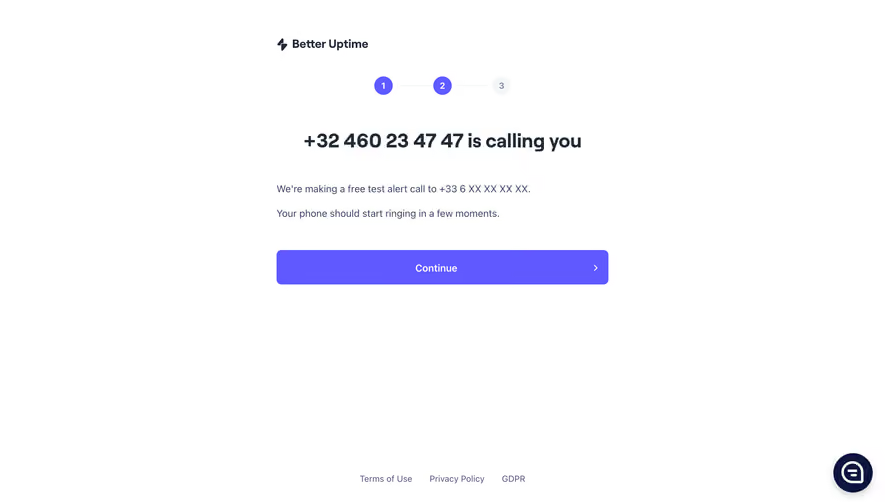


Similar screens



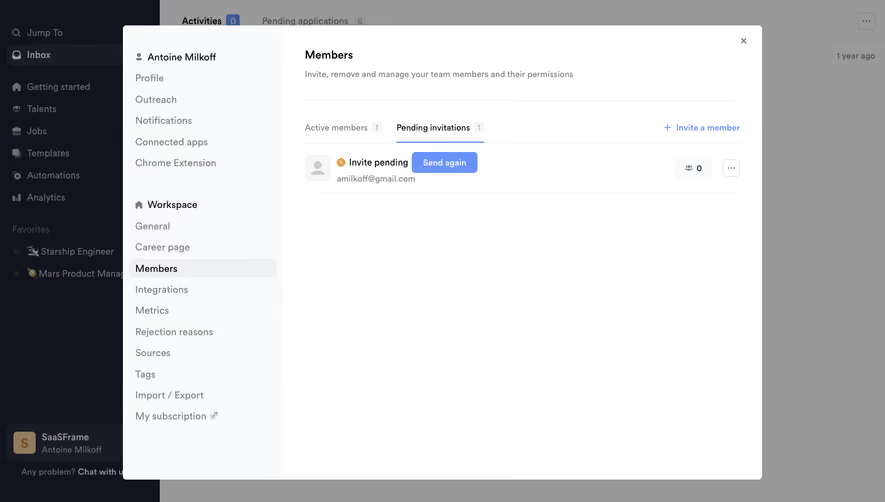



Upgrade to SaaSFrame Pro now to see similar examples.
Monthly
$18 /month
Billed $18 monthly
Browse all screens & flows
Filter and search screens & flows
Search text in screenshots
Access Figma files
Access mobile versions
Join now
Quarterly
$16 /month
Billed $48 quarterly
Browse all screens & flows
Filter and search screens & flows
Search text in screenshots
Access Figma files
Access mobile versions
Join now
Yearly
$15 /month
Billed $180 yearly
Browse all screens & flows
Filter and search screens & flows
Search text in screenshots
Access Figma files
Access mobile versions
Join now