.webp)
Thank you! Your submission has been received!
Oops! Something went wrong while submitting the form.
Get SaaSFrame Pro
Monthly
$18
Quarterly
$48
Yearly
$180
Upgrade to access this feature
Browse all screens & flows
Filter and search screens & flows
Access Figma files
Access mobile versions
Bookmark screens & flows
Join now
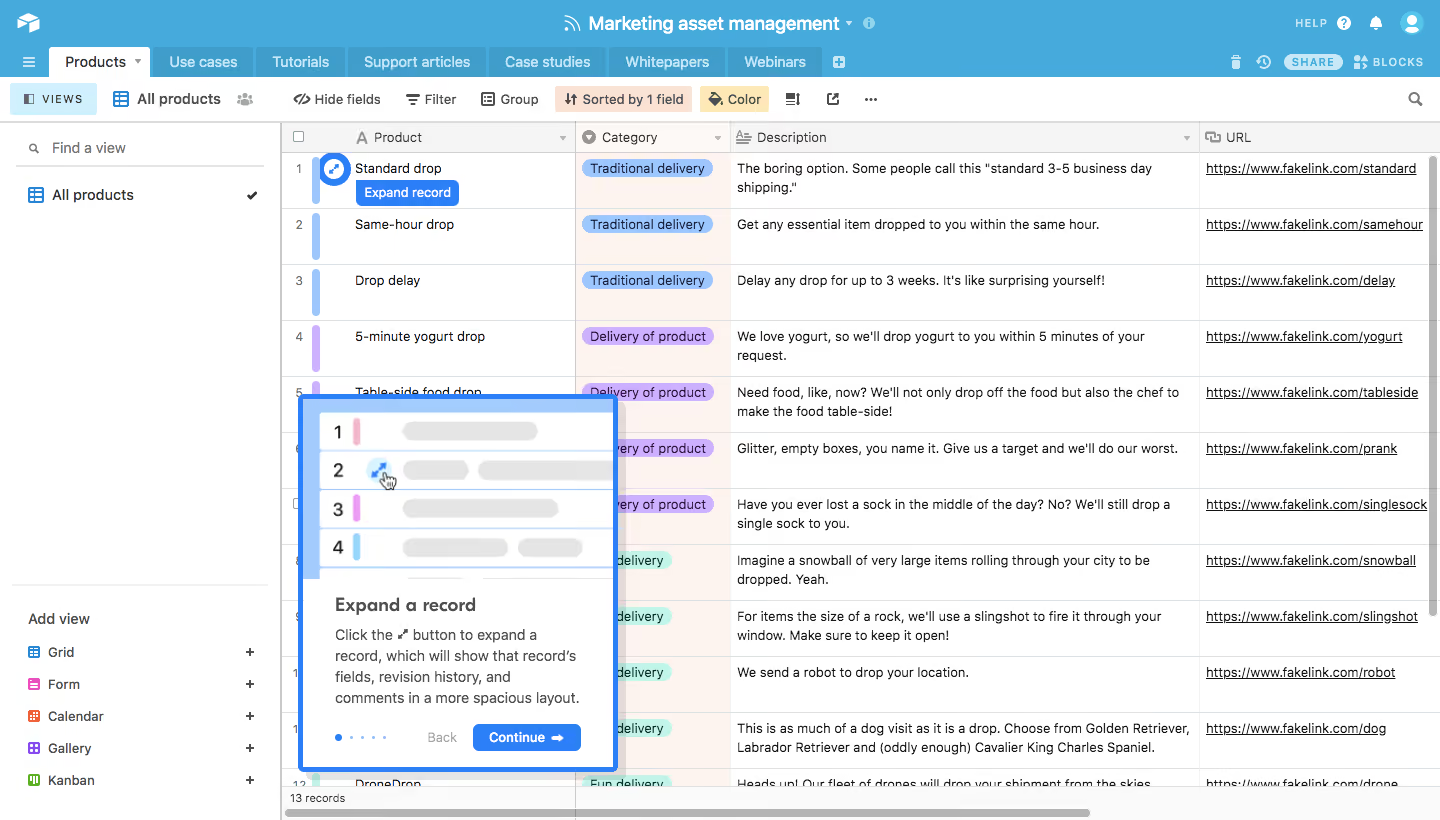
Airtable Product Tour

Airtable
Organize Anything, With Anyone
Designed by
No items found.

Bookmark
Bookmark

Design with AI
Thank you! Your submission has been received!
Oops! Something went wrong while submitting the form.
# Design from Reference: Airtable Product Tour
Create an original, high-fidelity visual design inspired by the reference. Prioritize composition, typography, colors, spacing, and component styling over technical implementation.
## Reference
- **Product:** Airtable
- **Category:** Product Tour
- **Screenshot:** https://cdn.prod.website-files.com/5e9dc792e1210c5325f7ebbc/6acc0d688938256d024ec531_6acc08571c19e7f532d34c29_cms-0307761fd7501882e6119dbb-v3.webp
Analyze the screenshot first. If inaccessible, request it rather than guessing.
## Content
{{content.instructions}}
{{content.data}}
Preserve essential messaging and factual accuracy. Adapt structure and copy length for visual balance; never invent product claims.
## Visual Design
### Overall aesthetic
- **Character:** A dense spreadsheet-style workspace is overlaid by a bright blue onboarding card. The underlying interface remains fully visible rather than being covered by a dark scrim.
- **Visual language:** Thin grid rules, compact controls and colored category pills create a functional data-management aesthetic, while the tour uses an illustrated preview and heavier blue outline.
### Page composition
- **Capture:** The source measures 1440 × 820 pixels. Measurements below are observed image pixels; equivalent CSS dimensions assume an unverified 1× scale.
- **Application header:** A blue top region contains the base name, utility icons and a horizontal table-tab strip. A white view toolbar runs beneath it.
- **Sidebar:** A roughly 280 px left panel contains view search, the selected grid view and a bottom-aligned Add view menu with five view types.
- **Data grid:** The remaining width shows row numbers and four visible columns: product, category, description and URL. Horizontal and vertical scrollbars indicate additional content.
- **Tour placement:** A roughly 320 × 375 px card overlays the lower-left grid area, beginning around x=300, y=395. Its top illustration precedes the instructional text and navigation controls.
### Information hierarchy
- **Workspace identity:** The centered base title is the strongest element in the blue header; table tabs form a secondary navigation layer.
- **Data scan:** Column headings sit above compact row content. Colored category pills and matching left-edge row marks support rapid categorization.
- **Tour focus:** A blue expand affordance and label appear beside the first record. The overlay explains that action with a bold heading, short paragraph and primary Continue button.
- **Tour progress:** Small dots and a muted Back label sit below the explanation, subordinate to the blue continuation control.
### Typography
- **Family:** The interface uses a neutral sans serif; exact font identity is unverified.
- **Workspace and tabs:** The base name is approximately 18 px and semibold; tabs and toolbar controls are around 14 px.
- **Grid content:** Cell values are approximately 13–14 px with roughly 19 px line height. Description cells wrap, while URL values appear underlined.
- **Tour copy:** The overlay heading is approximately 18 px, bold. Supporting text is around 14 px with 21 px leading, and button text is compact and semibold.
### Colors & surfaces
- **Measured shell:** ICC-aware sRGB sampling yields header blue #46AADC and darker tab blue #409CCB.
- **Measured tour accent:** Bright #2D7FF9 appears in the tour outline, primary button and expand affordance.
- **Measured neutrals:** White #FFFFFF dominates, with #FAFAFA and #F5F5F5 supporting headers and controls. Grid rules include #E5E5E5 and #DDE1E3; dark text includes #111111.
- **Category treatment:** Blue, lavender and mint pills distinguish category groups against a faint warm-tinted column surface, sampled at #FDF3EF.
### Components
- **Table tabs:** Compact rectangular tabs share the header baseline; the active Products tab has a white surface and dropdown caret, while inactive tabs retain blue-toned fills.
- **View toolbar:** Icon/text controls cover field visibility, filtering, grouping, sorting and color. Sorting and color controls have pale tinted backgrounds indicating configured settings.
- **Grid:** Fine rules separate variable-width columns and roughly 56 px rows. Small row-selection boxes and colored vertical markers occupy the left gutter.
- **Tour card:** A thick blue border surrounds a white panel with a blue-framed instructional illustration. Corners are subtly rounded and a shadow separates it from the grid.
- **Tour footer:** Five small progress dots, a quiet Back action and a compact blue Continue button with a right arrow form a single row.
- **View menu:** Grid, Form, Calendar, Gallery and Kanban rows pair small colored icons with labels and right-aligned plus symbols.
### Visual rhythm
- **Dense shell:** Header tabs, toolbar items and grid headings form three closely stacked horizontal bands.
- **Grid cadence:** Regular row heights and narrow cell padding make the table highly structured despite wrapped descriptions.
- **Overlay spacing:** The tour card shifts to a roomier rhythm, with distinct illustration, heading, paragraph and action zones.
- **Persistent anchors:** The sidebar's view list remains at the top while view-creation choices sit at the bottom, framing the data area.
### Responsive
- **Evidence boundary:** Only the desktop workspace is captured; responsive behaviors are recommendations.
- **Grid handling:** Preserve readable column widths through horizontal scrolling rather than compressing every field.
- **Tour placement:** Reposition the tutorial card on smaller screens so the target affordance remains visible and the continuation button stays reachable.
- **Shell adaptation:** Collapse the view sidebar and less-used toolbar actions into accessible menus when width is limited.
### Adaptation guidance
- **Contextual teaching:** Pair the highlighted in-place action with a concise explanatory card and a small illustration of the interaction.
- **Layer management:** Keep the tour above the table without obscuring essential navigation; provide an accessible dismissal and keyboard focus behavior.
- **Reusable data styling:** Combine category pills, row markers and consistent grid rules, retaining text labels so color is supplementary.
- **State boundaries:** Treat the shown tour position and selected view as a single captured state; hover, expanded-record and subsequent tutorial states are not verified.
- **Scale validation:** Calibrate observed pixel sizes to the target viewport before turning them into CSS tokens.
Use this context to reproduce the reference's visual language: layout, typography, colors, spacing, borders, radii, and distinctive elements. The screenshot takes priority if descriptions conflict.
## Direction
{{preferences.fidelityInstructions}}
## Output
{{output.instructions}}
Deliver a polished, cohesive design with precise alignment, hierarchy, and spacing. Produce the requested visual artifact, not just a description. If unsupported, explain the limitation.

.avif)
Category
Patterns


Added on
February 4, 2023
Found in 1 flow

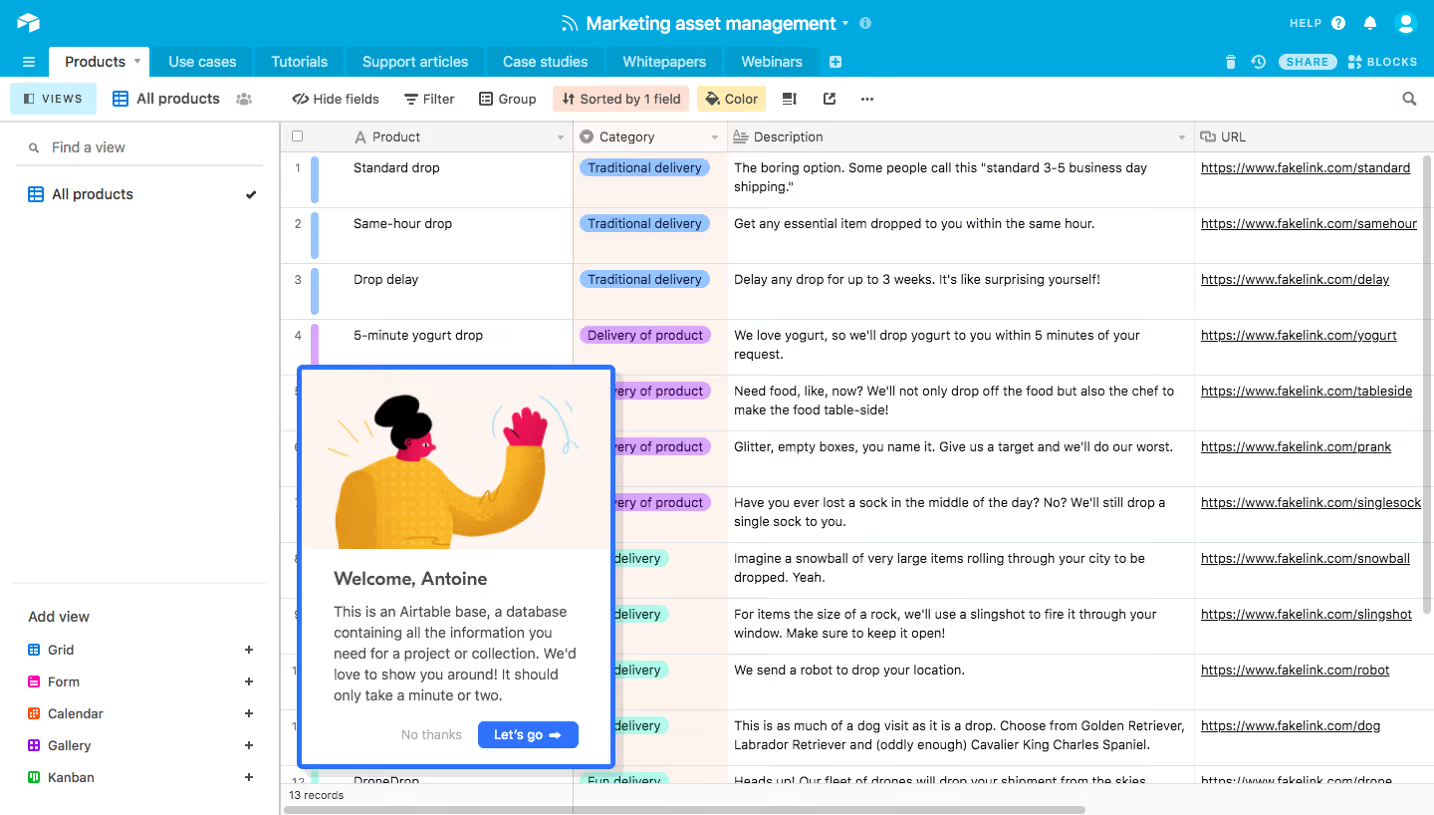

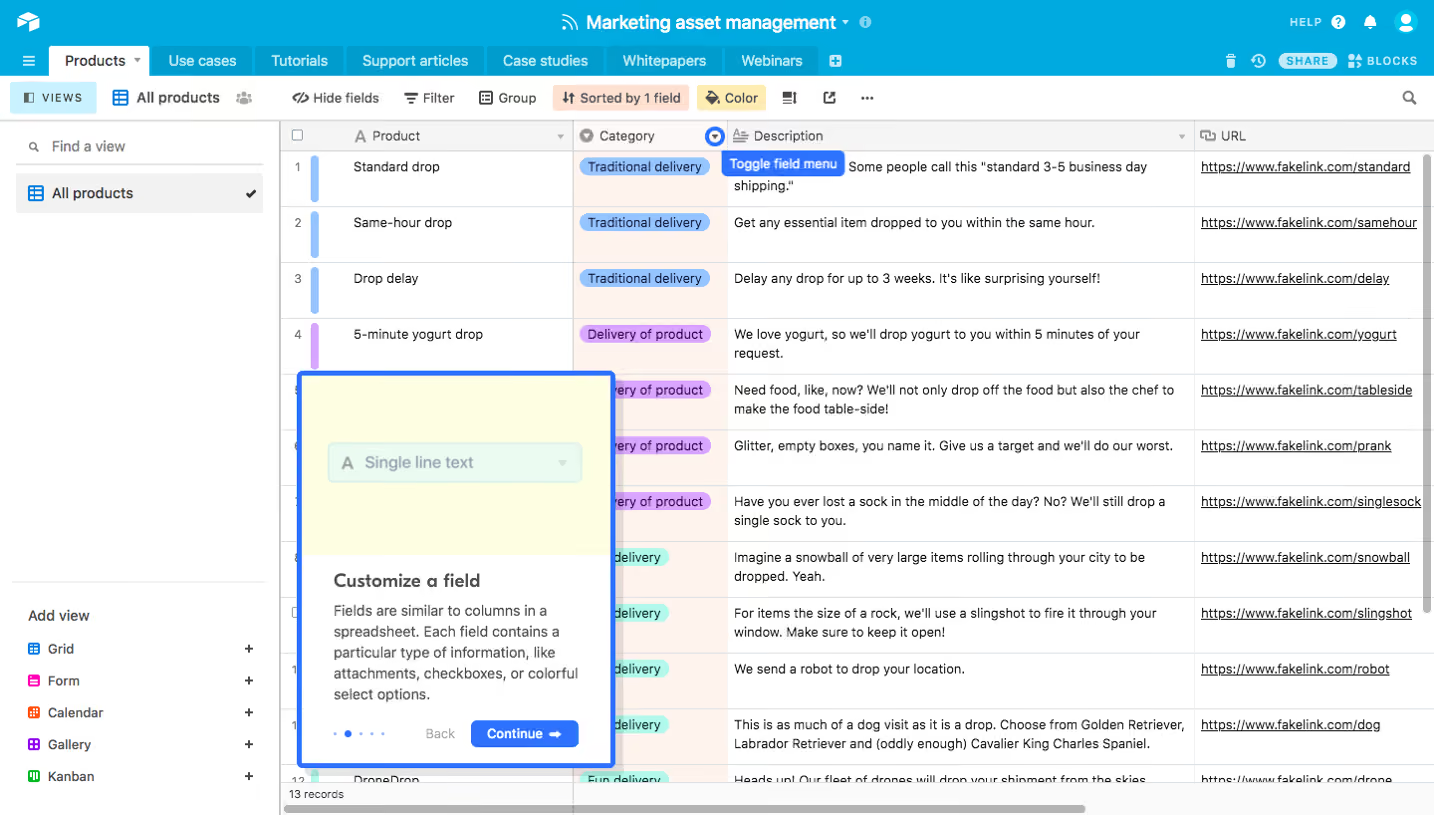


Similar screens
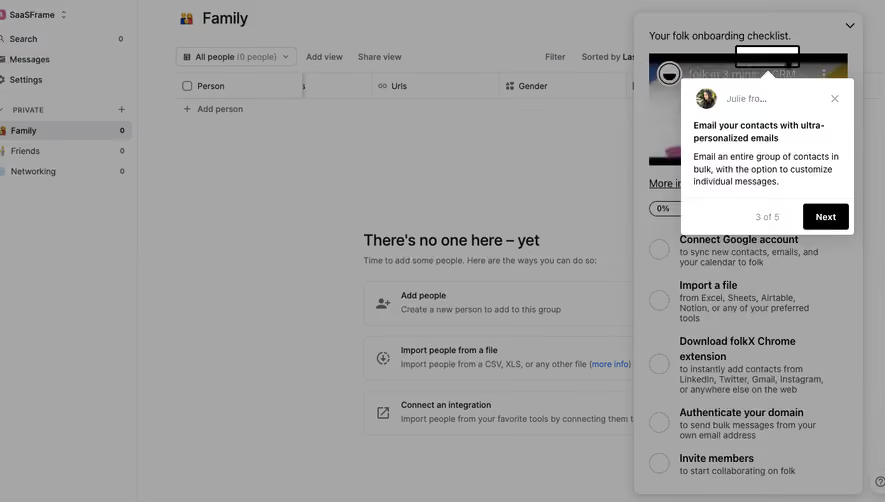



Upgrade to SaaSFrame Pro now to see similar examples.
Monthly
$18 /month
Billed $18 monthly
Browse all screens & flows
Filter and search screens & flows
Search text in screenshots
Access Figma files
Access mobile versions
Join now
Quarterly
$16 /month
Billed $48 quarterly
Browse all screens & flows
Filter and search screens & flows
Search text in screenshots
Access Figma files
Access mobile versions
Join now
Yearly
$15 /month
Billed $180 yearly
Browse all screens & flows
Filter and search screens & flows
Search text in screenshots
Access Figma files
Access mobile versions
Join now