.webp)
Thank you! Your submission has been received!
Oops! Something went wrong while submitting the form.
Get SaaSFrame Pro
Monthly
$18
Quarterly
$48
Yearly
$180
Upgrade to access this feature
Browse all screens & flows
Filter and search screens & flows
Access Figma files
Access mobile versions
Bookmark screens & flows
Join now
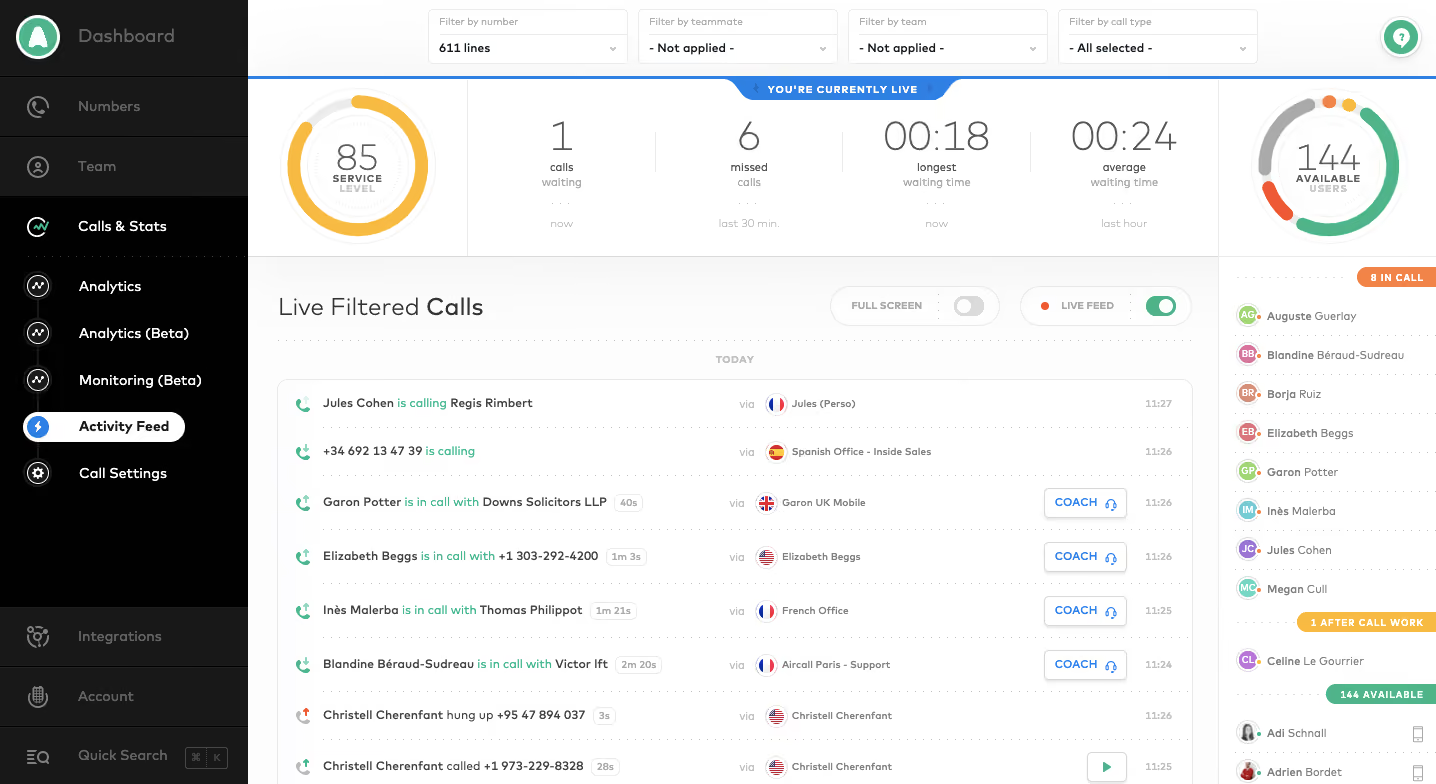
Aircall Analytics

Aircall
Cloud Phone System
Designed by
No items found.

Bookmark
Bookmark

Design with AI
Thank you! Your submission has been received!
Oops! Something went wrong while submitting the form.
# Design from Reference: Aircall Analytics
Create an original, high-fidelity visual design inspired by the reference. Prioritize composition, typography, colors, spacing, and component styling over technical implementation.
## Reference
- **Product:** Aircall
- **Category:** Analytics
- **Screenshot:** https://cdn.prod.website-files.com/5e9dc792e1210c5325f7ebbc/6acbc0777ce271b12870b72b_6acbbfcc4f59d5c94389bf3f_cms-44f628f74c2b5c80af974e34.webp
Analyze the screenshot first. If inaccessible, request it rather than guessing.
## Content
{{content.instructions}}
{{content.data}}
Preserve essential messaging and factual accuracy. Adapt structure and copy length for visual balance; never invent product claims.
## Visual Design
### Overall aesthetic
- **Character:** A live call-operations dashboard combines a black navigation rail, pale data workspace and circular service/availability indicators.
- **Capture evidence:** The image measures 1436 × 784 pixels. Approximate dimensions refer to image pixels; a near-1× CSS scale is plausible but unverified.
- **Visual language:** Fine gray dividers, compact labels and green/orange status accents organize a dense real-time interface.
### Page composition
- **Sidebar:** An approximately 248px-wide dark rail contains a logo/dashboard header, navigation groups and lower integrations/account/search utilities.
- **Top filters:** Four compact dropdowns span the workspace for number, teammate, team and call type.
- **Live summary:** A thin blue line and centered live-status tab sit above circular service and availability gauges, with four textual call metrics between.
- **Activity area:** A large Live Filtered Calls heading and fullscreen/live-feed switches precede a bordered call list.
- **Right roster:** A narrow availability column lists users under colored status-group labels.
- **Viewport boundary:** The bottom of the call feed and roster continues beyond the capture.
### Information hierarchy
- **Live context:** The blue live-status marker establishes that the dashboard presents current operational state.
- **Summary metrics:** Large thin numerals show waiting/missed calls and waiting-time values, framed by circular gauges.
- **Activity stream:** Bold caller labels, green call-state phrases, small timing badges and routing details structure individual feed entries.
- **Operator controls:** Some active-call rows include outlined Coach actions; a completed row includes a small play control.
- **Roster status:** Orange, amber and green group labels distinguish in-call, after-call-work and available states.
### Typography
- **Family:** A rounded sans-serif is visible; exact identity is unverified.
- **Summary numerals:** Approximately 40px, thin weight, with compact line-height.
- **Activity heading:** Approximately 24px regular.
- **Sidebar:** Approximately 14px, with white selected labels and muted gray secondary destinations.
- **Feed text:** Approximately 12px, with caller labels semibold and status wording in green.
- **Small labels:** Gauge captions and status banners use approximately 9–11px uppercase text with increased tracking.
### Colors & surfaces
- **Main surface:** Sampled #FFFFFF forms the activity workspace.
- **Sidebar:** Sampled #010101 and #181818 supply black and charcoal navigation surfaces.
- **Pale areas:** Sampled #FDFDFC and nearby near-white shades support the summary and filter regions.
- **Blue:** Sampled #307FE2 supplies the live indicator and action accents.
- **Status colors:** Sampled #50B489 green, #F7BB44 amber, #F18449 orange and #EE5A35 red-orange distinguish gauge segments and operational states.
- **Rules:** Light-gray solid and dotted lines divide summary metrics, feed rows and roster entries.
### Components
- **Filter dropdowns:** Four approximately 200 × 54px controls use a pale upper label area and darker selected-value line with a small chevron.
- **Circular gauges:** Large rings around 150px in diameter surround a central value and uppercase caption; service uses amber while availability uses multiple status colors.
- **Metric strip:** Four text blocks use vertical separators and small time-window captions below large values.
- **Call-feed rows:** Compact entries combine a call icon, caller/state text, duration badge, routing flag/label, optional Coach button and timestamp.
- **Feed controls:** Rounded capsule groups contain small labels and switches; Live Feed appears enabled in green, Full Screen disabled in gray.
- **Roster:** Small circular initials/photo avatars precede user labels, with colored status banners aligned above groups.
- **Selected navigation:** Activity Feed appears as a white pill on black with a blue circular lightning icon.
### Visual rhythm
- **Band structure:** Filters, metrics and feed form three distinct horizontal layers.
- **Sidebar cadence:** Navigation rows are around 48–60px high, with lower utilities separated by flexible dark space.
- **Feed cadence:** Dotted rules repeat roughly every 54px, enabling rapid row scanning.
- **Density:** Small text and compact controls maximize visible activity; larger numerical summaries provide relief above the feed.
- **Alignment:** Call details follow stable columns despite varied row content and optional actions.
### Responsive
- **Evidence limit:** Only a wide desktop view is visible; live updates, coaching and responsive behavior are unverified.
- **Layout recommendation:** Move the user roster into a separate view or collapsible panel when width decreases.
- **Filter recommendation:** Wrap filters into two rows and retain readable selected values.
- **Metric recommendation:** Use a compact grid for summary values while preserving explicit status labels.
- **Feed recommendation:** Prioritize caller/state and timing, with secondary routing/actions accessible without shrinking all text.
### Adaptation guidance
- **Operational clarity:** Pair every status color with a label or icon and keep summary definitions explicit.
- **Reusable rows:** Build consistent call-entry and roster components with optional action slots.
- **Privacy:** Use representative caller information in demonstrations rather than copying names or phone numbers.
- **Accessibility:** Provide accessible gauge values, switch states and keyboard focus; announce live updates selectively to avoid overwhelming assistive technology.
- **Behavioral scope:** Treat coaching, playback and live-feed controls as observed interface elements, with functionality specified separately.
Use this context to reproduce the reference's visual language: layout, typography, colors, spacing, borders, radii, and distinctive elements. The screenshot takes priority if descriptions conflict.
## Direction
{{preferences.fidelityInstructions}}
## Output
{{output.instructions}}
Deliver a polished, cohesive design with precise alignment, hierarchy, and spacing. Produce the requested visual artifact, not just a description. If unsupported, explain the limitation.

.avif)
Category


Added on
February 4, 2023
Found in 1 flow


Similar screens
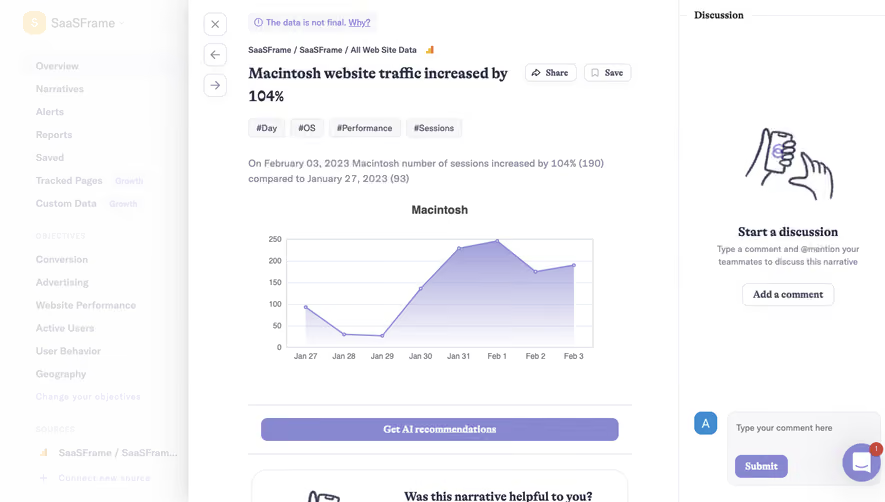


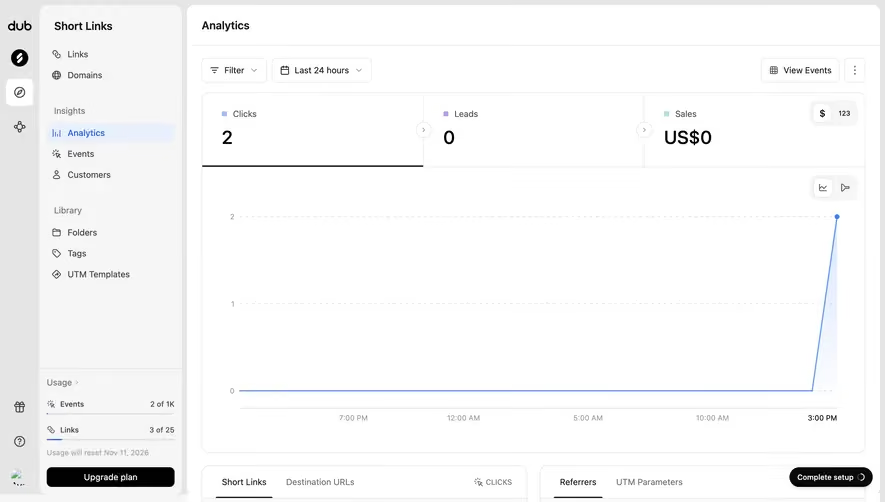



Upgrade to SaaSFrame Pro now to see similar examples.
Monthly
$18 /month
Billed $18 monthly
Browse all screens & flows
Filter and search screens & flows
Search text in screenshots
Access Figma files
Access mobile versions
Join now
Quarterly
$16 /month
Billed $48 quarterly
Browse all screens & flows
Filter and search screens & flows
Search text in screenshots
Access Figma files
Access mobile versions
Join now
Yearly
$15 /month
Billed $180 yearly
Browse all screens & flows
Filter and search screens & flows
Search text in screenshots
Access Figma files
Access mobile versions
Join now