Design with AI
Generate a new design based on this screen using your own content.
# Design from Reference: Abyssale User Onboarding
Create an original, high-fidelity visual design inspired by the reference. Prioritize composition, typography, colors, spacing, and component styling over technical implementation.
## Reference
- **Product:** Abyssale
- **Category:** User Onboarding
- **Screenshot:** https://cdn.prod.website-files.com/5e9dc792e1210c5325f7ebbc/6acbc682edc235600abc910c_6acbc0c65c8937341a5630af_cms-8e83f70123c1bce28049e8a1.webp
Analyze the screenshot first. If inaccessible, request it rather than guessing.
## Content
{{content.instructions}}
{{content.data}}
Preserve essential messaging and factual accuracy. Adapt structure and copy length for visual balance; never invent product claims.
## Visual Design
### Overall aesthetic
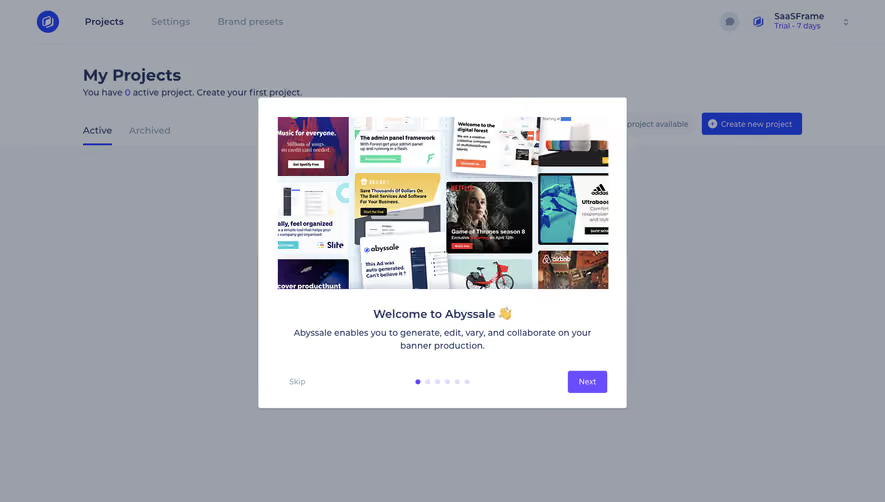
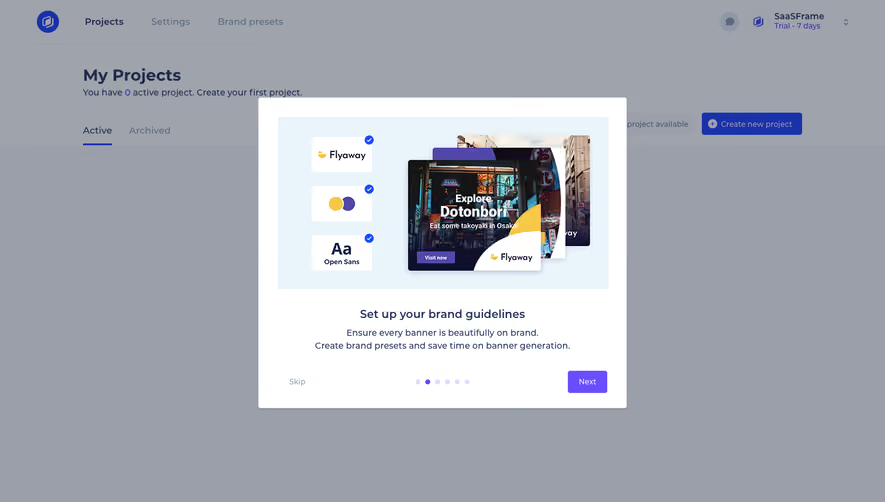
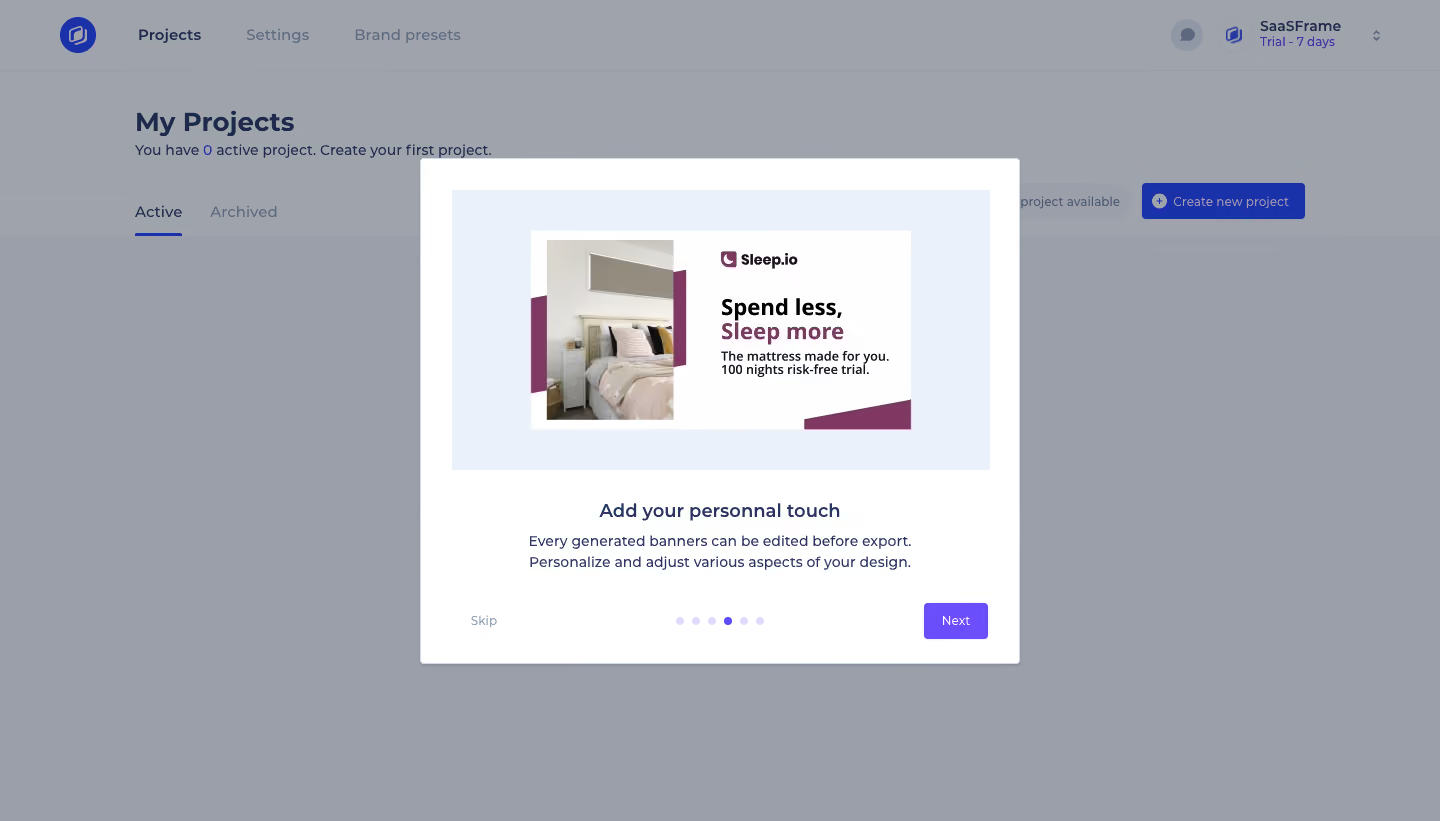
- **Character:** A product-tour modal over a dimmed project dashboard, combining a large example banner with concise guidance.
- **Tone:** Light and approachable, with pale blue demonstration framing, navy text and a purple progression action.
### Page composition
- **Capture:** The source measures 1440 × 821 image pixels. A 1× CSS scale is plausible but unverified; dimensions below refer to image pixels.
- **Background:** A project dashboard shows a top navigation, My Projects heading, Active/Archived tabs and a project-creation action, all under a gray-blue scrim.
- **Modal:** A centered white panel is approximately 600 × 505 pixels, with roughly 32-pixel outer padding and small rounded corners.
- **Contents:** A wide demonstration image occupies the upper half; centered title and two-line explanation follow. Skip, seven progress dots and Next form the bottom row.
### Information hierarchy
- **Demonstration first:** A sample mattress advertisement leads the panel, visually illustrating editable generated banners.
- **Lesson:** “Add your personal touch” is the main heading, followed by two lines about editing and personalizing before export.
- **Progression:** The fourth of seven dots is purple; the others are pale lavender. Next is filled purple, while Skip is muted text.
- **Background context:** The empty projects area remains recognizable but visually subordinate.
### Typography
- **Family:** A rounded sans serif is visible; exact font identity is unverified.
- **Modal title:** Approximately 20 image pixels, semibold, with 26-pixel line height.
- **Explanation:** Around 15 pixels with 21-pixel line height, centered across a moderate width.
- **Controls:** Skip and Next are around 13 pixels; background page headings are larger and bold.
### Colors & surfaces
- **Measured palette:** ICC-aware sRGB sampling yields white #FFFFFF, pale demonstration blue #EAF1FA and dimmed background tones #9A9FAA and #9FA3AC.
- **Captured accents:** Deep blue #1932AA appears in dimmed dashboard controls; muted plum #803862 belongs to the example ad.
- **Modal treatment:** A thin pale edge and subtle shadow define the white panel. Purple is reserved for the tour's active dot and Next button.
### Components
- **Example ad:** A white landscape layout pairs a bedroom photograph at left with a compact logo, bold two-tone headline and smaller copy at right, plus plum geometric accents.
- **Image frame:** A pale blue rectangular surround gives the ad breathing room inside the modal.
- **Tour controls:** Seven small evenly spaced circular indicators sit centrally; a roughly 64 × 36-pixel purple Next button anchors the right.
- **Dashboard shell:** Tabs have a blue underline on Active, while the top bar includes brand, project/settings links and account/trial information.
### Visual rhythm
- **Spacing:** The image has about 32-pixel side insets; a 28–32-pixel gap separates it from the heading.
- **Copy grouping:** Title and explanation are close, followed by a larger gap before navigation controls.
- **Balance:** Centered content contrasts with Skip/Next at opposing lower corners.
### Responsive
- **Recommendation:** Keep the modal within viewport width minus 32 CSS pixels, scale the example ad proportionally and allow explanatory copy to wrap.
- **Recommendation:** Maintain readable controls and progress indicators, using vertical scrolling on short screens. No mobile rendering is captured.
### Adaptation guidance
- **Preserve:** Retain the image-led lesson, one concise explanation and clear progression indicators.
- **Build:** Use a shared tour-modal component with accessible step labels, keyboard navigation and focus management.
- **Demonstration:** Keep example advertisement content separate from the actual dashboard controls; no project creation or ad-editing interaction is evidenced by the still.
Use this context to reproduce the reference's visual language: layout, typography, colors, spacing, borders, radii, and distinctive elements. The screenshot takes priority if descriptions conflict.
## Direction
{{preferences.fidelityInstructions}}
## Output
{{output.instructions}}
Deliver a polished, cohesive design with precise alignment, hierarchy, and spacing. Produce the requested visual artifact, not just a description. If unsupported, explain the limitation.
.webp)



.avif)