.webp)
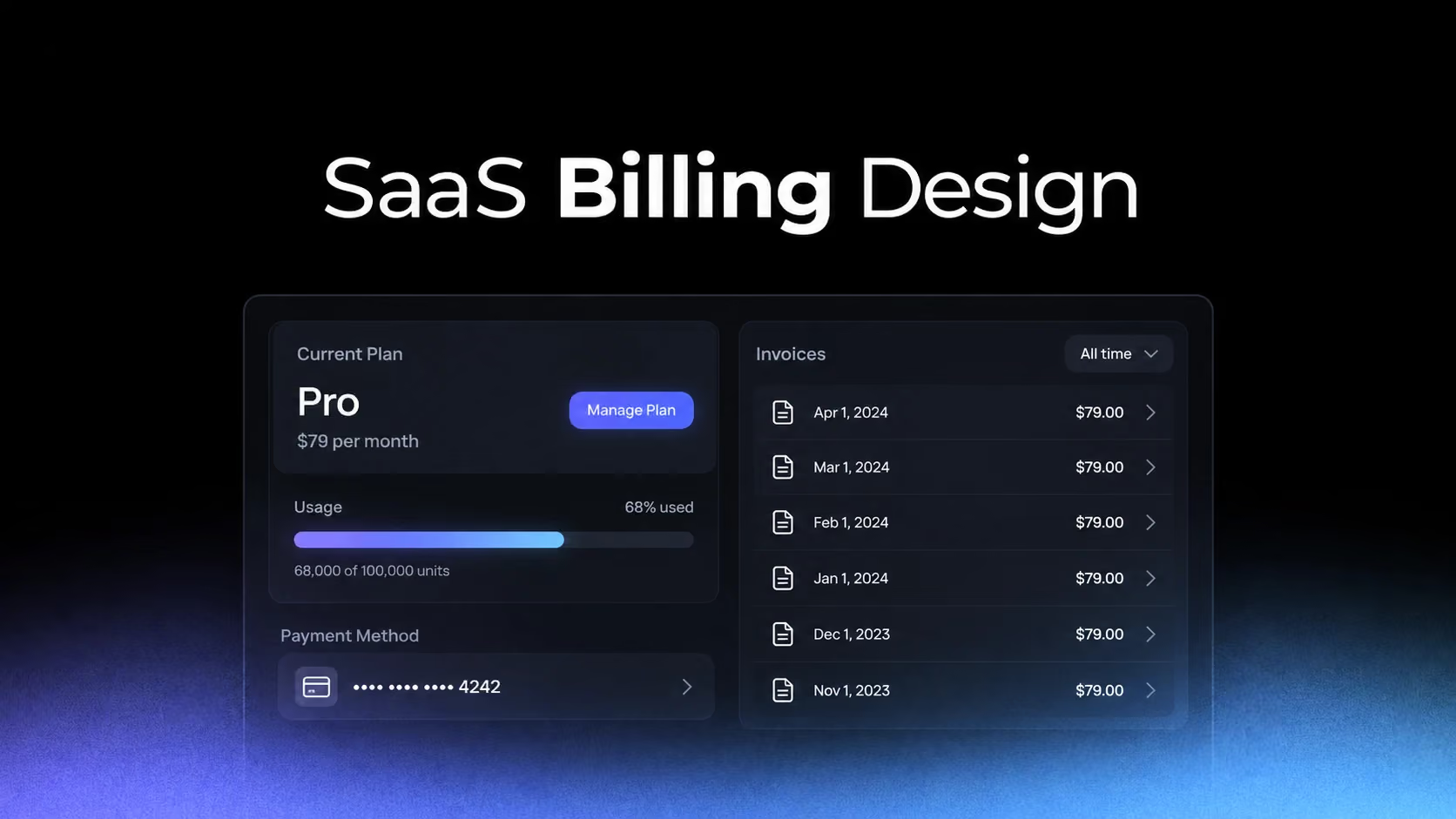
Billing UX is where product language meets contractual reality. A persuasive upgrade screen can increase conversion, but an unclear billing area creates support tickets, involuntary churn and distrust. The user should be able to reconstruct the next charge without contacting support.
Start with the subscription state, not the plan catalog
Reply and Baremetrics expose upgrade choices, but users first need an anchor: current plan, billing interval, renewal date and account scope. Without that baseline, every comparison requires memory.
Study Reply: Reply Upgrade Flow on SaaSFrame
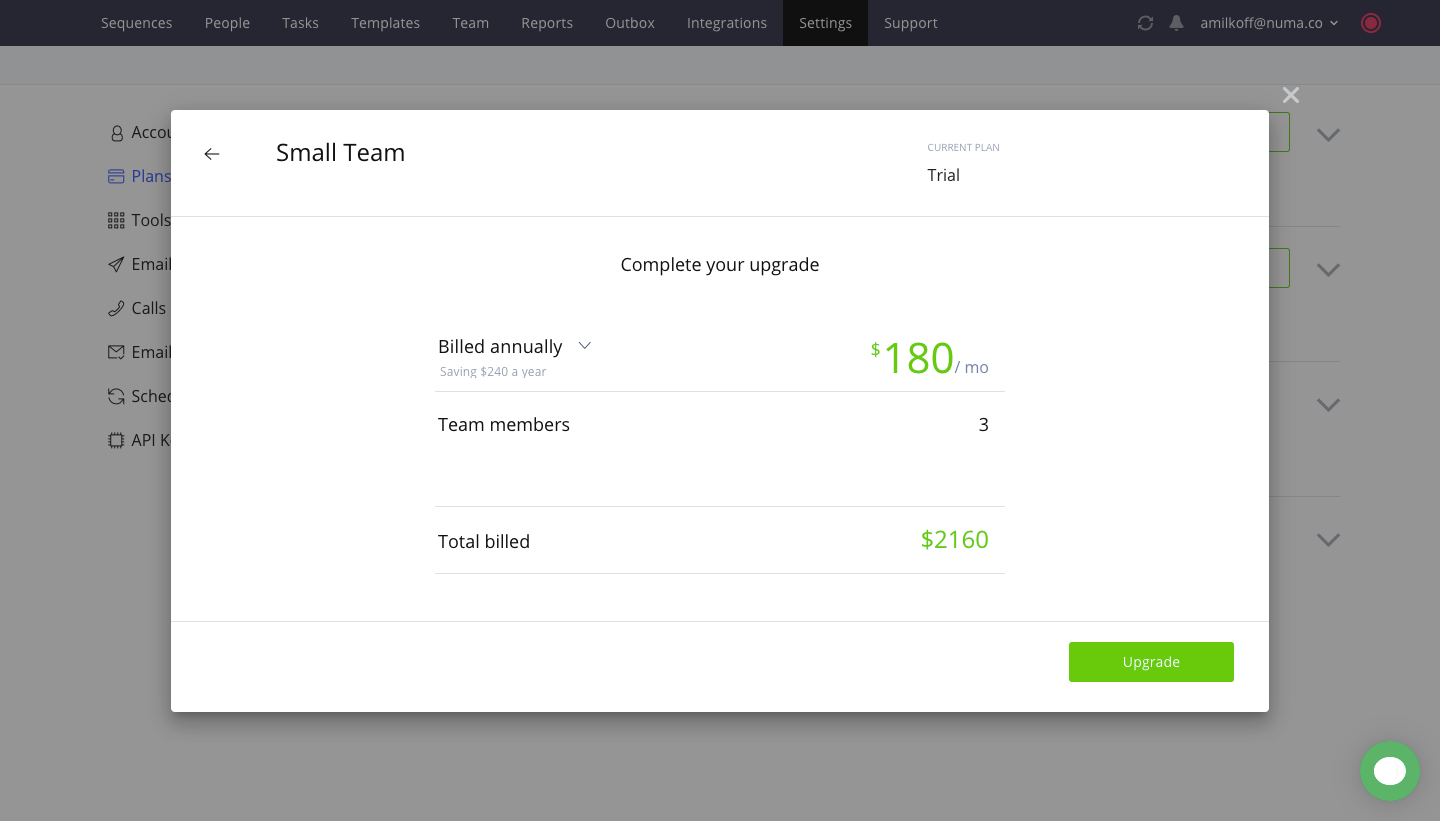
Study Baremetrics: Baremetrics Upgrade Flow on SaaSFrame
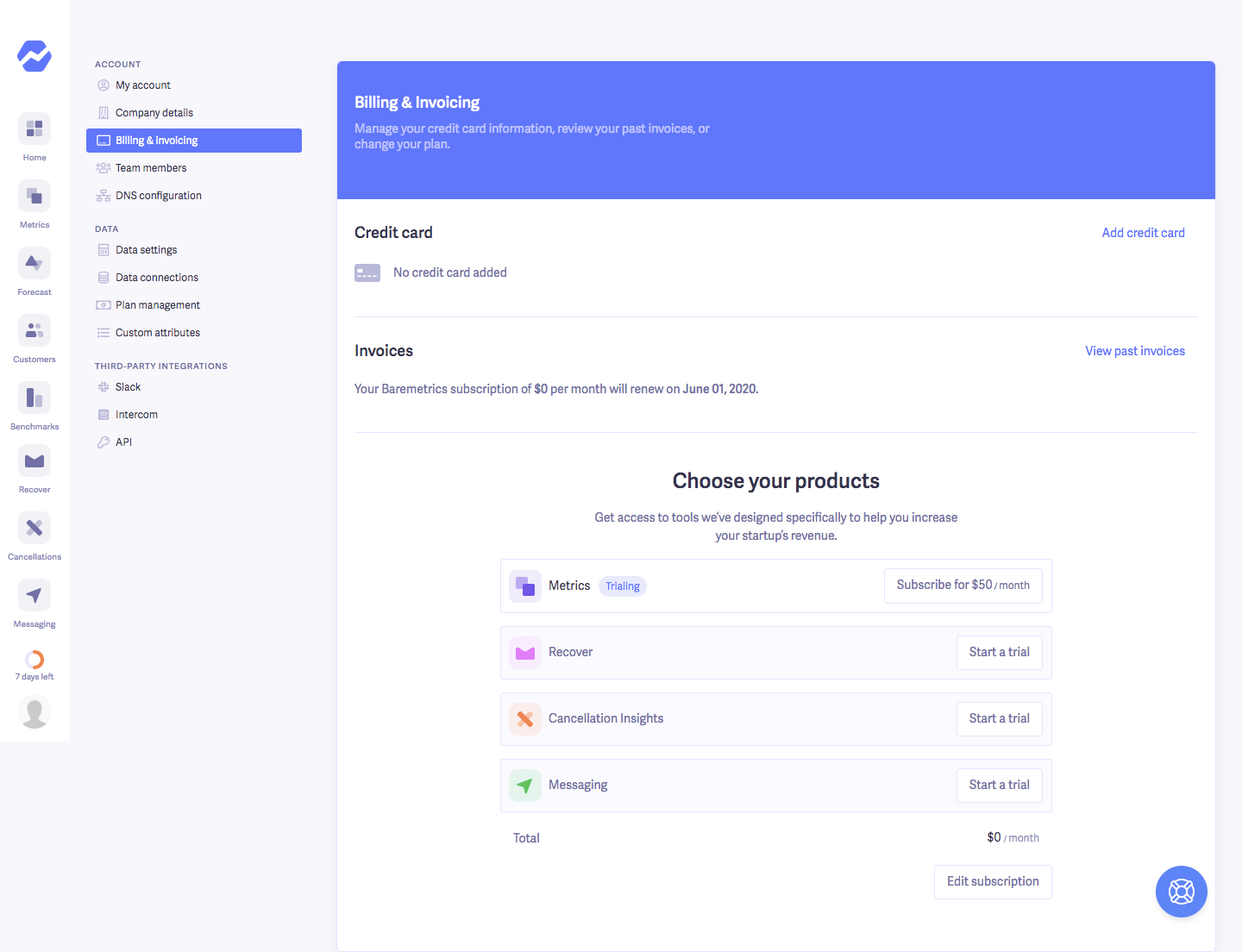
The current state should remain visible while exploring alternatives. Highlighting a recommended plan is useful only after the user understands what will change from today.
Usage-based billing needs a legible equation
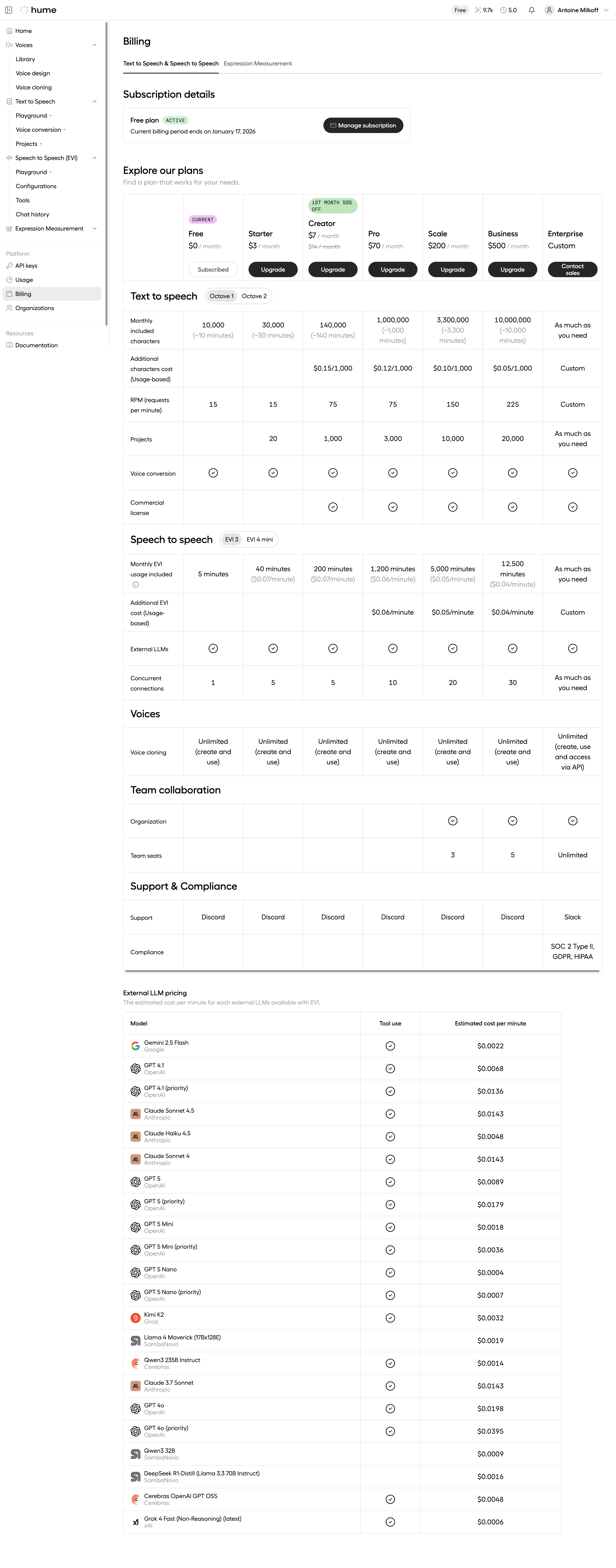
Hume AI separates usage across services, which reflects how costs are generated. The interface challenge is to connect consumption, included allowance, unit price and estimated charge in one understandable chain.
Study Hume AI: Hume AI Text to Speech Billing on SaaSFrame
Study Hume AI: Hume AI Expression Measurement Billing on SaaSFrame
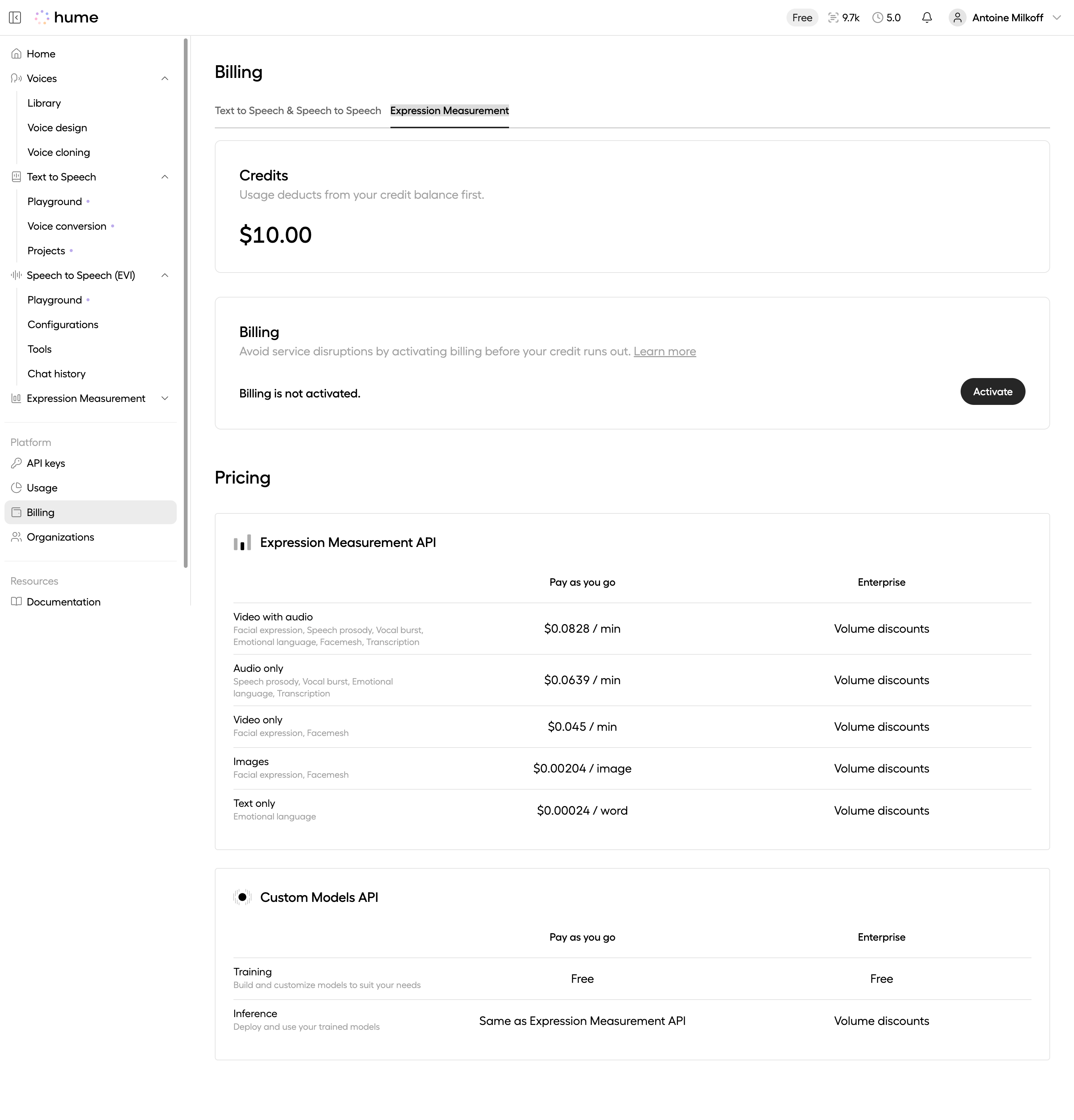
A progress bar alone is insufficient when exceeding a limit changes the bill. Show the measurement window, update cadence and what happens at the threshold. Estimates should be labeled as estimates, not presented with false precision.
Plan changes are timelines, not button clicks
Pirsch Analytics keeps plan management compact, but any change still has an effective date and financial consequence. Users need to know whether access changes immediately, at renewal or after a prorated adjustment.
Study Pirsch Analytics: Pirsch Analytics Billing on SaaSFrame
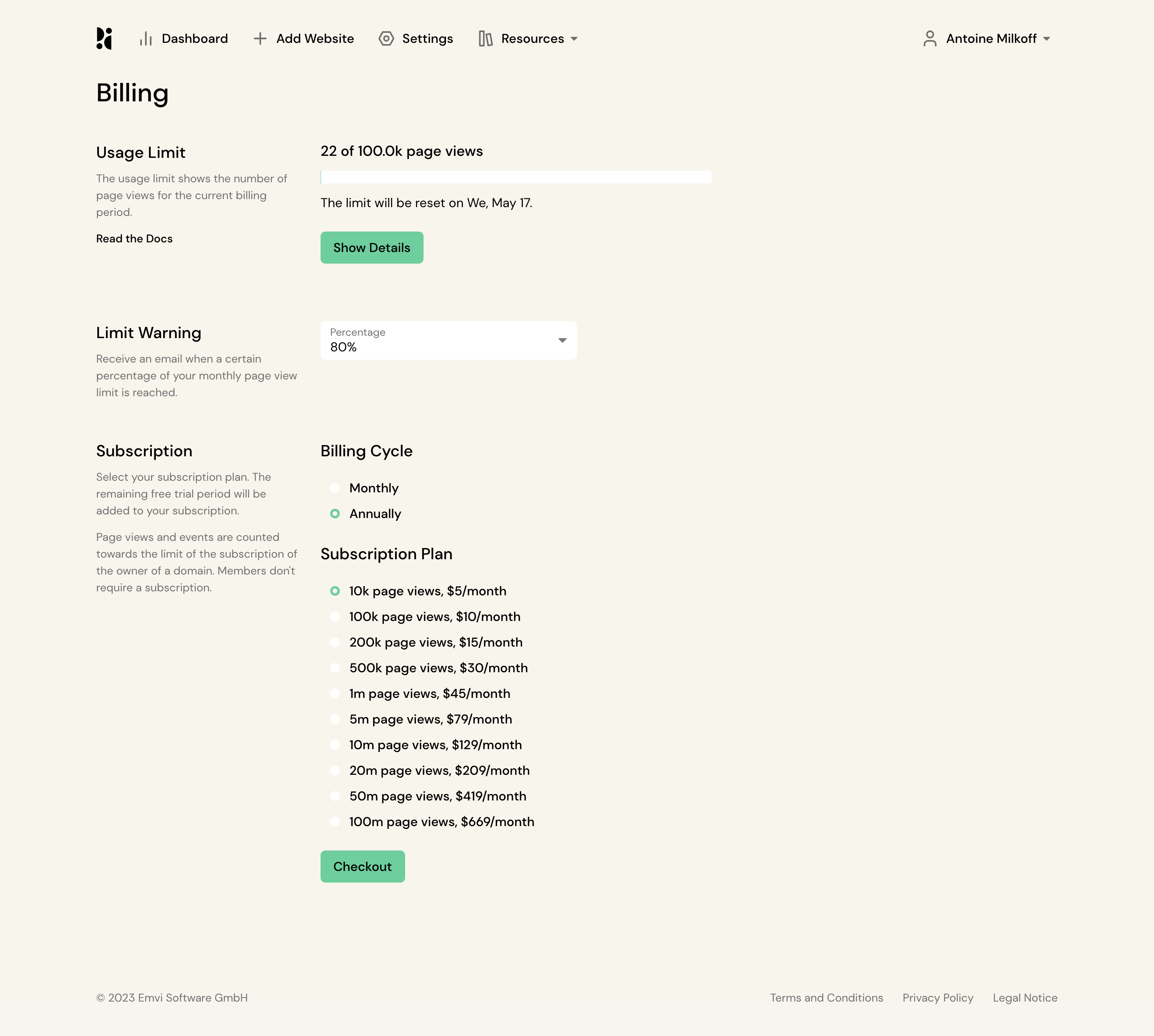
Place the effective date and price consequence beside the confirmation action. Do not hide them inside terms or a post-click receipt.
An upgrade screen should explain value without obscuring control
Hey focuses the page on the upgrade decision, which reduces distraction. The risk is that a conversion-oriented screen can omit practical details such as tax, cancellation or invoice access.
Study Hey: Hey Upgrade Flow on SaaSFrame

Keep commercial messaging on the decision screen, but preserve a direct route back to subscription management. Billing UX should make upgrading attractive without making exiting confusing.
What to carry into your own design
Audit billing pages with concrete questions: What will I pay next? On what date? For which workspace or seats? What changes immediately? Where are my invoices? If the interface cannot answer all five, it is not yet transparent enough.
Explore more real interfaces in the related SaaSFrame collection.