.webp)
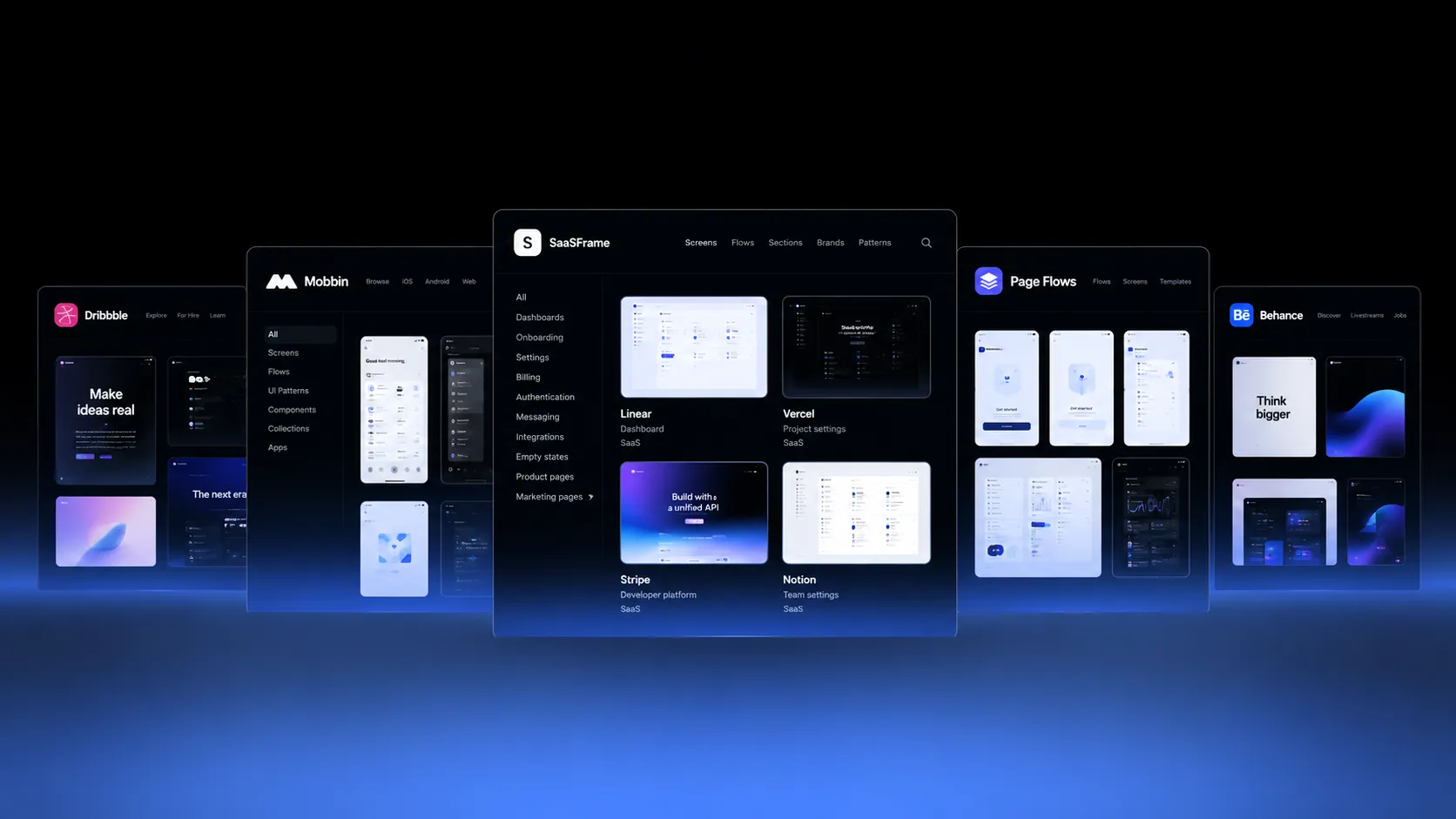
Free SaaS design galleries are great for inspiration. Paid libraries become worth considering when searchable real product screens, complete flows, and reusable references save time on actual projects. The best choice depends on what you are designing, not the number of screenshots advertised.
Disclosure: This comparison is published by SaaSFrame, one of the products discussed. We have not independently benchmarked every competitor's paid tier or verified live pricing. Check official websites before subscribing.
Free vs paid: what changes?
Free galleries such as Dribbble and Behance are useful for visual directions, creative concepts and portfolio case studies. A paid SaaS research library is more useful when you need to find specific shipped product interfaces, understand surrounding states and return to references across projects.
Compare the most useful options
SaaSFrame focuses on SaaS websites, product interfaces, sections, patterns, and flows, with editable Figma copying on supported Pro examples. Mobbin is a broader app interface reference library. Page Flows focuses on recorded user journeys. Refero offers web and mobile design references. Dribbble and Behance remain useful for visual exploration, but a concept shot is not proof of a live interaction.
When is a paid SaaS design library worth it?
First, search should match real design tasks: dashboard filters, empty states, pricing, or team invitations. Second, the collection should show real product context rather than just attractive hero images. Third, connected onboarding or billing flows should help you understand decisions across screens. Fourth, bookmarks and editable references should make your findings reusable. Finally, the time saved should justify the subscription.
When SaaSFrame is a good fit
SaaSFrame is especially relevant when your work spans both SaaS marketing pages and in-product UX. You can research pricing page structure, investigate subscription management screens, and save references in one SaaS-focused environment. Supported examples offer a Copy in Figma workflow for Pro members; availability varies by example.
When free tools or competitors make more sense
Use Dribbble or Behance for moodboards and visual experimentation. Visit live SaaS websites when you want primary evidence of public-facing pages. Consider Mobbin when broad app coverage is your priority, and Page Flows when recorded interactions are central to the task. No one library has to cover every research need.
A simple break-even test
Choose three tasks from your current project. Search each task in the library, check whether the results are relevant, inspect surrounding screens, and see whether you can reuse the references. Then estimate the time saved. For example, at a hypothetical $20 monthly price and $50 hourly value, saving 24 minutes per month covers the cost. This is an illustration, not a current product price.
Which should you choose?
For occasional inspiration, start free. For frequent SaaS interface research, evaluate paid libraries against the exact patterns and flows you work on. SaaSFrame is a strong candidate for designers working across SaaS websites and product screens. Browse the library before deciding whether Pro matches your workflow.
Quick comparison
| Resource | Best for | Check before choosing |
|---|---|---|
| SaaSFrame | SaaS website and product research | Pro access and Figma availability |
| Mobbin | Broad app UI research | Platform and product coverage |
| Page Flows | Recorded journeys | Specific flows available |
| Refero | Web and mobile references | Access and category coverage |
| Dribbble / Behance | Visual inspiration | Whether examples are shipped |
Frequently asked questions
Are paid SaaS design libraries better than free alternatives?
Not always. They are most useful for recurring, specific design research. Free galleries often suffice for early visual exploration.
Where can I find complete onboarding flows?
SaaSFrame includes SaaS flows; Page Flows focuses on recorded user journeys. Check the coverage for your specific task.
Do paid libraries provide editable Figma files?
Some do. SaaSFrame supports Copy in Figma on eligible examples for Pro members; not every screen has the same availability.
Is a subscription worth it for a solo designer?
It can be when the library saves more time than its monthly cost. Test it against three real tasks before committing.