.webp)
Thank you! Your submission has been received!
Oops! Something went wrong while submitting the form.
Get SaaSFrame Pro
Monthly
$18
Quarterly
$48
Yearly
$180
Upgrade to access this feature
Browse all screens & flows
Filter and search screens & flows
Access Figma files
Access mobile versions
Bookmark screens & flows
Join now
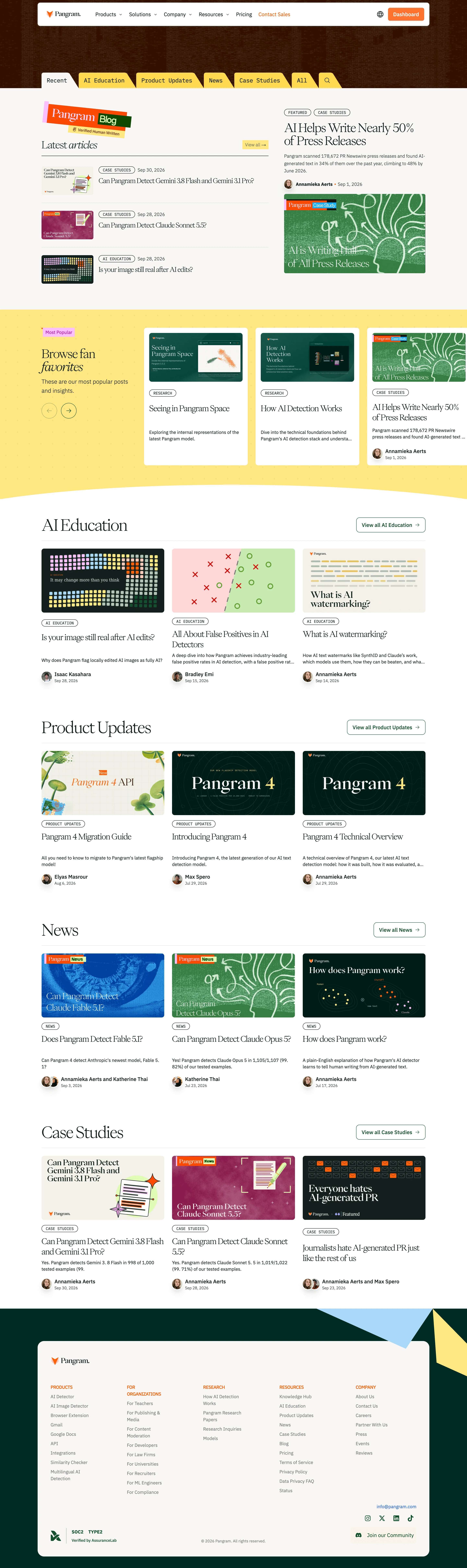
Pangram Blog Feed

Pangram
AI detection for text and images.
Designed by
No items found.

Bookmark
Bookmark

Design with AI
Thank you! Your submission has been received!
Oops! Something went wrong while submitting the form.
# Design from Reference: Pangram Blog Feed
Create an original, high-fidelity visual design inspired by the reference. Prioritize composition, typography, colors, spacing, and component styling over technical implementation.
## Reference
- **Product:** Pangram
- **Category:** Blog Feed
- **Screenshot:** https://cdn.prod.website-files.com/5e9dc792e1210c5325f7ebbc/6aca2618a3a034e38b3ee632_6aca22a1fc79d3a6f5da151f_cms-a80acece4d434c0343bbd14f.webp
Analyze the screenshot first. If inaccessible, request it rather than guessing.
## Content
{{content.instructions}}
{{content.data}}
Preserve essential messaging and factual accuracy. Adapt structure and copy length for visual balance; never invent product claims.
## Visual Design
### Overall aesthetic
- **Style:** Expressive editorial blog directory mixing elegant serif titles, monospaced category labels, cut-paper graphics and a warm white/yellow/deep-green palette.
- **Capture scale:** Source image 2880 × 9678px. Sizes below refer to the 1200px-wide inspection rendering; underlying CSS scale is unverified.
### Page composition
- **Top region:** A white rounded navigation bar floats over a dark rust-textured background. Slanted folder-tab category controls line the bottom of this band.
- **Editorial opening:** A warm off-white section pairs a latest-articles list on the left with a larger featured story on the right. A layered Pangram Blog graphic anchors the list.
- **Popular band:** A yellow patterned carousel region places introductory copy and arrow controls left of three white story cards; the rightmost card is partly clipped.
- **Category grids:** AI Education, Product Updates, News and Case Studies each have a large serif heading, outlined view-all action and three article columns.
- **Footer:** Deep green framing, large blue/yellow geometric shapes and a rounded warm-white panel contain branding, five navigation columns, verification mark, social links and community action.
### Information hierarchy
- **Discovery:** Category tabs provide Recent, AI Education, Product Updates, News, Case Studies, All and search.
- **Featured content:** The lead story combines small outlined labels, a large title, summary, author/date and a broad image. Latest articles use compact image/title rows.
- **Card structure:** Each category article includes a landscape image, category pill, serif title, short description and author/date row.
- **Footer grouping:** Orange uppercase labels distinguish Products, organizational audiences, Research, Resources and Company.
### Typography
- **Families:** High-contrast editorial serif for article and section titles; sans-serif for body/navigation; monospaced-looking labels and tabs. Exact font identities are unverified.
- **Display roles:** Category headings around 42px regular; featured title around 32px with tight leading; card titles approximately 22–24px.
- **Supporting roles:** Descriptions around 12–14px/19px, author names around 14px bold and dates about 11px. Tab labels are approximately 15px.
- **Editorial detail:** Selected words in section introductions use italic serif emphasis, reinforcing the magazine-like treatment.
### Colors & surfaces
- **Sampled palette:** ICC-aware sRGB samples include white #FFFFFF, warm off-white #F8F7F5, yellow #FFE782, deep green #012B24, darker green #001C17 and cream #F5F1E9.
- **Accent use:** Orange marks brand details, sales/dashboard actions and footer headings; pink and bright yellow appear in the layered blog graphic.
- **Imagery:** Article thumbnails use distinctive green, magenta, blue, cream and multicolor compositions rather than a uniform photographic style.
- **Boundaries:** Fine gray rules separate latest rows and category headings; most category cards sit directly on the white page without enclosing borders.
### Components
- **Navigation:** Approximately 1006px-wide white bar with modest corners, brand left, dropdown links across the middle and orange Dashboard action right.
- **Folder tabs:** Yellow tabs have slanted right edges and rounded upper-left corners; Recent is warm white to connect visually with the content surface.
- **Latest rows:** Small landscape thumbnail left, category/date line and title right, with broad horizontal dividers between rows.
- **Category cards:** Roughly 316px-wide image panels with 6px corners, compact outlined category pills and circular author portraits below the description.
- **Popular cards:** White rounded rectangles with inset thumbnails, titles and descriptions; the yellow background carries tiny repeating plus marks.
- **Footer panel:** Large approximately 1006px-wide rounded rectangle with generous padding, a lower SOC2 verification lockup and a pale community button.
### Visual rhythm
- **Section spacing:** Broad vertical pauses separate category grids. Shared three-column geometry gives the long directory consistency despite varied imagery.
- **Contrast:** The warm editorial opening gives way to a bright yellow discovery band, white article sections and a dark-green footer.
- **Alignment:** Category headings and card grids share common outer guides; author rows create consistent lower anchors across each row.
### Responsive
- **Recommended adaptation:** Only desktop is observed. Stack latest and featured content, make category tabs horizontally scrollable and reduce article grids to two columns then one.
- **Carousel and footer:** Retain visible carousel affordances, allow footer columns to stack and prevent oversized geometric decorations from obscuring links.
### Adaptation guidance
- **Preserve:** Keep the serif/sans/mono contrast, folder-tab discovery, distinctive article artwork and clear category grouping.
- **Adapt:** Use real article metadata, authors and verified claims. Replace certification and customer/research references with approved material rather than copying them as ornament.
- **Consistency:** Allow expressive thumbnails while maintaining stable card anatomy, image ratios, author attribution and spacing.
Use this context to reproduce the reference's visual language: layout, typography, colors, spacing, borders, radii, and distinctive elements. The screenshot takes priority if descriptions conflict.
## Direction
{{preferences.fidelityInstructions}}
## Output
{{output.instructions}}
Deliver a polished, cohesive design with precise alignment, hierarchy, and spacing. Produce the requested visual artifact, not just a description. If unsupported, explain the limitation.

.avif)
Category
Patterns
No items found.
Tech Stack
No items found.
Added on
October 9, 2026
Similar screens
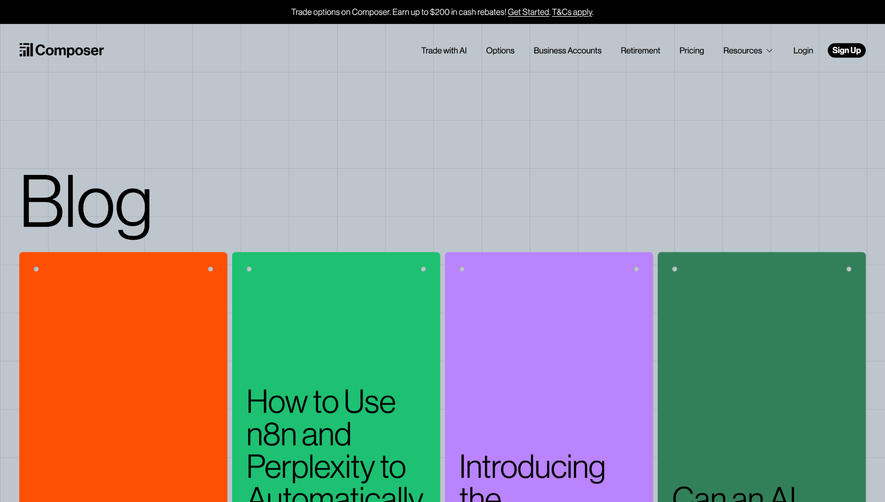


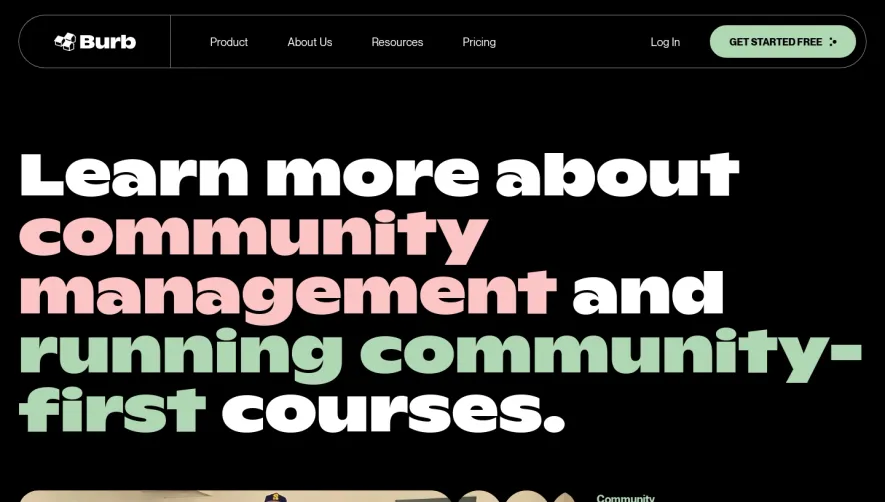

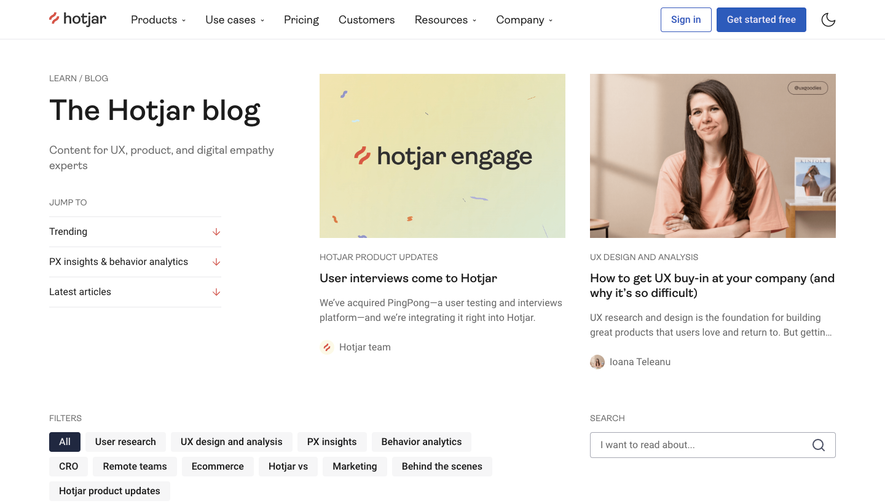

Upgrade to SaaSFrame Pro now to see similar examples.
Monthly
$18 /month
Billed $18 monthly
Browse all screens & flows
Filter and search screens & flows
Search text in screenshots
Access Figma files
Access mobile versions
Join now
Quarterly
$16 /month
Billed $48 quarterly
Browse all screens & flows
Filter and search screens & flows
Search text in screenshots
Access Figma files
Access mobile versions
Join now
Yearly
$15 /month
Billed $180 yearly
Browse all screens & flows
Filter and search screens & flows
Search text in screenshots
Access Figma files
Access mobile versions
Join now