Design with AI
Generate a new design based on this screen using your own content.
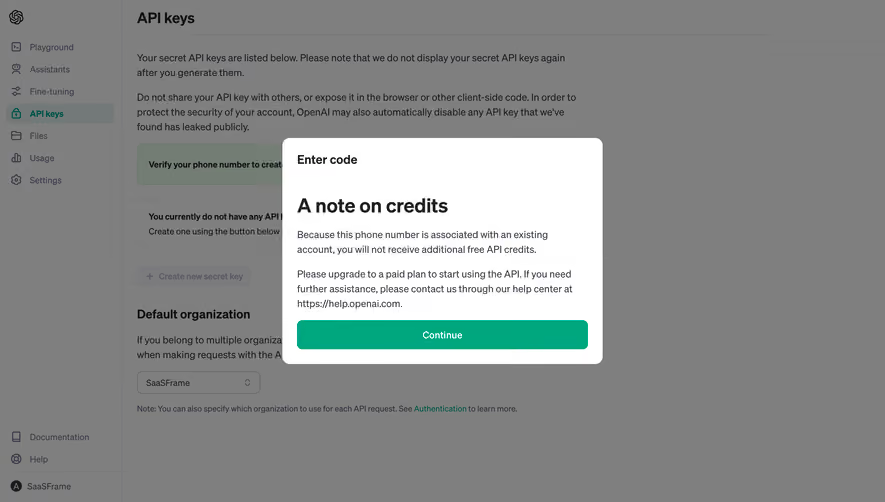
# Design from Reference: OpenAI Information Modal
Create an original, high-fidelity visual design inspired by the reference. Prioritize composition, typography, colors, spacing, and component styling over technical implementation.
## Reference
- **Product:** OpenAI
- **Category:** Empty
- **Screenshot:** https://cdn.prod.website-files.com/5e9dc792e1210c5325f7ebbc/6acad5c7d05a3f53c0a6e3db_6acad500d5603a17eba635ba_cms-c48df7bb4157c5336607f630.webp
Analyze the screenshot first. If inaccessible, request it rather than guessing.
## Content
{{content.instructions}}
{{content.data}}
Preserve essential messaging and factual accuracy. Adapt structure and copy length for visual balance; never invent product claims.
## Visual Design
### Overall aesthetic
- **Character:** Restrained developer dashboard interrupted by a plain, high-contrast informational dialog. White, charcoal and green carry the interface without illustration.
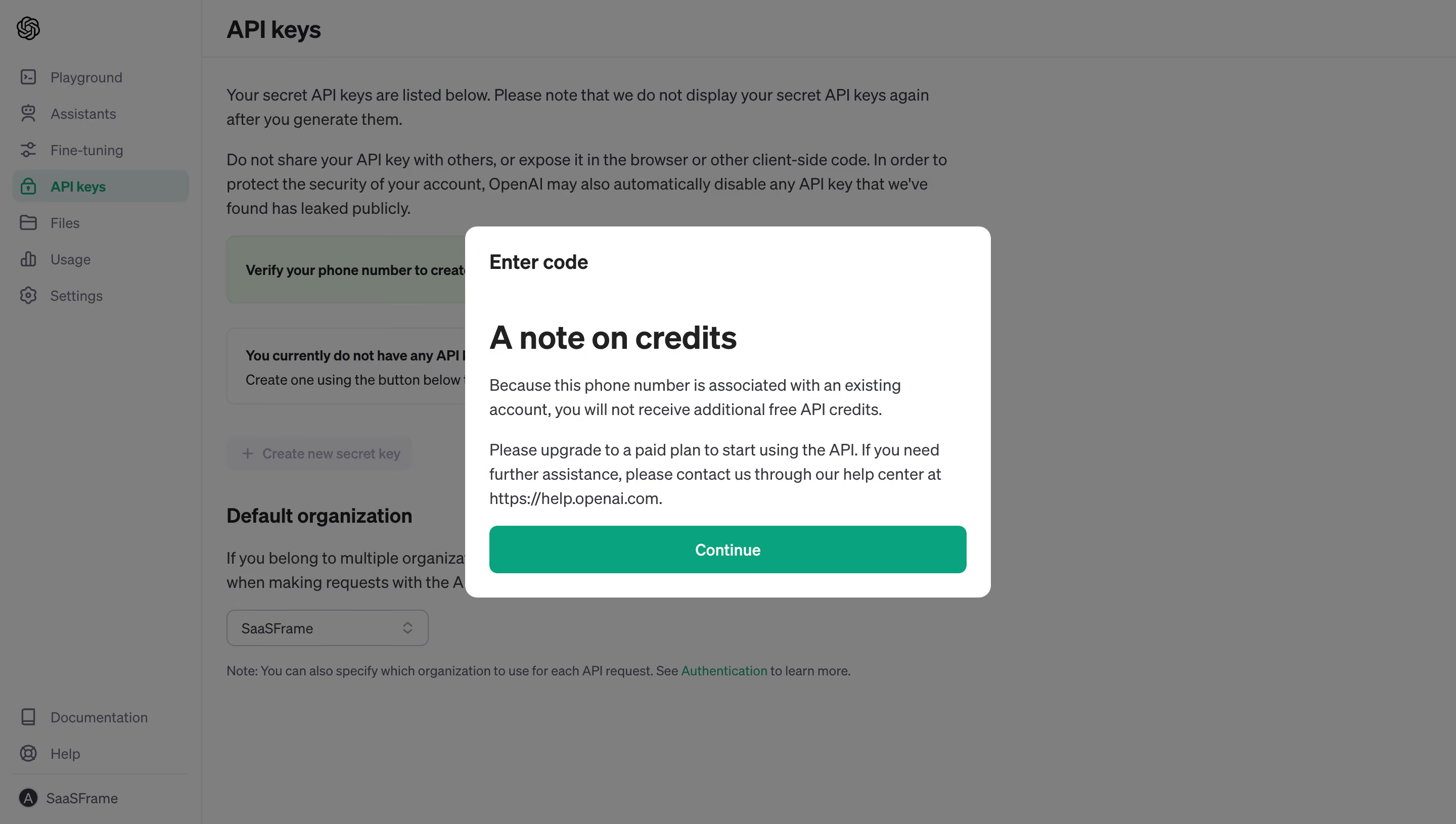
- **Captured state:** A credit explanation is displayed over the API-key area. This describes the captured message, not a verified current product policy.
### Page composition
- **Image scale:** The source measures 2880 × 1630 pixels. A roughly 1440 × 815 CSS-pixel desktop viewport is plausible at 2× capture scale, but device-pixel ratio is unverified.
- **Application shell:** A narrow left navigation rail occupies approximately 200 estimated CSS pixels; the main content begins with a page heading, explanatory paragraphs, notices and an organization selector.
- **Dialog placement:** The white panel is centered in the viewport, approximately 520 × 367 estimated CSS pixels, with about 24 pixels of inner padding and a roughly 12-pixel corner radius.
### Information hierarchy
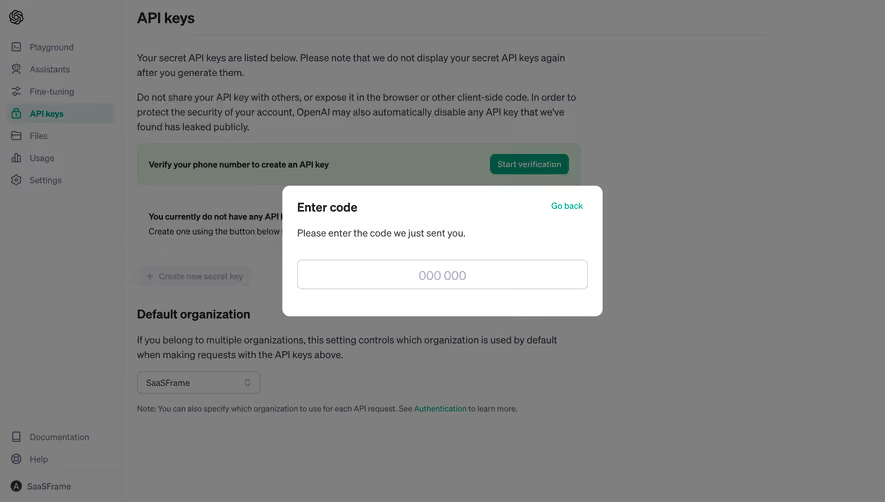
- **Dialog sequence:** A small bold “Enter code” label precedes the much larger “A note on credits” heading, two explanatory paragraphs and a full-width Continue action.
- **Background priority:** The gray scrim subordinates navigation, API-key guidance and organization settings while preserving their structure.
- **Visible controls:** No code input or close icon is visible inside this captured dialog.
### Typography
- **Family:** The interface uses a neutral sans serif; its exact identity is unverified.
- **Dialog roles:** The large heading is approximately 32 CSS pixels, bold, with tight line spacing. The top label is around 20 pixels and bold; body text is about 16 pixels with a 24-pixel line height.
- **Utility text:** Navigation and button labels are around 14–16 estimated CSS pixels. The Continue label is medium to semibold and centered.
### Colors & surfaces
- **Measured samples:** ICC-aware sRGB sampling yields white #FFFFFF, green #00A67D and dark text #1A1B1F, with secondary dark gray #333741.
- **Overlay:** Large background areas measure #7F7F7F under the scrim. Muted green-gray samples such as #737D74 belong to dimmed underlying surfaces rather than the modal.
- **Panel treatment:** The dialog is a clean white surface with no prominent border; its separation relies mainly on the dimmed backdrop.
### Components
- **Primary action:** The green Continue button spans the inner panel width, approximately 472 × 47 estimated CSS pixels, with rounded corners around 8 pixels and white text.
- **Informational body:** Two paragraphs wrap across most of the panel width; the help-center address remains inline with the prose rather than appearing as a separate button.
- **Shell controls:** The background shows icon-and-label navigation, a rounded selected API-keys row, notice boxes, a disabled-looking creation action and a compact organization dropdown.
### Visual rhythm
- **Spacing:** The top dialog label is separated from the main heading by a notably generous gap, around 42–48 estimated CSS pixels.
- **Reading rhythm:** Body lines use consistent 24-pixel spacing, paragraphs have roughly 16 pixels between them, and the final action sits close below the explanation.
- **Alignment:** Dialog text and button edges share one left/right inset; the background content has its own wider application gutter.
### Responsive
- **Recommendation:** Keep the dialog at a maximum width near 520 CSS pixels and reduce it to viewport width minus 32 pixels on narrow screens.
- **Recommendation:** Preserve body line height, allow the dialog to scroll vertically when necessary, and keep the primary action full width. A mobile navigation arrangement is not evidenced here.
### Adaptation guidance
- **Preserve:** Retain the clear heading-to-explanation-to-action sequence, compact rounded surface and single green primary action.
- **Implement:** Use semantic dialog labeling, keyboard focus management and an inert background; these behaviors are recommendations and cannot be verified from the still image.
- **Content:** Treat the top step label and the credit explanation as separate hierarchy levels. Do not add an input merely because the step label mentions a code.
Use this context to reproduce the reference's visual language: layout, typography, colors, spacing, borders, radii, and distinctive elements. The screenshot takes priority if descriptions conflict.
## Direction
{{preferences.fidelityInstructions}}
## Output
{{output.instructions}}
Deliver a polished, cohesive design with precise alignment, hierarchy, and spacing. Produce the requested visual artifact, not just a description. If unsupported, explain the limitation.
.webp)



.avif)