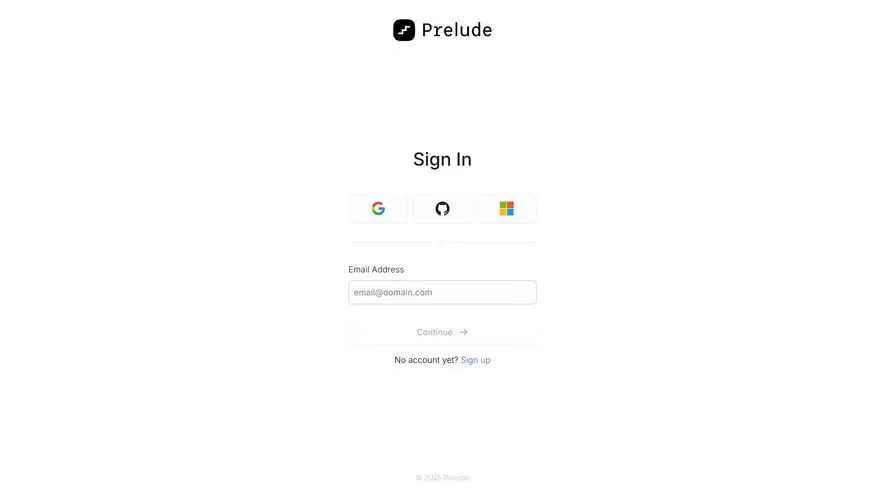
Generate a new design based on this screen using your own content.
Thank you! Your submission has been received!
Oops! Something went wrong while submitting the form.
# Design from Reference: Moderne Login
Create an original, high-fidelity visual design inspired by the reference. Prioritize composition, typography, colors, spacing, and component styling over technical implementation.
## Reference
- **Product:** Moderne
- **Category:** Login
- **Screenshot:** https://cdn.prod.website-files.com/5e9dc792e1210c5325f7ebbc/6acb6ea92837b9f3168fb6cd_6acb6ca3096561906c2527dc_cms-b4d1463d19ca2467b2bf8db9.webp
Analyze the screenshot first. If inaccessible, request it rather than guessing.
## Content
{{content.instructions}}
{{content.data}}
Preserve essential messaging and factual accuracy. Adapt structure and copy length for visual balance; never invent product claims.
## Visual Design
Use this context to reproduce the reference's visual language: layout, typography, colors, spacing, borders, radii, and distinctive elements. The screenshot takes priority if descriptions conflict.
## Direction
{{preferences.fidelityInstructions}}
## Output
{{output.instructions}}
Deliver a polished, cohesive design with precise alignment, hierarchy, and spacing. Produce the requested visual artifact, not just a description. If unsupported, explain the limitation.
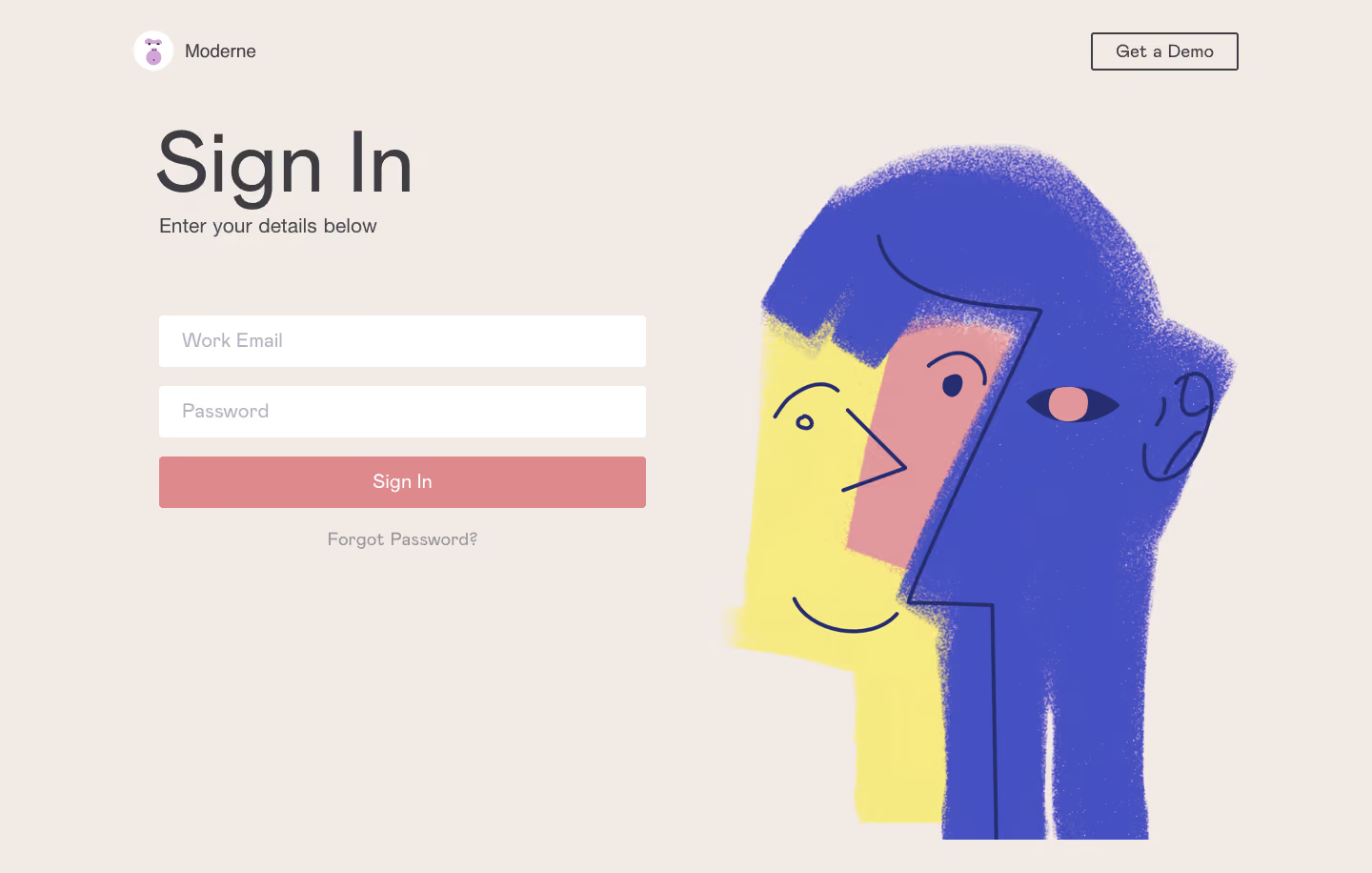
Moderne’s sign-in page radiates a crisp, modern minimalism that’s instantly professional yet approachable. With generous whitespace and restrained use of color, the design feels calm and confident, projecting trustworthiness—a must for a SaaS security platform. Every element feels intentional, from precise alignment to subtle shadowing, creating a sense of technical sophistication without feeling cluttered or cold.
Layout and Structure
The layout is focused and intuitive. The main content is centrally aligned within a medium-width container, maximizing accessibility on both desktop and mobile. A concise logo anchors the header, with the sign-in form dominating the hero area. There are no distracting footers or tertiary navigation; page content is laser-focused on the task at hand—user authentication.
Visual Elements
Visual storytelling is led by the striking use of Moderne’s icon: a distinctive, abstract mark hinting at movement and transformation. Subtle gradients and soft drop-shadows lend depth to buttons and fields, while form inputs and CTAs are cleanly delineated, improving scan-ability. Imagery is minimal, but the careful treatment of shadows and surfaces gives the interface tactile appeal.
Color Palette and Typography
A monochromatic foundation of soft cool grays creates a neutral canvas, letting the bold, electric blue of the primary CTA pop. Typeface choices favor geometric sans-serifs for clarity and authority; hierarchy is masterfully handled through weight and size rather than color, keeping the page visually harmonious yet highly legible.
User Experience Patterns and Notable Choices
The streamlined single CTA (sign in with GitHub) reduces friction and guides users decisively. Inputs, buttons, and links offer generous touch targets and micro-interactions—subtle hover states and focus indicators boost accessibility. The absence of visual clutter and distraction underscores Moderne’s confidence in their product, conveying a feeling of innovation and reliability—a perfect inspiration for SaaS designers who favor clarity and focus.
.webp)



.avif)