.webp)
Thank you! Your submission has been received!
Oops! Something went wrong while submitting the form.
Get SaaSFrame Pro
Monthly
$18
Quarterly
$48
Yearly
$180
Upgrade to access this feature
Browse all screens & flows
Filter and search screens & flows
Access Figma files
Access mobile versions
Bookmark screens & flows
Join now


Atlas Healthcare Facilities Map
Atlas
Collaborative GIS in the browser
Designed by
No items found.

Bookmark
Bookmark

Design with AI
Thank you! Your submission has been received!
Oops! Something went wrong while submitting the form.
# Design from Reference: Atlas Healthcare Facilities Map
Create an original, high-fidelity visual design inspired by the reference. Prioritize composition, typography, colors, spacing, and component styling over technical implementation.
## Reference
- **Product:** Atlas
- **Category:** Empty
- **Screenshot:** https://cdn.prod.website-files.com/5e9dc792e1210c5325f7ebbc/6685c80a8f36b559b3ebf78c_iMdrLXa8YkIWFWIOv0oWf44L8lzLezfR4X9iBvTOMc4.webp
Analyze the screenshot first. If inaccessible, request it rather than guessing.
## Content
{{content.instructions}}
{{content.data}}
Preserve essential messaging and factual accuracy. Adapt structure and copy length for visual balance; never invent product claims.
## Visual Design
### Overall aesthetic
- **Style:** A dense geospatial analysis workspace with a dark map canvas between white layer and action panels.
- **Character:** Technical and data-focused, using saturated red healthcare markers and yellow warning symbols against muted cartography.
### Page composition
- **Capture and scale:** The screenshot measures 2880 × 1626 pixels, consistent with an estimated 2× capture. Following dimensions are estimated CSS pixels under that assumption.
- **Toolbar:** A roughly 50 px-high dark top bar contains drawing/selection/search/measurement tools, undo/redo, centered map title, collaboration controls, and a blue Share action.
- **Panels:** A narrow vertical tool rail precedes a roughly 300 px layer sidebar. A roughly 320 px Data Actions panel sits at right. The map fills the remaining central region.
- **Map controls:** A scale and map-provider attribution sit lower left. Zoom and a compact map-control strip sit lower right.
### Information hierarchy
- **Data focus:** The map's clustered red cross markers and translucent red coverage overlays are the dominant visual content.
- **Layer state:** Health Facilities is highlighted in pale blue. Other layers include underserved areas, driving time, and a subdued population-density entry.
- **Action hierarchy:** The right panel emphasizes the selected Data Actions tab, search, Basic icon tools, three action categories, and integration shortcuts.
### Typography
- **Family:** A compact neutral sans serif is visible; exact identity is unverified.
- **Interface sizes:** Panel labels and navigation are approximately 14 px CSS. Small tool/category labels and layer metadata are around 12–13 px.
- **Title:** The centered project title is around 18 px and visually truncated. Panel headings use semibold weight rather than large display type.
- **Map labels:** Cartographic text is secondary to markers and overlays; avoid introducing oversized labels that obscure data.
### Colors & surfaces
- **Map palette:** Sampled sRGB #232B36, #212934, #191F28, and #0E101A establish the dark basemap and toolbar tones.
- **Data colors:** Sampled red #FF0000 defines healthcare-marker/layer accents. Dark red/plum composites include #382530 and #4D212A in the coverage regions.
- **Panels:** White #FFFFFF forms the side panels. Blue marks selected tools, active tab underline, and Share; yellow marks warnings. Exact blue/yellow hex values are unverified.
- **Overlay distinction:** The sampled plum regions are composited map overlays, not necessarily the source layer's solid token color.
### Components
- **Layer list:** Icon/swatch-led rows have compact height and thin separators. A folder and dashed drop area appear above the thematic layers; the selected facility row uses a full-width blue tint.
- **Facility markers:** Small red circles contain white crosses. Warning locations use yellow triangles within larger dark circular outlines.
- **Actions panel:** Two tabs share the top row, followed by a rounded search field, Basic icon row, three arrow-ended action rows, and integration logos.
- **Map controls:** A white vertical zoom stack and horizontal icon strip use modest rounding and thin boundaries. Controls contrast strongly with the dark canvas.
- **Global tools:** Icon buttons are compact and separated into groups; the active selection tool uses a saturated blue square background.
### Visual rhythm
- **Density:** Use tight 8–12 px spacing within tool groups and approximately 24–30 px between action-panel sections.
- **Alignment:** Keep layer labels on one left edge, row swatches in a narrow gutter, and right-panel arrows aligned at the far edge.
- **Map priority:** Panels frame the data without covering its center; avoid decorative cards or extra overlays.
### Responsive
- **Observed state:** Only a desktop workspace is visible.
- **Recommended reflow:** Use collapsible side drawers for layers/actions, retain a large map viewport, and group less-used tools into menus on narrow screens.
- **Touch controls:** Increase hit areas for map tools and clustered markers while preventing bottom controls from colliding with attribution.
### Adaptation guidance
- **Preserve:** Retain the dark central map, light analytical panels, clear active-layer state, and distinct marker/coverage/warning encodings.
- **Adapt:** Use real geospatial datasets and a meaningful legend or explanation for the new map. Keep warning and facility categories semantically distinct.
- **Avoid:** Do not infer geographic coverage, facility accuracy, or unseen action behavior from this screenshot.
Use this context to reproduce the reference's visual language: layout, typography, colors, spacing, borders, radii, and distinctive elements. The screenshot takes priority if descriptions conflict.
## Direction
{{preferences.fidelityInstructions}}
## Output
{{output.instructions}}
Deliver a polished, cohesive design with precise alignment, hierarchy, and spacing. Produce the requested visual artifact, not just a description. If unsupported, explain the limitation.

.avif)
Category
Tech Stack

Added on
July 3, 2024
Similar screens



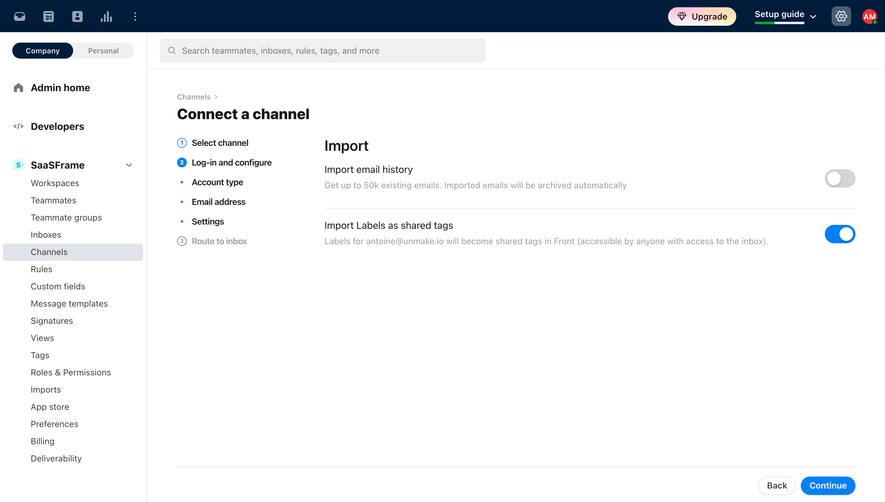

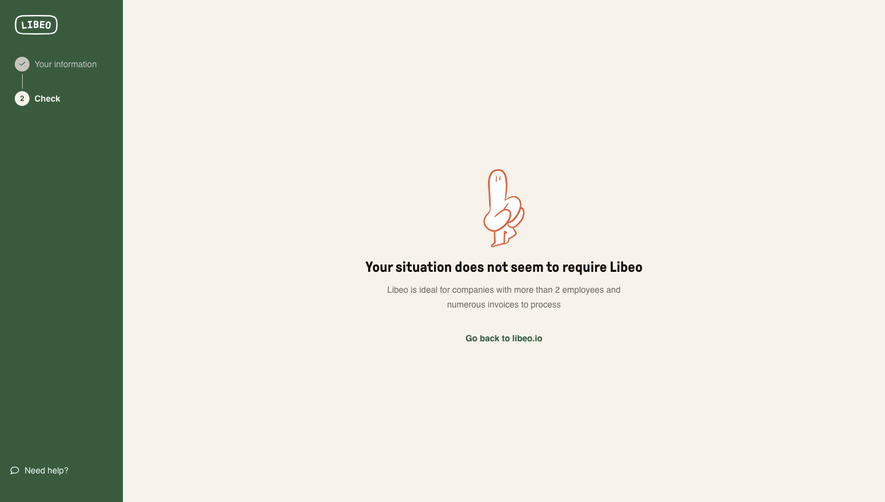

Upgrade to SaaSFrame Pro now to see similar examples.
Monthly
$18 /month
Billed $18 monthly
Browse all screens & flows
Filter and search screens & flows
Search text in screenshots
Access Figma files
Access mobile versions
Join now
Quarterly
$16 /month
Billed $48 quarterly
Browse all screens & flows
Filter and search screens & flows
Search text in screenshots
Access Figma files
Access mobile versions
Join now
Yearly
$15 /month
Billed $180 yearly
Browse all screens & flows
Filter and search screens & flows
Search text in screenshots
Access Figma files
Access mobile versions
Join now