.webp)
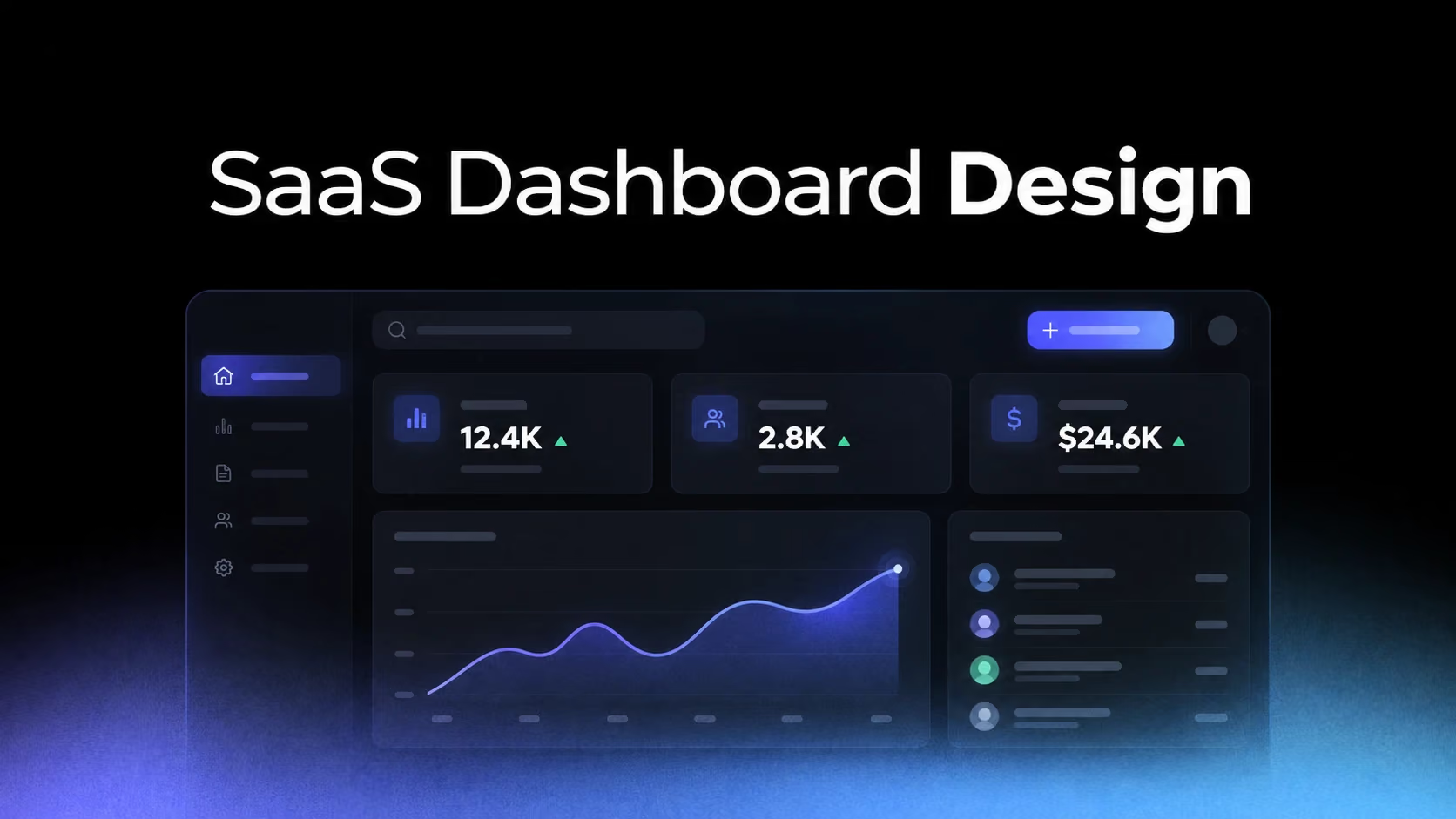
A SaaS dashboard is not simply a collection of cards. It helps users answer three questions: What is happening? What matters now? What should I do next?
The strongest dashboards prioritize one or two core jobs, organize supporting information around them and adapt gracefully when little or no data exists.
We reviewed the 170 SaaS dashboard examples collected on SaaSFrame and selected 12 interfaces that demonstrate distinct UX patterns across analytics, fintech, collaboration, CRM, developer tools and productivity.
What makes a good SaaS dashboard?
- Clear hierarchy separating primary status from supporting detail.
- Contextual actions near the data or object they affect.
- Useful defaults before users customize anything.
- Thoughtful empty states that create momentum.
- Progressive disclosure that keeps complexity scannable.
- Stable navigation that builds a mental model.
1. Cloudflare: Combine orientation with immediate utility
View the complete Cloudflare dashboard example.
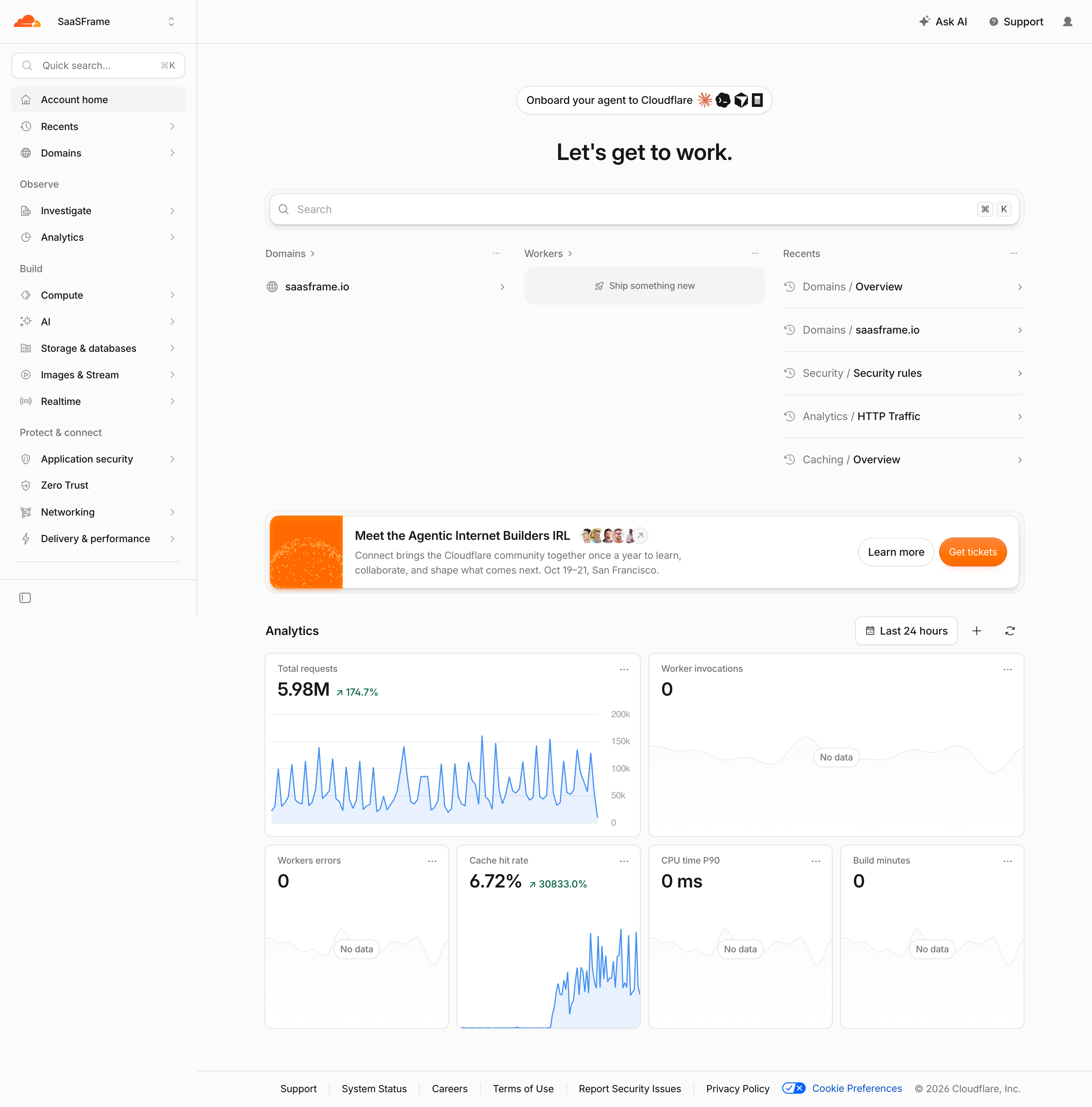
Cloudflare’s account home balances getting oriented with getting work done. Search sits above setup tasks, recent activity and traffic metrics, serving both new and returning users.
Design takeaway: A home dashboard can support onboarding and repeat usage when its main navigation tool helps both audiences.
2. Mercury: Prioritize the financial snapshot
View the complete Mercury dashboard example.
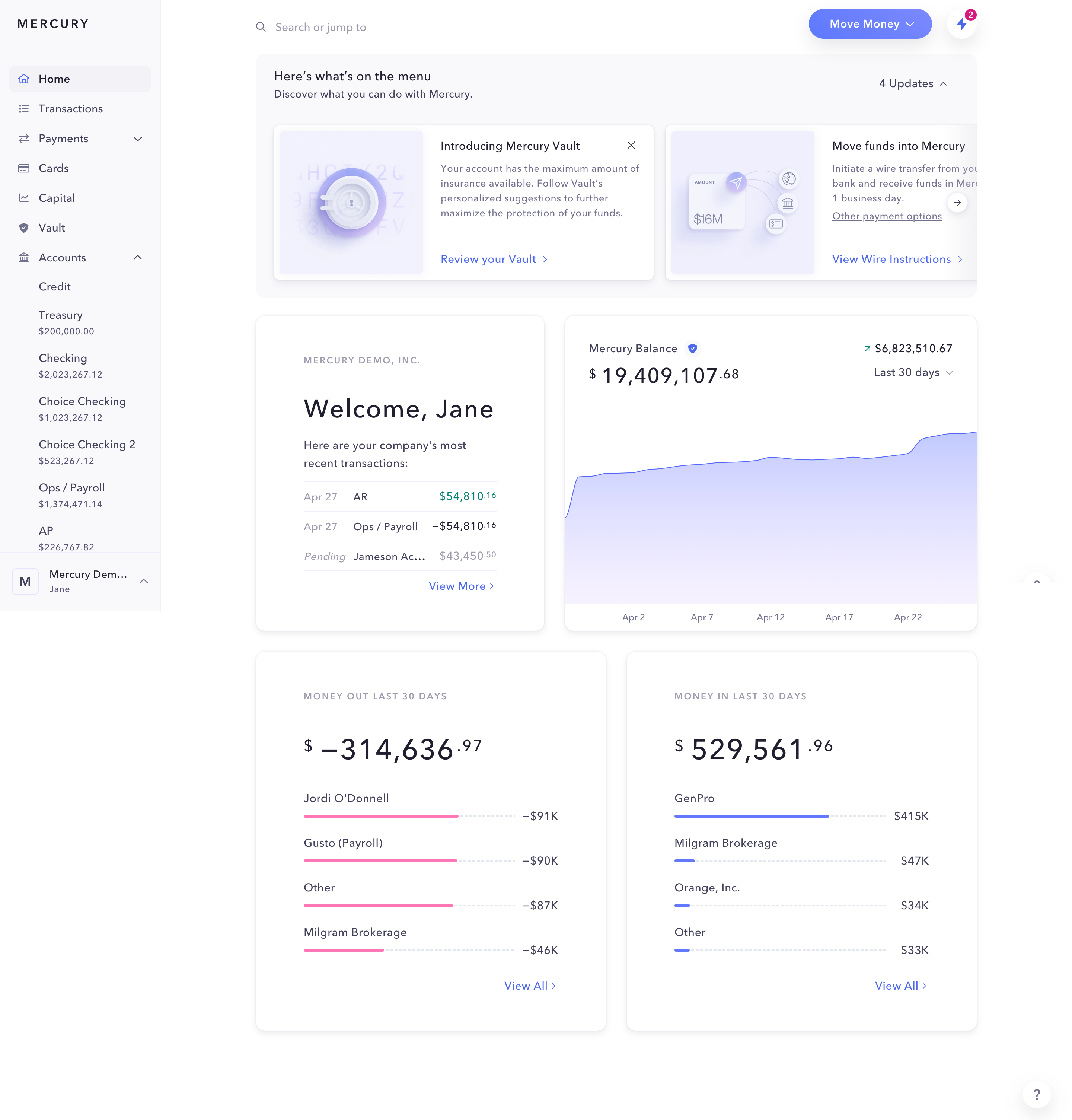
Mercury gives the largest area to the information users check first: total balance and its evolution. Supporting cards explain cash movement without giving every metric equal weight.
Design takeaway: Choose one question the dashboard must answer immediately, then use size and placement to make the answer unmistakable.
3. Mixpanel: Make discovery part of the dashboard
View the complete Mixpanel dashboard example.
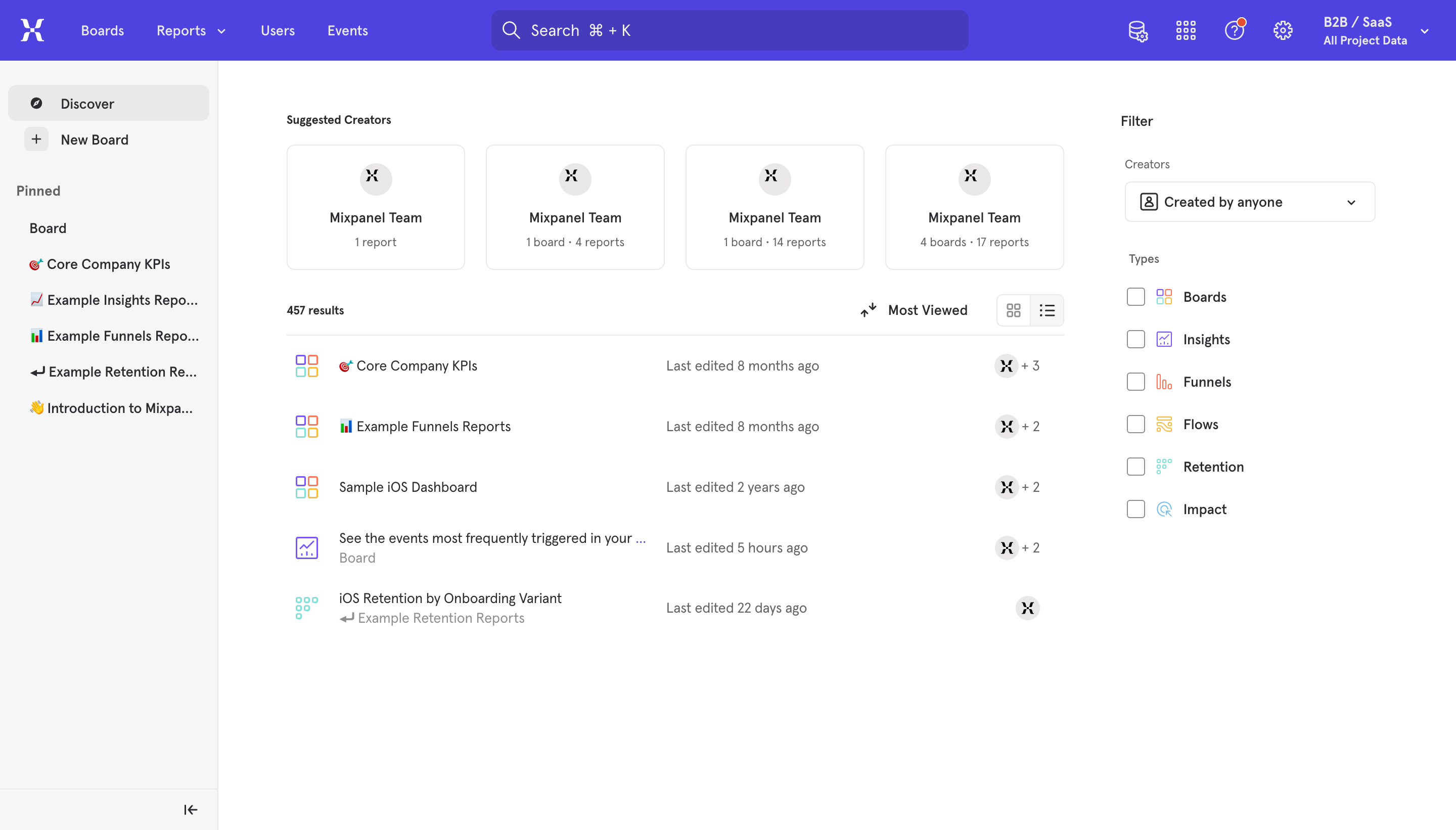
Analytics products often expect users to know what to query. Mixpanel reduces that burden with suggested content, pinned items, filters and recent reports. The dashboard becomes a discovery surface.
Design takeaway: When a product supports many workflows, recommend useful starting points instead of presenting an empty canvas.
4. Lightdash: Use the dashboard as a work queue
View the complete Lightdash dashboard example.
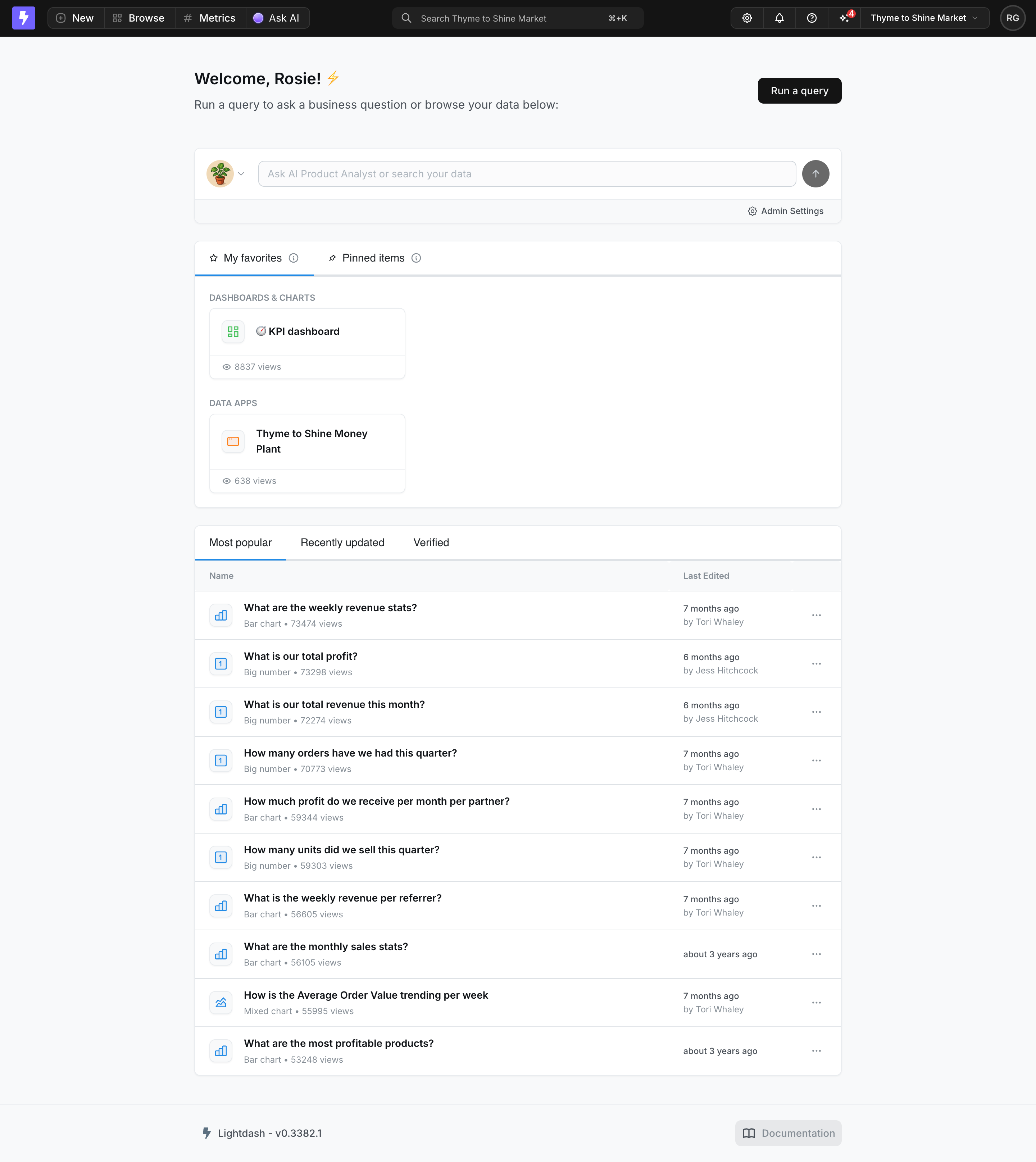
Lightdash opens with a conversational input followed by recently used spaces and tables. The hierarchy favors the next action over passive reporting.
Design takeaway: For creation tools, the best dashboard may be a prioritized list of ways to resume or start work—not a wall of charts.
5. Attio: Center the record and preserve context
View the complete Attio dashboard example.
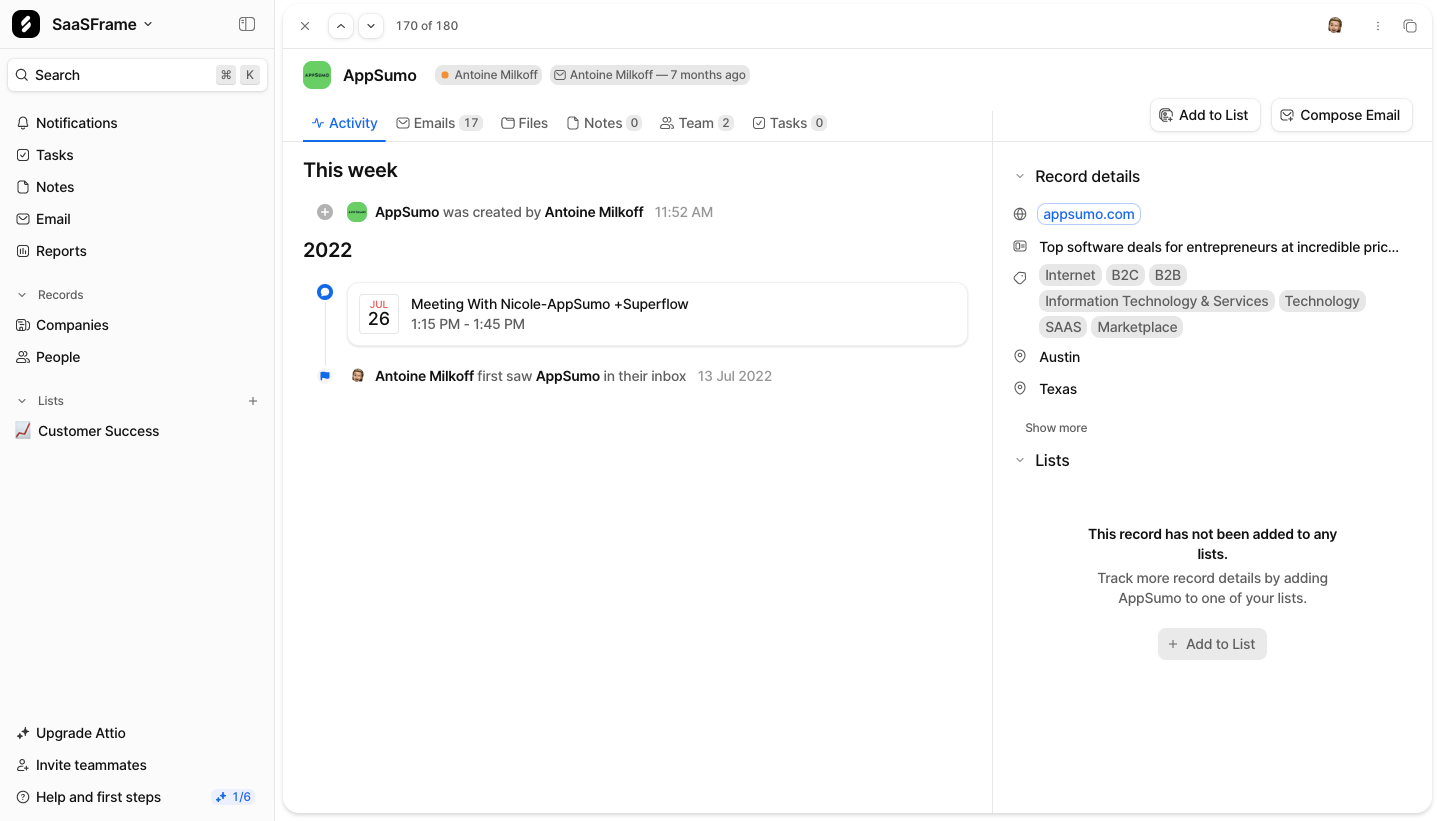
Attio uses global navigation, a main timeline and contextual details. Users can review activity while keeping company metadata and adjacent actions visible.
Design takeaway: For record-based products, persistent context is often more valuable than maximizing the width of the main content.
6. Intercom: Pair metrics with the actions that improve them
View the complete Intercom dashboard example.
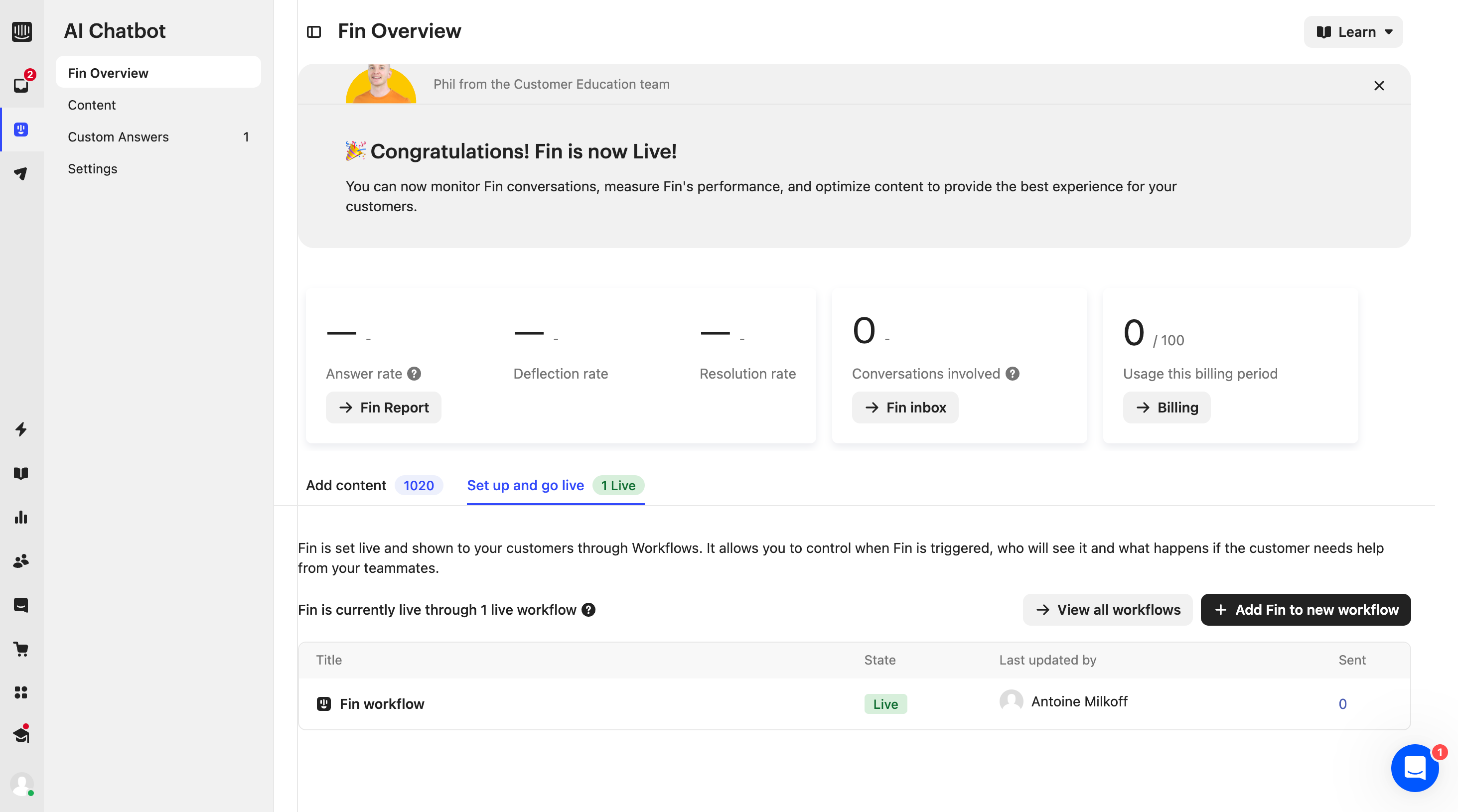
Intercom shows performance metrics alongside setup actions, content status and workflow controls, creating a direct link between observing a result and improving it.
Design takeaway: Metrics become actionable when the relevant configuration or next step is placed nearby.
7. Hotjar: Progressively reveal analytical depth
View the complete Hotjar dashboard example.
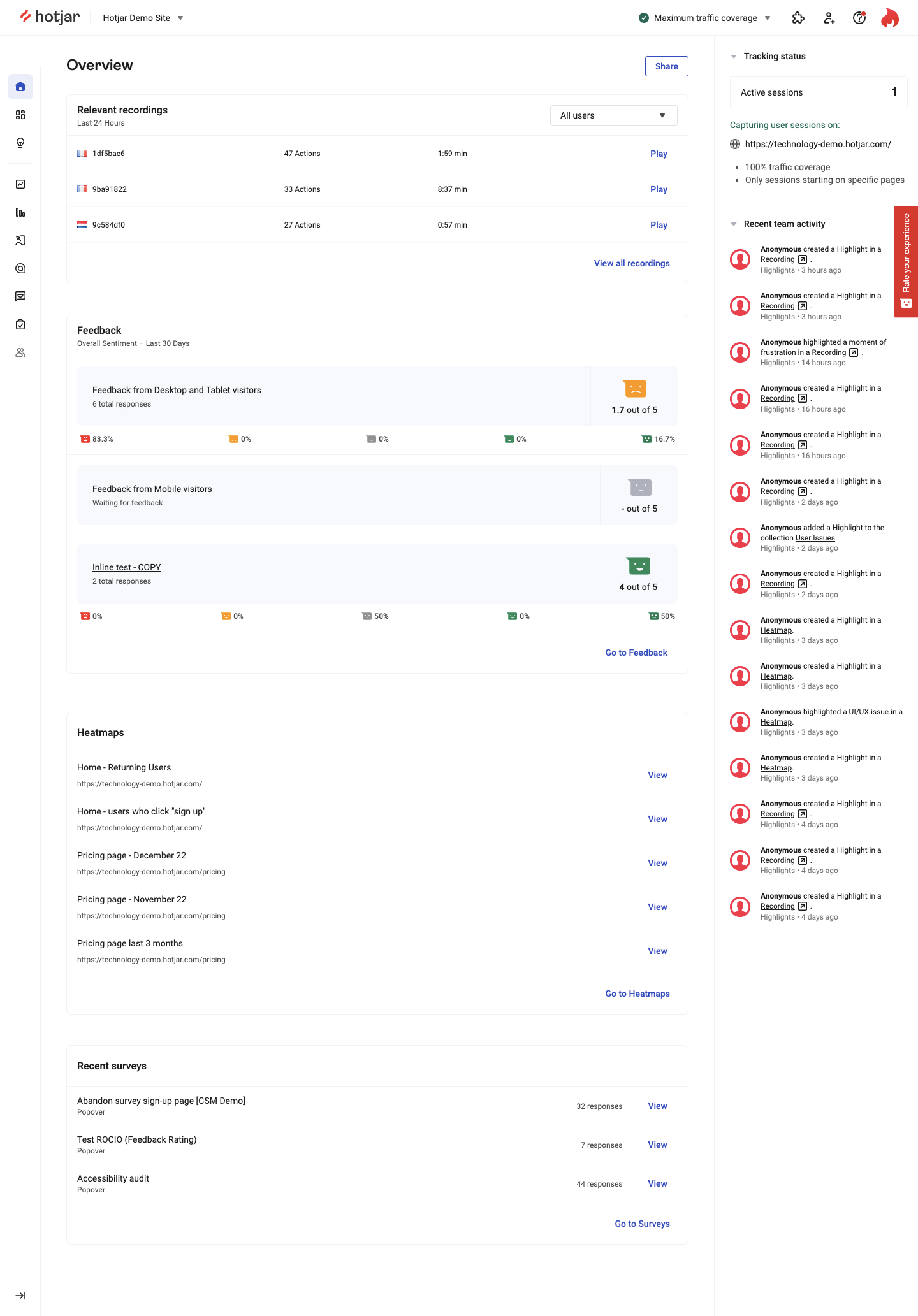
Hotjar has many signals to expose. Instead of compressing everything into equal cards, it uses clear headings and repeated structures so users can scan and choose where to investigate.
Design takeaway: Dense dashboards benefit from progressive depth: summarize, group related signals and let users drill down.
8. Resend: Use restraint in developer dashboards
View the complete Resend dashboard example.
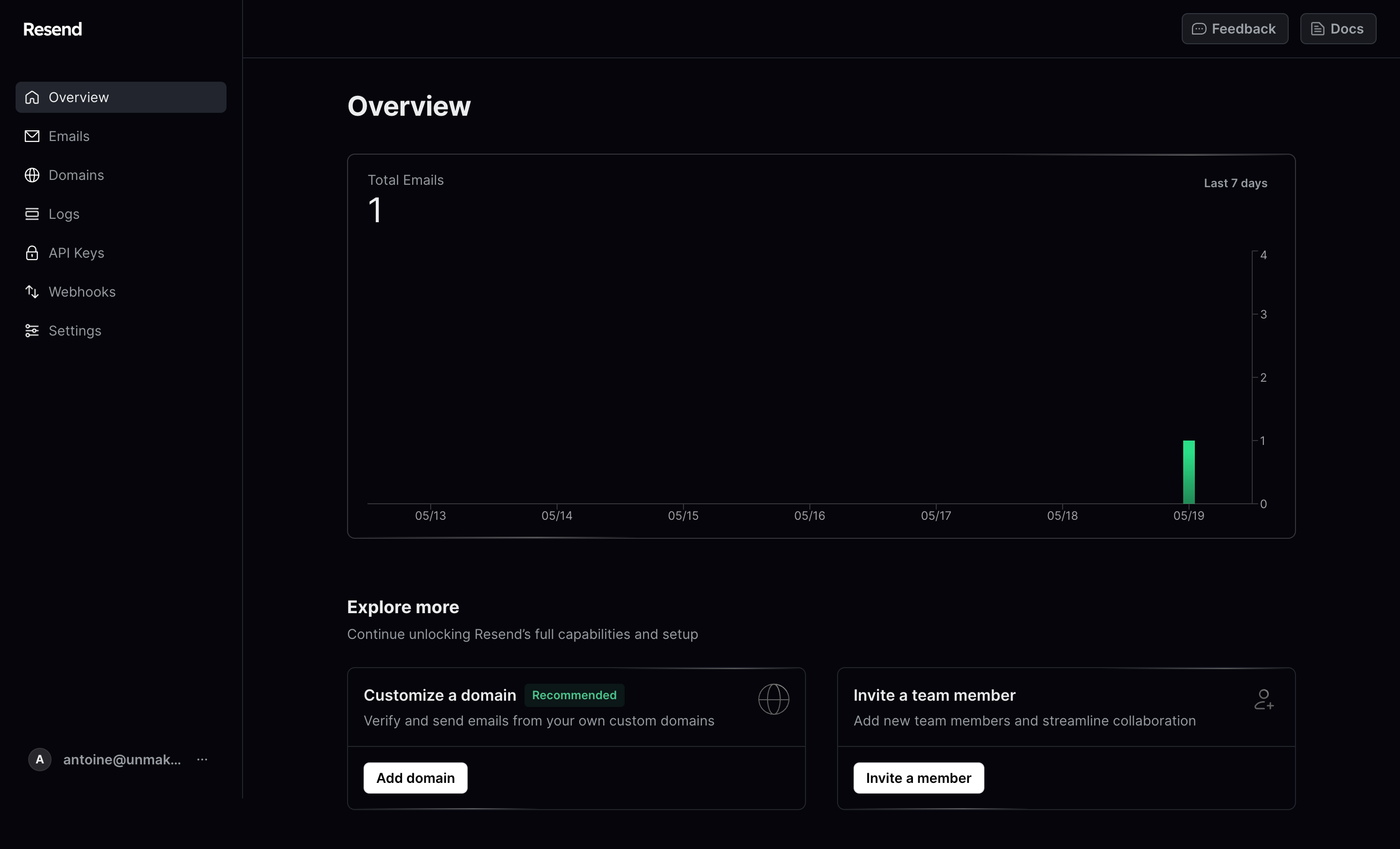
Resend’s dark dashboard is deliberately sparse. It surfaces sending volume and a small set of setup and collaboration actions, avoiding decorative widgets.
Design takeaway: Start with critical status and the next few actions. Add detail only when it supports a real decision.
9. Routine: Design the empty state as the product
View the complete Routine dashboard example.
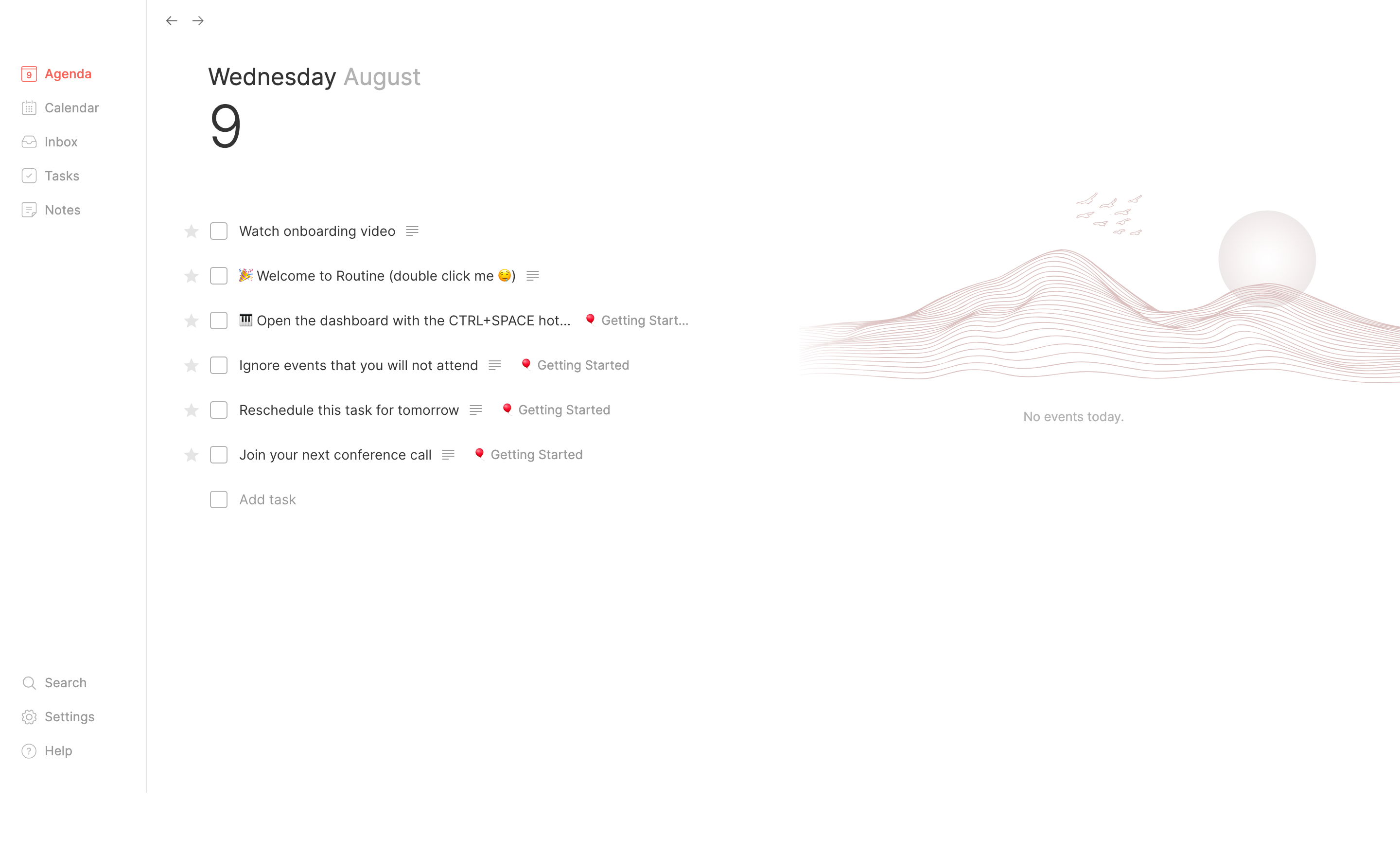
Routine cannot show productivity data before users create it. Its empty dashboard teaches the interaction through a checklist and a clear add-task action.
Design takeaway: An empty dashboard should teach the core behavior, create the first useful object and preview the populated experience.
10. Pitch: Blend recency with guided activation
View the complete Pitch dashboard example.
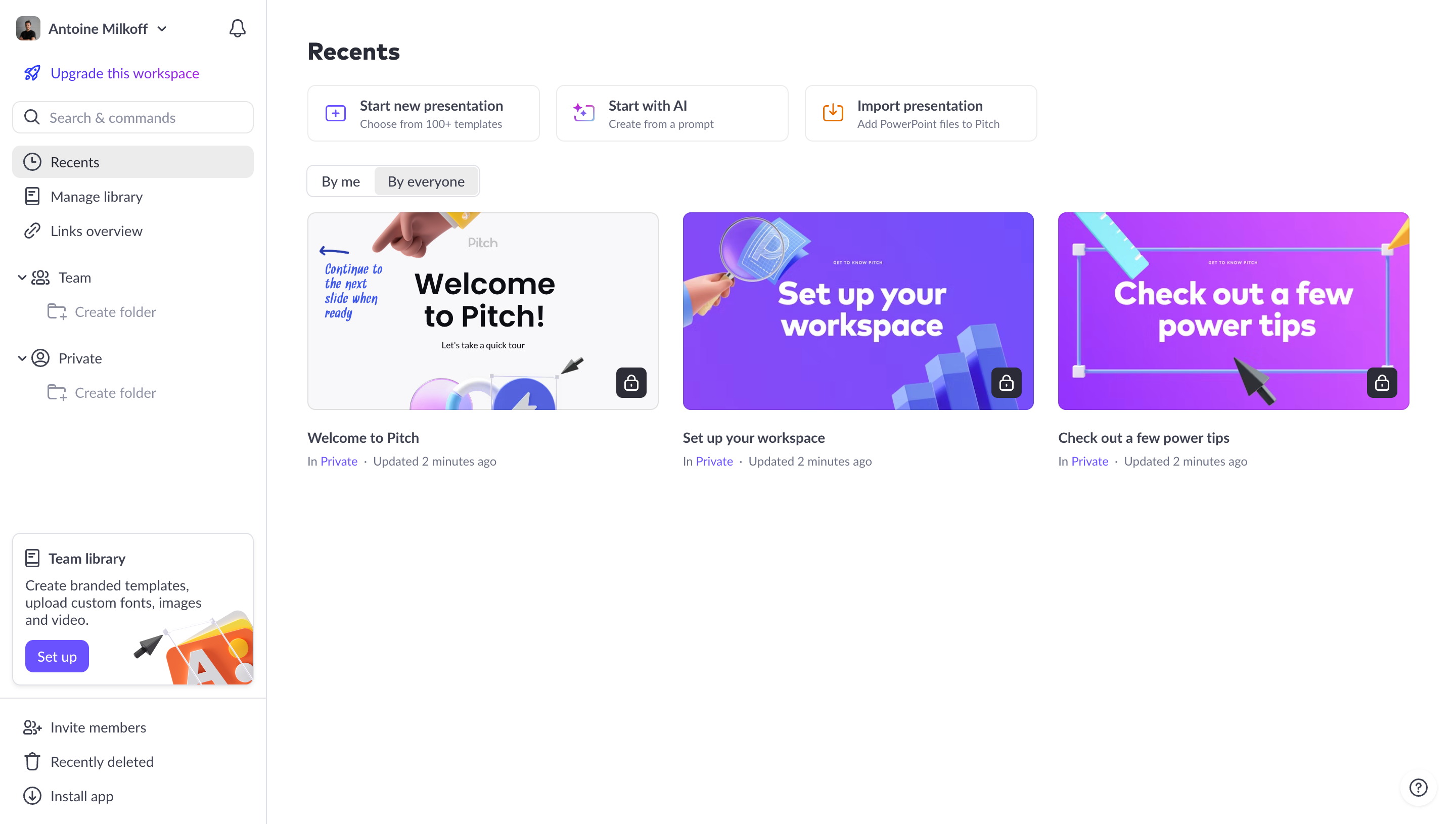
Pitch gives returning users a recent-files grid while retaining onboarding cards. The guidance uses the same visual model as presentations, so it does not feel like an interruption.
Design takeaway: Activation guidance can persist after signup when it occupies a predictable area rather than interrupting the workspace.
11. Miro: Make creation paths immediately visible
View the complete Miro dashboard example.

Miro makes boards dominant. Users can create from scratch, start from a template or reopen recent work while filters and project navigation remain available.
Design takeaway: Object-based products should support the three common intents immediately: create, find and resume.
12. Wise: Combine account status with contextual value
View the complete Wise dashboard example.

Wise gives an immediate account snapshot. Product discovery appears lower through contextual service cards and exchange-rate tools, preserving routine utility.
Design takeaway: Cross-selling works best after the dashboard answers the user’s primary question. Status should precede promotional modules.
Seven dashboard UX patterns worth reusing
1. Design around a primary question
Mercury answers “How is my money doing?” while Resend answers “Is my email infrastructure active?” Let one question determine the hierarchy.
2. Treat the dashboard as a launchpad
Lightdash, Miro and Pitch focus on resuming or creating work. In creation products, navigation and recency often matter more than high-level metrics.
3. Put actions next to their context
Intercom connects performance to configuration, while Attio keeps record actions beside activity.
4. Separate summaries from exploration
Hotjar provides an overview without pretending every signal belongs on one screen. Summaries should help users choose where to go deeper.
5. Build a real empty state
Routine shows that “no data” is a product state, not an edge case. Use it to create the first meaningful object.
6. Support new and returning users together
Cloudflare and Pitch combine activation guidance with repeat-use workflows while keeping onboarding subordinate to real work.
7. Establish utility before promotion
Wise introduces adjacent services after balances and transactions. Establish value before asking users to explore more.
A practical dashboard design checklist
- Can users identify the most important information within five seconds?
- Does every card support a decision, action or navigation need?
- Is the primary CTA specific to the user’s current state?
- Can returning users resume recent work quickly?
- Does the empty state create the first useful object?
- Are dense sections grouped with clear headings?
- Can secondary modules be removed without weakening the core experience?
Explore more SaaS dashboard examples
Browse all 170 SaaS dashboard UI examples on SaaSFrame to compare layouts, cards, sidebars, empty states, analytics widgets and navigation patterns from real products.