Autocomplete
1
Input suggestions that appear as the user types to accelerate search or data entry.
.webp)
Autocomplete helps people turn partial input into a useful next step. In a SaaS product, suggestions may complete a search query, identify a company, find a teammate, or offer a known command. The pattern works when it reduces recall and typing while leaving the person in control of the final answer.
The central question is what happens after a suggestion is chosen. Does the application fill text, select a record, navigate to a page, or run an action? Each outcome needs a different result row and confirmation rule. Treating them all as a generic list below an input makes fast interactions difficult to trust.
A text suggestion completes a phrase the user can continue editing. An entity suggestion selects a particular object with an identifier. A navigation suggestion opens a destination. A command suggestion may change something immediately. Choose one primary model and label exceptional result types if several models share a field.
In global search, a company result should identify the company, while a suggested query should identify itself as a query. If pressing Enter on “Billing” can either open a billing page or search for billing-related records, the active result and the fallback behavior need to make that distinction visible.
Avoid changing the action midway through typing without explanation. Users build an expectation from the first suggestions they see. A predictable sequence of recent destinations, matching records, and a final “Search all results” row is usually easier to understand than an unlabelled mixture of pages, commands, people, and documentation.
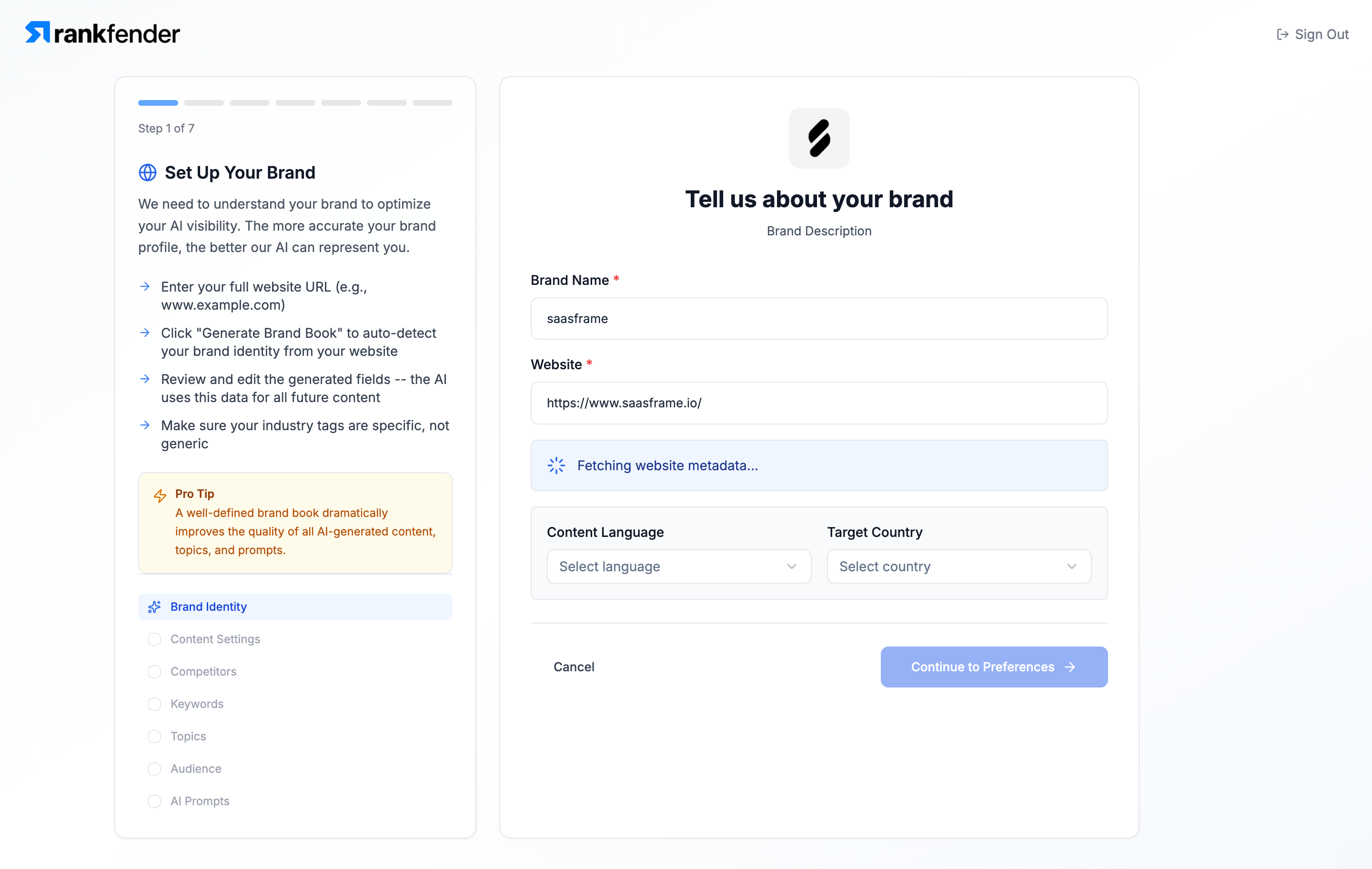
The Rankfender Set Up Brand reference shows a brand name, website address, language, and country in an onboarding step. The website field includes a fetching state for website metadata. This is evidence of automatic enrichment after input, not evidence of an open autocomplete suggestion list.
That boundary matters. Autocomplete offers possible values before the user commits. Enrichment derives additional information from a value that has already been entered. A brand setup flow may use both: company suggestions can help identify a domain, then a lookup can fetch a logo or descriptive information. Their loading and error states should remain separate.
The reference also provides useful surrounding context. A website lookup belongs to a larger setup task. If suggestions require extra waiting or distract from the next step, they can make onboarding feel longer. Keep manual entry available when enrichment fails, and do not imply that a failed metadata lookup means the domain itself is invalid.
Start with the user's task rather than whatever the search service can return. For a customer field, a company name and domain are often useful. For a teammate, a name and email may prevent mistakes. For a command palette, the action name and destination can matter more than a large icon.
Rank strong matches ahead of weak ones. If suggestions use aliases, synonyms, or recently visited items, provide enough context to explain unexpected results. A matching domain beneath a company name makes the relationship visible. A “Recent” group communicates a different reason for appearing.
Do not expose information across permission boundaries. Suggesting a private project can reveal its existence even if selecting it later produces an access error. Apply authorization to the suggestion stage, and consider whether historical suggestions should disappear after a user loses access.
Typing should change the query. Moving through results should change the active suggestion. Accepting should perform the clearly defined selection or navigation. A person who presses an arrow key to inspect options should not accidentally replace their text or trigger a command.
Inline completion requires particular care. The proposed suffix should look different from entered text, and deleting or continuing to type should work naturally. Do not force people to fight an automatically restored suffix. If accepting the completion requires a particular key, make that behavior consistent and test it against ordinary text editing.
When the user clicks elsewhere, decide whether the query remains, clears, or reverts to a selected value. Avoid a state where the field displays one label while the submitted identifier belongs to another object. This is especially important for company and user pickers, where similar names can hide a consequential mismatch.
Network-backed autocomplete needs to preserve the relationship between the visible query and its results. A response for “Ac” must not overwrite the result list after the person has typed “Acme.” Ignore obsolete requests and keep a clear loading treatment for the latest query.
Debouncing can reduce unnecessary requests, but a long delay can make the interface seem unresponsive. Tune it to the task and infrastructure. For a small local command list, immediate matching may be appropriate. For external company lookup, a brief delay and minimum query length can prevent noisy requests while explaining what the user should do next.
If recent results stay visible while loading, make their status understandable. Avoid an interface where old suggestions look like authoritative matches for new text. Preserve the query during errors and offer a useful fallback such as a full search page or manual entry.
An empty list should explain that the search ran without a match. It should not look like a network failure. Offer a specific next action: try another spelling, enter the domain, search all records, or create an item if the workflow supports creation.
Creation must have its own meaning. “Create ‘Acme’” can be a useful suggestion in a tag field, but company creation may require more information and permissions. If choosing the row opens a form, communicate that transition. Do not silently create duplicates from a query that happens not to match the current ranking.
For external datasets, coverage gaps are normal. Manual entry can be an essential recovery route. Record the typed value without implying that an unavailable suggestion establishes that a company, address, or person does not exist.
A compact popup can show useful context without becoming a miniature search results page. Group only when group membership changes how users interpret or act on a result. “People,” “Projects,” and “Search suggestions” describe different destinations. Arbitrary groups based on implementation details rarely help.
Use a bounded number of results and provide access to the larger result set when needed. A popup with dozens of rows can obscure the form and make keyboard navigation tedious. The most relevant results should fit the immediate interaction; complex comparison belongs in a dedicated search view.
Images, badges, and descriptions should earn their space. An avatar can support recognition, a status badge can prevent selecting an archived project, and a domain can resolve duplicate company names. Decorative metadata that does not change the decision slows scanning.
Many editable suggestion interfaces use the WAI-ARIA combobox pattern. Choose the appropriate semantic model for the interaction rather than adding combobox roles to every search field. A field that navigates a list of ordinary links may need a different implementation from a form selector.
Ensure the input has a meaningful label, focus is visible, the active suggestion is communicated, and Escape dismisses the popup predictably. Enter should accept the active result or execute the explicit search fallback, not do both. Preserve standard caret movement and editing behavior.
Avoid overwhelming screen reader users with a complete announcement on every keystroke. Useful result counts, loading status, and the active option can provide orientation. Test actual interaction, including slow responses and an empty result set, rather than relying on static accessibility checks alone.
On mobile, the keyboard competes with the popup for space. Keep rows tappable, the selected result visible, and the transition from typing to tapping stable. Test scrolling a popup without moving the underlying page or accidentally dismissing the input.
Consider what query text leaves the product. An external lookup can transmit names, domains, or other typed information. Explain relevant data handling in the product's privacy materials and use an appropriate service for the intended data. Avoid claiming that suggestions are private merely because the popup appears inside your interface.
Recent suggestions can also expose sensitive activity on shared devices or during screen sharing. Give teams a considered policy for retention and visibility. Personalization is useful only when its benefits justify the additional context it reveals.
Suggestion clicks show interaction, not correctness. Measure whether the user reaches the intended destination, completes the field, avoids duplicate creation, or corrects a selection afterward. High click rates can coexist with confusing or misleading ranking.
Test short queries, duplicate labels, spelling variants, accents, pasted values, no matches, unavailable services, and fast typing under slow network conditions. Include users who prefer keyboard navigation and users who ignore suggestions entirely. Both should be able to complete the task.
Autocomplete describes assistance with completing input. A combobox is one common interaction structure for offering and selecting suggestions. Define whether the user is completing text or selecting an object before deciding how to implement the component.
Only when the interaction model makes that behavior clear and the consequences are appropriate. Automatic highlighting can speed navigation, but it must not silently replace typed input or submit an unintended value.
Show enough to make likely choices available without turning the popup into a long browsing experience. Use a dedicated results view for extensive comparison, and evaluate the number with realistic labels, mobile space, and keyboard interaction.