.webp)
Thank you! Your submission has been received!
Oops! Something went wrong while submitting the form.
Get SaaSFrame Pro
Monthly
$18
Quarterly
$48
Yearly
$180
Upgrade to access this feature
Browse all screens & flows
Filter and search screens & flows
Access Figma files
Access mobile versions
Bookmark screens & flows
Join now
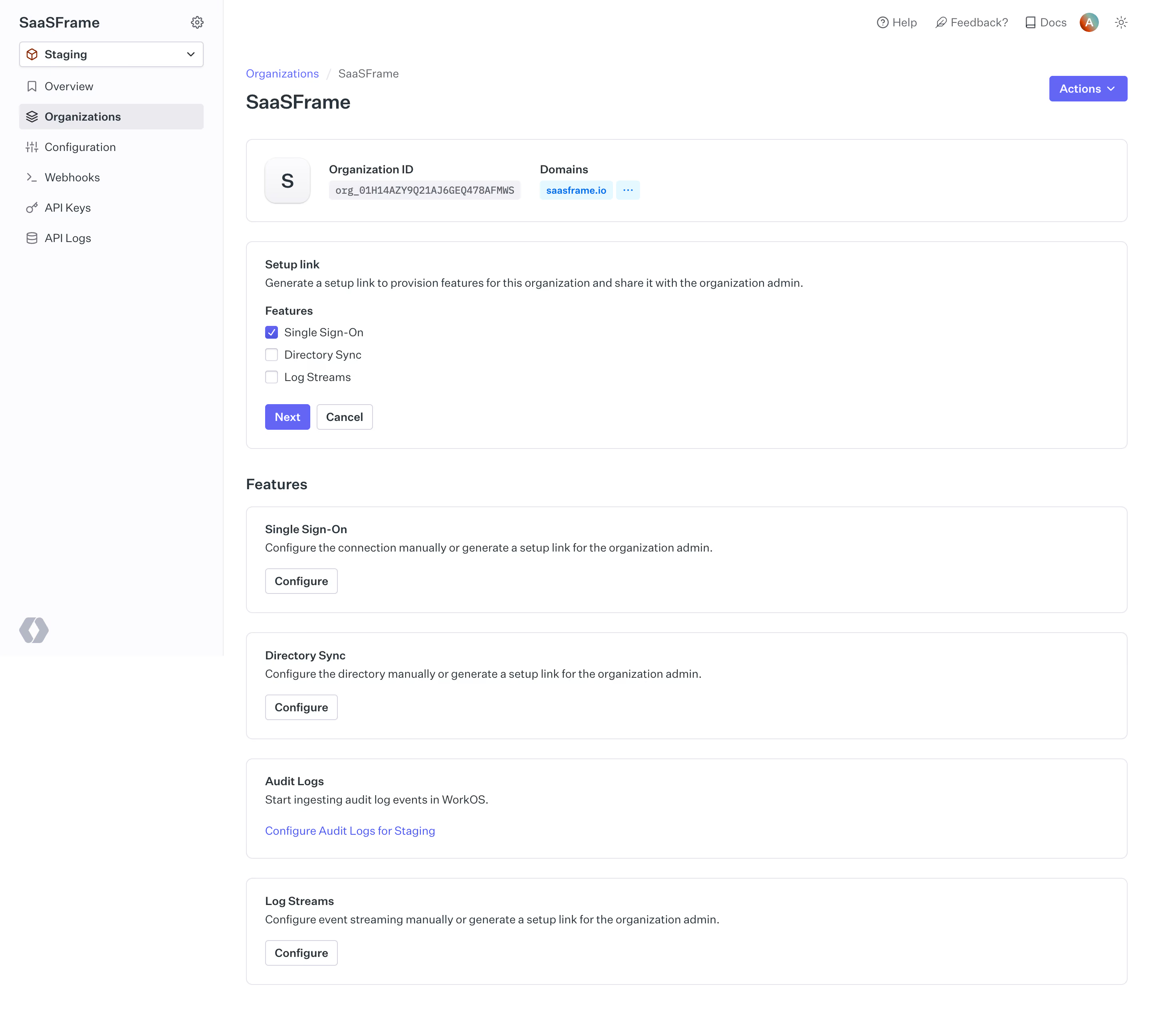
WorkOS Organization Link Setup

WorkOS
our app, Enterprise Ready.
Designed by
No items found.

Bookmark
Bookmark

Design with AI
Thank you! Your submission has been received!
Oops! Something went wrong while submitting the form.
# Design from Reference: WorkOS Organization Link Setup
Create an original, high-fidelity visual design inspired by the reference. Prioritize composition, typography, colors, spacing, and component styling over technical implementation.
## Reference
- **Product:** WorkOS
- **Category:** Add & Edit
- **Screenshot:** https://cdn.prod.website-files.com/5e9dc792e1210c5325f7ebbc/6acb6a4a03442b22fb62aac4_6acb695b55968e6fef88146f_cms-e57f5fa7454f8ea07508d79a.webp
Analyze the screenshot first. If inaccessible, request it rather than guessing.
## Content
{{content.instructions}}
{{content.data}}
Preserve essential messaging and factual accuracy. Adapt structure and copy length for visual balance; never invent product claims.
## Visual Design
### Overall aesthetic
- **Style:** Light developer-admin dashboard with white bordered modules, a pale navigation rail and violet actions.
- **Character:** Compact controls, clear headings and monospace identity metadata create a utilitarian enterprise-configuration interface.
- **Capture:** The image measures 2880 × 2594 pixels. CSS estimates assume a 2× capture, equivalent to approximately 1440 × 1297 CSS pixels; actual scale and font identities are unverified.
### Page composition
- **Sidebar:** An approximately 280-CSS-pixel rail contains workspace name, staging selector and six primary navigation entries.
- **Top utilities:** Help, feedback, documentation, avatar and theme controls align along the upper right.
- **Page header:** A breadcrumb and organization title sit left, with a violet Actions dropdown at right.
- **Organization summary:** A wide bordered panel contains an initial avatar, organization identifier and domain chips.
- **Setup-link panel:** A second wide module explains link generation and offers three feature checkboxes with Next and Cancel.
- **Feature catalog:** Four stacked modules below cover single sign-on, directory synchronization, audit logs and log streaming.
- **Visible scope:** The capture reaches the bottom of the log-streaming module; no generated-link result is shown.
### Information hierarchy
- **Current location:** Organizations is selected in the sidebar and repeated in the breadcrumb.
- **Organization identity:** The page title and summary panel establish which organization is being configured.
- **Active workflow:** Setup link is a distinct module above the general feature catalog.
- **Selection state:** Single sign-on is checked; directory synchronization and log streams are unchecked.
- **Progression:** Violet Next is stronger than the outlined Cancel action.
- **Feature actions:** Each lower card has a bold label, explanatory sentence and configure route.
- **Environment:** The staging selector and audit-log link retain explicit environment context.
### Typography
- **Family:** A neutral UI sans-serif is visible; exact identity is unverified.
- **Page title:** Approximately 24-pixel CSS size, semibold.
- **Section heading:** Features is approximately 20 pixels and semibold.
- **Panel labels:** Approximately 14 pixels, semibold.
- **Descriptions and controls:** Approximately 14 pixels with 20-pixel line height.
- **Identifier:** A small monospace treatment distinguishes the organization value from normal copy.
- **Navigation:** Approximately 14 pixels, with semibold selected text.
### Colors & surfaces
- **Measured base:** White #FFFFFF fills the main canvas and modules.
- **Measured sidebar:** Near-white #FCFCFD supports the navigation rail.
- **Measured boundaries:** #E4E4E9, #EBEBEF and #D3D4DD appear among card and control outlines.
- **Measured selection:** #F2F2F5 supports the selected navigation row.
- **Measured action:** Violet #6565F4 fills primary controls and checked selection.
- **Measured text:** Slate #29333C carries principal interface copy.
- **Measured domain surface:** Pale blue #E6F8FF supports the domain chip.
- **Depth:** Modules are mostly flat with fine outlines and small corner rounding.
### Components
- **Environment selector:** A bordered dropdown contains an environment icon, staging label and caret.
- **Selected navigation:** Organizations uses a pale rounded fill and stacked-layer icon.
- **Summary card:** Approximately 1104 × 104 CSS pixels, with 8-pixel corners and 24-pixel padding.
- **Identity elements:** A roughly 58-pixel initial tile precedes label/value groups; the identifier uses a gray code-like capsule.
- **Domain controls:** A pale-blue domain chip and small ellipsis control sit beside the identity value.
- **Setup panel:** Approximately 1104 × 260 pixels, with three compact checkbox rows.
- **Workflow controls:** Next and Cancel are small 32-pixel-high buttons with modest corner rounding.
- **Feature modules:** Four full-width bordered cards use consistent 24-pixel inset and roughly 24-pixel vertical gaps.
- **Configure routes:** Most features have outlined buttons; audit logs uses a violet text link.
- **State scope:** No Actions menu, generated URL, checkbox transition or configuration dialog is open.
### Visual rhythm
- **Main inset:** Approximately 28 pixels separate the sidebar boundary from the page content.
- **Module rhythm:** Summary, setup and feature cards share stable left/right edges.
- **Card spacing:** Roughly 24 pixels separate modules, with a larger break before the Features heading.
- **Internal hierarchy:** Labels sit close to descriptions, followed by compact actions.
- **Density:** Broad horizontal cards and restrained typography keep the long settings page readable.
### Responsive
- **Recommendation — shell:** Collapse the sidebar while preserving workspace and environment context.
- **Recommendation — summary:** Wrap identifier and domain groups without clipping long values.
- **Recommendation — setup:** Keep checkbox labels and progression controls readable in a single-column flow.
- **Recommendation — modules:** Use fluid card widths and maintain consistent padding.
- **Recommendation — utilities:** Move help/theme/account controls into a compact header menu. No mobile layout is evidenced.
### Adaptation guidance
- **Preserve organization context:** Keep identity and environment visible before link generation.
- **Separate workflow from catalog:** Distinguish the selected setup-link task from general feature configuration.
- **Reuse module tokens:** Standardize border, radius, padding and configure-control treatment.
- **Keep feature selection explicit:** Use labeled checkboxes and clear Next/Cancel roles.
- **Define result states separately:** Generated-link sharing, expiry and configuration outcomes are outside the capture.
- **Avoid copying identifiers:** Treat organization values and domains as example data rather than design constants.
Use this context to reproduce the reference's visual language: layout, typography, colors, spacing, borders, radii, and distinctive elements. The screenshot takes priority if descriptions conflict.
## Direction
{{preferences.fidelityInstructions}}
## Output
{{output.instructions}}
Deliver a polished, cohesive design with precise alignment, hierarchy, and spacing. Produce the requested visual artifact, not just a description. If unsupported, explain the limitation.

.avif)
Category
Patterns
No items found.
Tech Stack


Added on
May 23, 2023


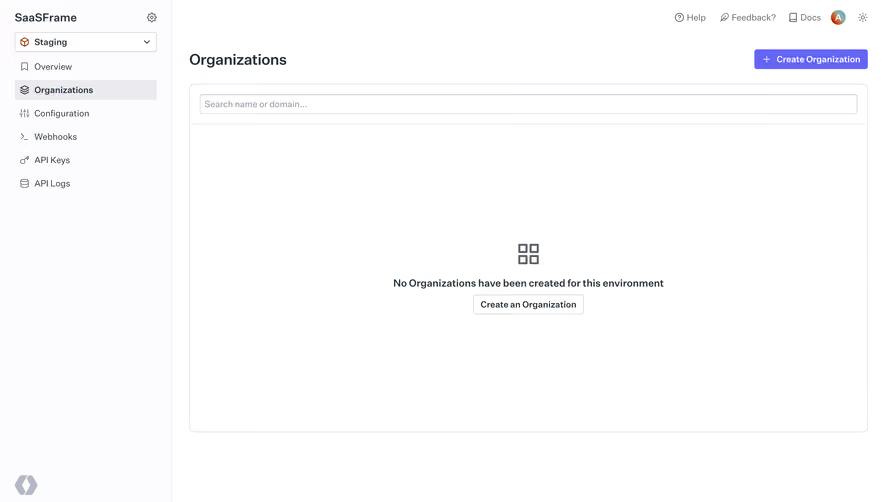
Similar screens


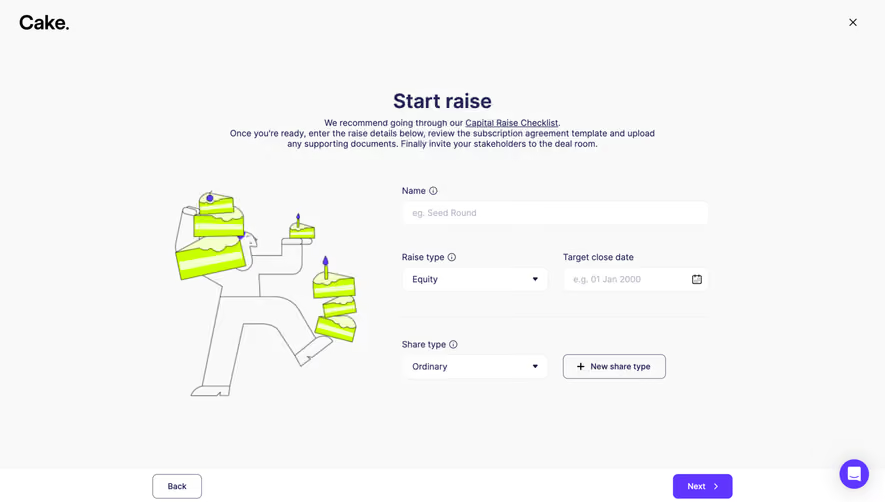


Upgrade to SaaSFrame Pro now to see similar examples.
Monthly
$18 /month
Billed $18 monthly
Browse all screens & flows
Filter and search screens & flows
Search text in screenshots
Access Figma files
Access mobile versions
Join now
Quarterly
$16 /month
Billed $48 quarterly
Browse all screens & flows
Filter and search screens & flows
Search text in screenshots
Access Figma files
Access mobile versions
Join now
Yearly
$15 /month
Billed $180 yearly
Browse all screens & flows
Filter and search screens & flows
Search text in screenshots
Access Figma files
Access mobile versions
Join now