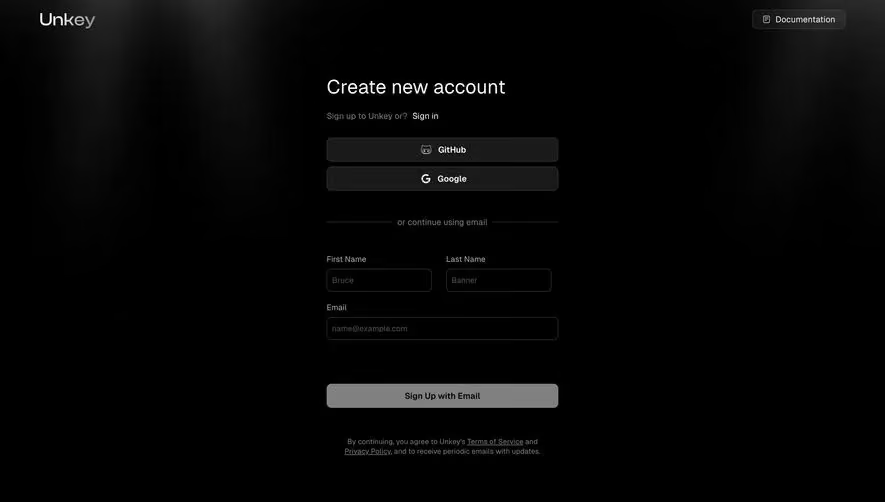
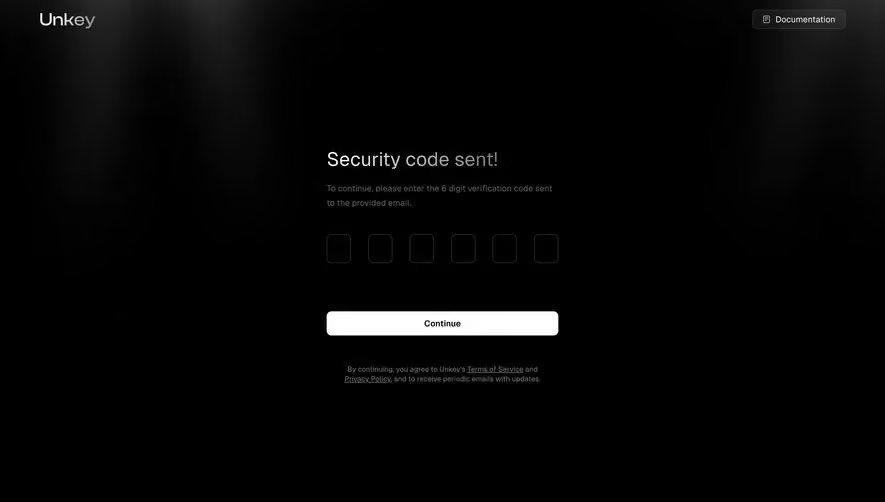
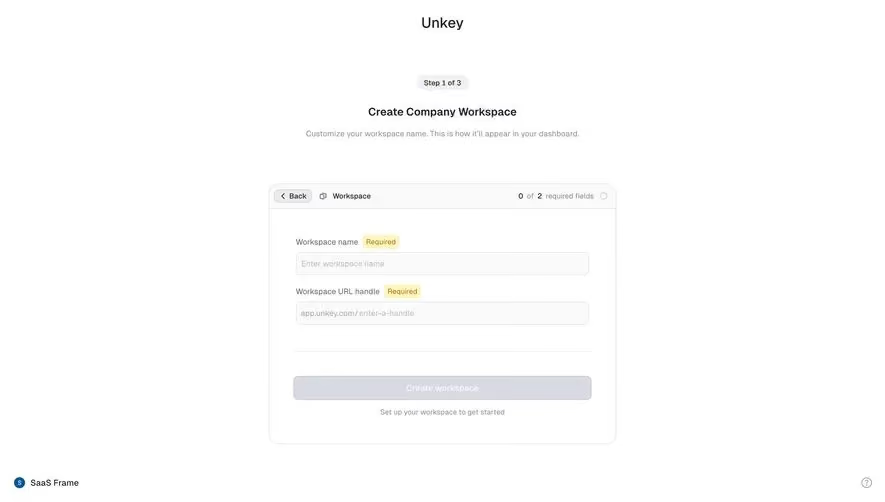
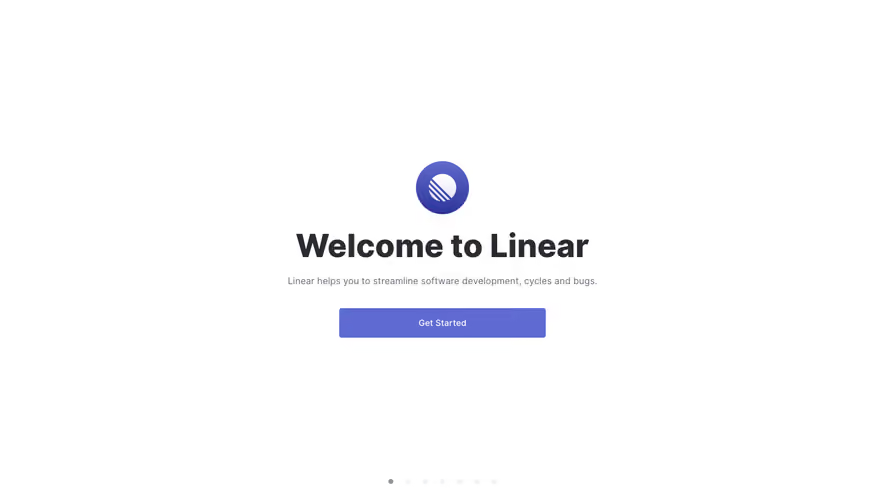
Generate a new design based on this screen using your own content.
Thank you! Your submission has been received!
Oops! Something went wrong while submitting the form.
# Design from Reference: Unkey Create First API Key
Create an original, high-fidelity visual design inspired by the reference. Prioritize composition, typography, colors, spacing, and component styling over technical implementation.
## Reference
- **Product:** Unkey
- **Category:** Account Setup
- **Screenshot:** https://cdn.prod.website-files.com/5e9dc792e1210c5325f7ebbc/697b83e3cd83044f1a90c7c6__3x3yAK4a4_Sjht4JyMSezymdJXCetmCe57dpEyfEJ4.avif
Analyze the screenshot first. If inaccessible, request it rather than guessing.
## Content
{{content.instructions}}
{{content.data}}
Preserve essential messaging and factual accuracy. Adapt structure and copy length for visual balance; never invent product claims.
## Visual Design
Use this context to reproduce the reference's visual language: layout, typography, colors, spacing, borders, radii, and distinctive elements. The screenshot takes priority if descriptions conflict.
## Direction
{{preferences.fidelityInstructions}}
## Output
{{output.instructions}}
Deliver a polished, cohesive design with precise alignment, hierarchy, and spacing. Produce the requested visual artifact, not just a description. If unsupported, explain the limitation.
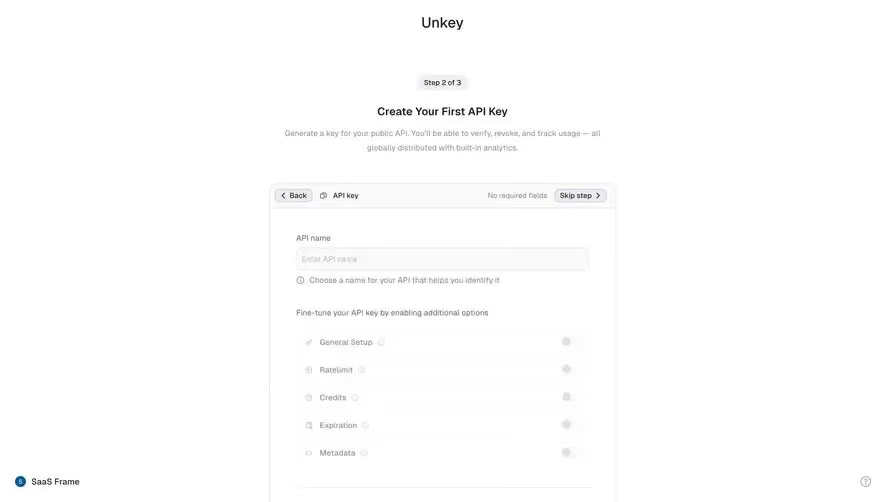
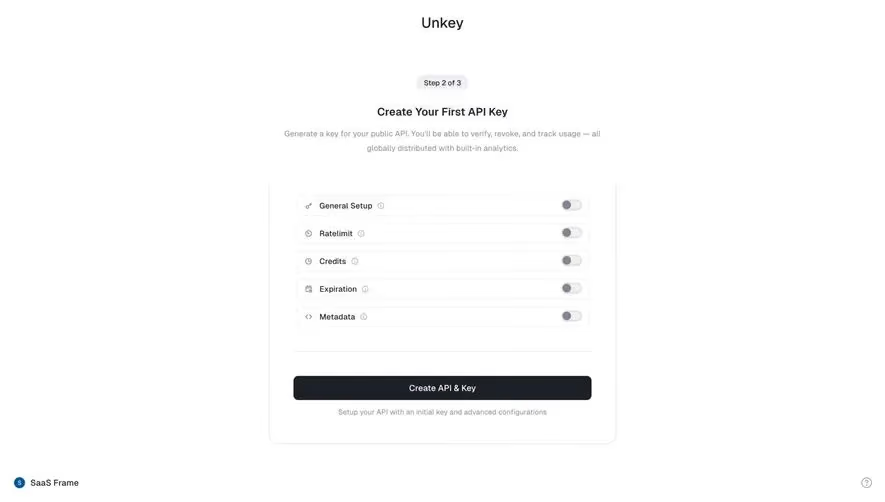
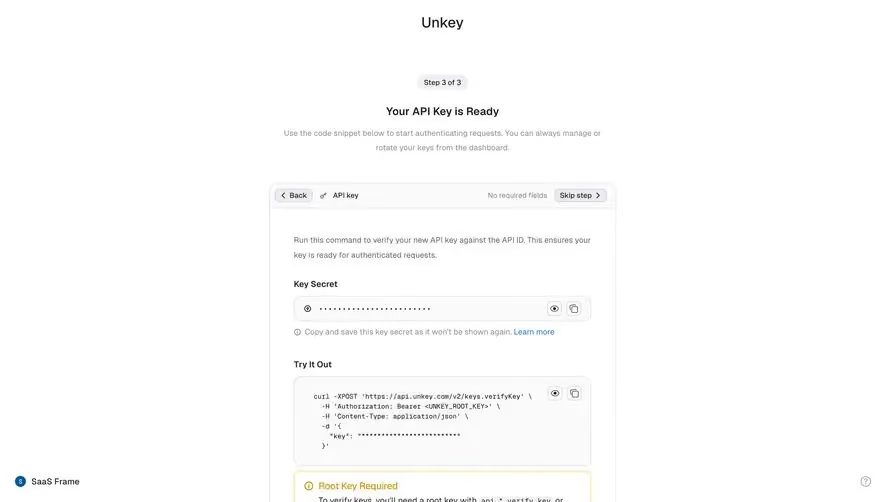
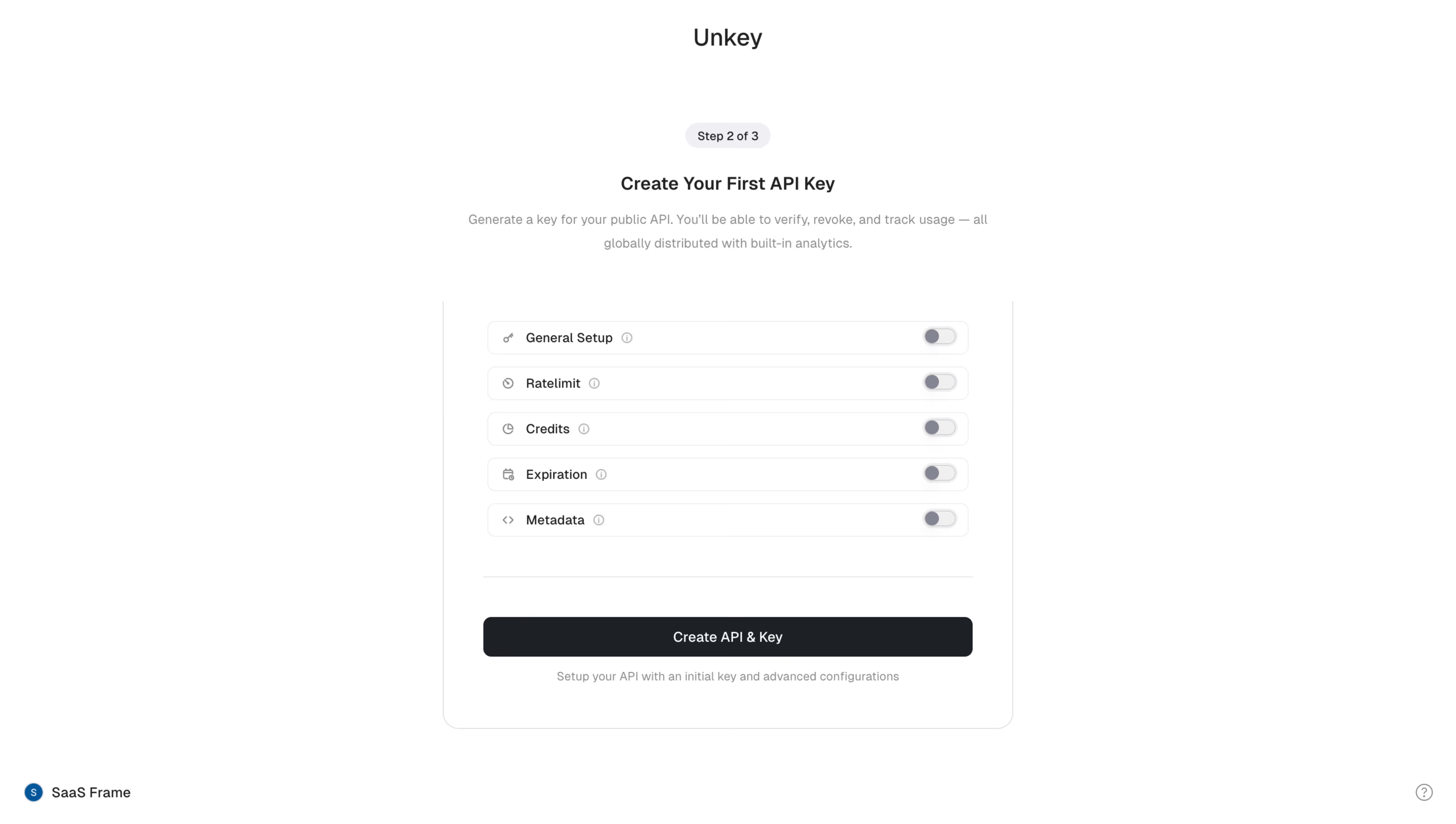
First thing you notice is how much breathing room this page has. Unkey's Step 2 of 3 API key creation screen is almost entirely whitespace, and it works. The centered layout with a narrow content column keeps your focus locked on exactly what matters.
Toggle-Driven Configuration Done Right
The five config options (General Setup, Ratelimit, Credits, Expiration, Metadata) are all collapsed behind toggles. That's a smart move. It respects the user who just wants to generate a key fast while still surfacing advanced options for power users. Each row has a small icon and an info tooltip. No clutter. The toggles are all off by default, which signals "you don't need to touch any of this if you don't want to."
Typography and CTA That Just Work
Big bold heading. Short supporting copy underneath. The "Create API & Key" button is full-width, high contrast black. It anchors the entire page. The step indicator pill at the top is subtle but gives you clear progress context. Everything here feels intentional and restrained. Nothing is fighting for attention.
.webp)



.avif)