.webp)
Thank you! Your submission has been received!
Oops! Something went wrong while submitting the form.
Get SaaSFrame Pro
Monthly
$18
Quarterly
$48
Yearly
$180
Upgrade to access this feature
Browse all screens & flows
Filter and search screens & flows
Access Figma files
Access mobile versions
Bookmark screens & flows
Join now
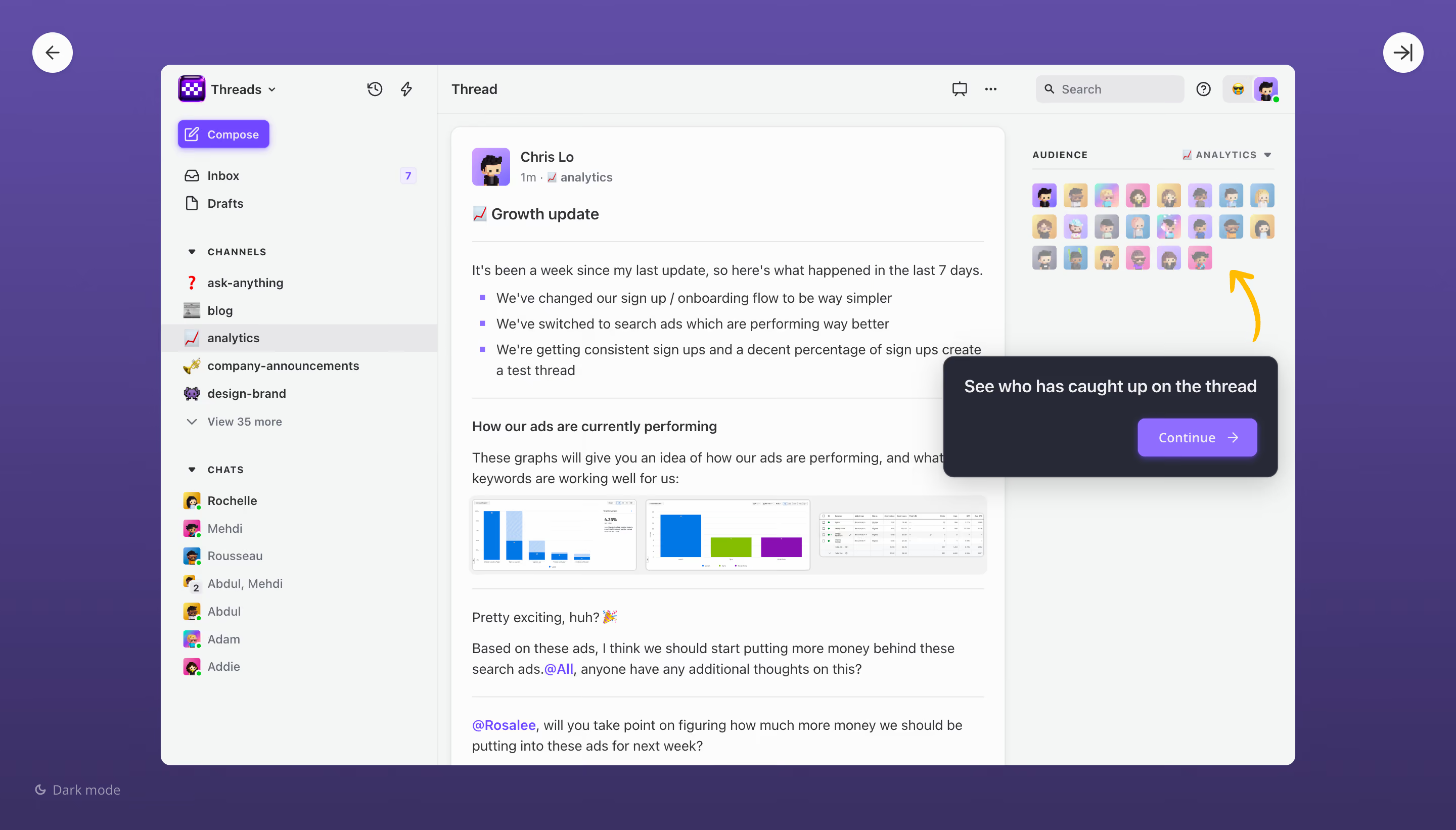
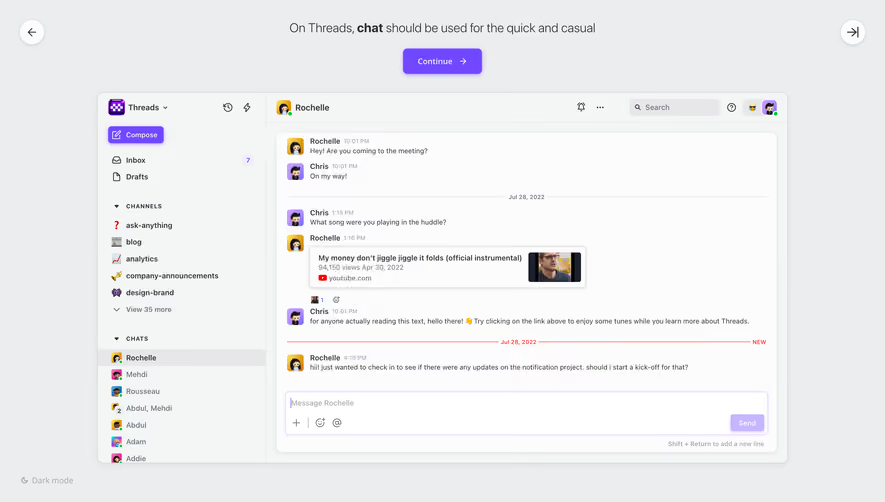
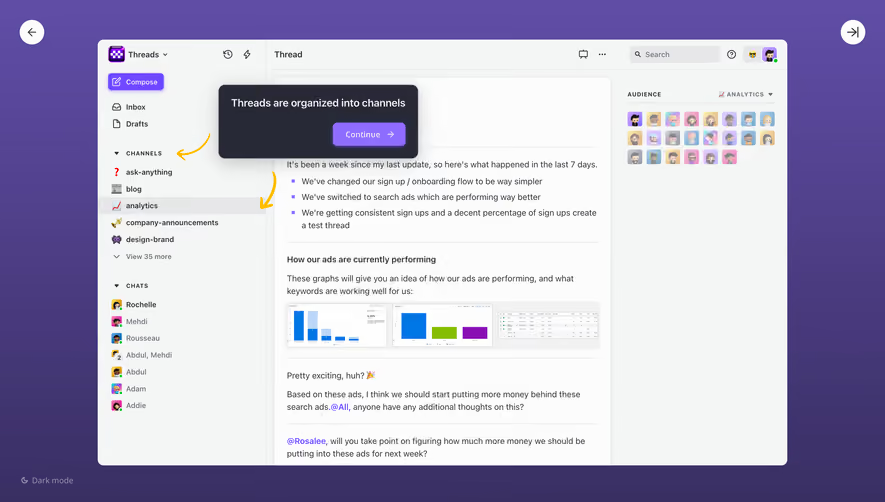
Threads Product Tour

Threads
Slack replacement designed for makers
Designed by
No items found.

Bookmark
Bookmark

Design with AI
Thank you! Your submission has been received!
Oops! Something went wrong while submitting the form.
# Design from Reference: Threads Product Tour
Create an original, high-fidelity visual design inspired by the reference. Prioritize composition, typography, colors, spacing, and component styling over technical implementation.
## Reference
- **Product:** Threads
- **Category:** Product Tour
- **Screenshot:** https://cdn.prod.website-files.com/5e9dc792e1210c5325f7ebbc/6acbba8dd01e36484765989d_6acbb9553b6b24eada5391aa_cms-d4ec4eb3fc0e464deec76c48.webp
Analyze the screenshot first. If inaccessible, request it rather than guessing.
## Content
{{content.instructions}}
{{content.data}}
Preserve essential messaging and factual accuracy. Adapt structure and copy length for visual balance; never invent product claims.
## Visual Design
### Overall aesthetic
- **Style:** Product-tour screen presenting a light collaboration interface inside a deep purple gradient stage.
- **Character:** Small pixel-art avatars, emoji channel icons and vivid violet controls give the otherwise neutral workspace a playful tone.
- **Capture:** The image measures 2880 × 1642 pixels. CSS estimates assume a 2× capture, equivalent to approximately 1440 × 821 CSS pixels; actual display scale and font identity are unverified.
### Page composition
- **Tour stage:** A purple background surrounds a centered application window approximately 1122 × 693 CSS pixels, positioned about 159 pixels from the left and 64 pixels from the top.
- **External navigation:** White circular back and forward/exit-style controls occupy the top corners of the stage. A small dark-mode label sits at lower left.
- **App sidebar:** A roughly 274-pixel left rail contains workspace identity, Compose, Inbox, Drafts, channel groups and direct chats.
- **Main article:** The central pane displays a white thread card with author metadata, title, paragraphs, bullet points, chart thumbnails and highlighted mentions.
- **Audience pane:** A narrower right-hand region contains an uppercase audience label, channel selector and a compact grid of avatars.
- **Tour annotation:** A dark floating callout overlays the right side of the thread and audience area, with a yellow curved arrow pointing toward the avatar grid.
### Information hierarchy
- **Tour focus:** The callout explains the audience-reading feature and contains the most visually prominent next action.
- **Thread hierarchy:** Author identity and timestamp precede a bold update title. Rules separate the opening list, performance subsection and subsequent discussion.
- **Navigation hierarchy:** Compose is a vivid primary action; Inbox and Drafts are simpler icon-label rows. Uppercase group labels distinguish channels and chats.
- **Selection:** The analytics channel uses a full-width gray highlight in the sidebar and is repeated in the thread metadata and audience selector.
- **Read-status emphasis:** The yellow arrow connects the instructional message to the audience avatars without dimming the rest of the interface.
- **Partial content:** The thread continues beyond the lower visible edge; no completion of the discussion is evidenced.
### Typography
- **Family:** A compact UI sans-serif is visible; precise font identity is unverified.
- **Thread body:** Approximately 14-pixel CSS text with 21-pixel line height, dark gray and regular weight.
- **Titles and subheads:** The thread title is around 16 pixels and semibold; the performance subsection is around 14 pixels and semibold.
- **Sidebar:** Approximately 12–13 pixels, with stronger weight for selected or primary navigation.
- **Group labels:** Approximately 10–11 pixels, uppercase, with visibly expanded tracking.
- **Callout:** Approximately 18-pixel semibold explanatory text. Continue is around 14 pixels with modest tracking.
### Colors & surfaces
- **Measured light surfaces:** Off-white #FCFCFC and pale gray-green #F4F6F5 are prominent sampled interface colors.
- **Measured dark callout:** #272936 provides the deep charcoal annotation surface.
- **Measured purple stage:** Samples include #604DA6, #5F4CA5 and #3A3064, reflecting the stage's lighter top and darker lower gradient.
- **Measured selection neutral:** #E7E7E9 appears among the selected-row and neutral interface pixels.
- **Accent roles:** Bright violet marks Compose, mentions and the tour action. Yellow is reserved for the curved pointer; small green dots indicate chat presence.
- **Depth:** The application frame has restrained rounding; the tour callout uses a larger shadow and stronger contrast to float above it.
### Components
- **Application frame:** A light rounded rectangle with approximately 10-pixel corners, clipped at its outer boundary.
- **Compose button:** Roughly 92 × 28 CSS pixels, with a writing icon, white text, violet fill and soft violet shadow.
- **Sidebar rows:** Compact icon-label entries use about 28-pixel vertical rhythm. The inbox count appears in a small pale-violet badge.
- **Thread card:** Approximately 548 pixels wide, with a fine border, rounded upper corners and roughly 20-pixel inset.
- **Author avatar:** A small pixel-art portrait sits in a violet square beside author and timestamp metadata.
- **Media strip:** Three compact chart/table previews form a horizontal row within a pale rounded container.
- **Audience grid:** Twenty-seven small square avatars appear across three rows, with pastel backgrounds and narrow gutters.
- **Tour callout:** Approximately 331 × 120 CSS pixels, around 12-pixel corners, generous shadow and about 20-pixel padding. The Continue button sits at lower right with a directional arrow.
- **Top utilities:** The app header includes a thread label, display/overflow controls, search field, help icon and profile controls; the capture does not show their expanded states.
- **Stage controls:** The outer circular arrows are approximately 40 pixels in diameter; dark-mode selection is visible only as a small lower-left affordance.
### Visual rhythm
- **Framing:** The broad purple margin makes the app appear as a focused demonstration within a separate tour environment.
- **Columns:** Sidebar, article and audience regions remain clearly separated by fine vertical boundaries and background shifts.
- **Article rhythm:** Horizontal rules and paragraph spacing break up dense update content; the chart strip provides a visual pause.
- **Avatar repetition:** Small evenly spaced squares create a recognizable audience block that the arrow can target.
- **Overlay placement:** The annotation sits beside its target while partially covering thread content, establishing a temporary instructional priority.
### Responsive
- **Recommendation — tour stage:** Reduce outer margins on smaller screens and keep navigation controls reachable.
- **Recommendation — app columns:** Collapse the sidebar and present audience details through a dedicated control when three columns no longer fit.
- **Recommendation — annotation:** Anchor the callout near the target without covering the next action or overflowing the viewport.
- **Recommendation — thread media:** Allow chart previews to wrap or open in a larger view rather than shrinking labels excessively.
- **Recommendation — accessibility:** Pair the visual arrow with clear instructional text and maintain keyboard focus through tour steps. No mobile tour state is shown.
### Adaptation guidance
- **Retain the instructional target:** Link the message specifically to the audience avatar region, preserving a clear visual connection.
- **Separate tour and product layers:** Keep stage navigation, theme control and instructional overlay distinct from the application's own controls.
- **Use a consistent callout system:** Reuse dark rounded panels, concise explanatory text and a vivid next-step action for related steps.
- **Preserve realistic context:** Keep enough thread and navigation detail visible to explain the feature's purpose without inventing unseen conversation content.
- **Maintain target visibility:** Reposition the callout and pointer when layout changes so the audience grid remains identifiable.
- **Define unshown states:** Implement step progression, dismissal and focus restoration separately; this image evidences only one tour step.
Use this context to reproduce the reference's visual language: layout, typography, colors, spacing, borders, radii, and distinctive elements. The screenshot takes priority if descriptions conflict.
## Direction
{{preferences.fidelityInstructions}}
## Output
{{output.instructions}}
Deliver a polished, cohesive design with precise alignment, hierarchy, and spacing. Produce the requested visual artifact, not just a description. If unsupported, explain the limitation.

.avif)
Category
Patterns
No items found.
Tech Stack
No items found.
Added on
April 20, 2023




Similar screens



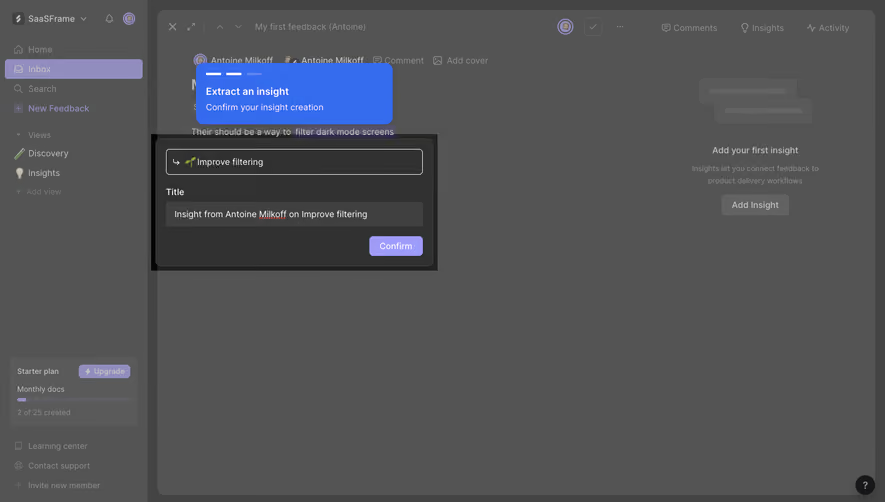


Upgrade to SaaSFrame Pro now to see similar examples.
Monthly
$18 /month
Billed $18 monthly
Browse all screens & flows
Filter and search screens & flows
Search text in screenshots
Access Figma files
Access mobile versions
Join now
Quarterly
$16 /month
Billed $48 quarterly
Browse all screens & flows
Filter and search screens & flows
Search text in screenshots
Access Figma files
Access mobile versions
Join now
Yearly
$15 /month
Billed $180 yearly
Browse all screens & flows
Filter and search screens & flows
Search text in screenshots
Access Figma files
Access mobile versions
Join now