Design with AI
Generate a new design based on this screen using your own content.
# Design from Reference: Lightspark Business Recipient Details
Create an original, high-fidelity visual design inspired by the reference. Prioritize composition, typography, colors, spacing, and component styling over technical implementation.
## Reference
- **Product:** Lightspark
- **Category:** Add & Edit
- **Screenshot:** https://cdn.prod.website-files.com/5e9dc792e1210c5325f7ebbc/6aca263bfe95dabb920563d8_6aca2328de58be1a2235e2f4_cms-5aca9cd4038da2fbb480d963.webp
Analyze the screenshot first. If inaccessible, request it rather than guessing.
## Content
{{content.instructions}}
{{content.data}}
Preserve essential messaging and factual accuracy. Adapt structure and copy length for visual balance; never invent product claims.
## Visual Design
### Overall aesthetic
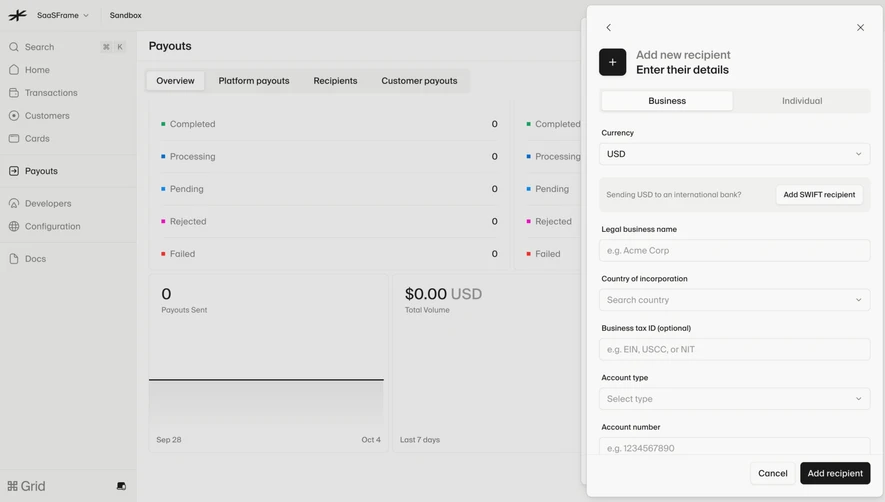
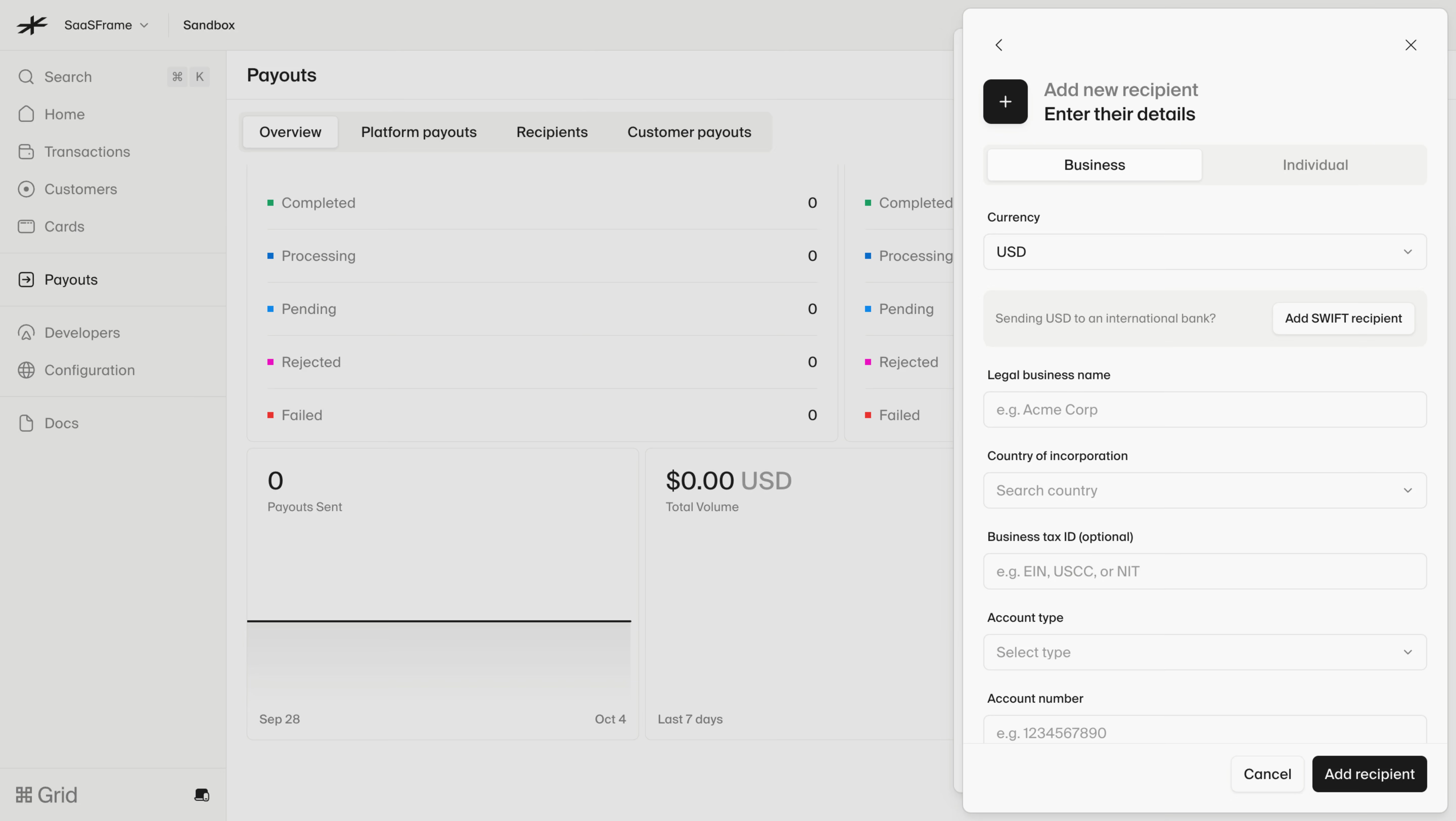
- **Style:** A monochrome recipient-entry drawer over a dimmed payout dashboard, with understated rounded fields and a dark completion action.
- **Character:** Dense but orderly, prioritizing business/banking details and contextual guidance.
### Page composition
- **Capture and scale:** 5760 × 3248 screenshot pixels, consistent with estimated 4× capture of 1440 × 812 CSS pixels. Following sizes are estimated CSS pixels.
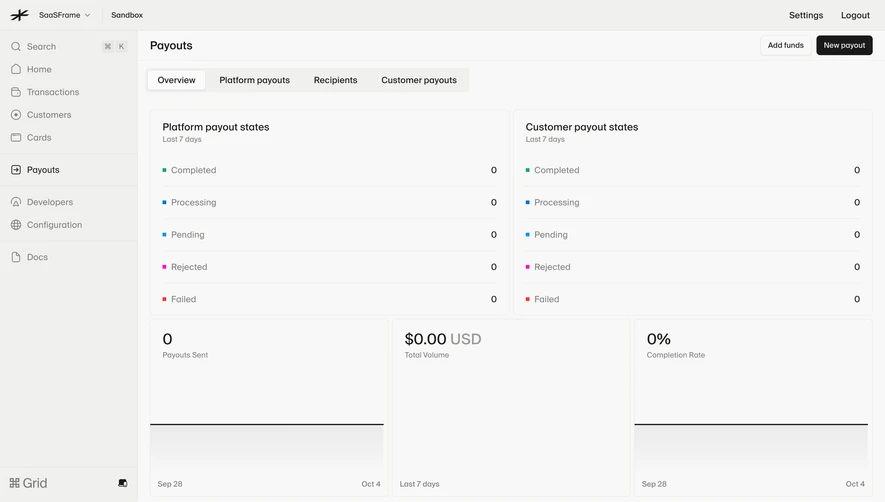
- **Backdrop:** A left navigation rail and payout overview with status totals/charts remain visible under gray dimming.
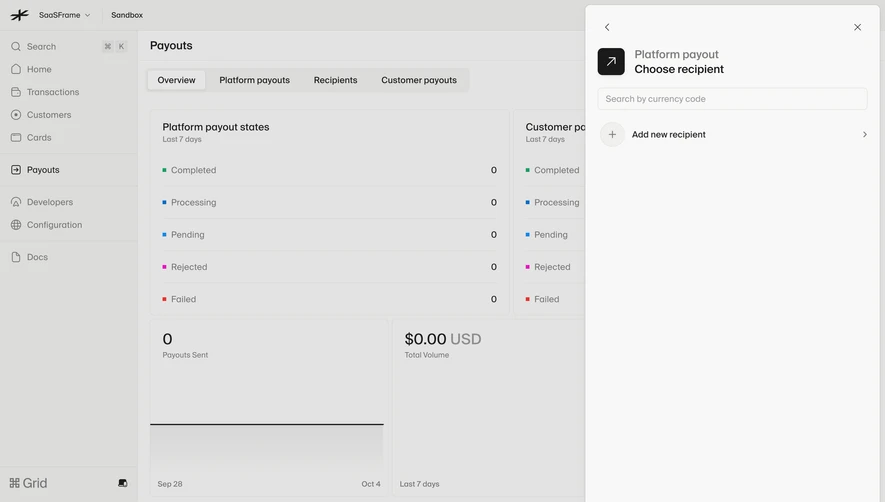
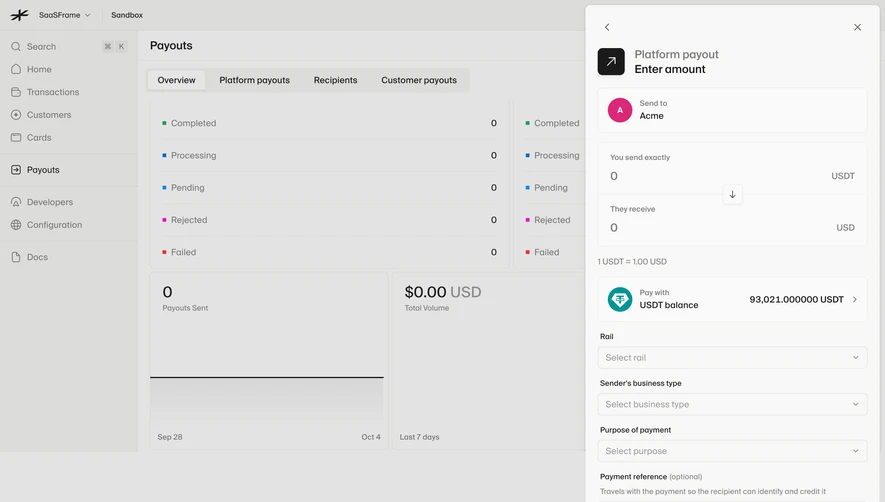
- **Drawer:** A roughly 480 px-wide right panel spans almost the full height. Back/close controls precede recipient heading, Business/Individual switch, currency, SWIFT guidance, legal name, incorporation country, optional tax ID, account type, and account number.
- **Footer:** A separated bottom action bar holds Cancel and Add recipient; lower form content is clipped by this bar in the capture.
### Information hierarchy
- **Recipient type:** The Business segment is visibly selected.
- **Form order:** Currency and international-bank guidance precede legal identity and account fields.
- **Completion:** The dark Add recipient action is primary, with outlined Cancel beside it.
### Typography
- **Family:** Neutral sans serif; exact identity unverified.
- **Roles:** Heading around 18 px CSS semibold; field labels 13 px; values/placeholders 14 px.
- **Support:** Guidance copy is smaller and muted, with a compact secondary SWIFT button.
### Colors & surfaces
- **Foundation:** Sampled sRGB #F8F8F7 defines the drawer; #F0F0EE supports segmented/guidance surfaces.
- **Overlay:** Sampled #E3E3E2 and #DCDCDA are dimmed-background composites rather than verified base surface tokens.
- **Ink:** Dark gray/near-black defines actions and labels, with restrained gray borders and placeholder text.
### Components
- **Drawer shell:** Small outer radii, thin border, and a soft shadow separate the panel from the dashboard.
- **Fields:** Full-width shallow rounded controls use thin neutral borders and right chevrons for selectors.
- **Segmented control:** Two equal type segments sit in a pale track; selected Business is white with subtle shadow.
- **Guidance:** A pale horizontal strip pairs international-bank explanation with a compact SWIFT action.
- **Actions:** Bottom controls are right aligned; Add recipient is dark filled with white text, Cancel pale outlined.
### Visual rhythm
- **Spacing:** Use roughly 20–24 px panel padding and 22–26 px between labeled groups.
- **Alignment:** Keep fields and guidance to one width; maintain a fixed visual separation for footer actions without inferring sticky behavior.
### Responsive
- **Observed state:** Desktop only.
- **Recommended reflow:** Use a full-screen or viewport-constrained drawer on phones, with scrollable form and accessible footer controls.
- **Labels:** Preserve optional-field indication and avoid hiding long legal/banking labels.
### Adaptation guidance
- **Preserve:** Retain the business/person switch, currency-first sequence, contextual international-bank guidance, and quiet monochrome drawer.
- **Adapt:** Use actual recipient requirements and supported currencies/account types.
- **Avoid:** Do not infer missing lower fields or copy banking/personal information.
Use this context to reproduce the reference's visual language: layout, typography, colors, spacing, borders, radii, and distinctive elements. The screenshot takes priority if descriptions conflict.
## Direction
{{preferences.fidelityInstructions}}
## Output
{{output.instructions}}
Deliver a polished, cohesive design with precise alignment, hierarchy, and spacing. Produce the requested visual artifact, not just a description. If unsupported, explain the limitation.
.webp)



.avif)